
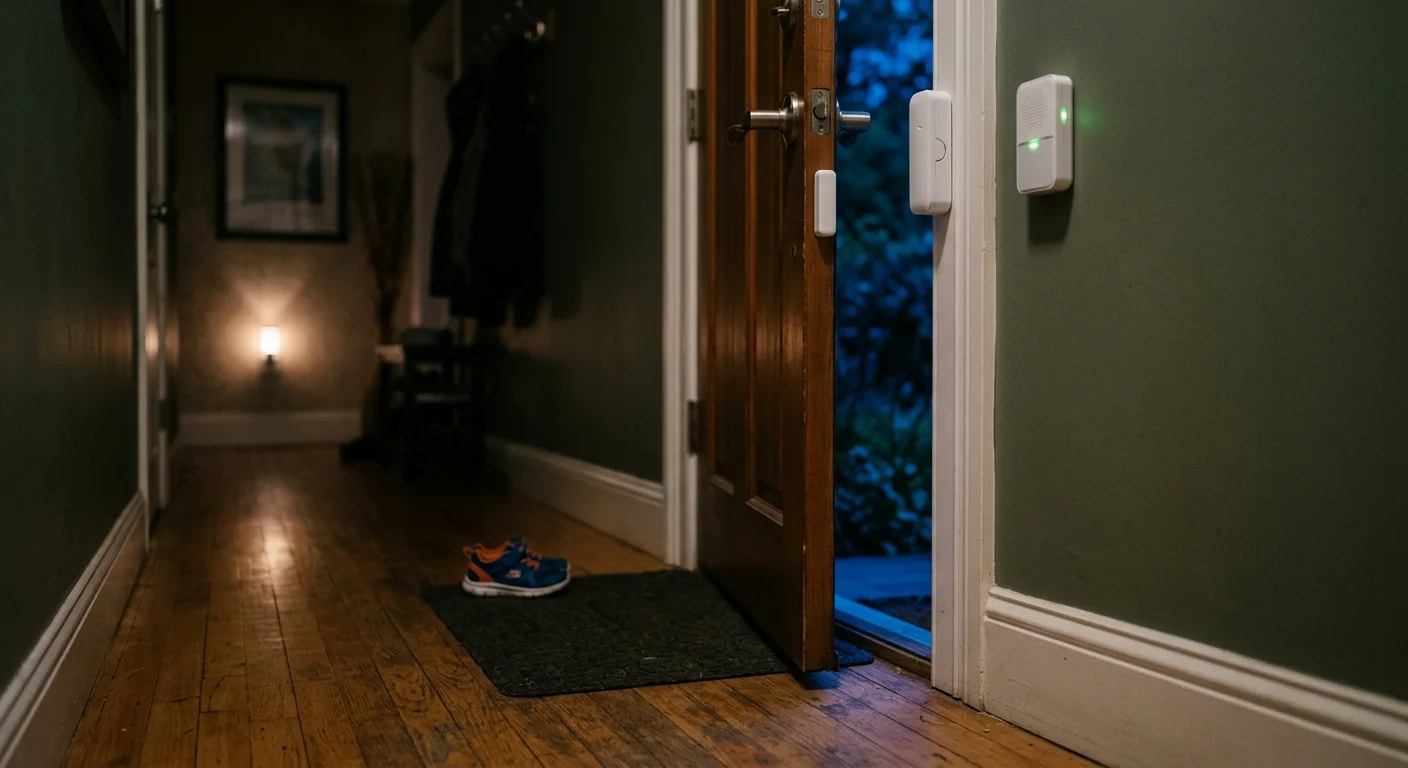
Standard Wi-Fi door chimes introduce dangerous multi-second delays when an autistic child slips out an exterior door during the night. A reliable elopement alert must reach your bedside in milliseconds, not after a remote cloud server responds.
For households supporting non-verbal family members, tuning smart speakers for synthetic AAC speech can serve as another vital accessibility measure alongside entry detection.
Unlike standard smart home setups that rely entirely on home broadband, true elopement prevention requires combining an air-gapped physical chime with a sub-100-millisecond local mesh network.
This low-latency architecture guarantees that your bedroom speakers sound instantly, even if your home Wi-Fi crashes or your internet connection drops completely.

The Hidden Danger of Cloud Latency in Elopement Prevention
Autistic wandering, clinically documented under diagnostic code ICD-10-CM Z91.83, happens quickly and quietly. Children often slip away while parents sleep or attend to daily chores.
For larger properties, pairing doorway chimes with long-range driveway beam alerts creates an essential secondary boundary check before someone reaches the road.
A landmark study published by the American Academy of Pediatrics revealed that 49 percent of children with autism attempt to elope after age four. The physical risks escalate rapidly once a child exits the home.
Among children who elope long enough to cause concern, 65 percent face severe traffic hazards and 24 percent encounter drowning risks. The National Autism Association notes that accidental drowning accounts for roughly 71 percent of all lethal elopement outcomes.
Most commercial smart door sensors rely on consumer Wi-Fi chips that route data through remote cloud servers. When a door swings open, the sensor must wake up, negotiate a Wi-Fi handshake, and ping an offsite server.
This round-trip architecture creates a latency penalty of 1.5 to 5 seconds under normal conditions. If your internet bandwidth spikes or your provider suffers a minor interruption, that delay stretches past 10 seconds.
A fast-moving child can clear a hallway, cross a patio, and reach a driveway or swimming pool in five seconds. Relying on cloud-based door chimes sacrifices the critical seconds you need to intervene.
The 250-Millisecond Benchmark: Local Protocols Explained
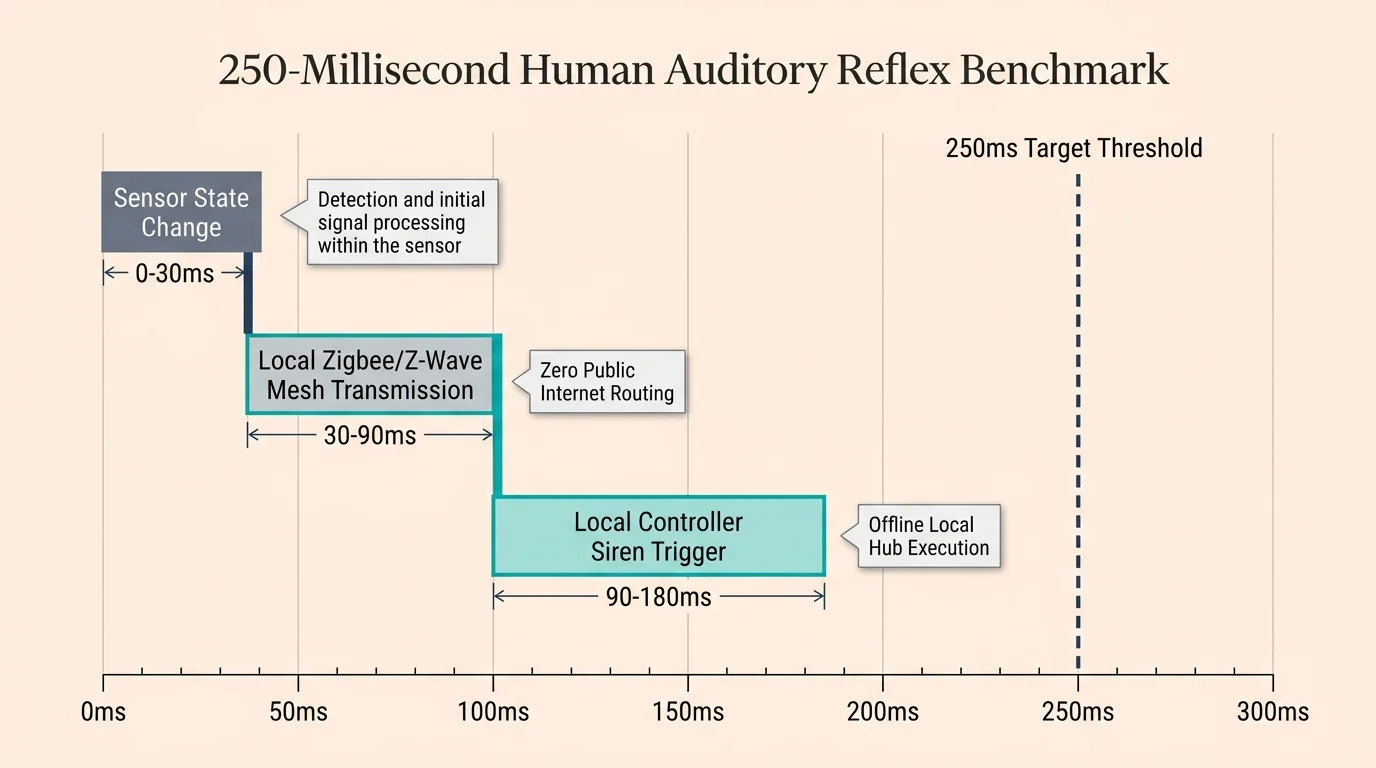
Preventing elopement requires you to operate within human auditory reflex windows. Your system must register the open door and blast an alert throughout your home in under 250 milliseconds.
Understanding protocol response times is a cornerstone when learning how to set up a complete smart security system that remains operational during network drops.
Achieving this speed requires local execution, which processes automations entirely inside your home network without sending packets across the public internet. Local protocols bypass external DNS lookups and server queues completely.
According to smart home system testing by Consumer Reports, locally processed devices respond far more reliably than cloud-tethered alternatives during network strain.
Modern local smart home hardware operates primarily on three dedicated low-latency wireless technologies:
- Zigbee 3.0: Operates on a 2.4 GHz mesh network and delivers typical contact sensor response times between 30 and 80 milliseconds.
- Z-Wave 800-Series: Runs on sub-GHz radio frequencies (908.42 MHz in the US) to avoid Wi-Fi congestion and registers state changes in 20 to 50 milliseconds.
- Matter-over-Thread: Built on the open Matter Smart Home Standard, using self-healing Thread mesh radios to communicate locally with multi-vendor smart speakers in roughly 50 to 90 milliseconds.
Because these protocols speak directly to a local hub, your notifications trigger immediately. The bedroom speaker sounds while the exterior door is still moving across the door jamb.
Designing a Fail-Safe Dual-Sensor Architecture
Life-safety systems in commercial aviation and medicine never depend on a single mechanism. You must apply that same principle of dual redundancy to your exterior doors.
In multi-story layouts, incorporating cascading smart stair lighting ensures dark hallways and steps instantly illuminate the second an exit routine trips.
A smart sensor can run out of battery, freeze during a firmware update, or lose mesh routing. If you rely on a single device, a solitary failure leaves your family vulnerable.
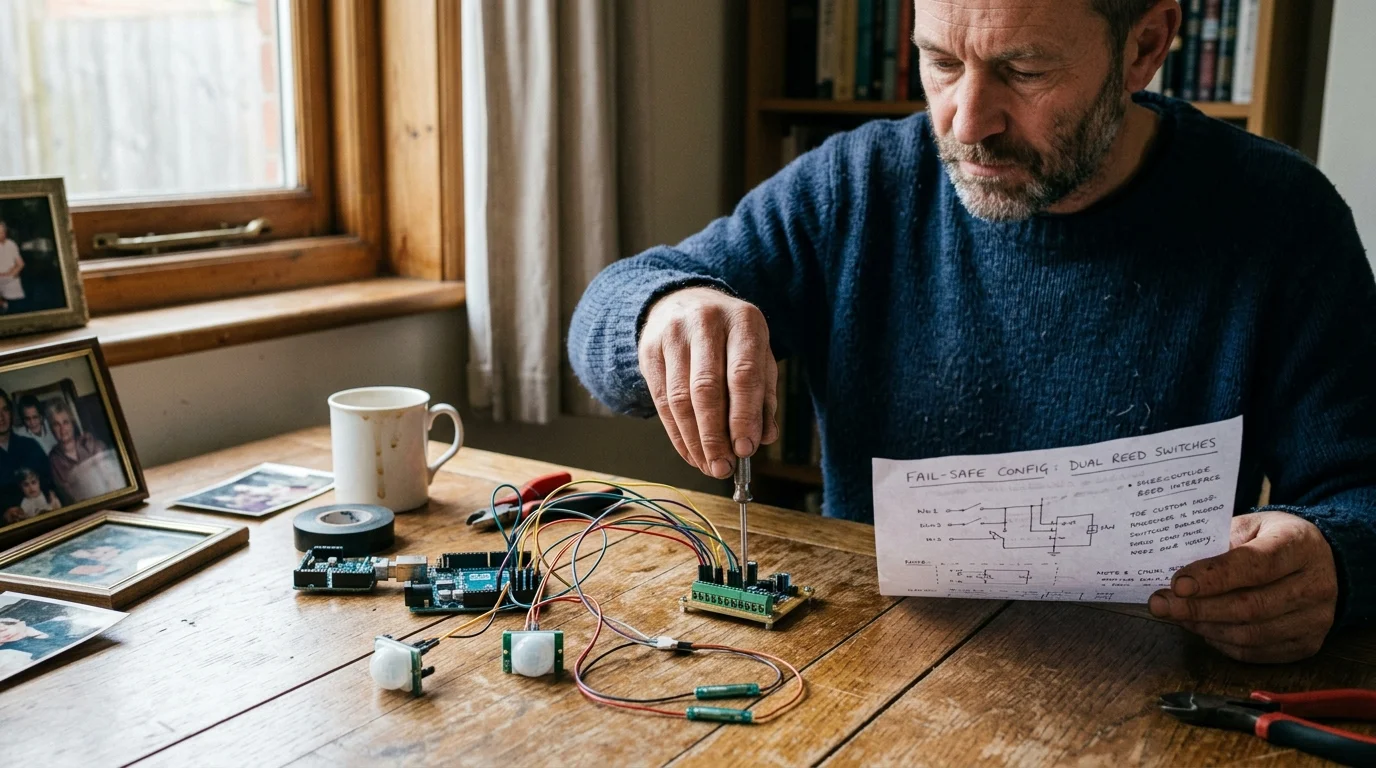
True resilience requires defense in depth: pairing an automated, multi-room notification system with an entirely independent, air-gapped alert mechanism.
A fail-safe wandering prevention setup uses two distinct sensor layers running side-by-side on each exterior door:
- Primary Layer (Local Smart Sensor): A Z-Wave 800 or Matter-over-Thread contact sensor linked to a local hub. This triggers multi-room smart speaker chimes, illuminates hallway pathway lights, and sends high-priority mobile push notifications.
- Secondary Layer (Air-Gapped 433 MHz RF Chime): A standalone radio frequency contact transmitter paired directly to dedicated, plug-in wall chimes. This hardware has no operating system, requires no pairing hub, and operates completely offline.
If your smart hub crashes or a power outage disrupts local IP traffic, the 433 MHz RF chime continues functioning on internal battery power. The dual-path architecture ensures you never miss an exit event.

Hardware Comparison for Low-Latency Door Detection
Selecting the right sensors determines whether your alert arrives instantly or fails during an emergency. The following table compares common sensor protocols based on metrics essential for elopement prevention.
Properly integrating smart sensors for home security requires matching the transmission protocol directly to the urgency of the event.
For patio exits, pairing standard contact detection with calibrated vibration sensors for sliding glass provides an additional safeguard before a latch is completely undone.
| Device Category | Operating Protocol | Trigger Latency | Internet Dependency | Power Source & Lifespan |
|---|---|---|---|---|
| Zooz ZSE41 800LR | Z-Wave 800 (908 MHz) | 20–50 ms | None (100% Local Hub) | CR2032 Battery (18–24 months) |
| Eve Door & Window | Matter-over-Thread | 50–90 ms | None (Local Thread Border Router) | 1/2 AA Battery (12–18 months) |
| SECRUI Wireless Kit | 433 MHz Analog RF | 15–30 ms | None (Air-Gapped Standalone) | 23A 12V Battery (24–36 months) |
| Tuya / Generic Wi-Fi | 2.4 GHz Wi-Fi (Cloud) | 1,500–5,000+ ms | Mandatory Cloud Connection | 2x AAA Batteries (6–9 months) |
Wi-Fi contact sensors perform poorly in elopement prevention scenarios due to battery-saving sleep cycles. A sleeping Wi-Fi radio requires up to three seconds simply to reconnect to your wireless access point.
Sub-GHz protocols like Z-Wave 800 and dedicated 433 MHz RF transmitters maintain near-instant signal propagation. Their signals penetrate thick exterior walls and metal door frames far better than 2.4 GHz wireless signals.
Step-by-Step Installation and Sensor Physical Hardening
Autistic children often exhibit high spatial awareness and curiosity toward novel objects. If you place a sensor within arm’s reach, a child can peel it off, unseat the magnet, or pry open the battery cover.
If your exterior entryways stick or bind, retrofitting smart locks on out-of-alignment doors guarantees that physical latches seat reliably before arming sensors.
Just as you would consider childproofing smart light switches with physical locks to stop tampering, security sensors require mechanical hardening.
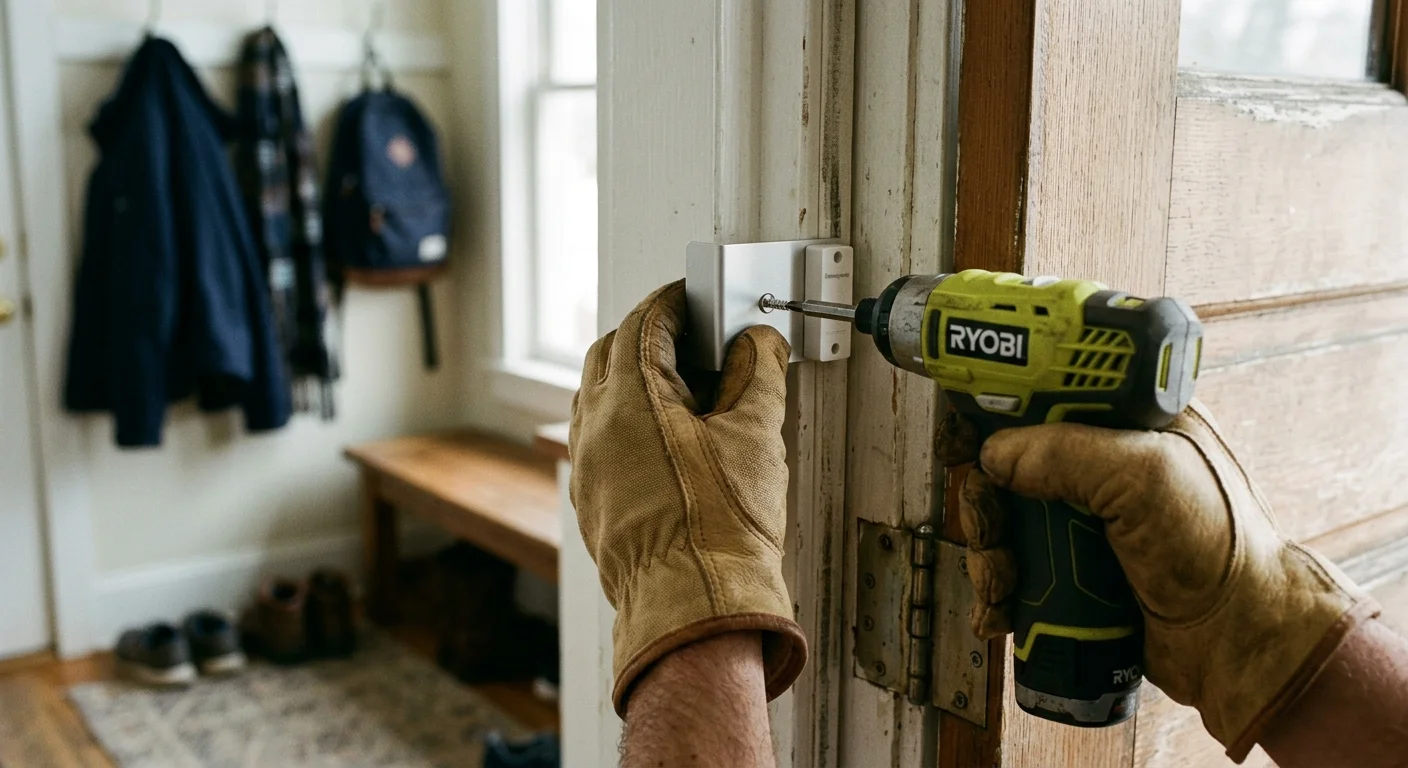
Proper physical installation requires tamper-resistant placement and mechanical reinforcement. Follow these steps to secure every exterior door:
- Mount at the Top of the Frame: Position both the primary smart sensor and the secondary RF sensor along the top horizontal door frame, at least 6.5 feet above the floor. This keeps devices outside a child’s field of vision and reach.
- Maintain Tight Magnet Tolerances: Align the sensor body and magnet so the gap does not exceed 10 millimeters (0.4 inches) when closed. A wider gap leads to false alarms or delayed switch openings.
- Secure with Mechanical Fasteners: Discard standard adhesive foam strips, which dry out and fail over time. Fasten the mounting brackets directly into the door casing using 0.75-inch wood screws.
- Apply Industrial VHB Tape for Metal Frames: If drilling into metal doors is impossible, clean the surface with 70 percent isopropyl alcohol and apply 3M VHB 5952 heavy-duty mounting tape.
- Verify Swing Trigger Distances: Slowly open the door while observing the receiver LED. Ensure the chime trips when the door swings open by just 0.75 inches, well before a child can squeeze through.
Check the physical integrity of each sensor housing monthly. Ensure the snap-on battery covers remain tightly locked so tactile manipulation cannot dislodge them.
Configuring the Local Instant Door Open Alert Routine
Once your hardware is installed, build your automation routine inside a local smart hub such as Home Assistant Green or a local hub with Matter support. Avoid cloud-dependent routine builders like standard Alexa cloud skills.
To deliver spoken alerts throughout the home without relying on internet-connected assistants, look into building a sub-800ms local voice pipeline on a dedicated mini-PC.
Integrating these fail-safes alongside other smart home routines for parents with young children creates comprehensive peace of mind across the whole household.
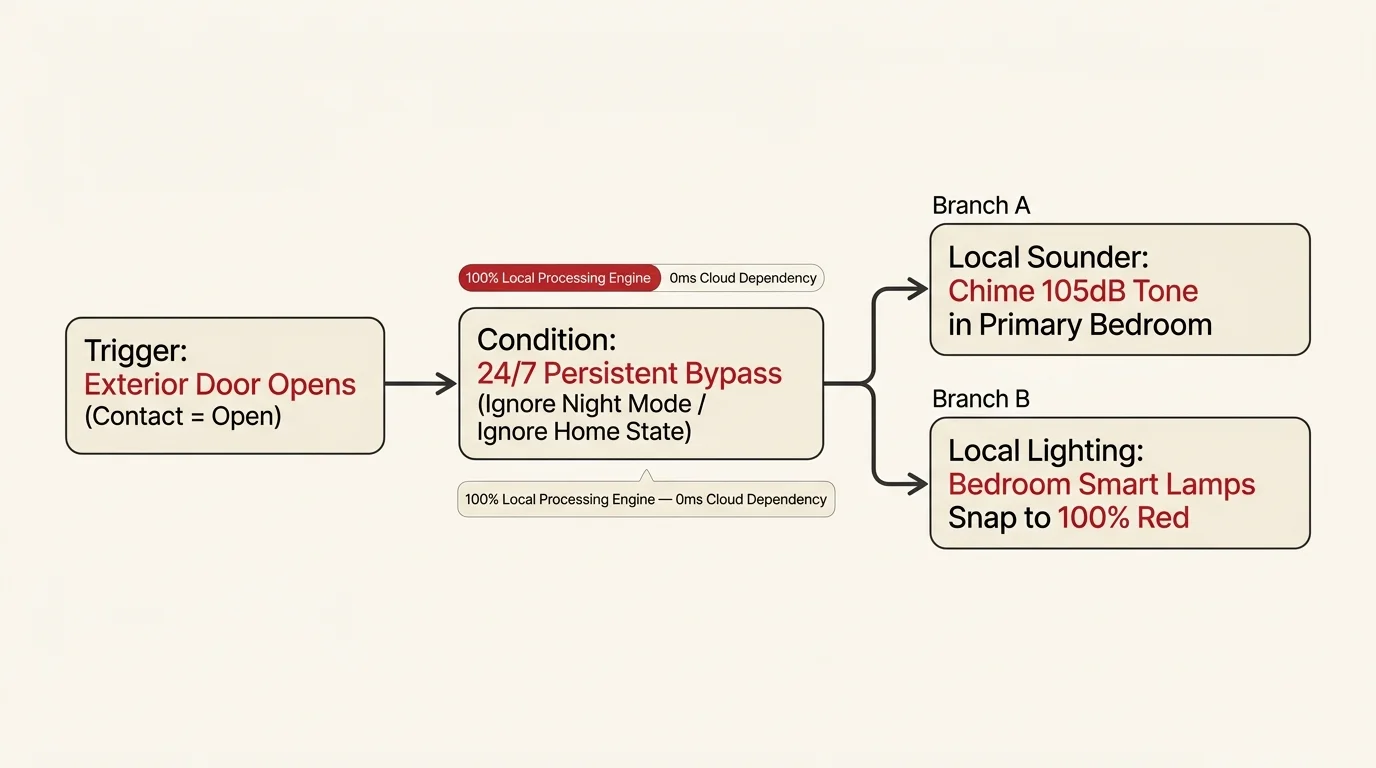
Your automation logic should run unconditionally, bypassing arming delays and night-mode toggles. Follow these steps to configure your instant alert:
- Define the Instant Trigger: Set the primary contact sensor state transition from “Closed” to “Open” as the immediate execution trigger.
- Bypass Global Conditions: Do not add time-of-day or vacation restrictions to this safety automation. An exterior door opening at 2:00 PM requires awareness just as an opening at 2:00 AM does.
- Dispatch Low-Latency Audio: Send a direct local media command to play a high-frequency, two-tone chime across all smart speakers simultaneously. Target your master bedroom, kitchen, and living area.
- Set Fixed Volume Overrides: Configure the automation action to force speaker volume to 85 percent before playback, overriding any manual “Do Not Disturb” or low-volume settings.
- Trigger Visual Pathways: Command smart hallway and entryway bulbs to immediately switch to 100 percent brightness in cool white. Sudden illumination disorients wandering children and guides you quickly to the entry point.
Test the routine by cracking the door frame. The multi-room chime and hallway lights should activate in unison before the door handle returns to the latched position.
Worked Cost and Deployment Example for an Exterior Entryway
Here is a complete, real-world deployment plan designed to secure a rear sliding patio door leading to a backyard with an inground pool. This scenario assumes a two-story home requiring bedroom and downstairs coverage.
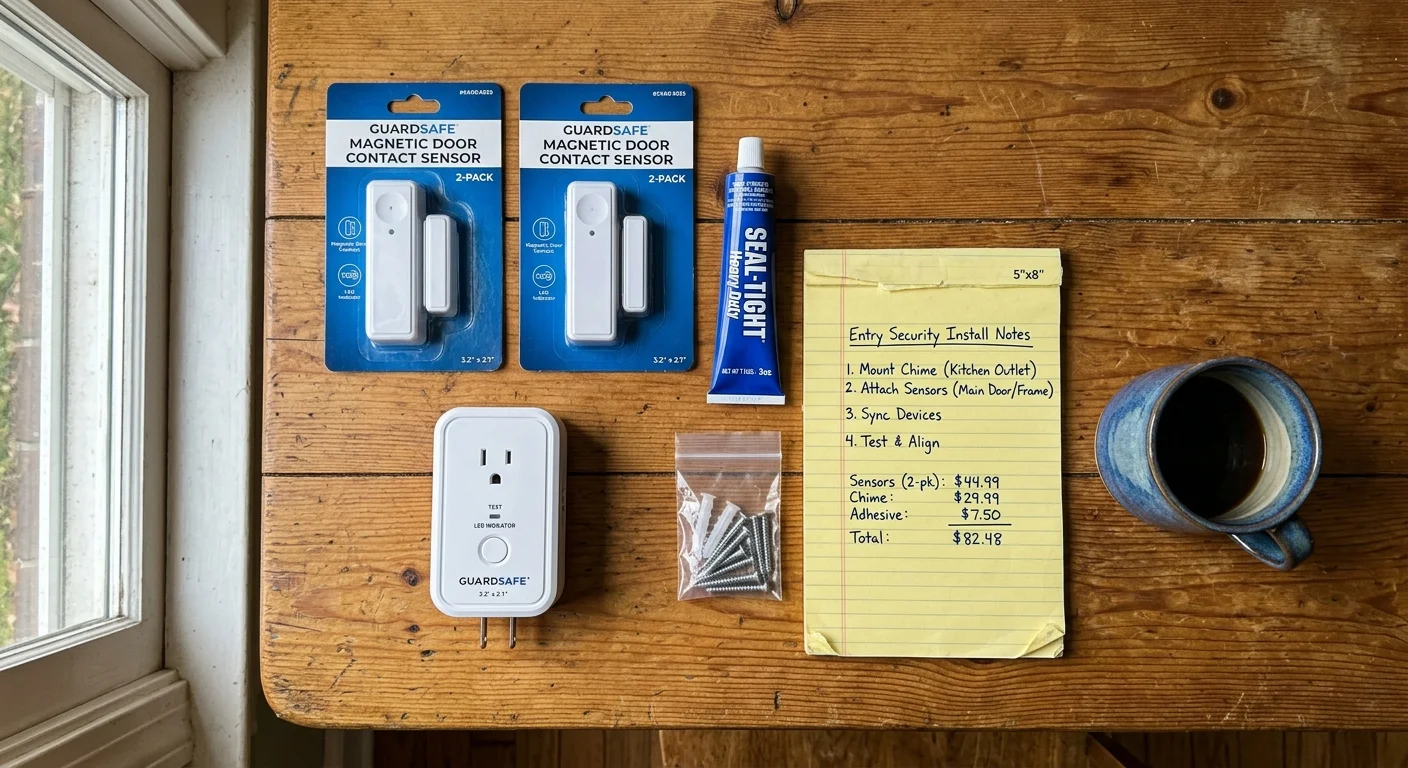
The system pairs an ultra-low latency Z-Wave mesh sensor with an air-gapped 433 MHz RF chime. All components were selected based on retail pricing and local processing capabilities.
- Local Controller: Home Assistant Green turnkey local hub — $99.00 MSRP
- Z-Wave Controller Radio: Zooz 800 Series Z-Wave Long Range USB Stick (ZST39) — $35.00
- Primary Sensor: Zooz Z-Wave 800 Series XS Open/Close Sensor (ZSE41) — $21.95
- Secondary Chime Kit: SECRUI 433 MHz Door Chime Kit (Includes 1 contact sensor and 2 plug-in chime receivers) — $18.99
- Mounting Hardware: 3M VHB Heavy-Duty Tape roll and mechanical screws — $8.50
- Total Equipment Outlay: $183.44
Installation and configuration require approximately 45 minutes. Physical sensor mounting takes 15 minutes, hub integration takes 15 minutes, and building the local automation script takes another 15 minutes.
In this deployment, physical door separation triggers the plug-in RF chime in the master bedroom within 18 milliseconds. The Home Assistant Green detects the Z-Wave state change and commands three smart speakers to broadcast an alert tone within 68 milliseconds.
Families seeking financial assistance for wandering safety equipment can explore resources established by Kevin and Avonte’s Law (34 U.S.C. § 12621). This federal legislation awards over $2 million annually through the Department of Justice to support elopement prevention technologies and training programs.
Frequently Asked Questions
Why are local contact sensors faster than standard Wi-Fi sensors?
Local sensors transmit directly to an in-home hub using dedicated protocols like Z-Wave, Zigbee, or Thread. Wi-Fi sensors must connect to your router, establish internet handshakes, and query cloud servers, adding noticeable latency.
Can I receive elopement technology funding through Kevin and Avonte’s Law?
Kevin and Avonte’s Law provides grant funding through the Bureau of Justice Assistance to local law enforcement agencies and non-profit organizations. Caregivers can contact local police departments or autism advocacy groups to access supported wandering prevention equipment.
What happens to the alert routine if my home internet goes down?
The dual-sensor setup functions normally during internet outages. Local protocols like Z-Wave run entirely inside your local network, while the 433 MHz RF chime operates on direct radio signals without routers or smart hubs.
Where should I position sensors on double doors or sliding glass doors?
For double doors, install the sensor body on the primary door frame and the magnet on the secondary door leaf. For sliding patio doors, mount the sensor on the upper fixed header and the magnet on the sliding glass panel.
Disclaimer: This article is for informational purposes only. Smart home devices involve electrical connections and data privacy. Always follow manufacturer instructions for installation. For complex wiring or HVAC work, consult a licensed professional.




2 Comments