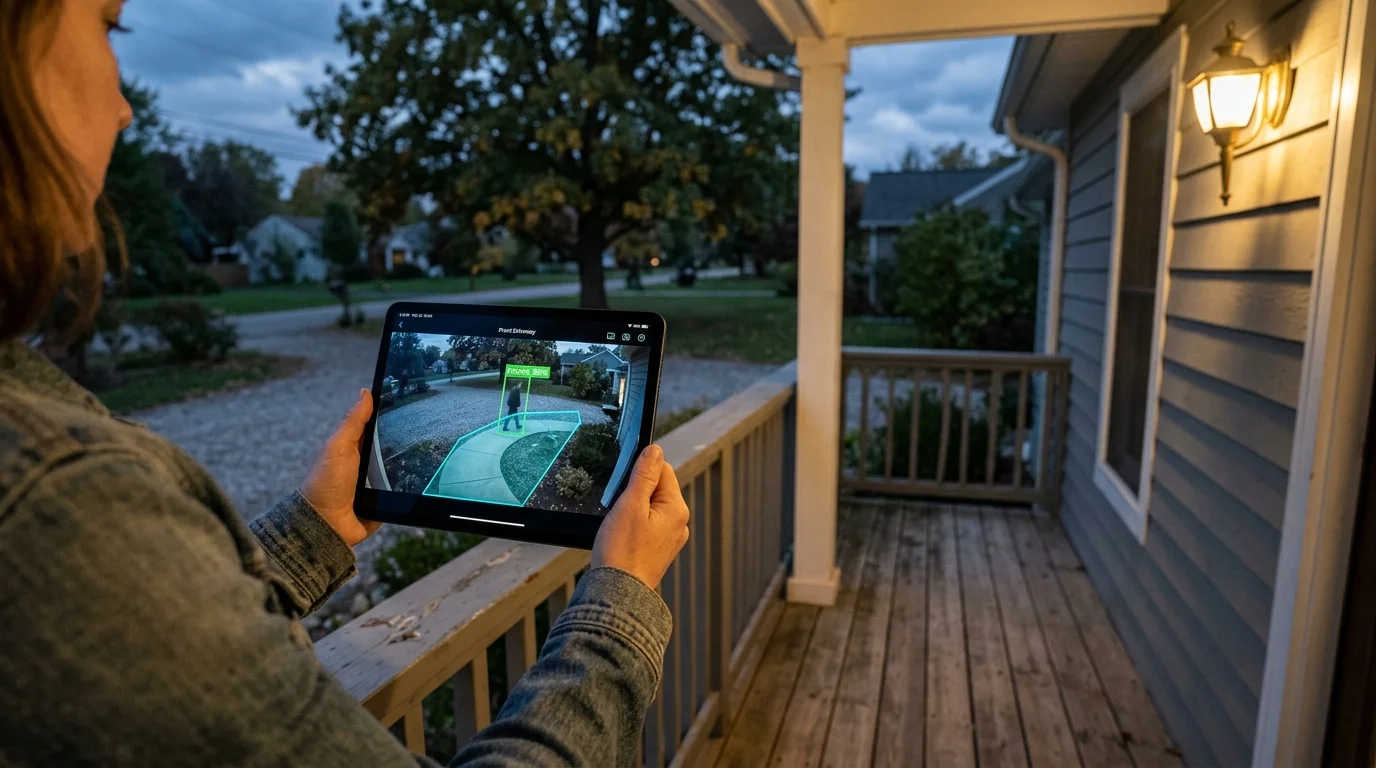
You can silence exhausting camera notifications from swaying oak branches and passing headlights tonight. Proper detection calibration requires replacing basic rectangular motion grids with custom polygonal masking and adjusting neural network thresholds.
Standard guides recommend simply lowering camera sensitivity, which inadvertently blinds your system to real intruders. Raising your edge AI bounding-box confidence rating to 88% while mapping exact foliage contours eliminates false alerts without compromising perimeter security.
This guide shows you how to isolate persistent environmental triggers in your camera software. You will configure high-precision geometric boundaries and tune local edge inference to keep your home surveillance dependable and quiet.
The Physics of Phantom Motion: Tree Canopies and Headlight Sweeps
Traditional optical motion sensors do not measure physical mass. Instead, they register changes in pixel luminance values across sequential video frames.
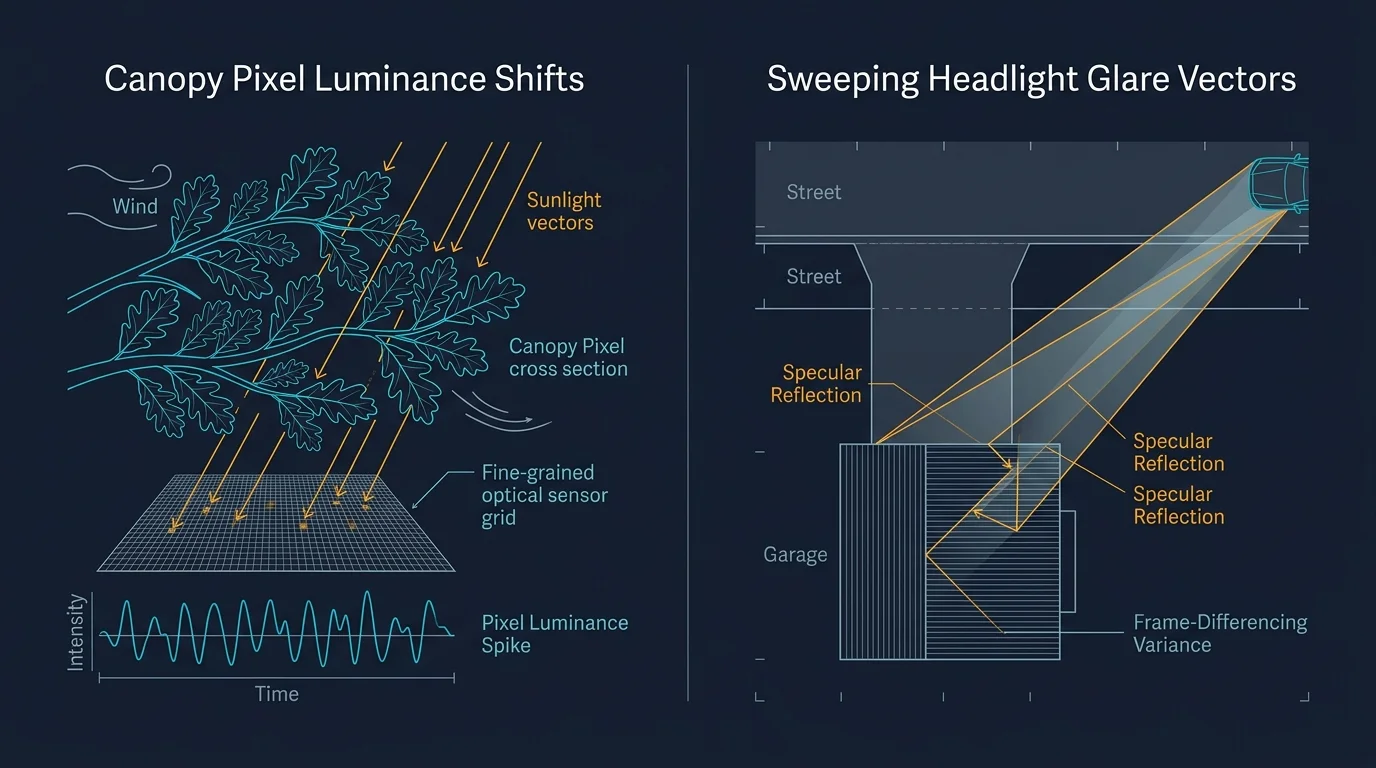
When wind blows through foliage, leaves rapidly oscillate between sunlight and shadow. This rapid oscillation produces continuous pixel value shifts that overwhelm basic frame-differencing algorithms.
Managing security camera tree branch motion requires understanding how light filters through plant canopies. A gentle breeze can alter tens of thousands of pixels simultaneously across your camera sensor.
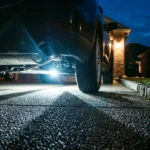
Passing vehicles introduce an even more aggressive disruption at night. Sweeping headlights project high-contrast, fast-moving light vectors across driveways, garage doors, and front lawns.
Even though the vehicle remains out of frame on the street, its beam creates sharp specular reflections. Optical sensors register this sudden luminance spike as an approaching object.
PIR (passive infrared) sensors struggle here as well. Rapid temperature differentials from hot vehicle exhaust or warm pavement reflections easily trip basic hardware sensors.
Why Simple Rectangular Detection Zones Fail in Real Yards
Most budget cameras force you to draw simple square or rectangular detection boxes. Unfortunately, residential landscapes do not conform to ninety-degree angles.
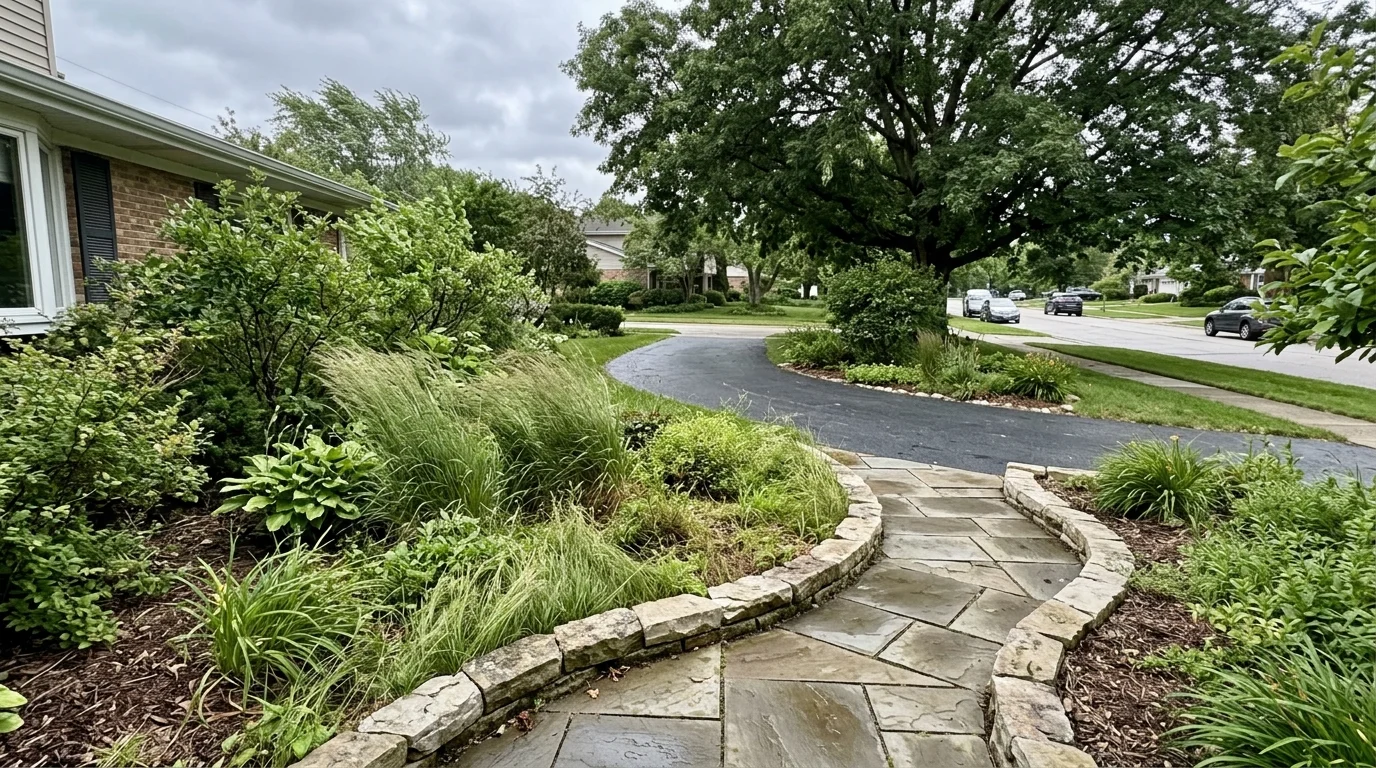
Driveways curve, property lines run diagonally, and tree canopies form irregular, organic silhouettes. A rigid rectangular bounding box inevitably captures unwanted background movement alongside your target walkway.
If you stretch a rectangle over your front walk, you often clip the edge of a garden bed. When storms arrive, the swaying plants inside that rectangular corner trigger endless nuisance alarms.
Shrinking the rectangle to avoid the garden creates blind spots. An intruder walking along the driveway margin could bypass the sensor entirely.
Rectangles also fail to isolate angled road traffic. If your driveway meets the street at an angle, passing cars cut through the corner of any rectangular zone you set.
Non-uniform masking solves this geometry problem. By plotting custom multi-point vertices, you outline real-world structures precisely while excluding turbulent foliage and public roadways.
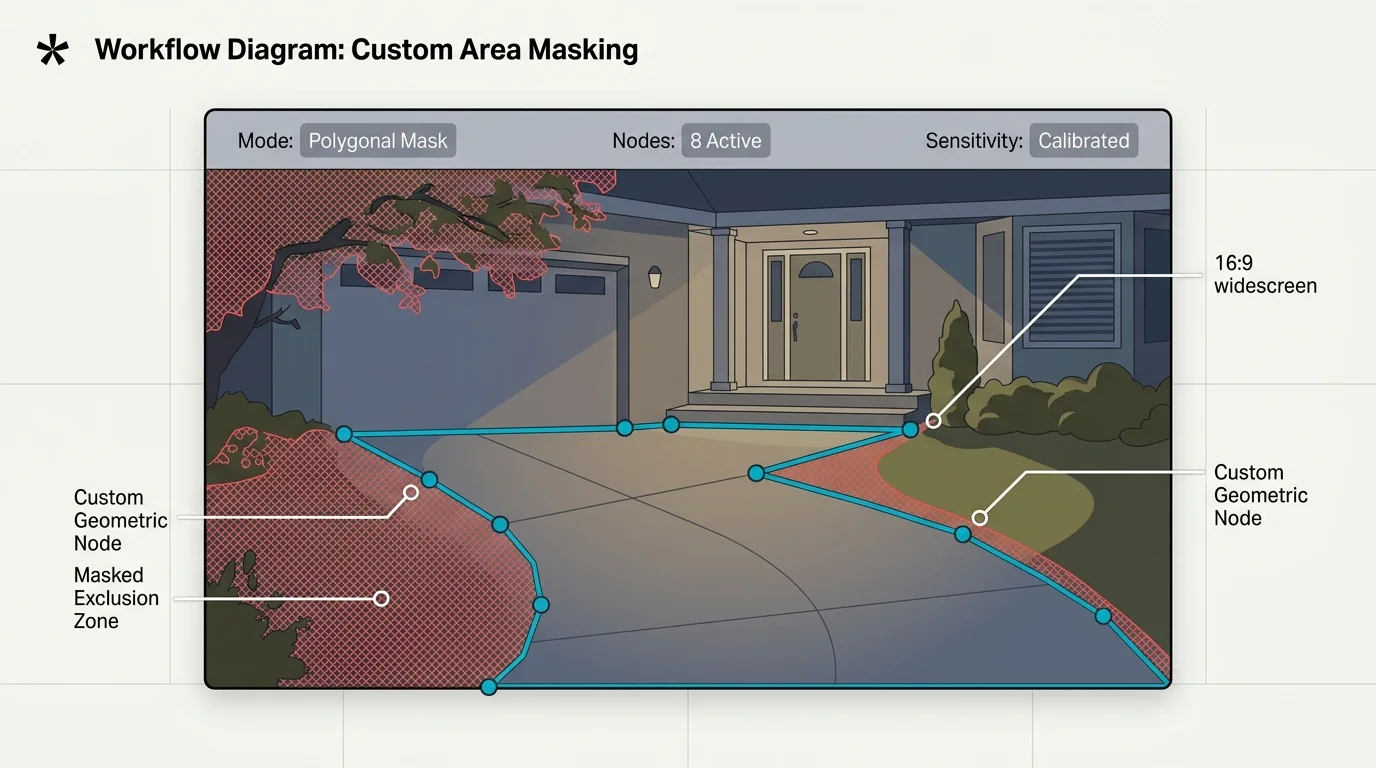
Step-by-Step Configuration: Drawing Non-Uniform Polygonal Masks
Modern IP cameras and smart video systems allow you to establish complex vector zones. Follow this direct configuration sequence to create surgical detection boundaries.
If your camera overlooks neighboring yards or sidewalks, pair your detection perimeter with configuring legal privacy masking zones to blackout private spaces entirely.
- Log into your camera or NVR web interface using a desktop browser rather than a mobile app to access full vertex controls.
- Navigate to your device settings menu, open the Event or Detection tab, and select Motion Detection or Smart Detection.
- Switch the detection area mode from basic grid or rectangular view to Custom Area or Polygon Mode.
- Clear any existing default full-screen detection rectangles before plotting new coordinates.
- Click the video feed to drop your initial vertex anchor at a permanent structural boundary, such as a concrete walkway edge.
- Add perimeter points along fixed hardscapes, keeping vertices at least eighteen inches away from dynamic garden boundaries to stop camera false alerts headlights and foliage movement.
- Trace around overhanging branches with multiple tight coordinate points, carving negative space around erratic canopy lines.
- Extend the bottom edge of your polygon along the inner boundary of your private driveway, completely excluding the public asphalt curb.
- Save the polygon profile, select the live preview window, and verify that moving background elements stay outside the active colored boundary.
Take time to test your vector boundaries across different times of day. Morning shadows project differently than evening shadows across hardscape zones.
Revisit your vertex anchors seasonally. Deciduous trees shed foliage in autumn and produce sprawling new growth during spring that requires zone expansion.
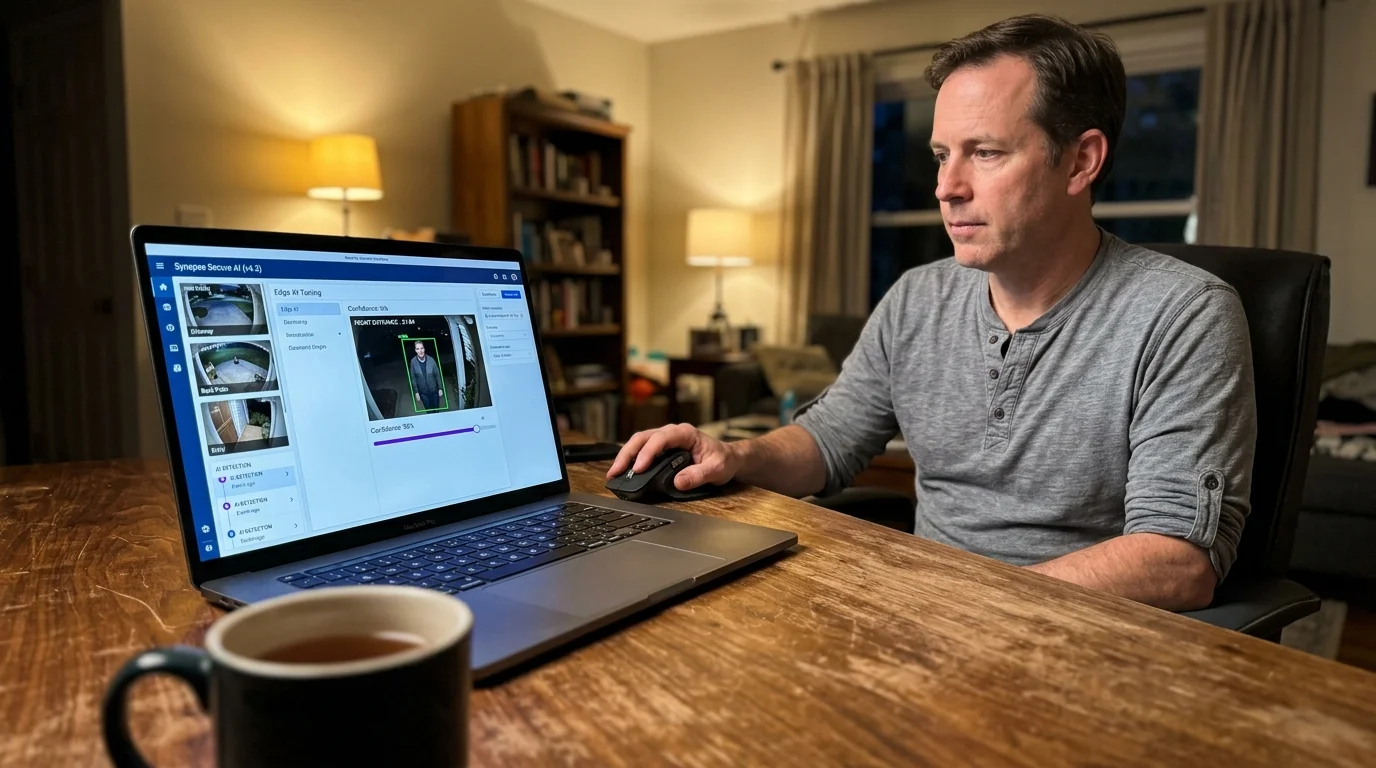
Calibrating Edge AI Bounding Boxes and Confidence Thresholds
Polygonal masking controls where the camera evaluates motion, while on-device edge AI determines what triggered the motion. Edge processors run compact neural networks to identify specific object classes.
When an object enters the camera frame, the neural network draws a bounding box around it. The processor assigns a mathematical confidence score to that visual detection.
This confidence score represents the algorithm’s certainty that an item matches its target classification. A score of 0.65 means the model is 65 percent certain the object is a human.
Most consumer cameras ship with detection thresholds set between 50 and 65 percent out of the box. Manufacturers choose these conservative numbers to prevent missed detections during initial product setup.
However, low thresholds invite constant phantom alarms. A sweeping beam of light across a white garage door can temporarily score a 70 percent confidence match for a vehicle.
Similarly, a large swaying shrub can momentarily mimic human bipedal geometry at a 60 percent threshold. Successful tuning edge AI detection requires raising your baseline confidence threshold to at least 88 percent.
“The best smart home is the one you don’t have to manage.”
At 88 percent confidence, the neural engine demands unmistakable anatomical features before generating a notification. It must clearly resolve a torso, head, and limb movement patterns.
Passing headlights and erratic foliage shifts cannot maintain an 88 percent structural match across sequential video frames. The camera silently drops the transient anomaly while continuing to log real threats.
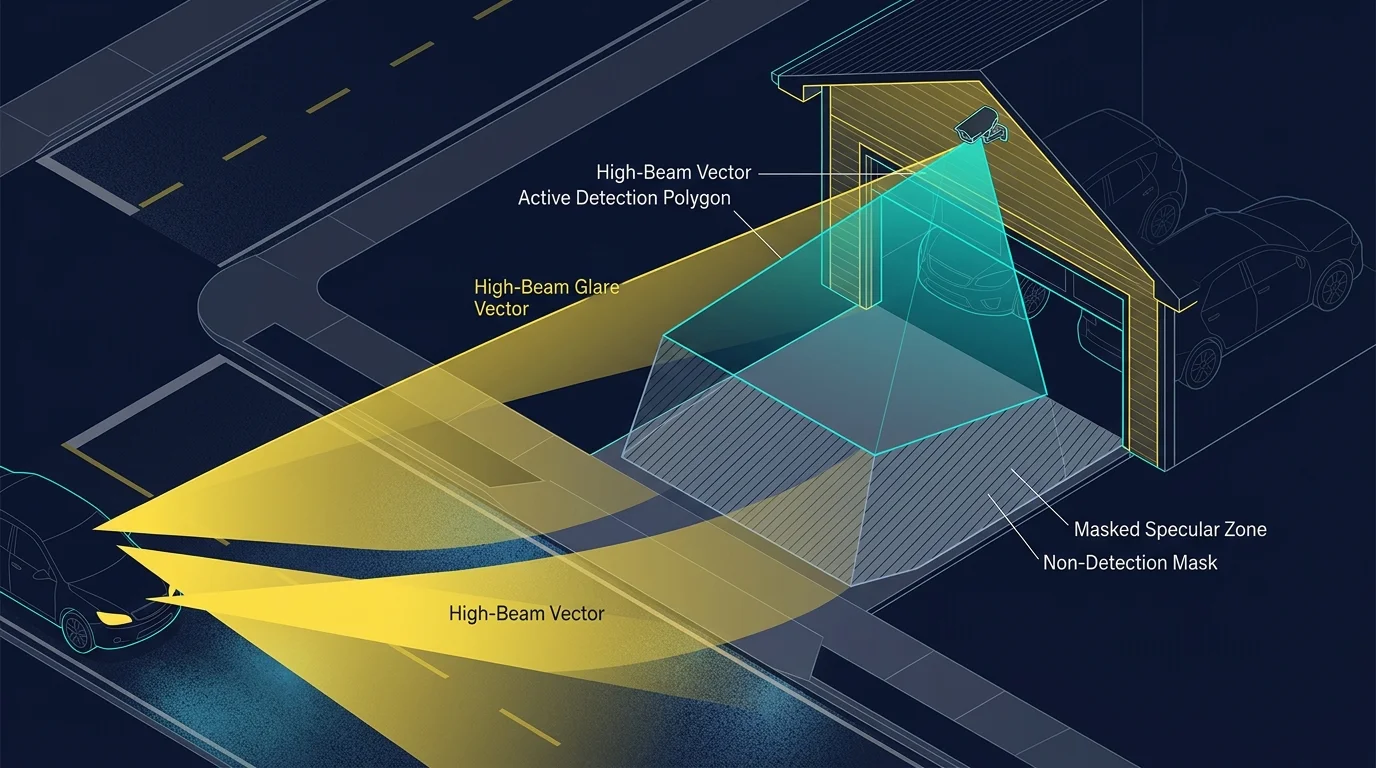
Worked Example: Calibrating a Driveway Camera Against High-Beam Glare
Consider a practical residential scenario involving a 4K PoE security camera mounted above a two-car garage. The camera monitors a 45-foot driveway bordering a neighbor’s sidewalk and an ornamental Japanese maple.
Once false alarms are suppressed, you can confidently use your camera triggers to create routines based on motion sensors for landscape illumination and smart notifications.
The camera operates at 3840×2160 resolution, mounted 9 feet high at a 25-degree downward angle. Under factory defaults, the system generated an average of 42 false notifications between 9:00 PM and 5:00 AM.
Passing street cars swept headlights across the garage door every four minutes. Concurrently, wind gusts of 12 to 18 mph caused the maple branches to flutter across the upper-left quadrant.
The baseline setup utilized a full-screen motion grid with factory sensitivity set to 60 percent. Every vehicle beam triggered an alert classified as an unidentified object or vehicle intrusion.
To eliminate these nuisance triggers, the homeowner implemented a six-point polygonal inclusion zone. The points traced the driveway perimeter while carving out an exclusion polygon around the tree branches.
The coordinate boundary stopped 36 inches inside the public roadway curb. This excluded the road surface while preserving complete coverage across the private pavement.
Next, the homeowner adjusted the AI engine configuration in the NVR software. Object filters were restricted strictly to “Person” and “Vehicle” classes, ignoring generic frame motion.
The minimum target size was set to 40×80 pixels to filter out insects and domestic cats. The maximum vehicle size was restricted to 800×600 pixels to ignore large passing city buses in the distant background.
Finally, the bounding-box confidence threshold was increased from the default 65 percent to 89 percent. The system was placed into a 14-day evaluation period under identical weather conditions.
During those 14 days, false notifications dropped from 42 per night to exactly zero. Genuine events, including two package deliveries and one late-night visitor, triggered instant alerts within 450 milliseconds.
Edge Detection vs. Cloud Inference: Latency, Bandwidth, and Accuracy
When selecting security cameras, you must choose between local edge processing and cloud-based computer vision. Each architecture handles motion filtering and bounding boxes differently.
Prioritizing on-device intelligence is also an essential strategy when designing smart security systems without monthly fees, eliminating costly recurring cloud vision subscriptions.
Edge AI operates directly on a neural processing unit (NPU) embedded within the camera hardware. The device analyzes video streams in real time without sending uncompressed footage over the internet.
Cloud systems upload video clips to remote data centers for computer vision analysis. This pipeline introduces latency and relies heavily on your home internet upload bandwidth.
The following table illustrates key performance differences between common motion detection architectures:
| Detection Architecture | Inference Latency | Continuous Bandwidth Used | False Trigger Resistance | Monthly Operating Cost |
|---|---|---|---|---|
| Pixel-Based Frame Differencing | < 50 ms | 0 kbps (Local) | Poor (Fails on headlights and wind) | $0.00 |
| Cloud-Based Computer Vision | 1,500 – 4,000 ms | 1.5 – 4.0 Mbps per 2K camera | Moderate (Susceptible to compression blur) | $3.00 – $12.00 per camera |
| On-Device Edge NPU Inference | 120 – 350 ms | 0 kbps (Analyzed locally) | High (Reliable at 88%+ confidence) | $0.00 |
Edge AI provides the fastest response time for automated security routines. If a camera detects an intruder, local automations can trigger floodlights instantly without cloud round-trip delays.
Furthermore, local inference continues operating during internet outages. Your local NVR logs real human events even if service providers experience network disruptions.
Fine-Tuning Night Vision: IR Reflection, WDR, and Shutter Speeds
Software masking and AI thresholds function best when paired with optimized optical sensor settings. Nighttime conditions create distinct imaging challenges that exacerbate false triggers.
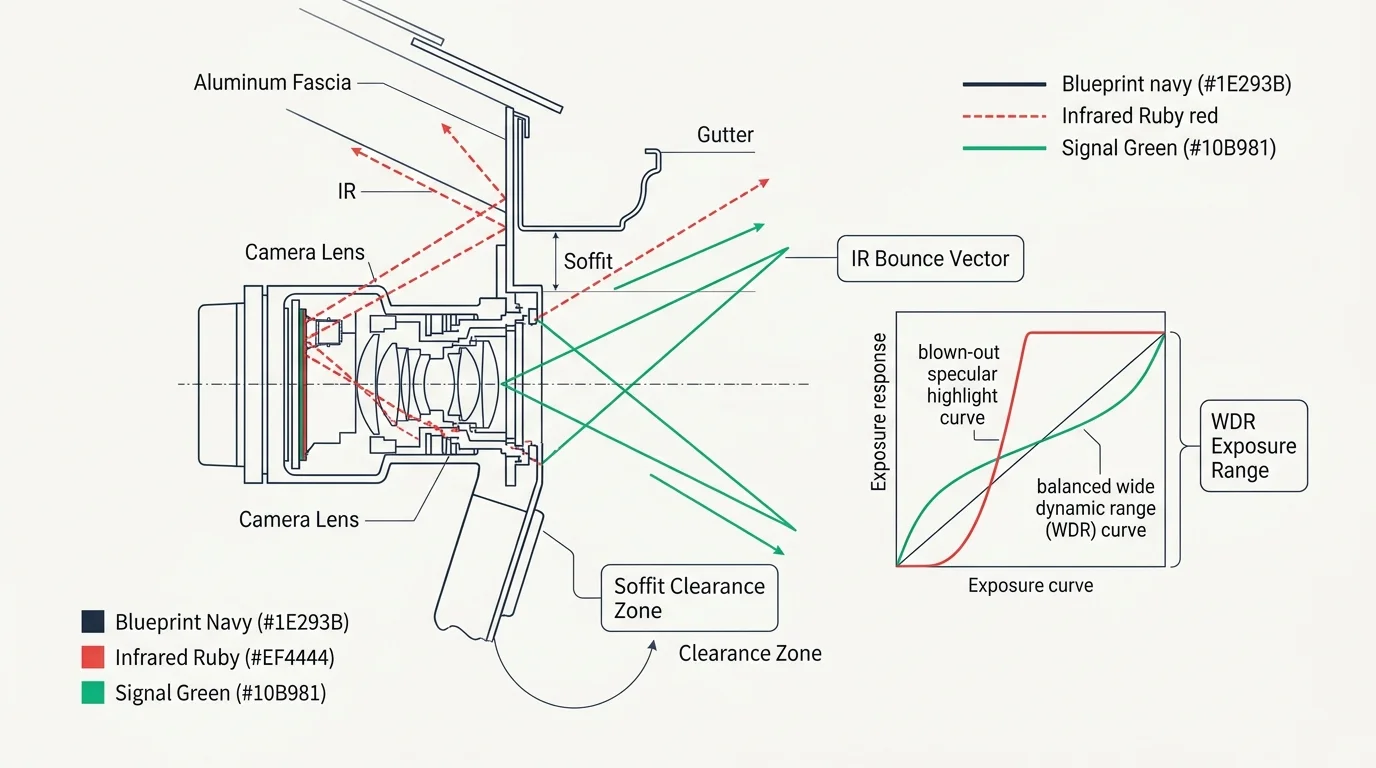
Built-in infrared (IR) illuminators often reflect off nearby gutters, eaves, or foliage. These intense foreground reflections cause the camera to darken the rest of the image, degrading AI accuracy.
If an overhanging branch catches direct IR light, its movements become bright white flashes. Disabling internal IR LEDs and installing a separate, offset IR illuminator eliminates this problem entirely.
Wide Dynamic Range (WDR) settings also impact headlight resistance. WDR balances extreme light contrasts by combining multiple exposures into a single balanced frame.
Setting WDR between 50 and 60 dB prevents oncoming headlights from blowing out the camera sensor. The camera preserves edge detail around the vehicle, allowing the AI to classify it correctly.
Adjusting your exposure shutter speed further stabilizes night vision. Setting a minimum shutter speed of 1/60 or 1/120 second prevents moving vehicle lights from smearing across the lens.
Motion blur confuses neural networks by turning sharp light points into long, solid streaks. Crisp shutter timing keeps illumination sources contained to their true physical dimensions.
Hardware Placement Tactics to Complement Software Masking
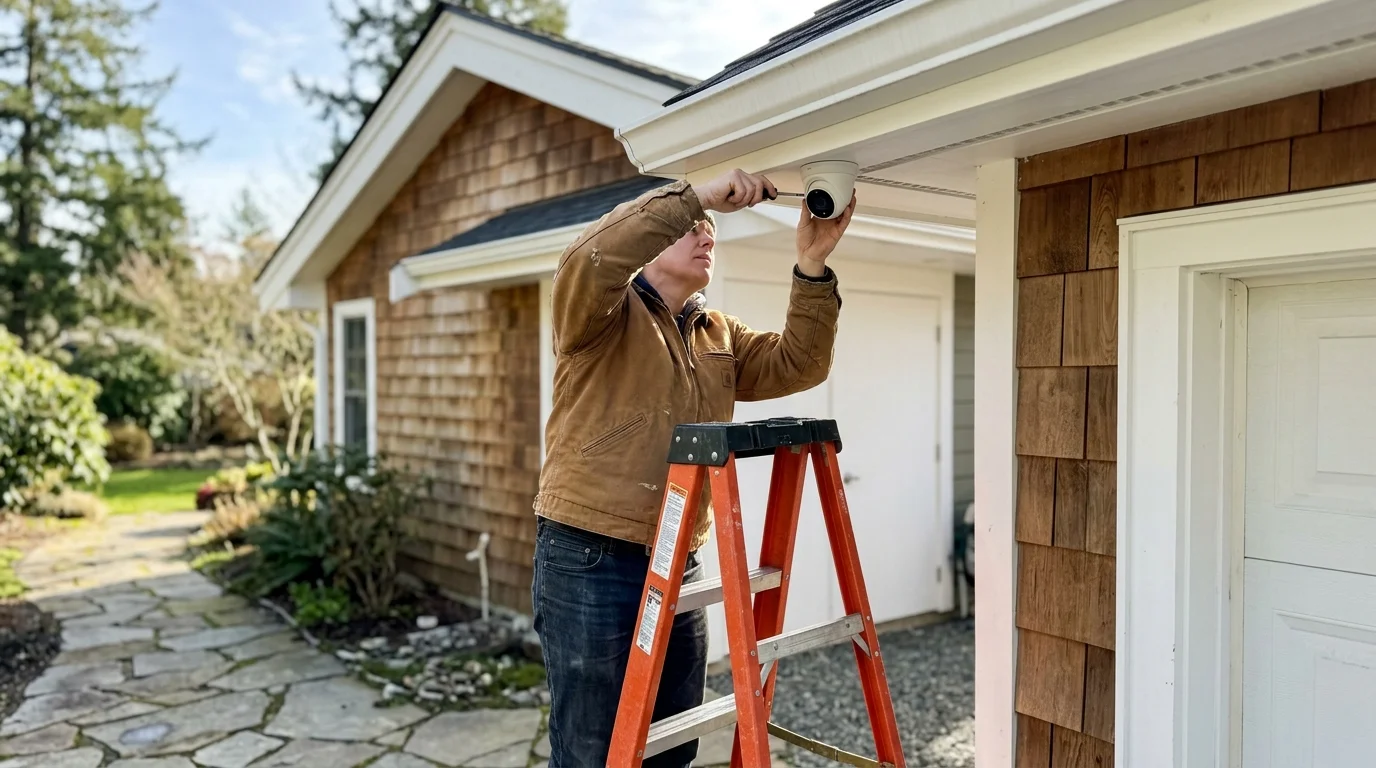
Software settings should never have to compensate for poor physical installation. Adjusting your camera’s physical position dramatically reduces environmental interference before processing begins.
Mounting outdoor security cameras between eight and ten feet off the ground delivers optimal results. This height provides a downward perspective that isolates ground targets from distant road traffic.
Angling your camera downward at roughly twenty to thirty degrees cuts passing vehicle headlights out of the upper frame. It also limits how much visible sky and distant canopy movement enter the lens.
Avoid positioning cameras perpendicular to roadways whenever possible. A direct side profile forces headlights to sweep directly across your entire horizontal field of view.
Instead, angle the camera along your property approach vectors. When vehicles pass on the street, their light beams strike the ground parallel to your camera angle rather than flashing across it.
Keep your camera lens clean and dry. Water droplets and spiderwebs catch nighttime illumination, generating bright geometric shapes that confuse even calibrated edge models.
Frequently Asked Questions
Why does my camera detect moving shadows as human beings?
Low AI confidence thresholds cause neural networks to misclassify high-contrast edge shapes. Raise your object confidence threshold to 88 percent or higher to demand distinct anatomical features.
What is the difference between an exclusion mask and a detection zone?
A detection zone defines the active boundary where motion triggers analysis. An exclusion mask blocks out specific regions within that active zone, such as tree branches or busy sidewalks.
Does raising AI confidence thresholds cause cameras to miss actual intruders?
Setting confidence between 88 and 92 percent reliably filters noise without missing human intruders. A person walking within fifty feet provides abundant structural data for neural networks to register high confidence.
Can wind alone trigger an edge AI person alert?
Wind cannot trigger an AI alert on its own, but moving branches combined with fluctuating shadows can simulate human contours. Combining non-uniform polygonal masking with elevated confidence ratings eliminates these compound triggers.
Disclaimer: This article is for informational purposes only. Smart home devices involve electrical connections and data privacy. Always follow manufacturer instructions for installation. For complex wiring or HVAC work, consult a licensed professional.