
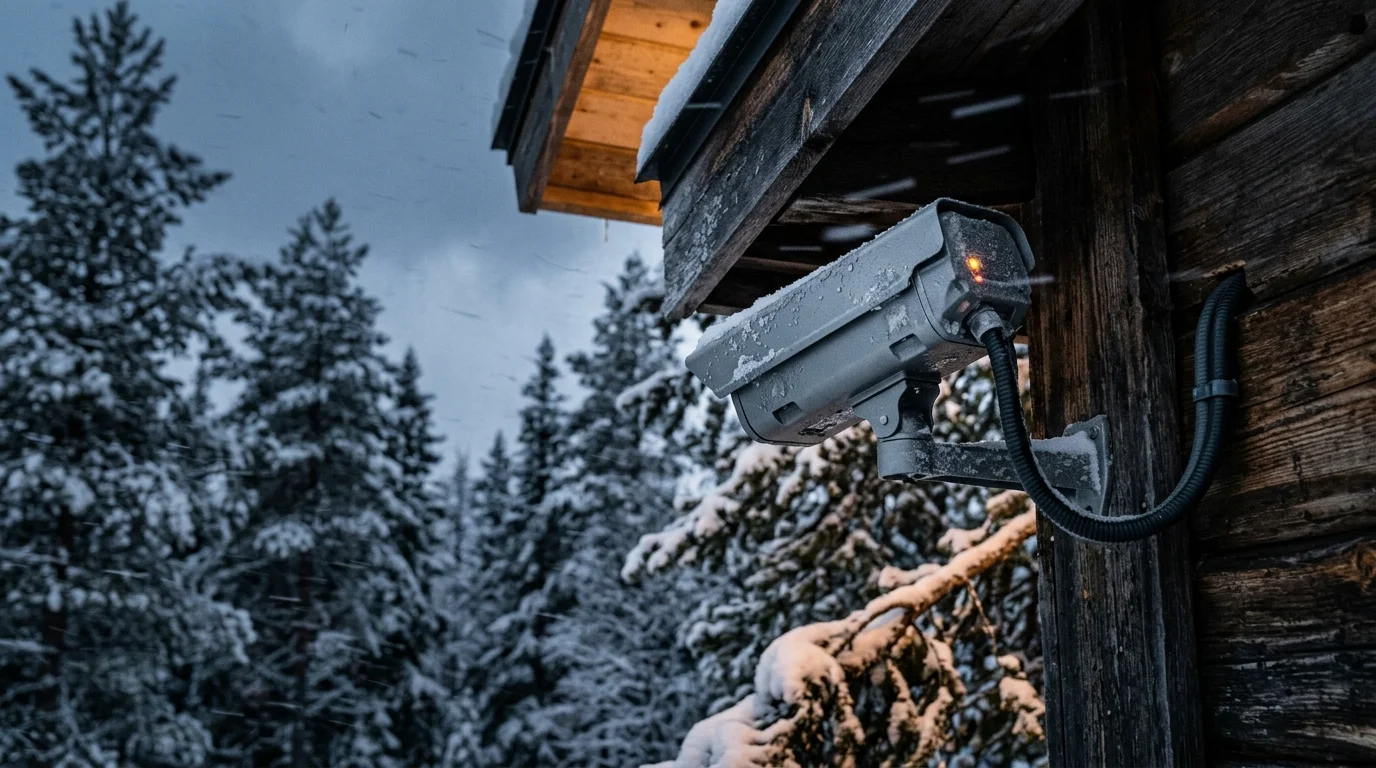
Severe winter storms and grid outages instantly disable consumer security cameras that rely on cloud servers and Wi-Fi handshakes. You can maintain continuous property surveillance by deploying an isolated, DC-coupled LiFePO4 power system paired with edge-recorded RTSP streams.
This resilient camera design forms the critical visual monitoring tier when planning how to set up a complete smart security system capable of surviving extended utility outages.
Most commercial guides recommend standard consumer uninterruptible power supplies. However, those retail lead-acid units shut down within two hours under cold temperatures and continuous recording loads.
This guide details how to engineer a resilient, completely local camera array that records every frame during extended cellular blackouts.
The Vulnerability of Cloud Cameras During Severe Storms
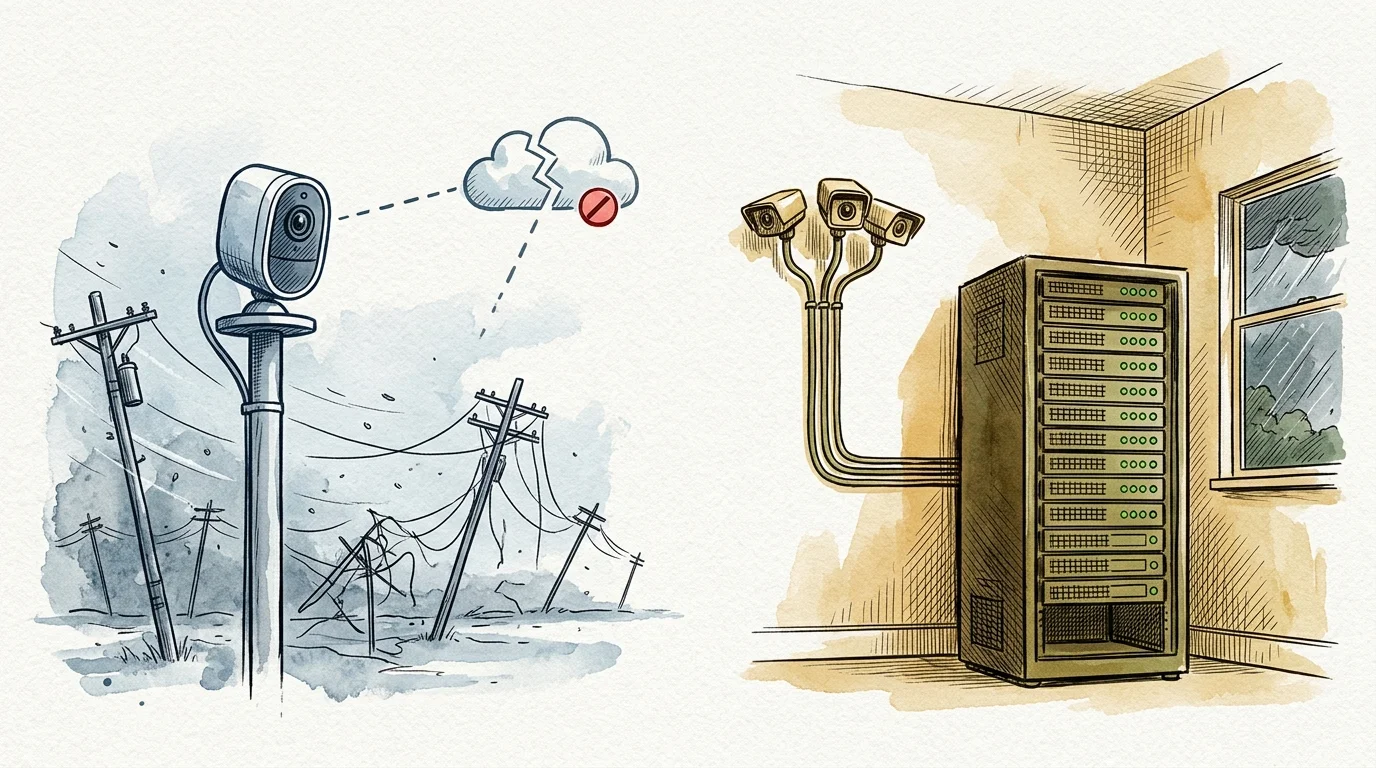
Cloud-tethered cameras become useless paperweights when severe weather downs local power lines and knocks out cellular towers. Without an active internet connection, proprietary smart cameras fail to authenticate, dropping video feeds entirely.
Many homesteaders pair their surveillance backup systems with barometric pressure automations to initiate automated pre-storm shutdown and charging cycles before severe weather strikes.
Eliminating cloud dependencies not only guarantees uptime but also reinforces overall smart home privacy by preventing unencrypted streams and device telemetry from leaving your property.
You can overcome this limitation by building an array using local storage security cameras no internet dependencies required. Standalone IP cameras continue streaming over a local area network even when external connectivity collapses.
Federal compliance rules reinforce the need for trusted local hardware. Under NDAA Section 889 and updated FCC regulations, video surveillance equipment and microchips from Dahua, Hikvision, and their OEMs face strict federal restrictions.
Sourcing cameras with open streaming protocols ensures you retain full hardware ownership. You avoid closed ecosystems that brick their devices when remote subscription servers shut down.
Direct network control allows you to route high-definition video directly to local hardware drives. Your footage remains accessible on your premises regardless of municipal utility status.
Calculating the Continuous Power Budget for 24-Hour Autonomy
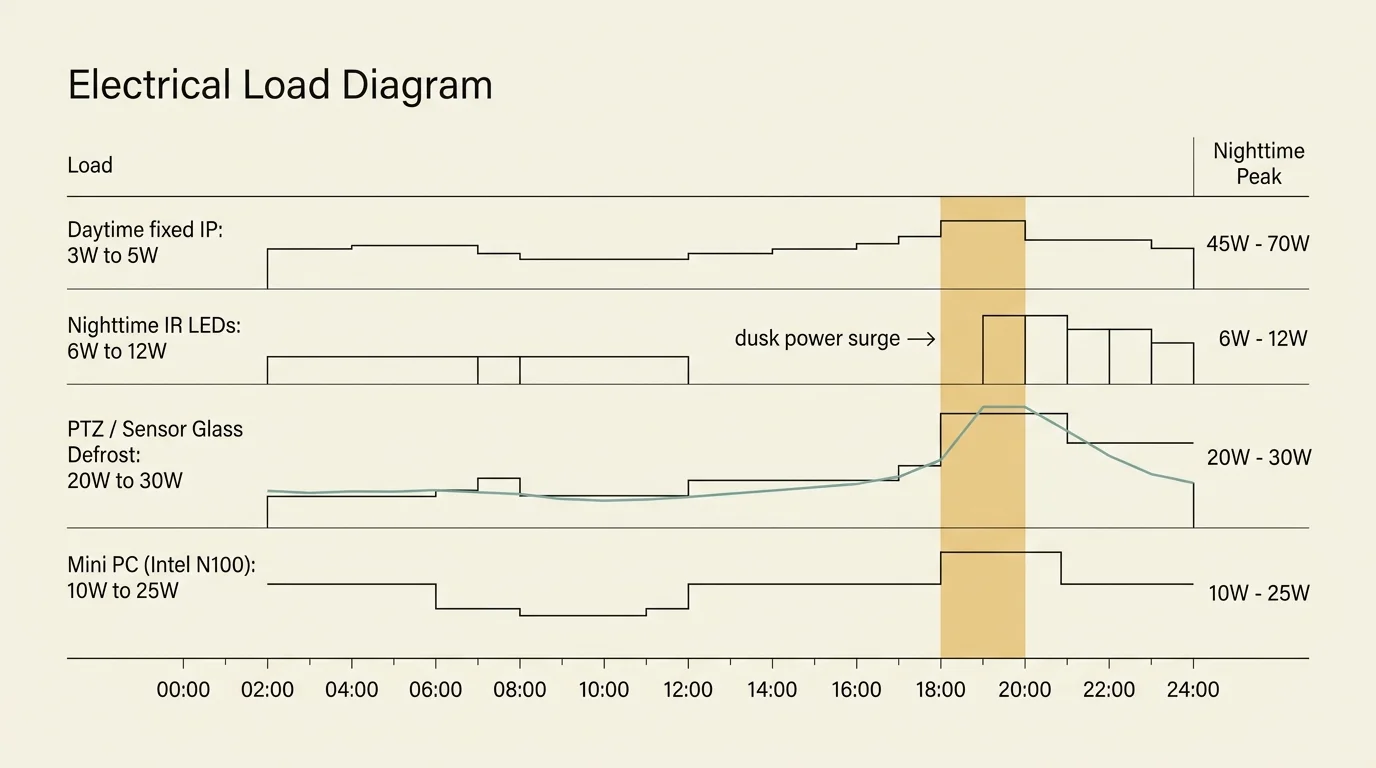
Designing an off-grid surveillance array begins with calculating your exact continuous electrical load. Many homeowners overlook the substantial power surge that occurs every evening.
Deploying dedicated hardware inference chips is also critical for eliminating motion camera false alarms triggered by wind-blown snow flurries and waving trees during blizzard conditions.
To minimize nighttime power spikes, consider deploying standalone IR illuminators on dedicated low-voltage lines instead of relying solely on built-in camera LEDs.
During daylight, a standard fixed 4K camera consumes between 3W and 5W. At dusk, integrated infrared illumination LEDs activate, doubling or tripling power consumption to 6W or 12W per camera.
Motorized pan-tilt-zoom (PTZ) units or models with heated sensor glass demand even more electricity. These specialized devices draw between 20W and 30W during active movement and defrost cycles.
Your processing hardware adds a steady base load to the array. An energy-efficient mini PC running an Intel N100 processor with a local AI accelerator draws between 10W and 25W continuously.
- Daytime fixed IP camera load: 3W to 5W per device
- Nighttime infrared fixed IP camera load: 6W to 12W per device
- Motorized PTZ camera active draw: 20W to 30W per device
- Intel N100 local NVR with Google Coral TPU: 10W to 25W total
- Managed 8-port gigabit PoE switch baseline draw: 8W to 12W total
Accounting for switch overhead and camera night cycles, a four-camera array averages roughly 60W continuous power. Over a single 24-hour winter cycle, that steady draw consumes 1,440 watt-hours (Wh) of energy.
A traditional 1500VA consumer UPS contains small 100Wh to 180Wh lead-acid batteries. Under a 60W load, that retail unit will deplete within 1.5 to 2.5 hours.
True off-grid reliability requires lithium iron phosphate (LiFePO4) chemistry. A single 12.8V 100Ah LiFePO4 battery provides 1,280Wh of usable capacity, providing nearly 24 hours of autonomous run time.
Power Architecture: Comparing AC UPS Units and Direct DC Microgrids
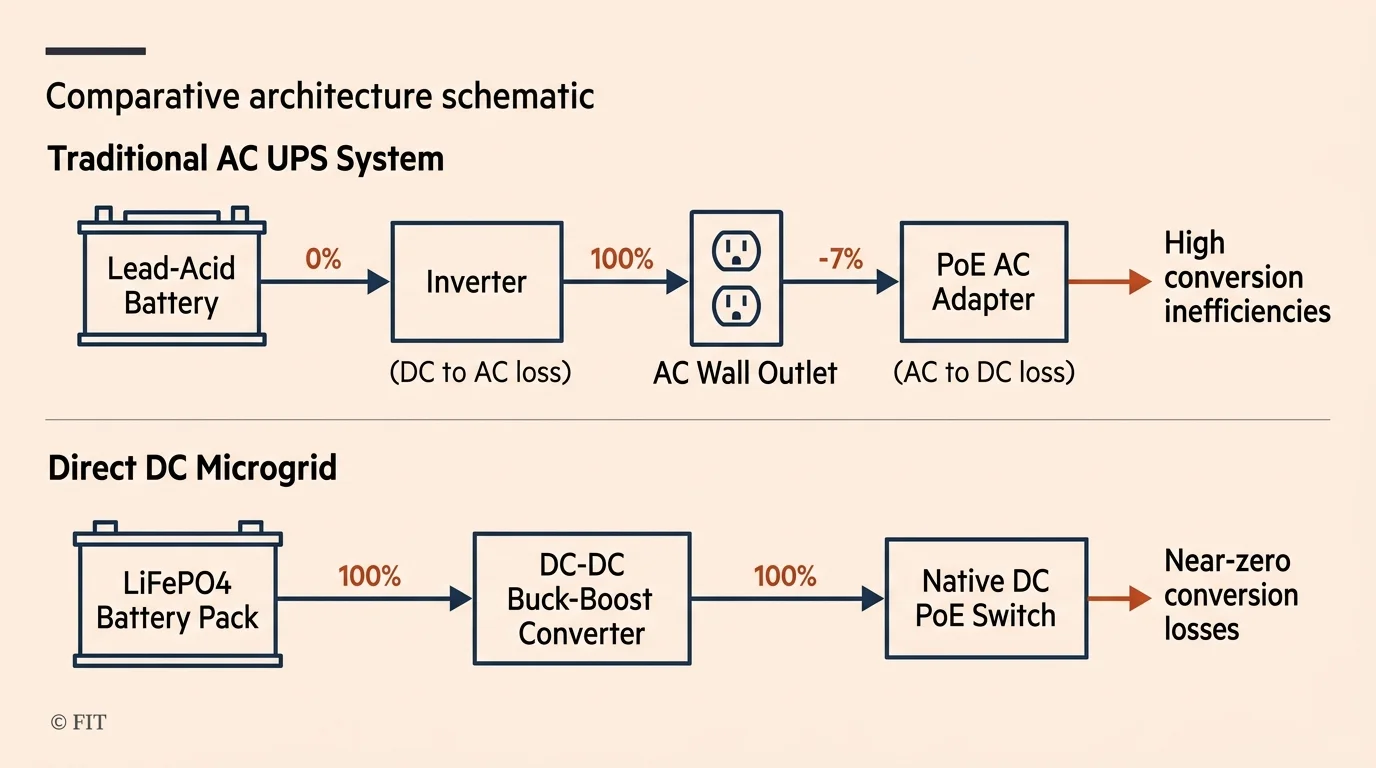
Traditional line-interactive UPS units rely on internal inverters that waste significant power converting DC battery voltage into 120V AC. Your network hardware then wastes additional energy converting that AC power back into DC.
Each power conversion stage bleeds between 15% and 25% of your stored battery capacity as heat. Eliminating these conversion stages drastically extends your run time during multi-day storm blackouts.
You can configure a direct DC bus using a 12V or 24V LiFePO4 battery bank paired with a DC-to-DC step-up converter. This converter feeds 48V or 54V power directly into a DC-powered industrial PoE switch.
According to testing documented in PCMag’s smart home testing guides, power efficiency and local protocol support remain critical differentiators when designing standalone home security systems.
The following table compares the operational characteristics of standard consumer backup options against dedicated DC-native microgrid architecture.
| Backup System Type | Usable Energy Capacity (Wh) | Runtime at 60W Load | Conversion Efficiency | Cold-Weather Tolerance (-10°C) |
|---|---|---|---|---|
| Consumer 1500VA Lead-Acid UPS | 140 Wh | 1.8 to 2.3 hours | 70% to 75% | Severe capacity drop (40% loss) |
| Portable LiFePO4 Power Station (1000Wh) | 850 Wh | 12 to 14 hours | 80% to 85% | BMS low-temp charge lockout |
| Direct 48V DC LiFePO4 Industrial Bus | 1,280 Wh | 21 to 24 hours | 92% to 96% | Full output with thermal pad heating |
Direct DC microgrids require custom wiring but eliminate inverter standby losses completely. Portable power stations offer convenient plug-and-play installation but incur parasitic inverter consumption.
Hardware Selection: Choosing NDAA-Compliant Cameras and PoE Hardware
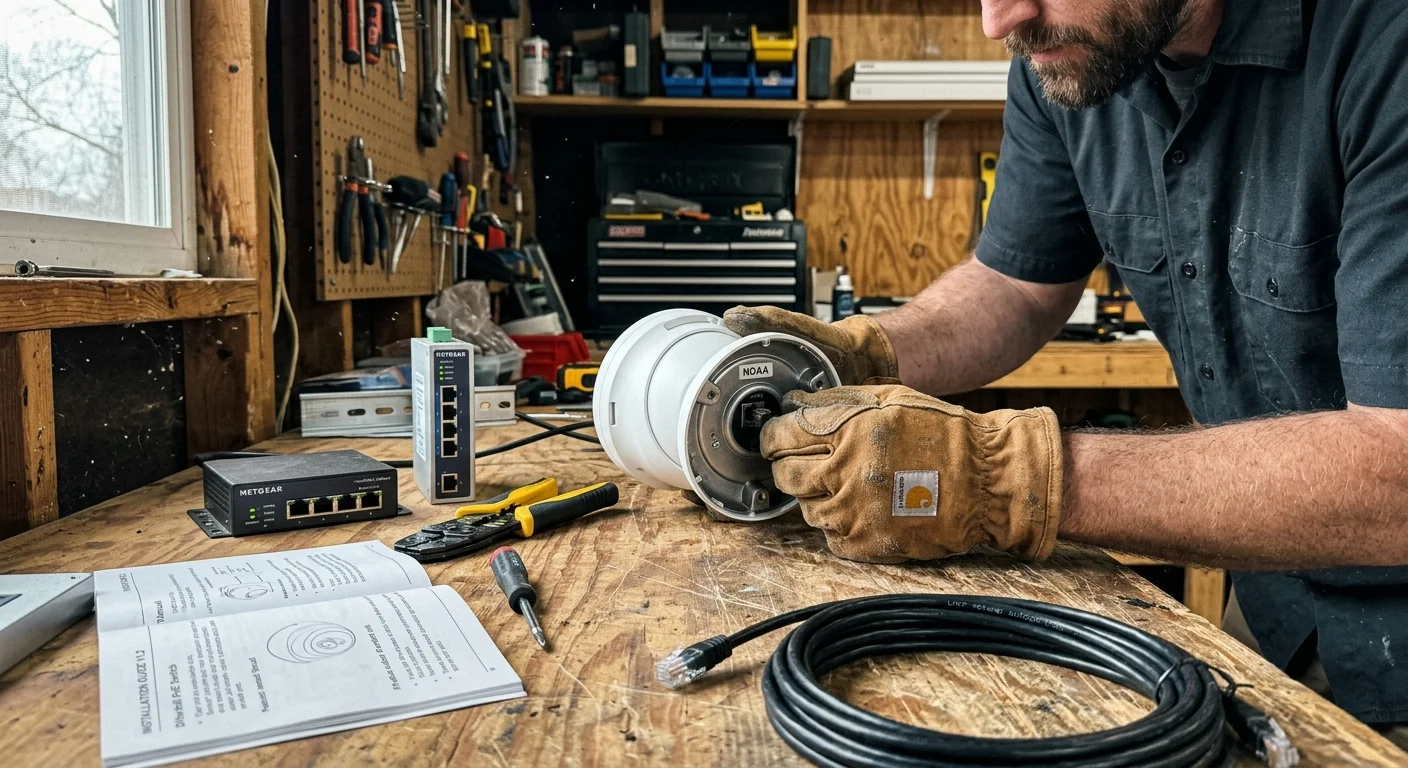
Delivering both power and data across a single Cat6 Ethernet cable simplifies field deployment. However, you must pair camera power draws with the correct Power over Ethernet (PoE) standard.
Selecting cameras with full local web interfaces also allows you to configure legal privacy masking zones at the chip level to prevent recording neighboring windows.
When extending coverage beyond your primary residence, bridging PoE security camera networks to detached outbuildings requires proper surge protection and cable selection.
The basic IEEE 802.3af PoE standard supplies up to 15.4W at the switch port, guaranteeing 12.95W at the camera. This accommodates standard fixed turrets with basic infrared night vision.
Cameras with long-range spotlights or motorized zoom require the IEEE 802.3at PoE+ standard. PoE+ delivers up to 30W from the switch, guaranteeing 25.5W across long cable runs.
- IEEE 802.3af (PoE): 15.4W source, 12.95W device target, ideal for fixed 4K turrets
- IEEE 802.3at (PoE+): 30.0W source, 25.5W device target, required for PTZ units and defrosters
- IEEE 802.3bt (PoE++): 60W to 90W source, reserved for industrial multi-sensor panoramic housings
- Streaming Protocol Compatibility: Mandatory support for RTSP and ONVIF Profile S and T
Select cameras from manufacturers that publish direct RTSP streams and support ONVIF Profile S or Profile T specifications. Reliable options include enterprise models from Axis, Hanwha Vision, or NDAA-compliant commercial lines from Amcrest.
Avoid cameras that require proprietary cloud apps for initial activation. Cameras must feature accessible internal web interfaces that let you configure static IP addresses and video streams completely offline.
Storage Architecture: H.265 Bitrates and Dual-Stage Failover Loops
Local video storage demands careful bandwidth planning to avoid saturating storage drives during extended outages. Video compression standards dictate your hard drive capacity requirements.
You can connect your local NVR event triggers to an isolated smart home emergency alert system that sounds audible alarms and flashes perimeter strobes even without internet access.
Modern IP cameras utilize H.265 (HEVC) compression rather than legacy H.264 encoding. Switching your streams to H.265 cuts storage and bandwidth consumption by 40% to 50% without degrading visual sharpness.
Video streams consume approximately 10.8 gigabytes (GB) per day for every 1 Mbps of stream bitrate. A 4K camera operating at 15 frames per second typically requires a 6 Mbps video stream.
That single camera generates roughly 64.8 GB of footage every 24 hours. A four-camera array produces 259.2 GB daily, filling a 4TB surveillance hard drive in approximately 15 days.
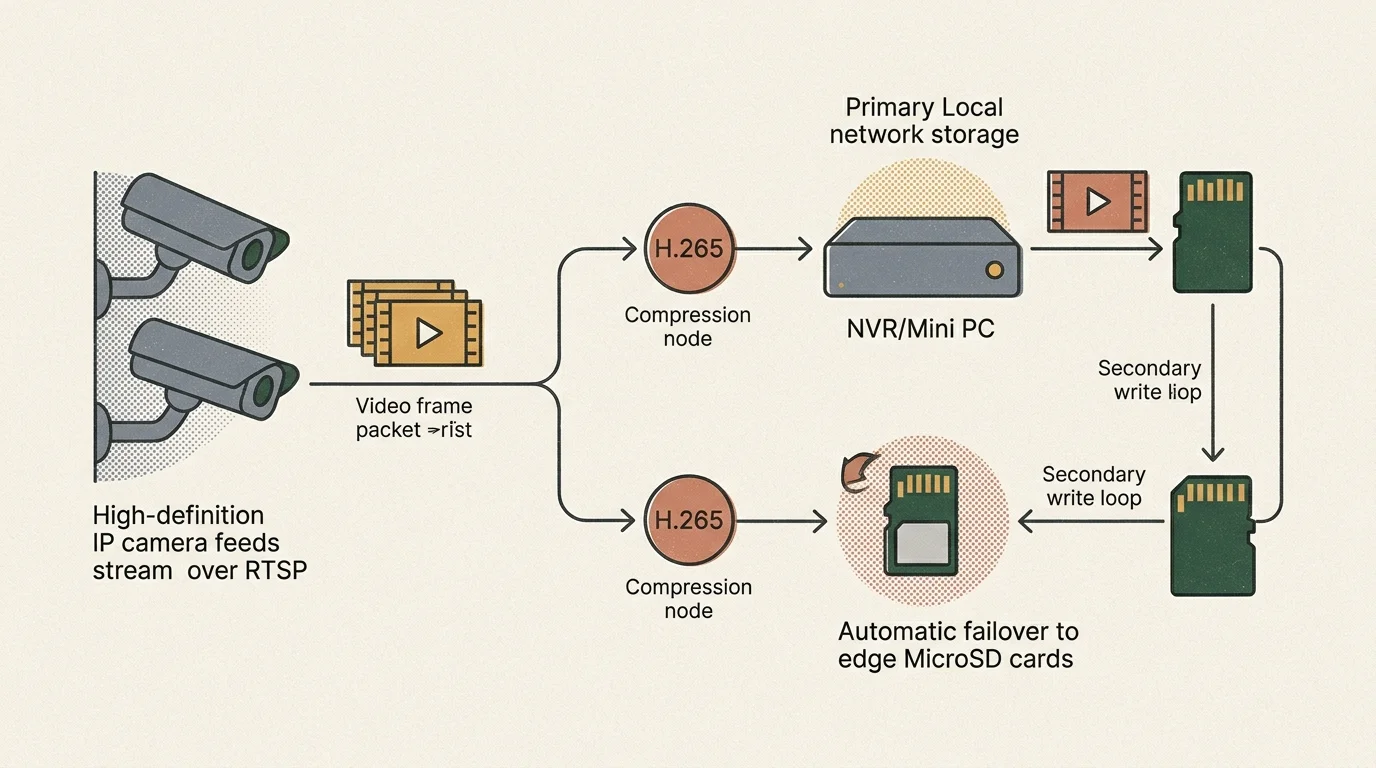
Building a multi-tier rtsp smart camera nas setup protects your property footage against hardware drive failures. High-endurance microSD cards installed directly inside the cameras act as stage-one loop buffers.
Even if your central network switch or local NAS drive fails during a storm, the cameras continue writing motion events to edge cards. Once central power restores, the NAS backfills missing footage.
For your central recorder, deploy surveillance-rated hard drives like Western Digital Purple or Seagate SkyHawk drives. These drives feature specialized firmware optimized for continuous 24/7 write operations over heavy read cycles.
Worked Scenario: Sizing a 4-Camera Cold-Climate Array
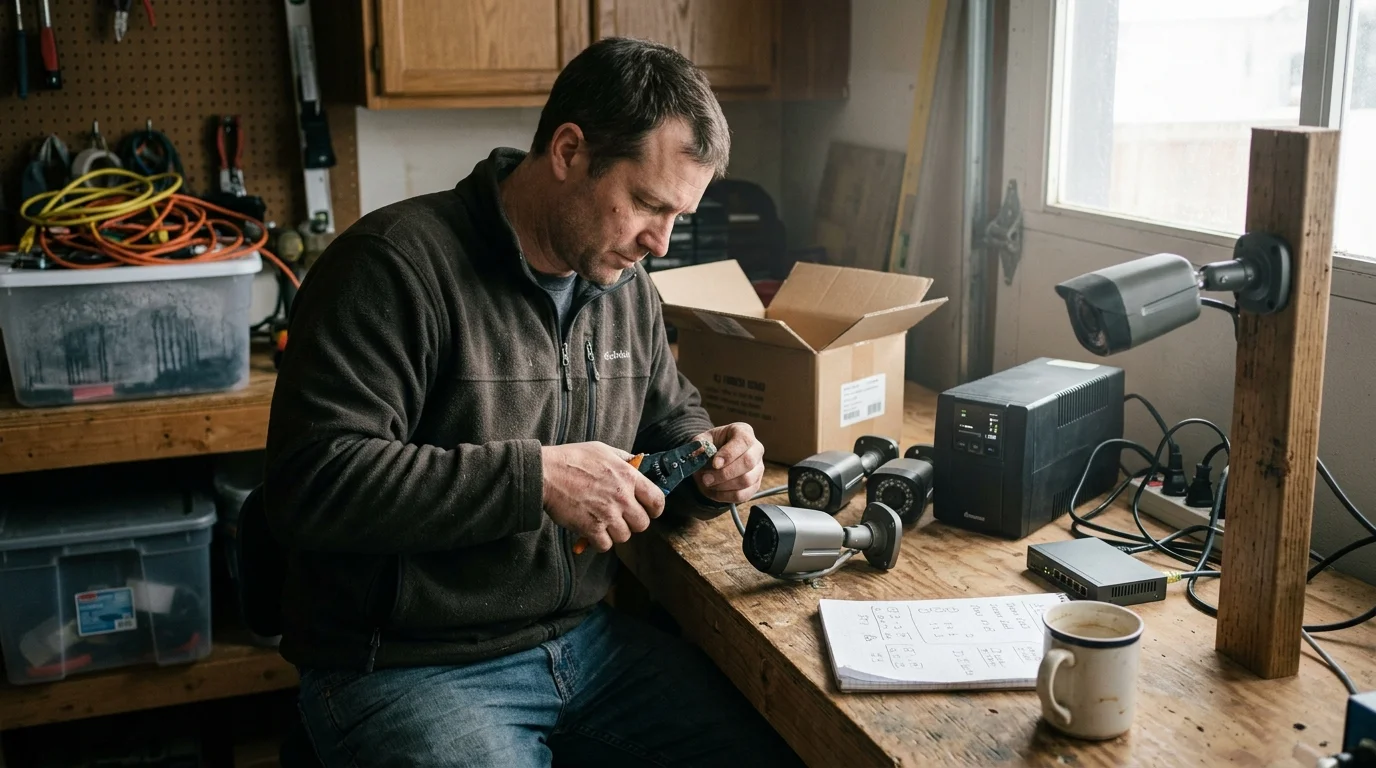
Consider a practical deployment protecting a rural homestead subject to severe winter storms. This worked scenario details exact equipment models, power budgets, and capacity outcomes.
Once your local NVR is operational, you can learn how to integrate security cameras with your smart home platform for real-time person detection triggers.
The array employs four Amcrest 4K Turret IP cameras (model IP8M-T2499EW) running H.265 compression at 15 frames per second and a 6 Mbps constant bitrate. A fanless Intel N100 mini PC acts as the central recorder running Frigate NVR.
Daytime power consumption measures 16W for cameras, 8W for the switch, and 12W for the N100 mini PC, totaling 36W. Nighttime operation engages camera infrared arrays, raising total continuous load to 64W.
Over a 24-hour winter cycle with 14 hours of darkness, total energy consumption equals 1,256 watt-hours. To guarantee uninterrupted operation through a 48-hour grid blackout, your battery bank must supply 2,512Wh of usable energy.
Select two 12.8V 100Ah LiFePO4 batteries wired in series to create a 25.6V 100Ah bank storing 2,560Wh. Pair the bank with a 24V-to-48V DC converter feeding an unmanaged industrial PoE switch.
At 24 Mbps aggregate video throughput across four cameras, the array writes 259.2 GB of data daily. Installing two 8TB Western Digital Purple drives in a RAID 1 mirror provides 30 full days of continuous, redundant video retention.
Step-by-Step Configuration: RTSP Streams and Network Isolation
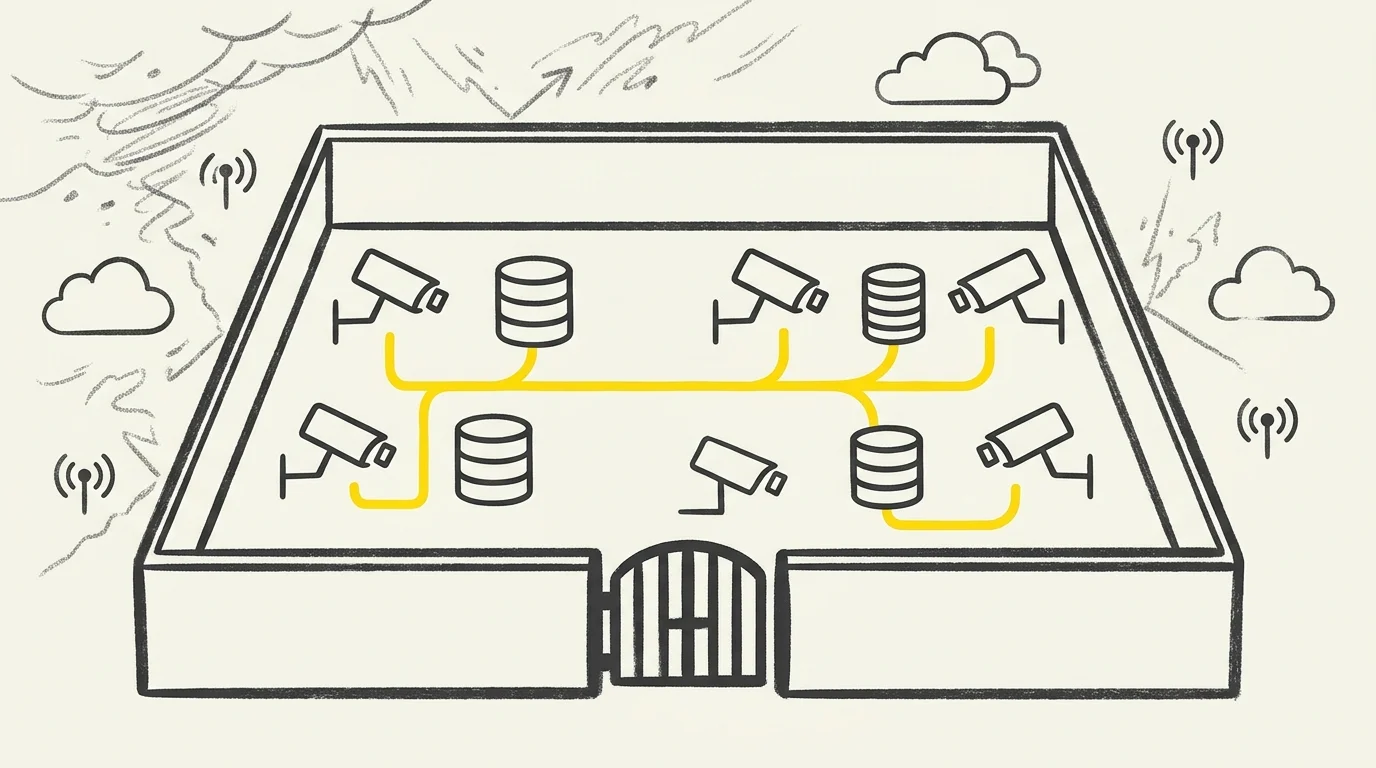
Setting up an isolated camera network requires methodical network segmentation. Following precise configuration steps ensures no rogue traffic attempts unauthorized outside connections.
- Isolate the surveillance network by assigning the cameras and NVR to a dedicated physical switch or an isolated local VLAN (e.g., Subnet 192.168.40.0/24).
- Log into each camera web interface via a temporary laptop Ethernet connection to assign static IP addresses and disable UPnP, P2P cloud services, and auto-updates.
- Enable H.265 encoding on the camera primary stream, set the resolution to 3840×2160 at 15 FPS, and set the I-frame interval to match the frame rate (15).
- Configure the secondary sub-stream to 640×360 resolution at 5 FPS to serve low-bandwidth live dashboard viewing and AI motion detection.
- Insert a 128GB high-endurance microSD card into each camera slot and format the filesystem to enable local edge-recording failover loops.
- Mount the RTSP stream URL into your local NVR software using the authenticated stream path: rtsp://username:password@192.168.40.50:554/cam/realmonitor?channel=1&subtype=0.
- Apply local firewall rules on your managed router to block all outbound WAN traffic for the entire camera IP range while allowing LAN access from trusted local clients.
Research summarized in Wirecutter’s smart home coverage highlights that separating IoT hardware from main consumer networks prevents remote exploitation and stabilizes internal bandwidth.
This isolated architecture keeps your security array operational even if your primary residential router reboots or crashes. All video routing occurs within your local switch backplane.
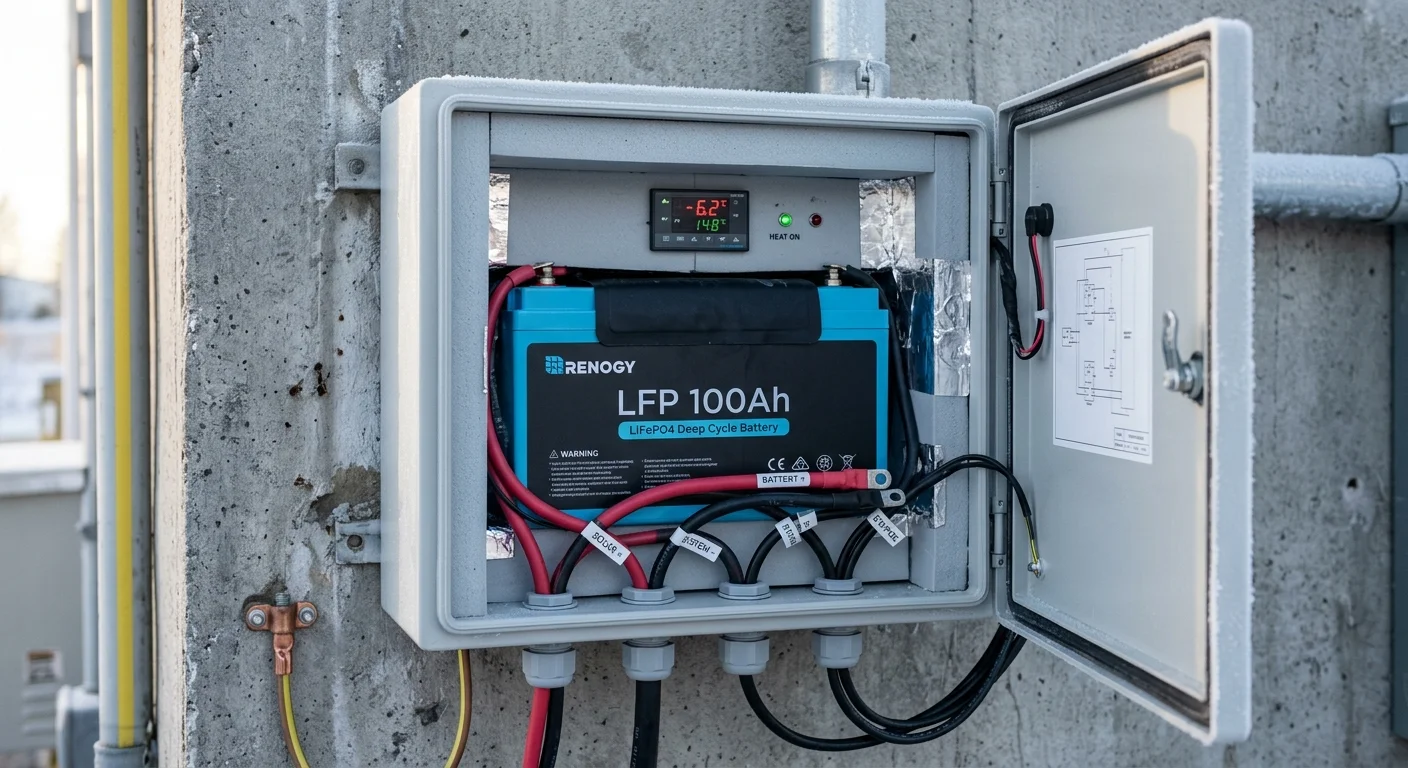
Physical Hardening: Protecting Batteries and Enclosures Against Freezing Temps
Winter storms expose electronic enclosures to sub-zero temperatures and wind-driven precipitation. Outdoor equipment requires robust ingress protection and thermal safeguards.
House all core batteries and network switches in a weather-resistant NEMA 4X or IP66 rated outdoor enclosure. Seal all conduit entry points with closed-cell duct seal to prevent internal condensation.
Lithium iron phosphate chemistry has one critical vulnerability: charging at temperatures below freezing causes irreversible lithium plating. This physical damage rapidly destroys battery cells and creates fire hazards.
When choosing a battery backup security system off grid, select LiFePO4 batteries equipped with internal heating elements and low-temperature charge protection. The internal battery management system (BMS) safely warms cells before accepting charge current.
Apply silicone dielectric grease to all outdoor RJ45 connectors before snapping them into weather-resistant grommets. Always form a downward drip loop in the Ethernet cable immediately before the camera entry gland.
Frequently Asked Questions
Can IP cameras record to a local NAS if the internet connection goes down?
Yes. IP cameras communicate with your local network storage (NAS) or network video recorder (NVR) using local area network protocols. As long as your local network switch remains powered, recording continues uninterrupted without external internet access.
How much storage space does a 4K RTSP security camera require per day?
A 4K camera streaming at 15 frames per second using H.265 compression at a 6 Mbps bitrate requires approximately 64.8 GB of storage space per day. A four-camera array generating continuous 4K video consumes roughly 259.2 GB of storage every 24 hours.
Why do retail consumer UPS units fail during extended power outages?
Retail UPS units utilize lead-acid batteries with small capacities (typically 100Wh to 180Wh) designed only for short computer shutdowns. Under a continuous 60W camera array load, their inverters drain the batteries within two hours, whereas LiFePO4 banks provide days of power.
What happens to edge SD card recordings once the central NVR comes back online?
Cameras supporting ONVIF Profile G automatically synchronize backlogged footage recorded to internal microSD cards with your central NVR. Once the central network or storage pool restores, the system backfills the timeline gaps without human intervention.
Disclaimer: This article is for informational purposes only. Smart home devices involve electrical connections and data privacy. Always follow manufacturer instructions for installation. For complex wiring or HVAC work, consult a licensed professional.

1 Comment