
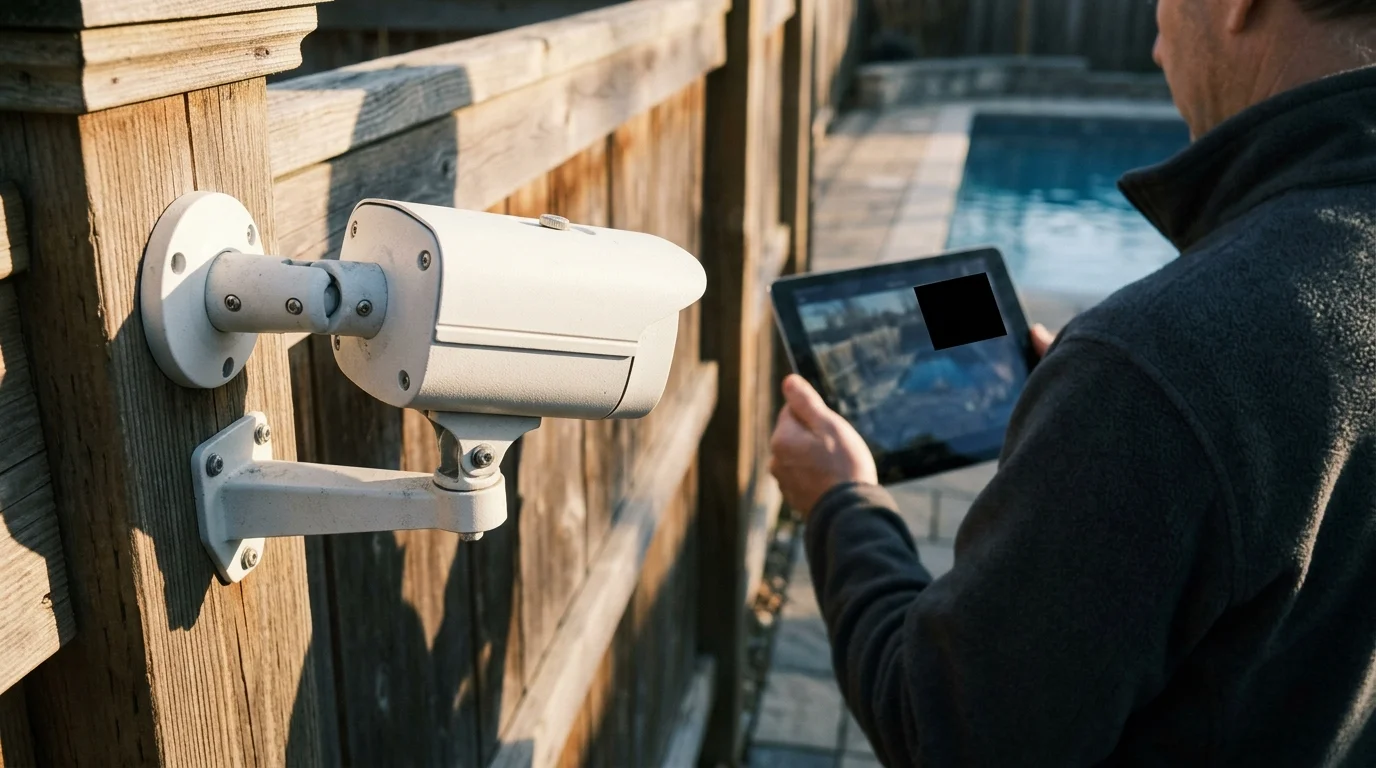
Mounting an outdoor security camera along your boundary fence often creates a serious legal conflict if the lens overlooks a neighbor’s swimming pool. You need to defend your property line, but filming someone’s private recreational area invites civil privacy disputes.
Software-level privacy masking solves this friction by overwriting sensitive pixels directly inside the camera’s image processor, permanently blinding the lens to your neighbor’s yard.
Hardcoding pixel-level black out zones into your camera feed provides documented proof of compliance that neutralizes civil privacy lawsuits while maintaining complete security coverage across your perimeter.
Legal Boundaries: Why Neighbor Pool Sightlines Trigger Legal Liability
Residential swimming pools carry a strict legal expectation of privacy under common law torts. When your camera captures neighbors in swimwear, judges classify the surveillance as intentional intrusion upon seclusion.
These boundary disputes underscore the broader need for securing smart home privacy across all connected monitoring hardware.
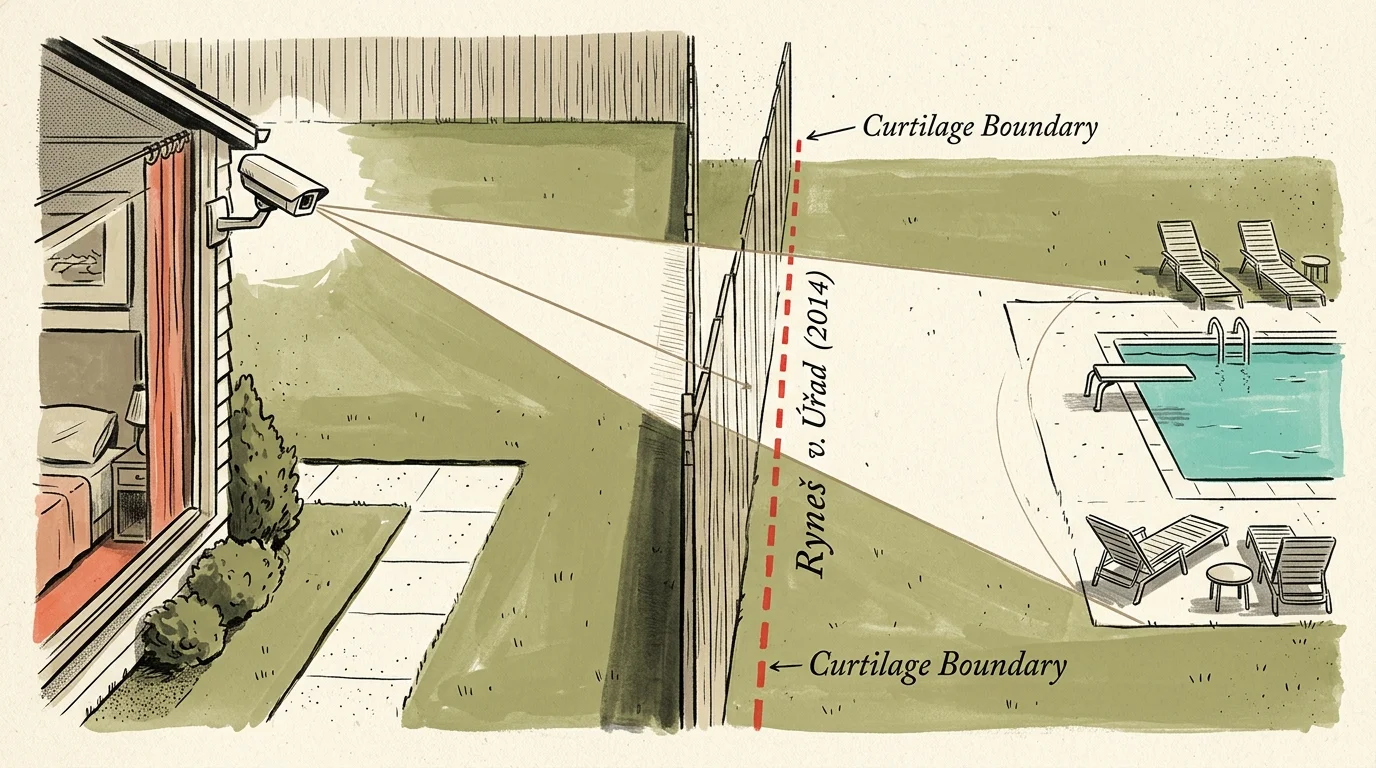
You forfeit standard domestic exemptions the moment your camera captures images beyond your legal curtilage. International and domestic courts have established clear boundaries regarding residential surveillance overreach.
“The processing of personal data by a natural person in the exercise of purely personal or household activities does not apply if video surveillance extends to a public space or the property of another.” — Court of Justice of the European Union, Ryneš v. Úřad (2014)
In the landmark European ruling Ryneš v. Úřad (Case C-212/13, Dec 11, 2014), the Court of Justice ruled that outdoor domestic cameras lose household privacy exemptions when viewing beyond boundary lines. Monitoring neighboring land activates formal data protection requirements.
The UK Information Commissioner’s Office (ICO) enforces matching standards under domestic surveillance guidance. Homeowners whose cameras capture adjacent properties are legally classified as data controllers with statutory responsibilities.
As a data controller under ICO rules, you must satisfy Subject Access Requests (SARs) within one calendar month. Failure to supply masked footage or delete personal data can result in civil enforcement notices and financial penalties.
In the United States, neighbor privacy camera setup disputes center on common-law invasion of privacy and statutory nuisance laws. Courts routinely grant preliminary injunctions requiring homeowners to reposition unmasked boundary cameras.
Privacy Masks vs. Motion Zones: Critical Technical Distinctions
Many property owners mistakenly assume that disabling motion detection over a neighbor’s yard satisfies privacy laws. In truth, motion zones and privacy masks operate on fundamentally different software architecture.
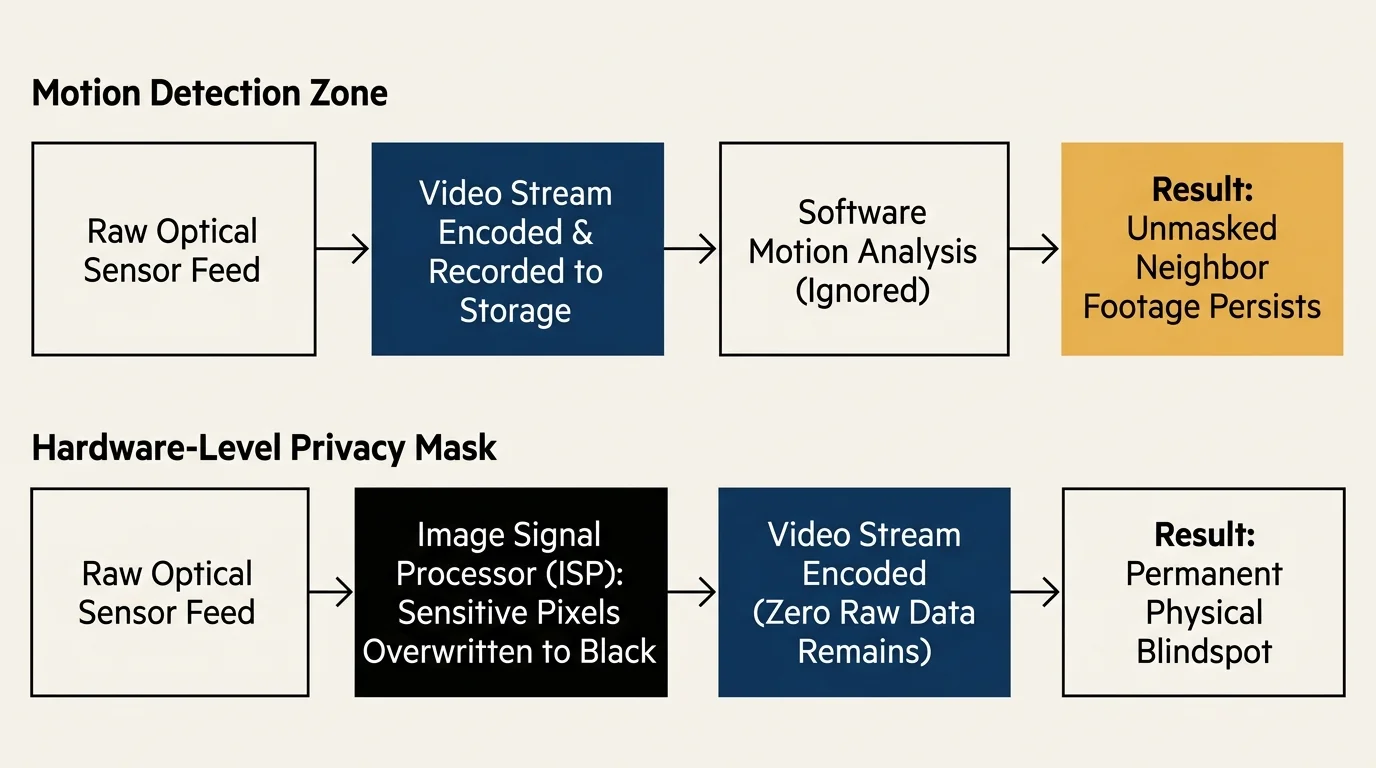
Motion detection zones merely instruct the camera software when to dispatch push alerts or generate event bookmarks. The camera sensor continues streaming, encoding, and recording the entire visual scene to storage.
If your camera records continuously to a local Network Video Recorder (NVR) or cloud service, the neighbor’s pool is fully captured. Motion zone exclusions offer zero defense during an invasion of privacy claim.
Conversely, privacy masking manipulates video frames directly inside the camera’s system-on-a-chip (SoC) digital signal processor. The camera suppresses incoming sensor data for masked coordinates before passing video into the encoding pipeline.
Applying black out zones smart camera settings overwrites selected pixel regions with opaque digital blocks. The underlying visual information is discarded at the hardware level and cannot be retrieved.
Technical analysis by Consumer Reports Smart Home confirms that true privacy masks provide essential legal protection for perimeter surveillance systems.
You must establish security camera privacy masking legal zones to prevent unauthorized video recordings from ever reaching local hard drives or remote cloud databases.
The Audio Trap: Wiretapping and Boundary Eavesdropping Risks
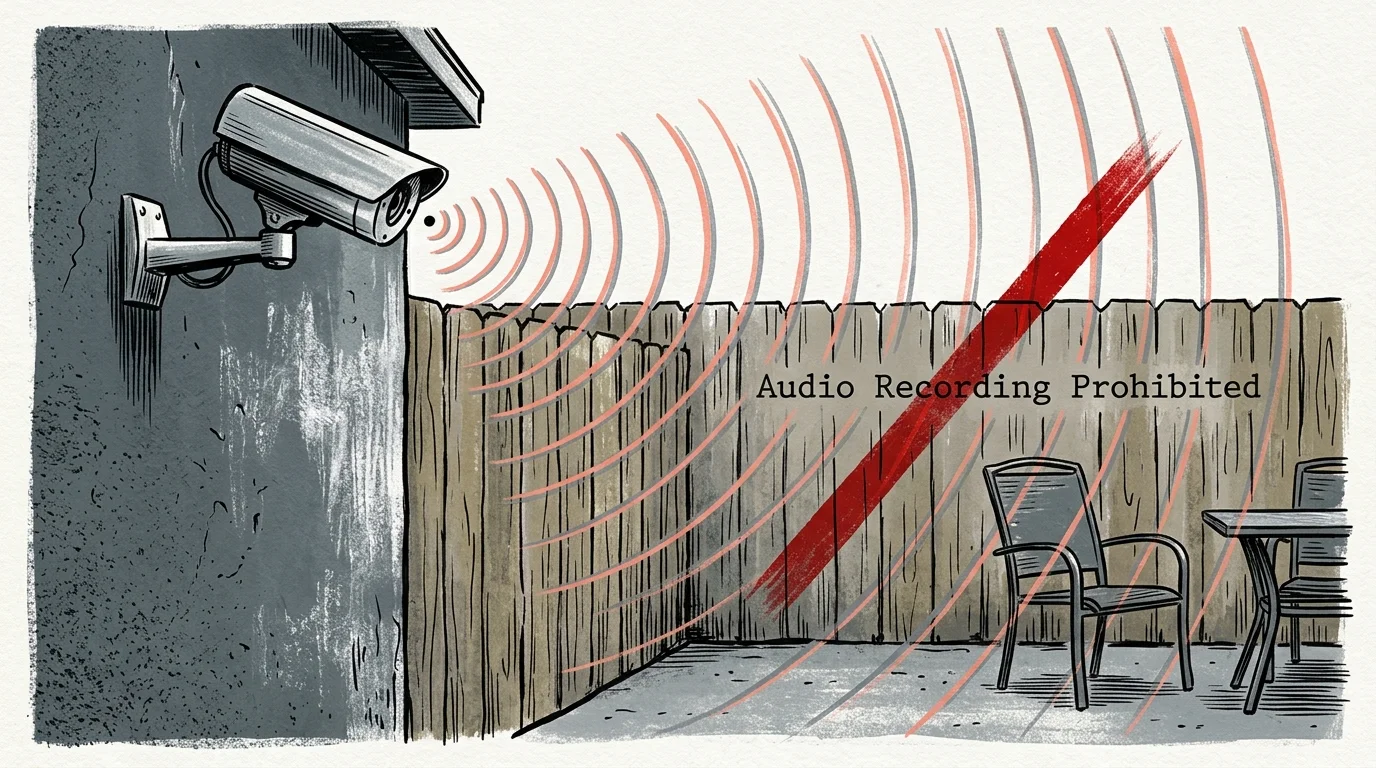
Visual recording along property boundaries triggers civil disputes, but incidental audio recording can violate criminal wiretapping statutes. Microphones create far greater legal jeopardy than wide-angle camera lenses.
The UK County Court established clear precedent in Fairhurst v. Woodard (October 12, 2021). The judge ruled that a homeowner’s Ring camera audio recording over boundary lines constituted harassment and breached data protection laws.
The presiding judge noted that capturing incidental neighborhood audio is dramatically more intrusive than visual tracking. Backyard conversations around a private pool carry an undeniable expectation of auditory privacy.
In the United States, federal statutes require single-party consent, but roughly a dozen states require all-party consent to record spoken conversations. These jurisdictions include California, Florida, Illinois, Pennsylvania, and Washington.
If your boundary camera records spoken discussions across the fence line without neighbor consent, you commit a statutory wiretapping violation. Civil liabilities in two-party consent states often include mandatory statutory damages per violation.
Modern surveillance microphones easily pick up conversational audio from 30 to 50 feet away. You must disable audio recording entirely within camera settings when positioning devices near a neighbor’s private patio.
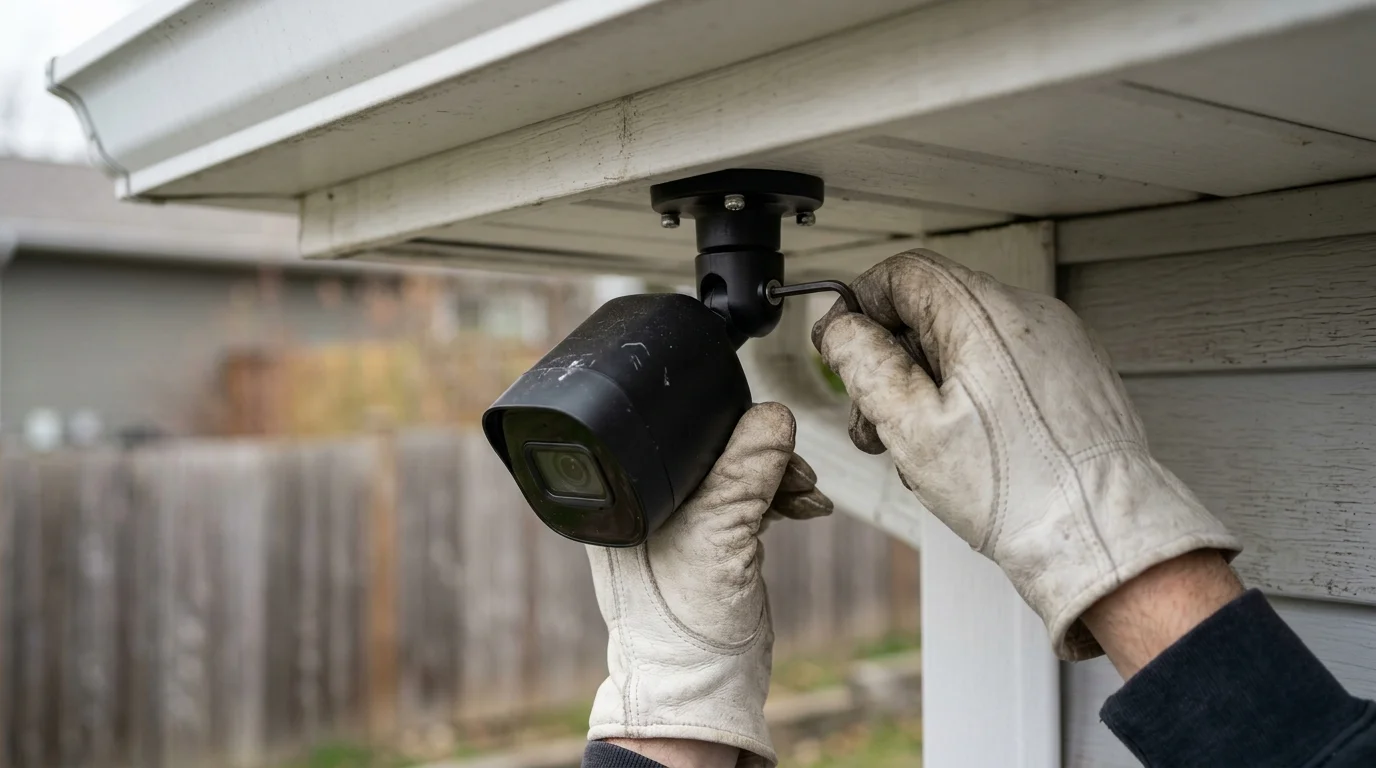
Optical Positioning: Framing Boundary Angles Before Software Calibration
Software masking should never serve as a substitute for competent physical camera placement. Optimizing physical mounting geometry reduces the percentage of the frame that requires digital masking.
If tilting your lens downward narrows night vision coverage, you can deploy standalone IR illuminators to brighten dark perimeters without illuminating adjacent yards.
Placing cameras at steep downward angles minimizes background sightlines while sharpening focus along your ground perimeter. A lower focal plane naturally drops neighbor swimming pools below the camera’s horizon.
Before configuring software masks, evaluate these essential physical installation metrics:
- Mounting height: Position the camera bracket between 8 and 12 feet above grade to maintain driveway sightlines while tilting below neighbor fence horizons.
- Mechanical down-tilt: Angle the camera body downward at an angle between 15 and 25 degrees to prioritize ground-level walking paths.
- Optical focal length: Select an adjustable varifocal lens set to 4mm or 6mm to narrow your field of view rather than using ultra-wide 2.8mm lenses.
- Physical shielding: Install an aluminum camera sun hood to block peripheral ambient sightlines directed toward neighboring upper decks.
Mechanical adjustments reduce the required digital mask area, conserving image processing power and maintaining higher video frame rates. Physical alignment establishes your initial layer of boundary defense.
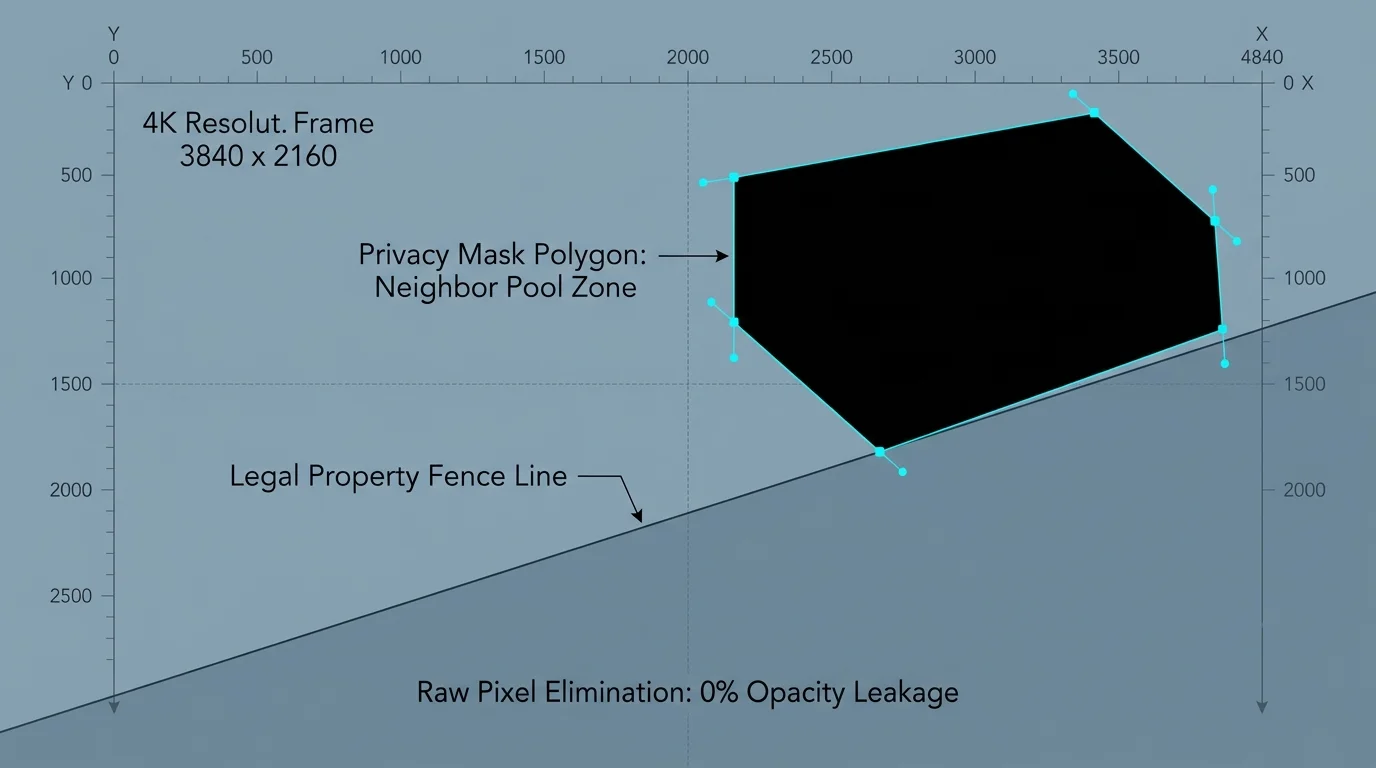
Worked Scenario: Masking an Inground Pool on a 4K Boundary Camera
Consider a concrete worked scenario involving a Reolink RLC-811A 4K PoE camera mounted on a detached garage eave. The camera monitors your driveway while adjacent to a neighbor’s inground pool.
The camera is installed at an elevation of 12 feet, tilted downward 15 degrees. Its varifocal lens is calibrated to 4mm, producing an 88-degree horizontal field of view.
Exactly 14 feet from your garage wall stands a 6-foot cedar boundary fence. Beyond that fence, 22 feet from your camera mount, sits the neighbor’s 16-by-32-foot inground swimming pool.
The camera’s 1/2.8-inch CMOS image sensor records at an Ultra HD resolution of 3840 pixels wide by 2160 pixels high. This frame contains 8,294,400 active pixels.
In the live preview, the cedar fence rail creates a boundary line extending from coordinate (X: 0, Y: 1150) on the left to (X: 3840, Y: 1080) on the right.
To mask the pool completely, you plot a four-vertex polygon spanning coordinates (0, 0), (3840, 0), (3840, 1080), and (0, 1150). This command directs the digital signal processor to blackout that visual zone.
This configuration permanently removes 4,281,600 pixels of external sightline data before video compression. The remaining 4,012,800 pixels preserve sharp 4K resolution across your private driveway, gate, and perimeter fence line.
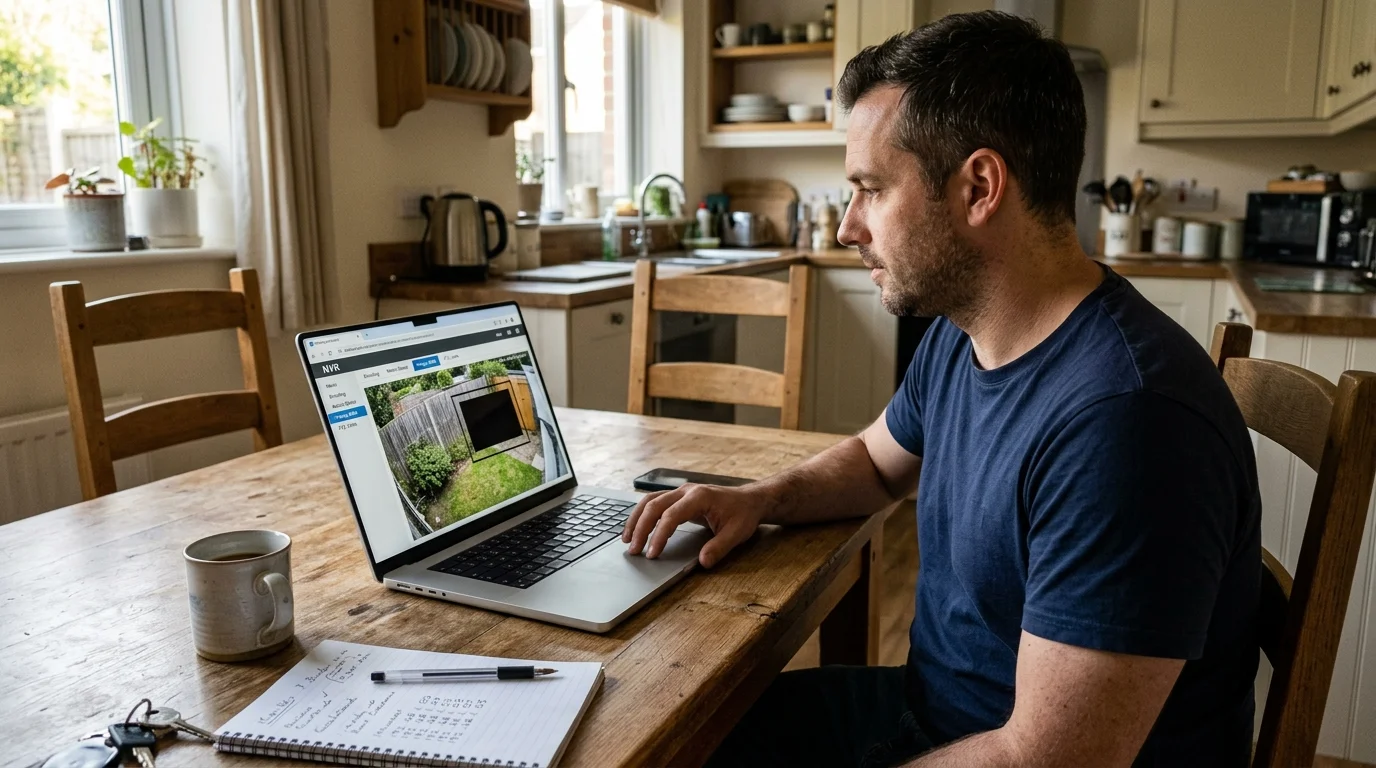
Step-by-Step Hardware and Software Configuration Protocols
Configuring black out zones smart camera controls requires entering the camera’s native administration interface. Follow this step-by-step procedure to establish legally compliant boundary masks.
- Tighten the mechanical bracket: Secure all mounting collar screws with an Allen key to prevent wind buffeting from misaligning your mask coordinates.
- Access the camera web GUI: Open a desktop browser, enter the camera’s local static IP address, and log in with your administrative credentials.
- Navigate to image settings: Click the Device Settings icon, choose the Surveillance menu, and select the Privacy Mask configuration tab.
- Enable privacy masking: Turn on the Privacy Mask toggle switch, selecting a solid black fill color to ensure maximum visual opacity.
- Plot polygon vertices: Click on the live preview canvas to establish boundary anchor points, maintaining a 5% buffer margin above the fence rail.
- Disable audio streaming: Open the Video/Audio encode menu, uncheck the audio stream checkbox, and set the audio format toggle to Disabled.
- Commit settings to flash: Click Save to write the mask coordinates directly into the camera’s non-volatile onboard memory.
The 5% buffer margin accounts for mechanical fence vibration and thermal expansion of the camera mount during hot summer afternoons. Always verify coordinate boundaries during peak midday lighting.
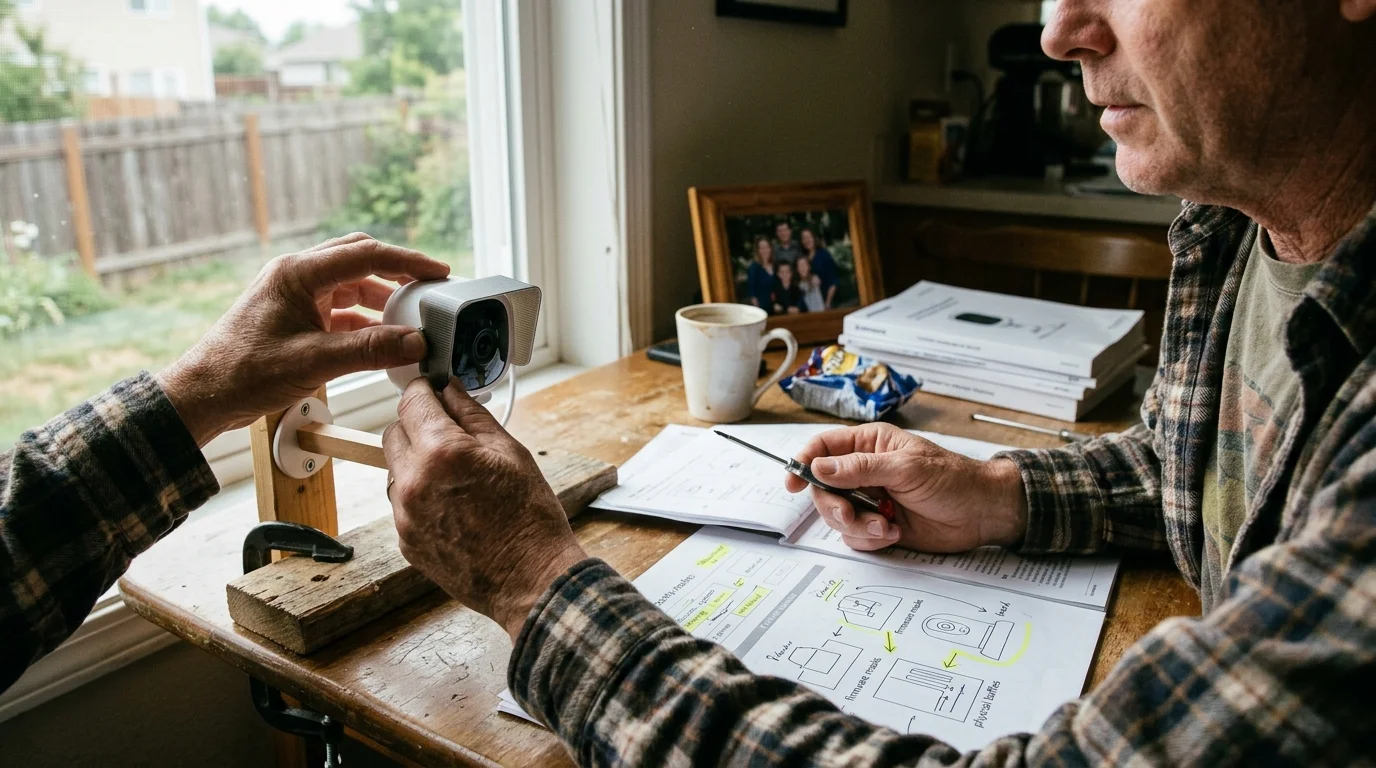
Architectural and Hardware Comparison for Privacy Masking
Different smart camera ecosystems handle privacy masking through fundamentally divergent firmware designs. Commercial and prosumer IP cameras provide far more robust masking mechanisms than cloud-tethered consumer doorbells.
| Camera Platform & Model | Processing Architecture | Max Active Masks | Geometry Types Supported | Audio Stream Hardware Mute | Local NVR Burn-In |
|---|---|---|---|---|---|
| Reolink RLC-811A (PoE IP) | SoC Edge DSP | 4 Zones | Multi-point Polygons | Software GUI Disable | Yes (Burned at SoC) |
| Ring Spotlight Cam Pro | Cloud / App Layer | 2 Zones | Fixed Rectangles Only | Software App Toggle | Yes (Cloud Rendered) |
| Dahua WizSense IPC-HDW3849H | SoC Edge DSP | 8 Zones | Freeform Polygons & Mosaic | Physical Switch + GUI | Yes (Burned at SoC) |
| Google Nest Cam (Outdoor) | Cloud Platform | 0 Zones (Motion Only) | Not Supported | Software App Toggle | No (Unmasked Storage) |
Comprehensive evaluations by PCMag Smart Home emphasize that edge-based IP cameras deliver superior data governance compared to consumer subscription models.
Cloud-dependent cameras like Google Nest offer no native privacy masking, providing only motion notification zones. Deploying such hardware along a neighbor’s pool boundary exposes you to substantial legal liabilities.
Fixed rectangular masks also struggle with diagonal boundary lines created by natural topography. Systems supporting multi-point polygons allow you to trace complex fence lines without blinding your own walkway.
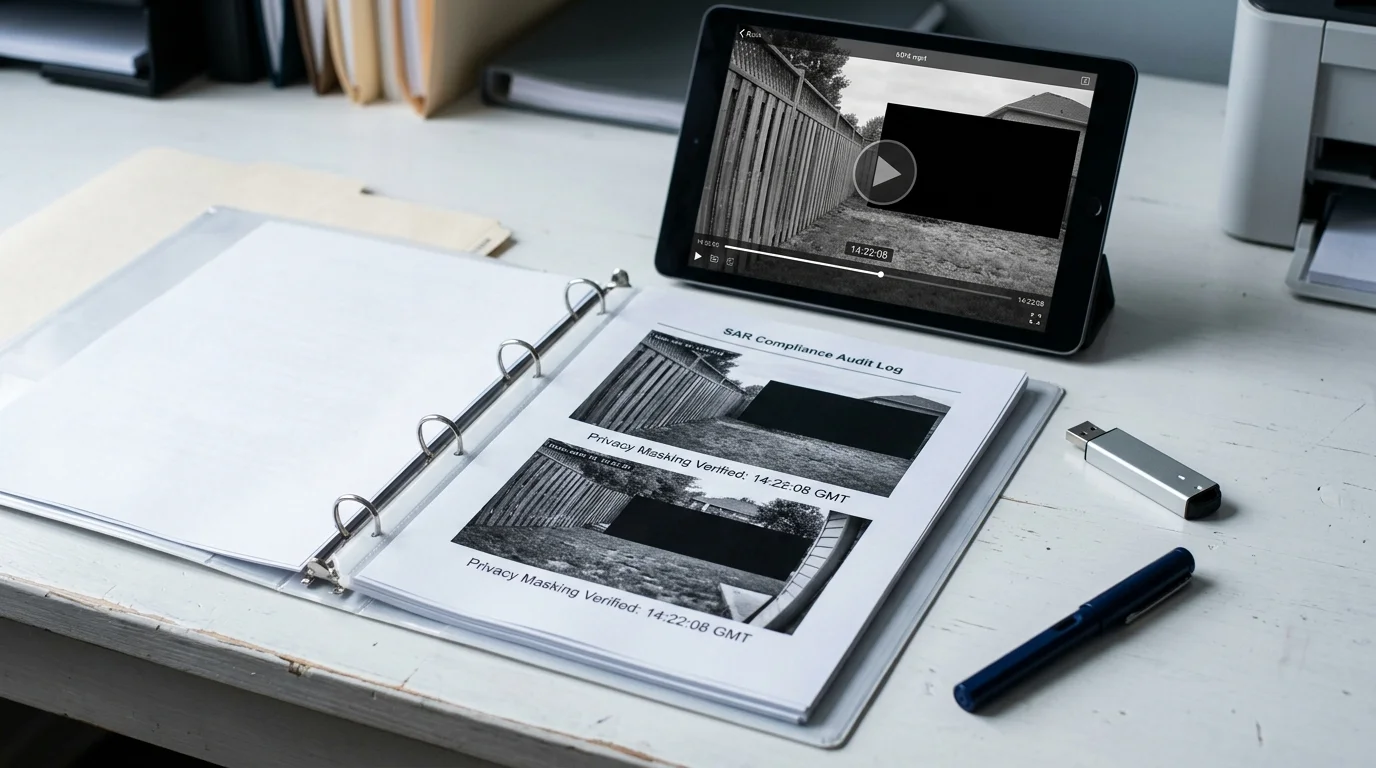
Verifying Mask Integrity and Documenting Legal Compliance
Implementing software masks is insufficient without verifiable documentation of compliance. Maintaining an evidentiary audit trail protects you against municipal code enforcement citations and neighbor complaints.
Execute this technical verification checklist after saving your camera configuration:
- File export inspection: Download raw video clips directly from local storage to a workstation and inspect them using an independent player like VLC.
- Codec stream analysis: Confirm that black mask blocks remain present across both the primary high-bitrate stream and secondary low-bitrate substream.
- Night vision validation: Review infrared night-vision footage to ensure IR cut filters do not shift digital coordinate registration.
- Reboot stress testing: Power cycle the camera via PoE switch port reboot to confirm the mask reloads automatically from flash memory.
- Physical shake testing: Tap the mounting arm lightly to ensure wind loads cannot shake the lens beyond the 5% buffer margin.
After validating the stream, prepare a neighbor privacy camera setup compliance packet. Include a timestamped screenshot showing the solid black mask covering their swimming pool and patio.
Deliver this packet alongside written confirmation that the camera microphone is permanently muted. Clear documentation defuses neighbor tension and establishes conclusive proof of good-faith legal compliance.
Frequently Asked Questions
Is privacy masking legally mandatory if my camera only sees a corner of a neighbor’s pool?
Yes, recording any portion of an adjacent private swimming pool compromises your domestic household exemption under common privacy frameworks. Courts evaluate privacy expectations based on the sensitive nature of the space rather than frame percentage.
What is the legal difference between motion zones and privacy masks?
Motion zones merely filter push notifications while your camera continues recording full-frame video to local or cloud storage. True privacy masking destroys pixel data directly at the image processor, ensuring sensitive areas are never recorded.
Can a neighbor sue me for recording backyard audio across a fence line?
Yes, audio surveillance is governed by strict criminal and civil wiretapping statutes. In two-party consent states like California or Florida, recording private yard conversations without consent can trigger substantial civil damages and statutory penalties.
Will my privacy masks stay aligned after a camera firmware update?
Onboard privacy masks persist across power cycles, but major firmware updates can occasionally reset coordinate databases. Always verify camera calibration and test export footage immediately after completing firmware upgrades.
Disclaimer: This article is for informational purposes only. Smart home devices involve electrical connections and data privacy. Always follow manufacturer instructions for installation. For complex wiring or HVAC work, consult a licensed professional.
2 Comments