
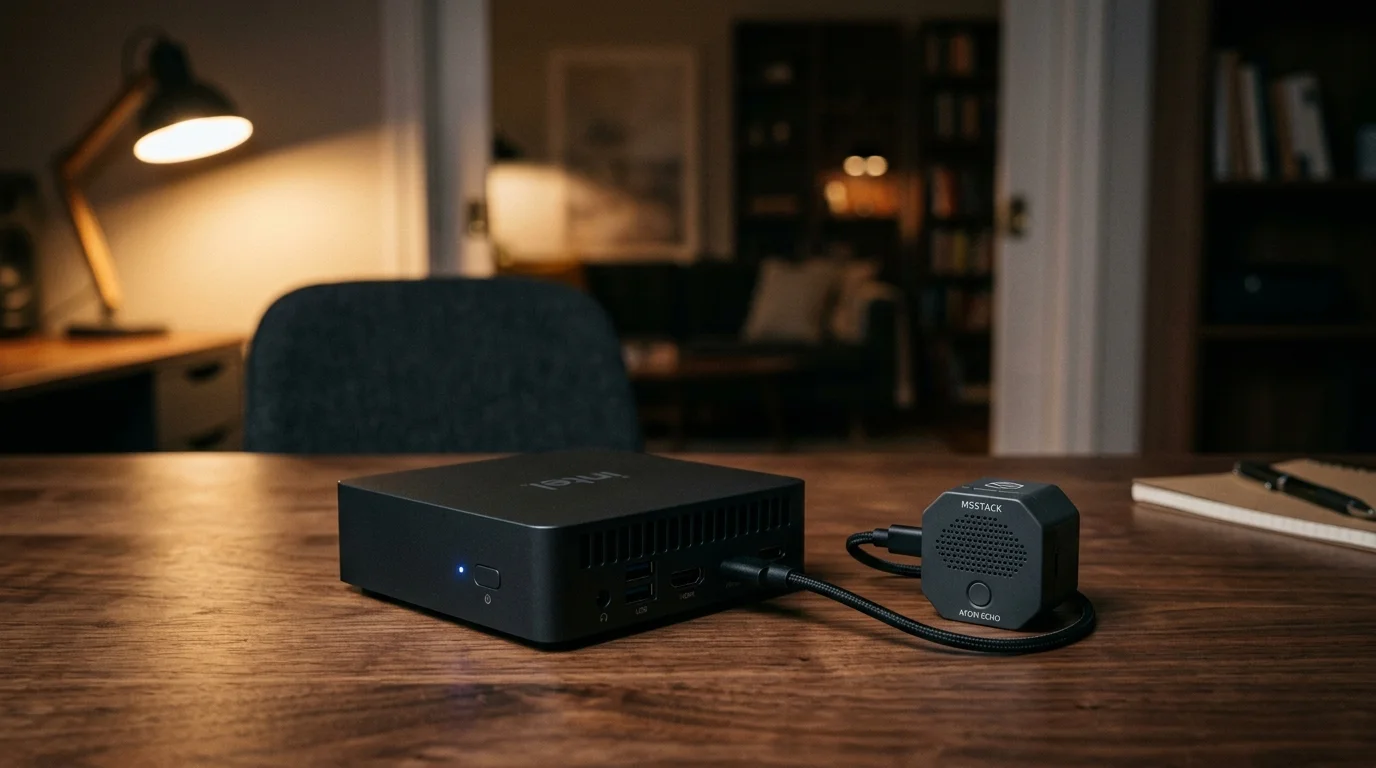
You can ditch cloud-tethered speakers and run a completely offline voice assistant that executes commands in under 800 milliseconds for less than $120. A sub-$100 Intel N100 mini-PC paired with an inexpensive satellite delivers near-instant response times without leaking private audio.
Mastering local processing is the next logical step once you learn how to use voice commands to control your entire home without cloud delays.
While conventional setups rely on bulky server GPUs or laggy cloud roundtrips, an optimized Whisper and Piper pipeline running INT8 quantization cuts transcription and speech synthesis latency to a bare fraction of a second.
This guide walks through hardware procurement, Docker orchestration, and Wyoming protocol tuning to guarantee sub-800ms execution for every local switch, light, and automation.
The Sub-$120 Hardware Bill of Materials
Building an offline voice assistant no longer requires an enterprise server or a power-hungry desktop graphics card. Modern entry-level x86 microprocessors handle machine-learning inference efficiently within tight thermal envelopes.
To flesh out the rest of your installation affordably, explore our top picks for smart home devices under $50.
If you are outfitting other areas of your living space alongside this project, consider our foundational walkthrough for building a smart home on a budget under $100.
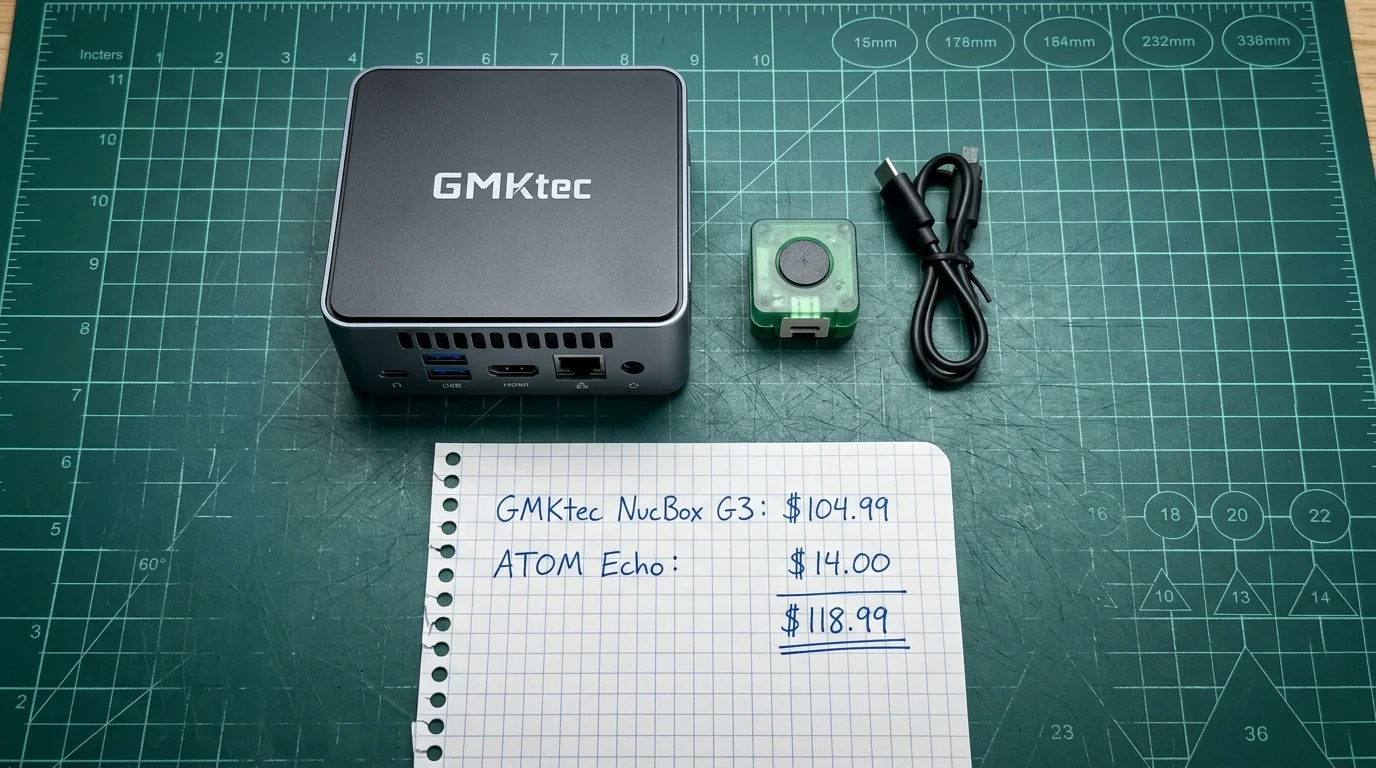
The centerpiece of this budget build is an Intel Alder Lake-N mini-PC. Units like the GMKtec NucBox G3 or Beelink Mini S12 Pro regularly sell for $95 to $105 during routine online retail discounts.
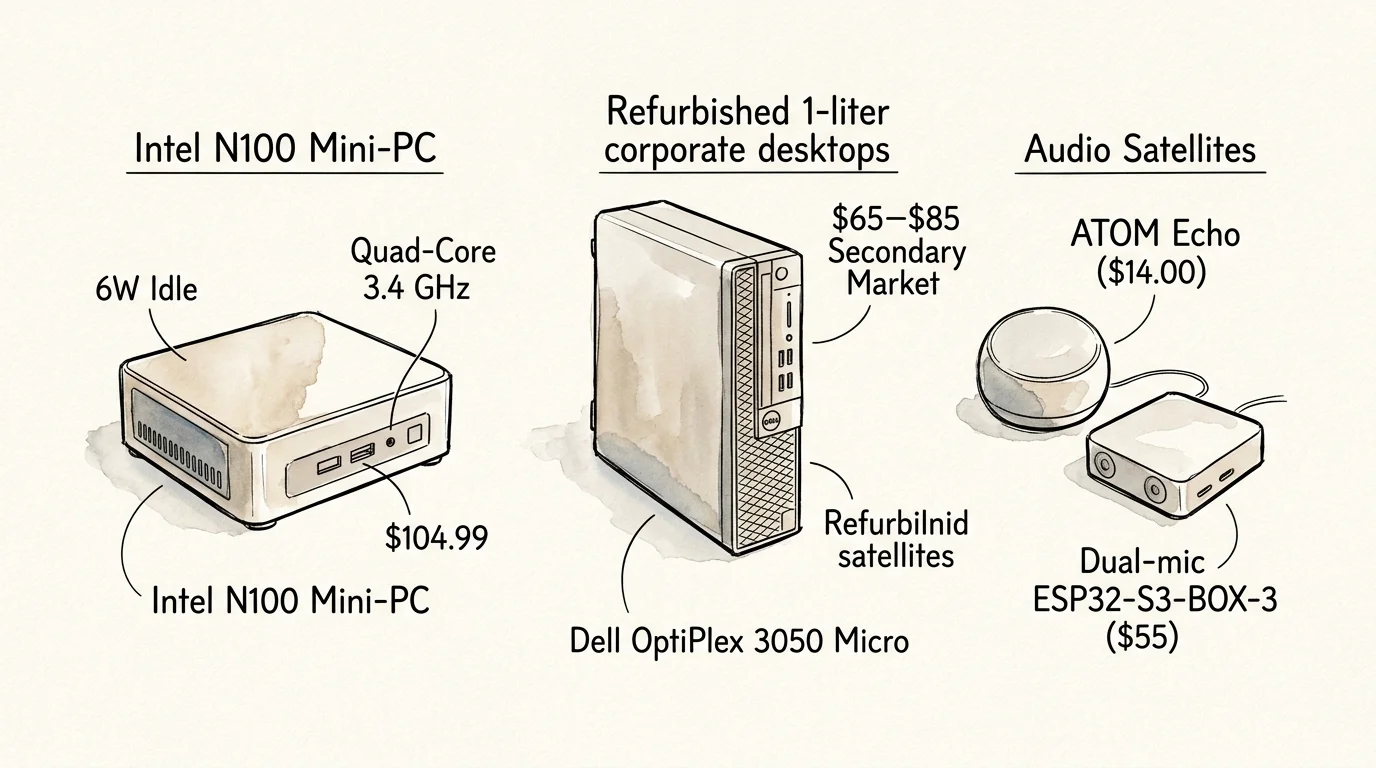
These compact systems feature the quad-core Intel N100 processor, 8GB of DDR4 or DDR5 RAM, and a 256GB NVMe solid-state drive. The N100 reaches boost clocks of 3.4 GHz while drawing just 6 watts at idle.
If you prefer commercial-grade recycled gear, refurbished 1-liter corporate micro PCs offer an equally capable platform. Off-lease units like the Dell OptiPlex 3050 Micro or HP ProDesk 400 G4 sell on secondary markets for $65 to $85.
For your microphone and speaker satellite, the M5Stack ATOM Echo provides the most affordable entry point. This compact ESP32-based development module costs between $13.50 and $15.00 and includes a built-in microphone and I2S speaker.
Here is your target shopping list for a complete single-room local voice installation:
- Compute Host: GMKtec NucBox G3 (Intel N100, 8GB RAM, 256GB SSD) — $104.99
- Voice Satellite: M5Stack ATOM Echo smart speaker development kit — $14.00
- Power Supplies and Cabling: Included with mini-PC and a spare USB-C cable — $0.00
- Total Initial Investment: $118.99
For multi-room setups, you only need to purchase additional satellite units. The single Intel N100 host can comfortably service five to eight voice satellites throughout your home simultaneously.
Homeowners seeking higher audio fidelity can swap the ATOM Echo for an Espressif ESP32-S3-BOX-3. That developer kit retails for roughly $55 and features a dual-microphone array with on-device acoustic echo cancellation.
The Sub-800ms Latency Budget Breakdown
Voice command latency defines user satisfaction. When you speak to a voice assistant, any delay exceeding one second feels unnatural and frustrating.
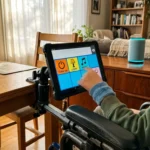
Sub-second turnaround times are particularly critical when designing smart home voice control for the visually impaired, where command delays cause confusion.
When placing satellites near media centers, establish acoustic null zones to prevent TV audio wake-ups from false triggering your microphones.
Commercial smart speakers route your voice through remote cloud data centers. According to architectural reviews from The Verge Smart Home, cloud roundtrips routinely introduce noticeable delays whenever internet congestion peaks.
A fully local voice pipeline eliminates wide-area network transit entirely. Instead, your audio moves across local network sockets using Home Assistant’s Wyoming protocol.
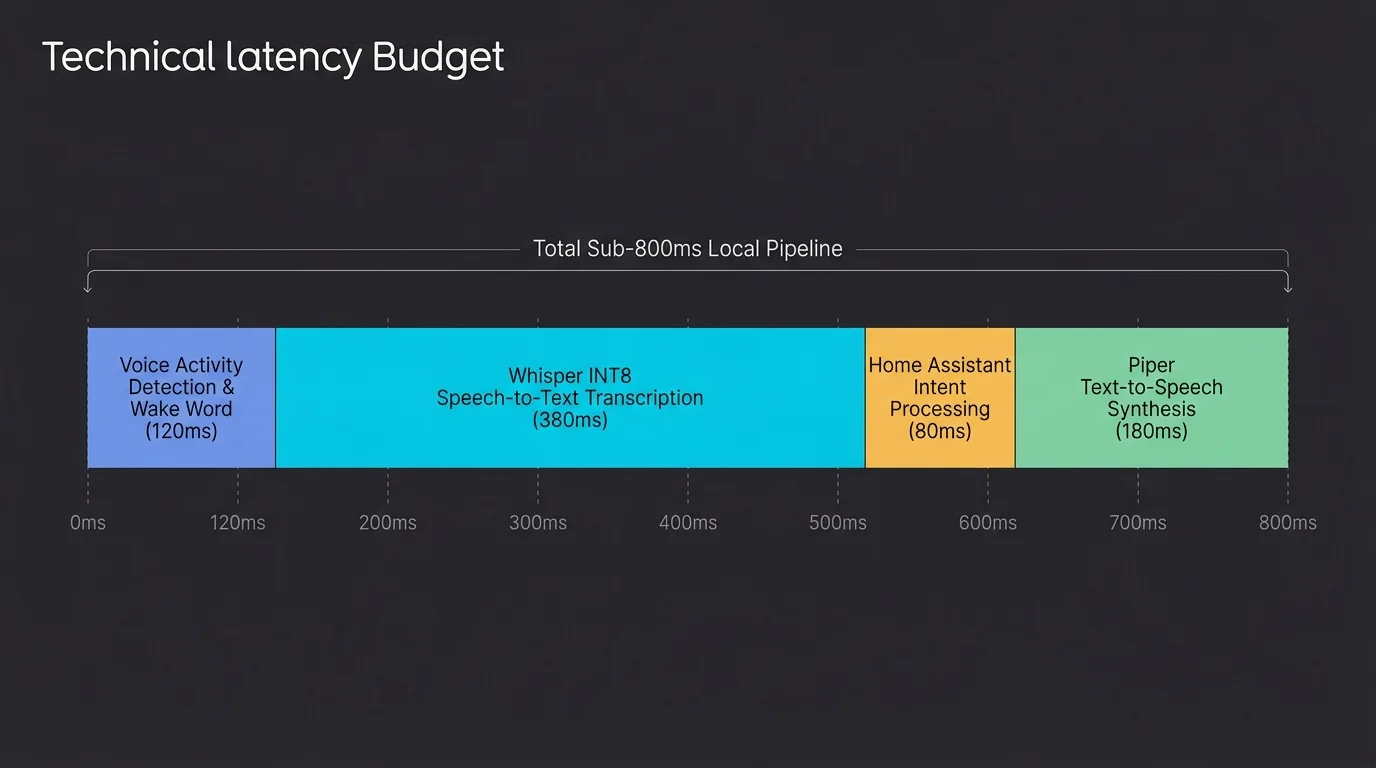
To stay below the 800-millisecond threshold, each stage of audio ingestion, transcription, intent resolution, and synthesis must operate within a strict processing window.
- Wake Word Processing (<100ms): The satellite detects the wake phrase locally without transmitting raw streaming audio to your server.
- Voice Activity Detection Silence Cutoff (300ms): Silero VAD monitors incoming audio frames and closes the stream 300ms after you stop speaking.
- Speech-to-Text via faster-whisper (180ms): The Intel N100 transcribes a typical 2.5-second command into text using INT8 quantization.
- Intent Matching (15ms): Home Assistant matches the parsed text string against native intent rules to trigger the target device.
- Text-to-Speech via Piper (75ms): Piper generates the first audio buffer of spoken confirmation using an optimized ONNX acoustic model.
Summing these stages yields a cumulative pipeline latency of approximately 670 milliseconds. That leaves an operational buffer of 130 milliseconds to account for local Wi-Fi transmission jitter.
Speed in voice interfaces is not a luxury; it is the boundary between a tool that feels responsive and one that feels broken.
CTranslate2 provides the engine behind faster-whisper. It implements 8-bit integer (INT8) quantization on standard x86 CPU vector extensions.
This optimization delivers a 2.0x to 2.5x speed increase compared to full 32-bit floating-point execution. Crucially, INT8 quantization incurs less than a 0.3% degradation in Word Error Rate for everyday home automation vocabularies.
Comparing Local Voice Processing Hardware
Selecting the right hardware architecture requires balancing raw inference throughput against idle power consumption and procurement costs. Many enthusiasts mistakenly assume they need a dedicated graphics card for machine learning.
Pairing local voice compute with an off-grid local security camera array ensures your primary smart devices operate reliably through broadband outages.
Single-board computers like the Raspberry Pi 4 struggle with transformer-based speech models. While a Pi can run basic tasks, its processor lacks the vector instruction sets required for rapid INT8 matrix multiplication.
The table below compares real-world throughput, power draw, and costs across common voice host platforms running identical Whisper and Piper configurations.
| Hardware Platform | Average Cost | Whisper Base INT8 Latency | Piper Medium Latency | Idle Power Draw | System RAM Footprint |
|---|---|---|---|---|---|
| Intel N100 Mini-PC (GMKtec G3) | $105.00 | 185 ms | 68 ms | 5.8 Watts | 1,150 MB |
| Raspberry Pi 4 Model B (4GB) | $65.00 | 1,420 ms | 410 ms | 3.4 Watts | 820 MB |
| Dell OptiPlex 3050 Micro (i5-6500T) | $75.00 | 240 ms | 88 ms | 11.2 Watts | 1,480 MB |
| Used Desktop PC (Core i5 + GTX 1650) | $280.00 | 45 ms | 22 ms | 42.0 Watts | 2,600 MB |
The Intel N100 delivers the best balance of speed, efficiency, and upfront cost. It achieves sub-200ms transcription times while drawing less than 6 watts when waiting for commands.
While an old desktop with a dedicated NVIDIA GPU delivers blisteringly fast transcription, its continuous 42-watt power draw adds substantial costs to your annual electric utility bill.
Independent analysis from Wirecutter Smart Home emphasizes that devices running 24/7 should prioritize low standby power consumption to prevent creeping energy costs.
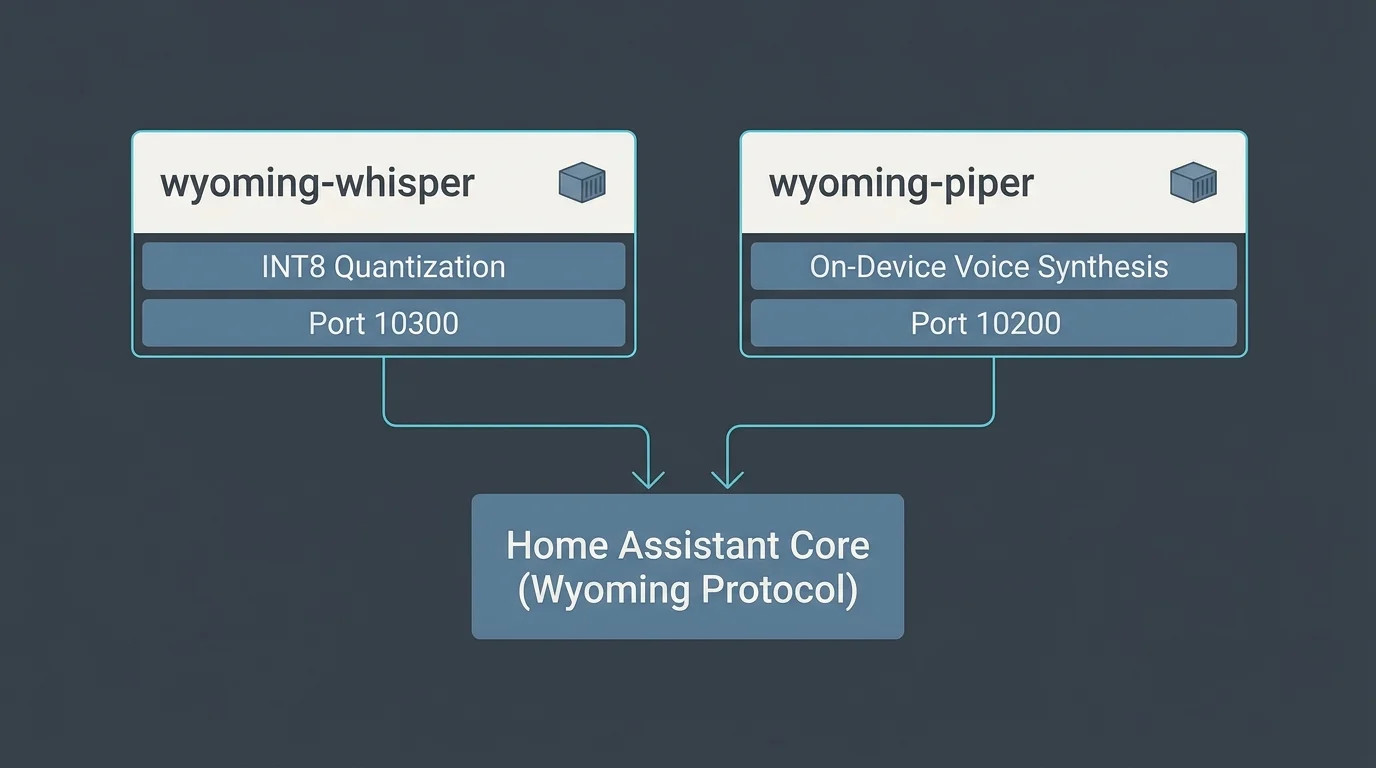
Deploying Whisper and Piper via Docker
Running your speech services inside isolated Docker containers ensures stability and makes software updates straightforward. The Wyoming protocol splits speech-to-text and text-to-speech into lightweight microservices communicating over plain TCP sockets.
If your household speaks multiple languages, tuning your speech models helps avoid phoneme clashes in dual-language voice routing during Whisper transcription.
Begin by installing a standard Linux distribution on your mini-PC. Ubuntu Server 24.04 LTS or Debian 12 provides a clean, bloat-free foundation for Docker container workloads.
Create a dedicated directory on your mini-PC to hold your service configuration files and model storage volumes:
- Connect to your mini-PC via SSH terminal.
- Create the application directory:
mkdir -p ~/wyoming-voice && cd ~/wyoming-voice - Create the data directories:
mkdir -p whisper-data piper-data - Create a
docker-compose.ymlfile using your preferred text editor.
Insert the following container orchestration configuration into your Compose file to define both the faster-whisper and Piper services:
services:

  whisper:

    image: rhasspy/wyoming-whisper:latest

    container_name: wyoming-whisper

    restart: unless-stopped

    ports:

      - "10300:10300"

    volumes:

      - ./whisper-data:/data

    command: ["--model", "base.en", "--language", "en", "--beam-size", "1", "--compute-type", "int8"]
piper:
image: rhasspy/wyoming-piper:latest
container_name: wyoming-piper
restart: unless-stopped
ports:
– “10200:10200”
volumes:
– ./piper-data:/data
command: [“–voice”, “en_US-lessac-medium”]
The --beam-size 1 parameter is critical for real-time performance. Setting the beam search size to 1 enables greedy decoding, which cuts processing latency in half while preserving transcription accuracy for common commands.
The en_US-lessac-medium voice provides natural acoustic pacing without consuming excessive memory. The entire voice model consumes only 63MB of disk space.
Start the containers by executing docker compose up -d in your terminal. Docker will download the images, initialize the network bridges, and bind to ports 10300 and 10200.
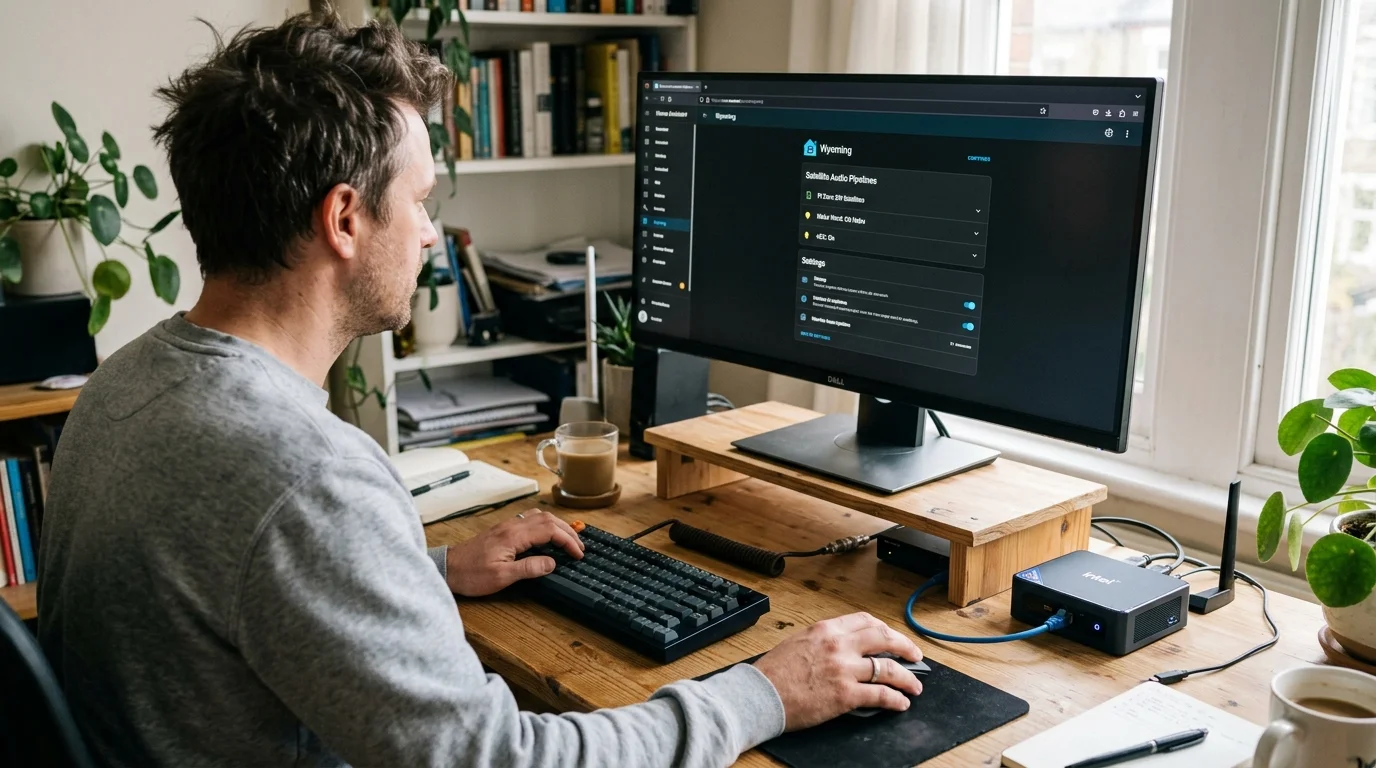
Configuring Home Assistant and Wyoming Integration
With your containers running, you must connect the speech microservices to Home Assistant. The official Wyoming integration discovers and manages these socket connections automatically.
Once connected to Home Assistant, you can establish automations for muting smart microphones during work calls to prevent false triggers during meetings.
Open your Home Assistant web interface and navigate to Settings, then Devices & Services. Click Add Integration in the bottom right corner and search for Wyoming Protocol.
Enter the IP address of your mini-PC and port 10300 to add your faster-whisper speech-to-text service. Repeat the process using port 10200 to link your Piper text-to-speech service.
Next, assemble these components into a unified execution pipeline:
- Navigate to Settings > Voice Assistants.
- Select Add Pipeline to create a streamlined, low-latency profile.
- Set the Speech-to-Text engine to your newly configured Whisper service.
- Set the Text-to-Speech engine to your local Piper voice.
- Select Home Assistant’s built-in conversation agent for intent recognition.
Avoid using Large Language Models like Llama 3 or cloud GPT integrations as your primary conversation agent if latency is your priority. Neural conversation agents introduce between 1,500ms and 5,000ms of computational delay.
Home Assistant’s native rule-based matcher evaluates sentences in 5 to 20 milliseconds. It parses commands like “turn off living room lights” or “set bedroom thermostat to 68 degrees” using lightning-fast pattern matching.

Optimizing Voice Activity Detection and microWakeWord
Voice Activity Detection (VAD) dictates how quickly your pipeline recognizes that you have stopped speaking. Tuning this setting offers the largest single latency reduction in your entire voice stack.
By default, Home Assistant applies a conservative 500ms silence detection window using Silero VAD. This safety buffer prevents cutting off slow speakers, but it injects half a second of mandatory waiting time into every command.
You can safely reduce this silence duration inside your voice pipeline settings. Lowering the threshold to 300ms shaves 200ms directly off your total execution time without clipping natural speech.
Wake word processing also benefits from localized edge execution. Streaming ambient room audio continuously over Wi-Fi causes bandwidth bottlenecks and introduces intermittent network latency spikes.
Instead, flash your satellite microcontrollers with firmware that supports microWakeWord. This lightweight neural model runs entirely on the satellite’s onboard microcontroller chip.
When the satellite detects the wake phrase locally, it activates an audio stream channel directly to your mini-PC host. This architecture ensures audio data only leaves the room after you intentionally issue a wake trigger.
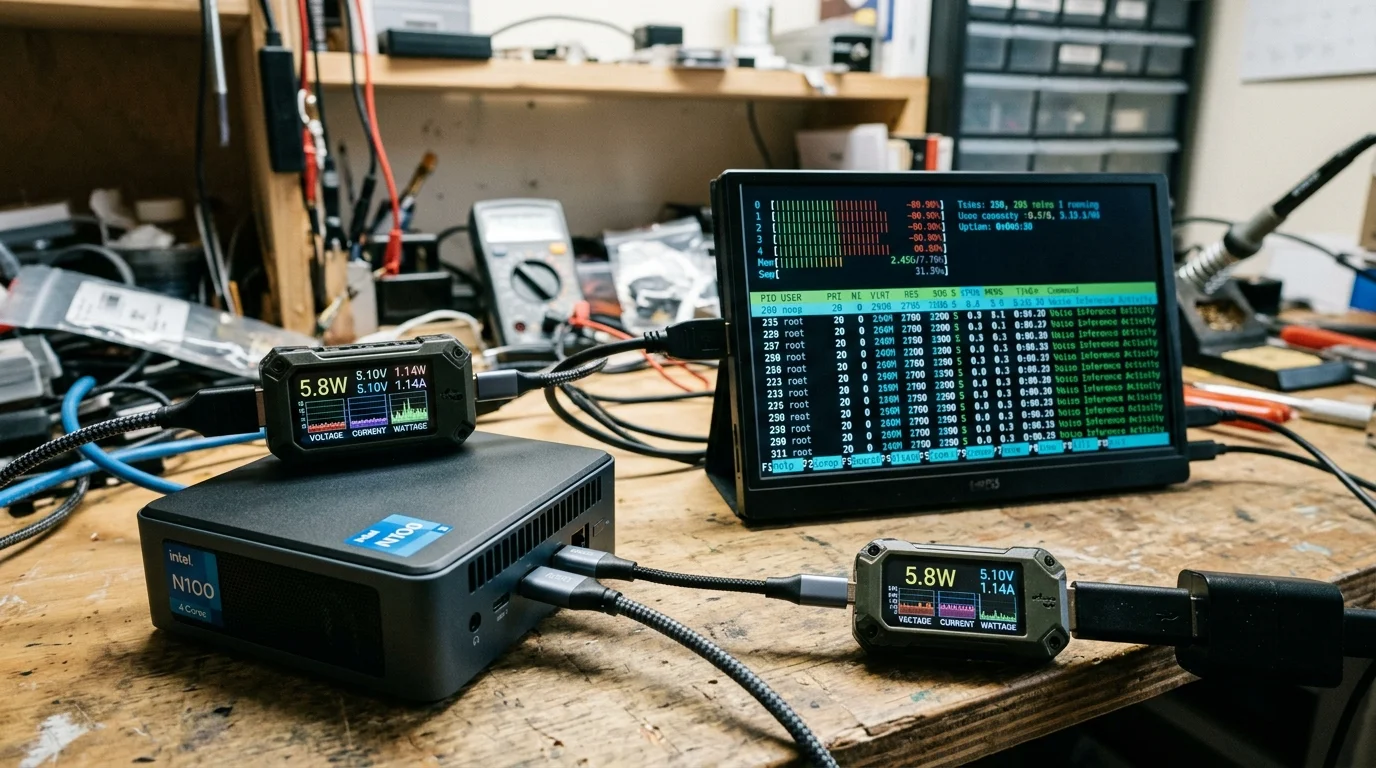
Benchmarking RAM and CPU Footprints Under Load
Resource utilization remains exceptionally modest when running Whisper and Piper on an Intel N100 mini-PC. You do not need to dedicate the entire computer solely to voice parsing tasks.
During idle listening periods, the containerized Wyoming services consume virtually zero CPU cycles. The entire voice stack consumes approximately 250MB of physical system memory at rest.
Here is how system resources allocate across your mini-PC under active command execution:
- Base Operating System (Ubuntu Minimal): ~320 MB RAM
- Home Assistant Core Container: ~450 MB RAM
- Wyoming faster-whisper (base.en INT8): ~185 MB RAM
- Wyoming Piper (lessac-medium): ~68 MB RAM
- Total Baseline Memory Footprint: ~1,023 MB RAM
Because an entry-level mini-PC ships with 8,192MB (8GB) of RAM, your voice pipeline leaves more than 7GB of memory available for other home applications. You can easily co-locate Plex, Zigbee2MQTT, and network storage containers on the same box.
When processing a command, CPU utilization across the four N100 cores momentarily spikes to roughly 65% for 200 milliseconds. The processor quickly returns to idle, keeping operating temperatures well below 55 degrees Celsius under passive fan profiles.
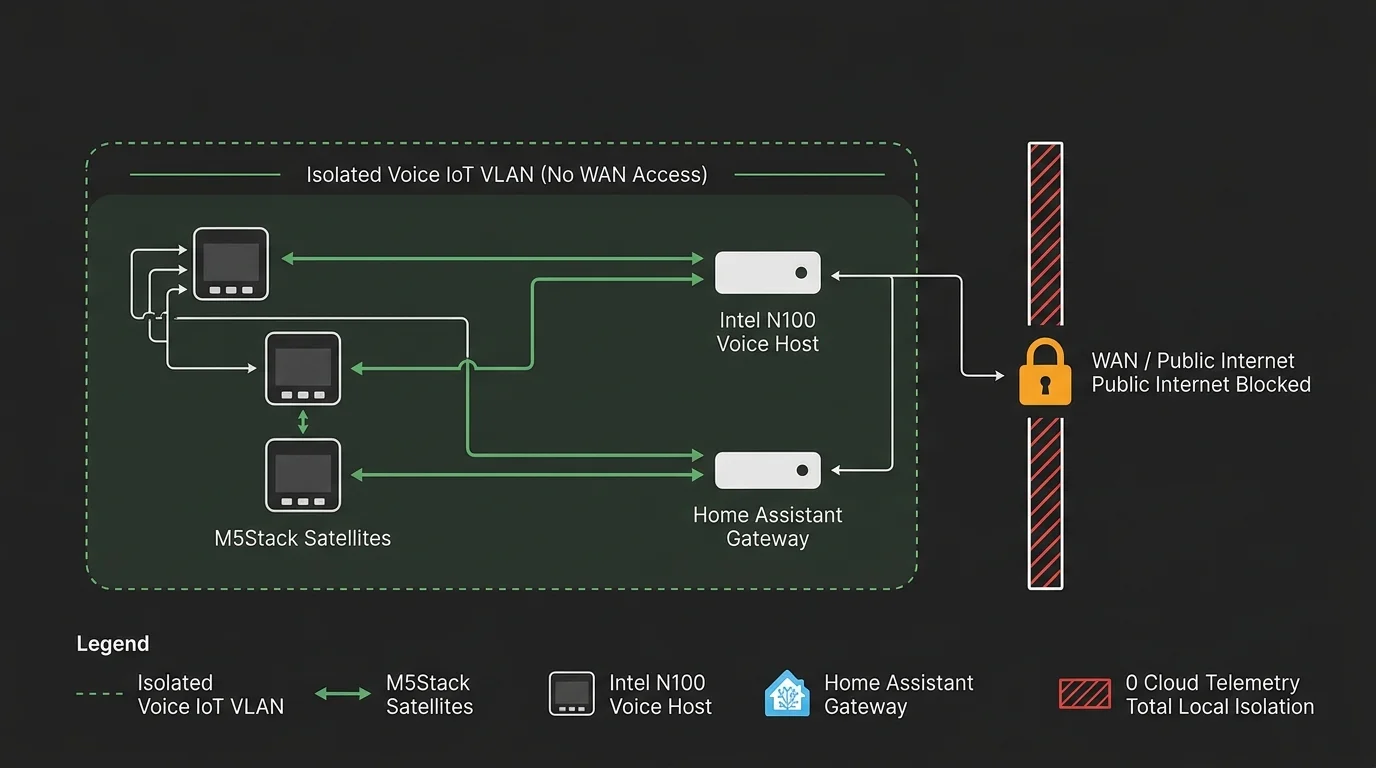
Network Isolation and Privacy Hardening
Running voice processing locally delivers total architectural privacy. Commercial alternatives routinely upload audio samples to corporate servers for model retraining and analytics evaluation.
To guarantee complete data isolation, place your voice satellites and mini-PC on an isolated Virtual Local Area Network (VLAN). Use your router’s firewall rules to block all outbound public internet access for your smart speaker hardware.
Because the Wyoming protocol and ESPHome communication operate entirely via local IPv4 addresses, your voice assistants remain fully functional even when your internet service provider experiences an outage.
If you lose external internet connectivity, your automations continue running without interruption. You can still lock doors, dim lights, and adjust temperatures using normal spoken commands.
Frequently Asked Questions
Can I run the Whisper tiny.en model instead to save more latency?
Yes. Switching from base.en to tiny.en cuts speech-to-text processing time down to roughly 110ms on an Intel N100. However, the tiny model exhibits slightly lower transcription accuracy when background noise or music is playing.
Do I need an active internet connection for this voice pipeline to work?
No. Every component of this voice architecture runs 100% locally on your home network. Your commands process identically whether your internet connection is online, degraded, or completely disconnected.
Can I add multiple voice satellites around my home using one mini-PC?
Yes. A single Intel N100 mini-PC easily handles audio pipelines for five to eight satellites simultaneously. Because voice commands are short, the server rarely experiences overlapping inference requests under normal household usage.
How does the M5Stack ATOM Echo compare to a full smart speaker?
The ATOM Echo is an inexpensive development board designed primarily for proof-of-concept testing and basic voice input. Its tiny speaker produces tinny sound, making it ideal for voice commands but unsuitable for music playback.
Disclaimer: This article is for informational purposes only. Smart home devices involve electrical connections and data privacy. Always follow manufacturer instructions for installation. For complex wiring or HVAC work, consult a licensed professional.





1 Comment