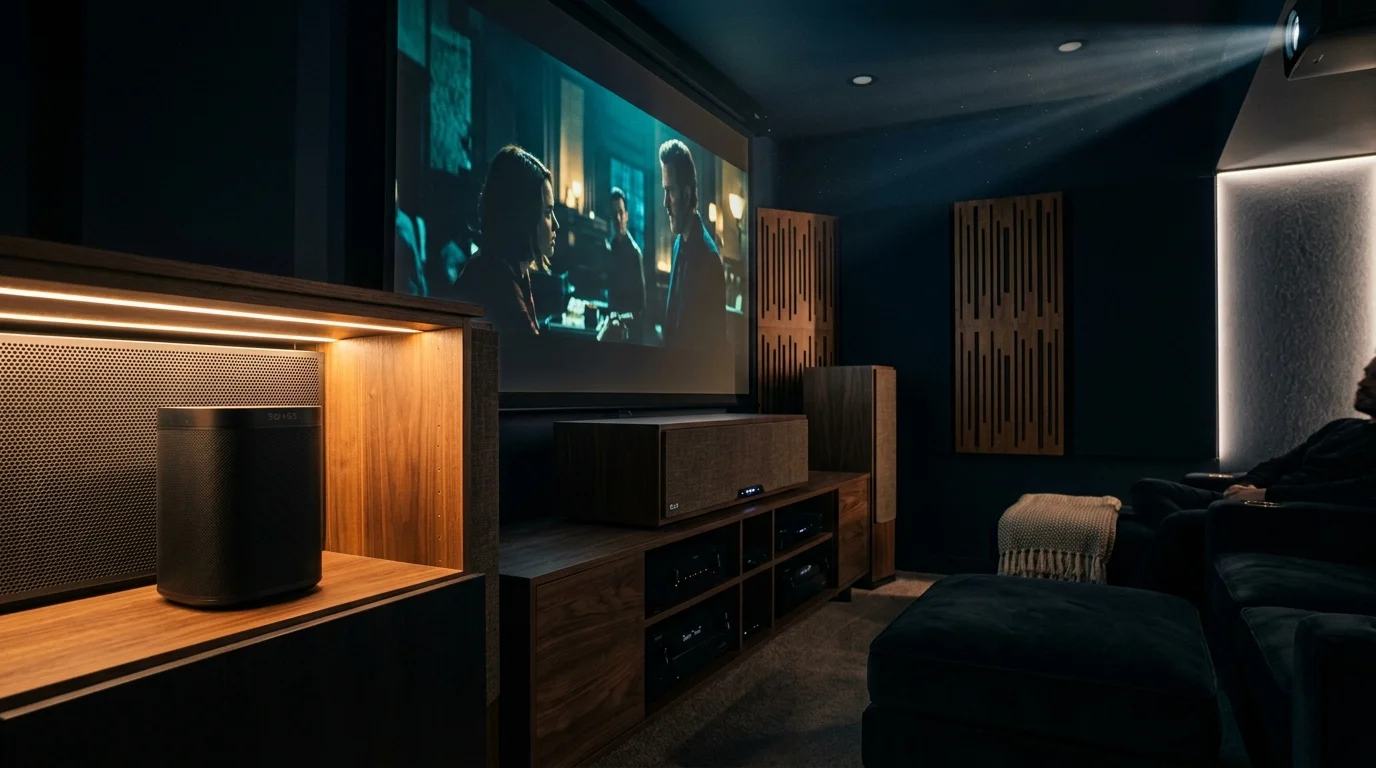
High-impact movie dialogue and explosive sound design should shake your home theater, not trigger your smart speaker. You can silence accidental voice assistant activations permanently without unplugging your devices or disabling your room-automation cues during movie night.
It is also wise to set up voice-purchase PINs and profile restrictions to prevent on-screen dialogue from accidentally triggering authorized digital orders.
You can also set up whisper-only feedback and subtle LED alerts so nighttime voice responses never disrupt intense cinematic moments.
Instead of compromising audio quality by cutting center-channel gain, you can position smart hardware inside the 3-foot forward-radiating acoustic null zone directly behind your center speaker baffle plane.
Pairing this geometric offset with directional dense foam absorption pads shields microphone arrays from high-SPL vocal frequencies while keeping your voice commands crisp and responsive.
The Physics of Center-Channel Spillover and False Wake Triggers
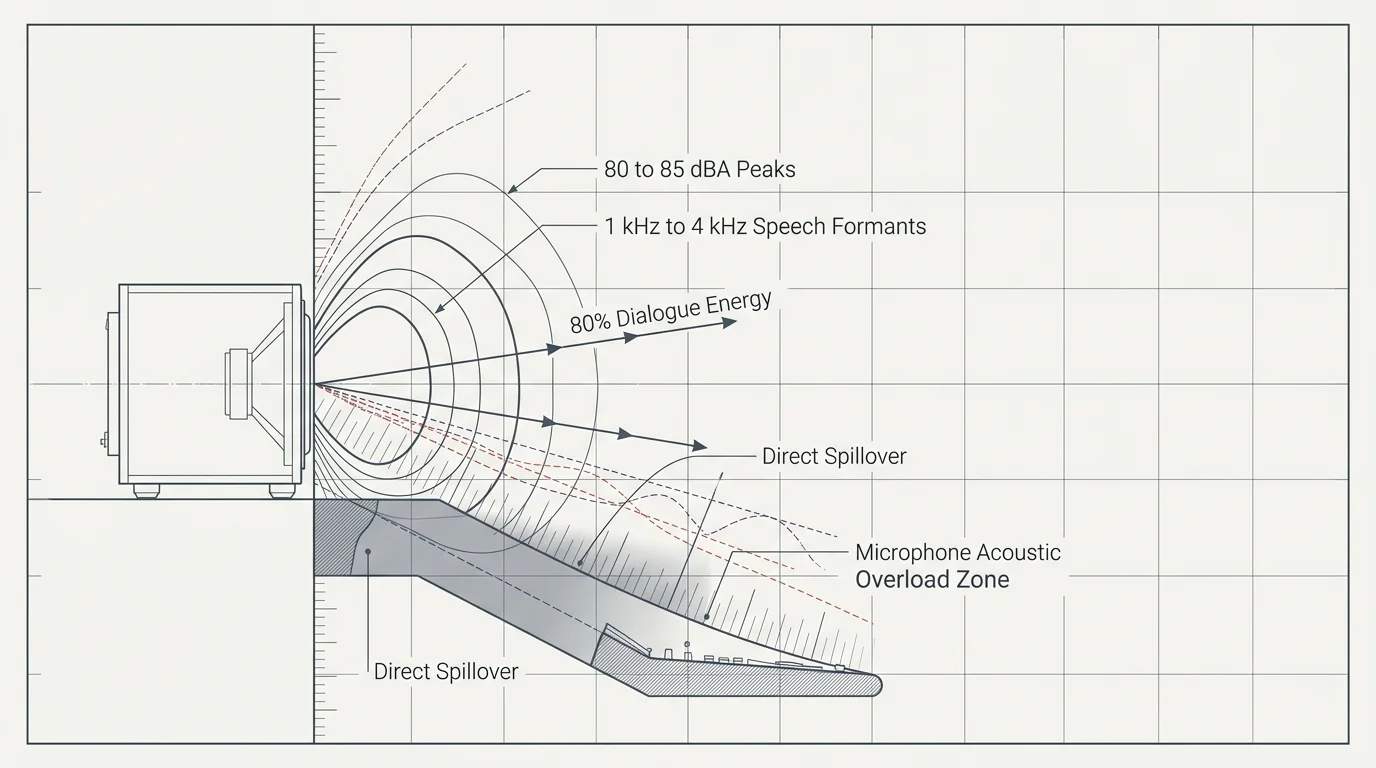
In modern multi-channel surround tracks, the dedicated center channel carries up to 80 percent of all narrative dialogue. This concentrated acoustic energy projects speech frequencies directly toward your primary seating position.
Because these false triggers can cause your device to capture room audio unintentionally, reviewing essential smart speaker privacy settings ensures unexpected recordings are deleted automatically.
Center-channel woofers and tweeters generate intense acoustic output across the 1 kHz to 4 kHz frequency band. Human speech formants reside directly within this identical spectral zone.
Smart speakers rely on far-field microphone arrays and internal digital signal processors running acoustic echo cancellation. These algorithms listen continuously for specific phonetic patterns that match programmed wake words.
When high dynamic range audio pushes dialogue peaks to 80 or 85 dBA, the soundbar triggering alexa issue emerges. The assistant onboard neural network mistakes filtered cinema speech for an intentional user command.
Center-channel speakers feature wide horizontal dispersion to deliver intelligible dialogue across an entire sofa. Unfortunately, this broad radiation pattern blankets your equipment console in raw vocal energy.
This spillover creates a persistent movie dialogue false assistant wake cycle that interrupts movie playback. Software updates rarely solve this problem because the microphone hardware physically overloads from direct sound pressure.
Microphone preamplifiers experience transient intermodulation distortion when subjected to sudden acoustic spikes from movie sound effects. When dialogue rides on top of an explosion, microphone beamformers lose target speech separation.
Mapping the 3-Foot Forward-Radiating Acoustic Null Zone
Loudspeaker drive units project sound waves forward in a hemispherical radiation pattern that narrows as frequency increases. Frequencies above 1.5 kHz beam straight ahead within a directional 60-degree to 90-degree horizontal window.
Once your speaker is shielded from direct sound spillover, you can further improve voice recognition accuracy by re-running voice training in your primary viewing position.
Directly behind the speaker cabinet baffle, a distinct acoustic shadow forms. High-frequency sound waves cannot easily bend around the physical enclosure because their wavelengths measure only a few inches.
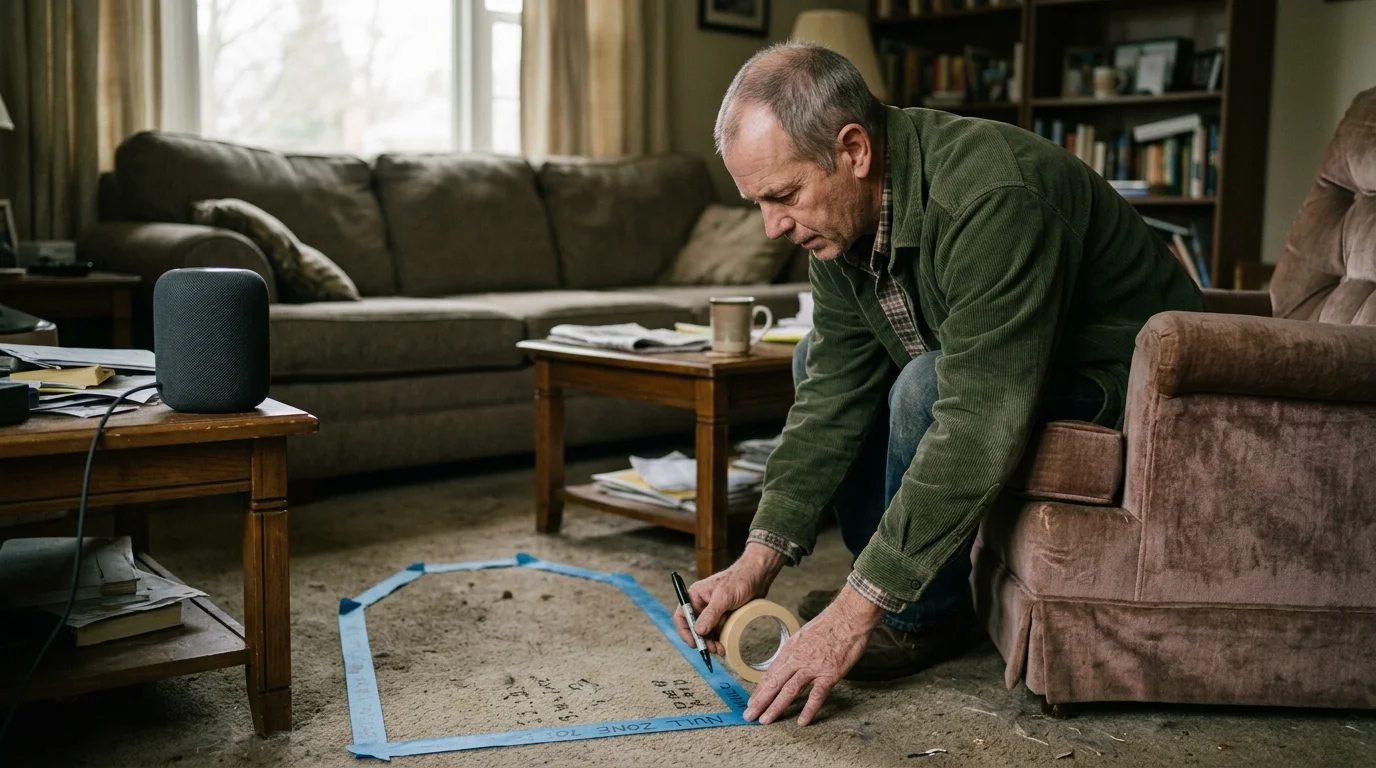
This shadow establishes a predictable 3-foot forward-radiating acoustic null zone starting at the front baffle plane. The zone extends laterally and rearward along the exterior sides of the speaker cabinet.
Strategic home theater smart speaker placement takes direct advantage of this physical boundary. Placing your smart assistant behind the center-channel baffle plane attenuates direct speech sound waves by 12 to 18 decibels.
Low frequencies will still diffract around the cabinet structure due to their long wavelengths. Fortunately, sub-bass rumbles lack the sharp phonetic consonants that trigger digital assistant wake engines.
Placing sensitive microphone arrays inside this shadow zone ensures direct sound waves never strike the transducers head-on. The smart assistant then captures sound reflected from room boundaries at substantially lower decibel levels.
Sound waves with wavelengths shorter than the loudspeaker baffle dimension cannot bend around the cabinet, creating a deep acoustic shadow directly behind the enclosure plane.
This boundary principle allows you to maintain reference-level home theater dynamics without isolating voice assistants in separate rooms. The physical cabinet acts as a structural acoustic shield.
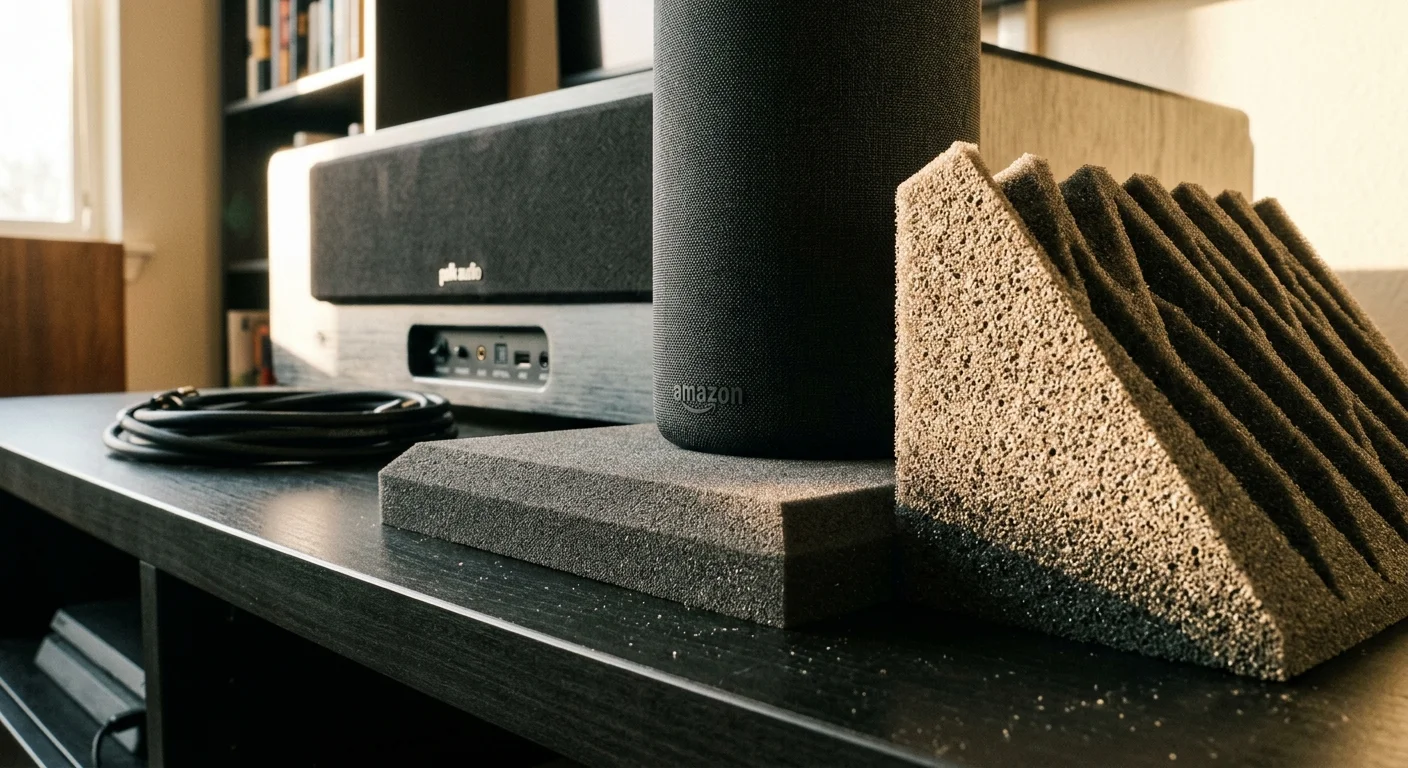
Directional Absorption Pads and Mechanical Resonance Decoupling
Placing your smart speaker behind the baffle provides significant passive attenuation, but console reflections can still reach the microphones. Directional soundproofing pads resolve this secondary acoustic path.
If your media room doubles as a remote workspace, consider automating smart microphone mutes to stop loud media or background chatter from interfering during calls.
Just like mitigating road rumble near smart displays, dampening structural vibrations prevents loud, low-frequency sound effects from traveling into microphone chassis.
Open-cell polyurethane acoustic foam panels with a density of 50 kg/m³ deliver peak absorption between 1.5 kHz and 4 kHz. This specific material traps the vocal sibilance that trips wake engines.
Positioning a 2-inch contoured foam wedge along the side flank of your center speaker creates a local absorption barrier. This wedge intercepts sound waves scattering off nearby walls or flat-panel television screens.
In addition to airborne sound, intense low-frequency vibrations travel mechanically across your media furniture. Heavy explosions shake the credenza deck, generating microphonic mechanical noise inside the smart speaker enclosure.
Subwoofers and large center-channel woofers transfer acoustic energy directly into adjacent surfaces. When your center speaker rests on a hollow media console, the furniture acts as a secondary sounding board.
This mechanical energy introduces boundary gain that boosts lower mid-range frequencies between 200 Hz and 500 Hz. Resonant wooden panels amplify male movie dialogue and produce muffled acoustic buildup around microphone ports.
Mechanical decoupling isolates the smart speaker chassis using 50-durometer Sorbothane or dense silicone hemispheres. This prevents cabinet resonance from overloading sensitive microphone preamplifiers during high-impact movie scenes.
- Acoustic foam density must meet or exceed 50 kg/m³ to provide measurable high-frequency attenuation.
- Decoupling isolation pads should match the total load weight of the smart speaker to prevent complete elastomer compression.
- The acoustic barrier must extend at least 2 inches above the smart speaker microphone plane.
- Console surfaces require non-slip damping pads beneath the center-channel enclosure feet.
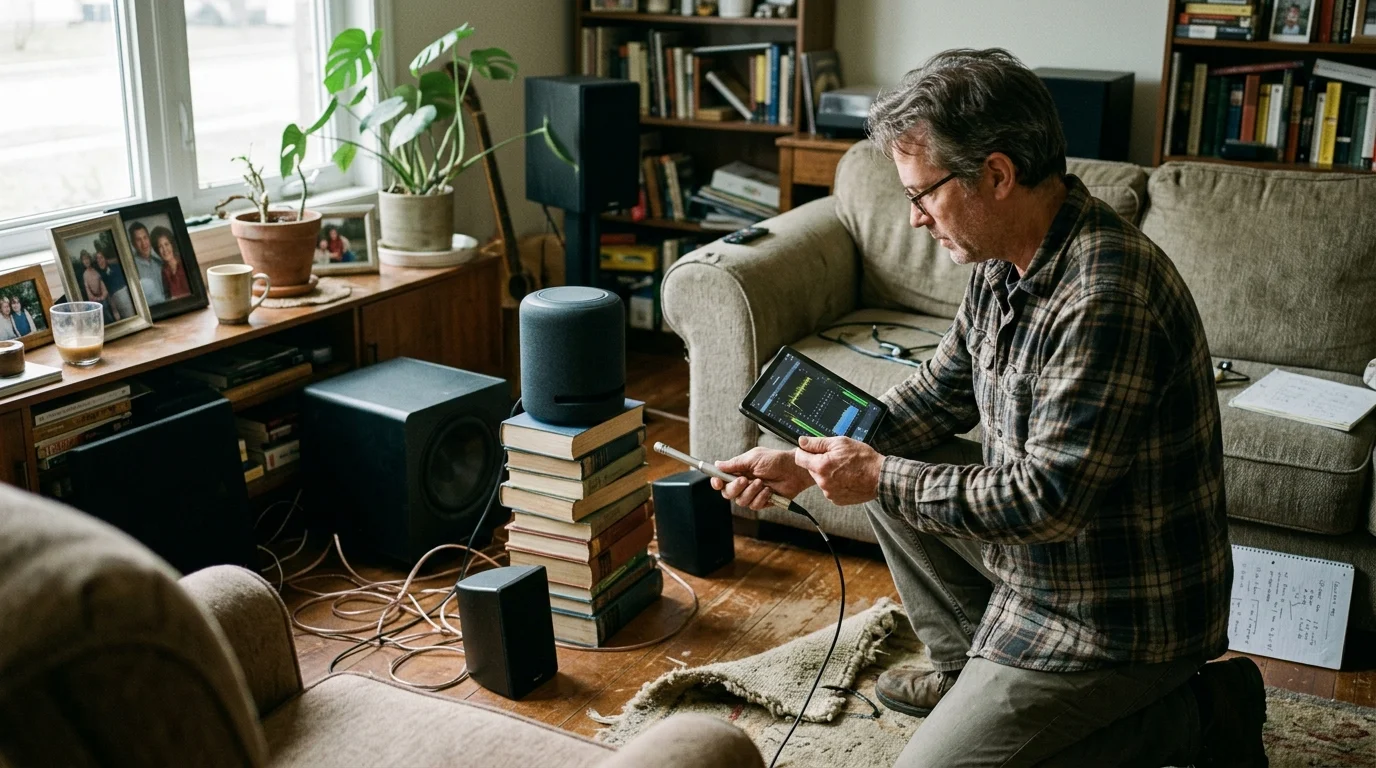
Worked Example: Calibrating an Echo Studio in a 5.1.2 Surround Setup
Consider a dedicated media room measuring 16 feet long by 14 feet wide with standard 8-foot drywall ceilings. The audio system features a Klipsch RP-504C center speaker powered by a Denon AVR-X3800H receiver.
With false wakes fully mitigated, you can unlock underutilized voice assistant features to manage immersive lighting cues and media routines reliably.
If shifting your device too deeply into a corner causes it to miss intentional phrases, use these techniques for troubleshooting a smart speaker that will not listen to strike the right balance.
An Amazon Echo Studio rests on the same 72-inch solid oak credenza to automate smart lighting scenes. Originally, the Echo Studio sat 10 inches directly to the left of the center channel.
Both speaker grilles sat flush with the front edge of the credenza shelf. During the sandstorm scene in Mad Max: Fury Road played at reference volume, center dialogue registered 82 dBA peaks.
The Echo Studio triggered 6 false activations across a single 20-minute sequence, halting movie audio through HDMI-CEC commands. The baseline configuration proved completely unusable for normal viewing.
To resolve this issue, the center speaker was shifted 3 inches forward so its front baffle overhangs the shelf edge. This eliminated early reflections bouncing off the credenza deck.
Next, the Echo Studio was repositioned 14 inches backward into the rear corner and 24 inches laterally. This relocated the device directly into the center speaker acoustic shadow.
A 2-inch thick, 12×12-inch high-density polyurethane acoustic wedge (costing $18) was mounted on a wooden bracket behind the center speaker left flank. Four 1.25-inch Sorbothane hemisphere bumpers decoupled the Echo Studio base.
An acoustic sound level meter positioned at the Echo Studio microphone array measured an immediate drop in sound pressure. Speech-band dialogue energy dropped from 81 dBA to 63 dBA—a total attenuation of 18 dB.
During three subsequent screenings of the identical action sequence, false wake activations dropped from six to zero. Conversational voice commands issued from the sofa 11 feet away registered reliably on the first attempt.
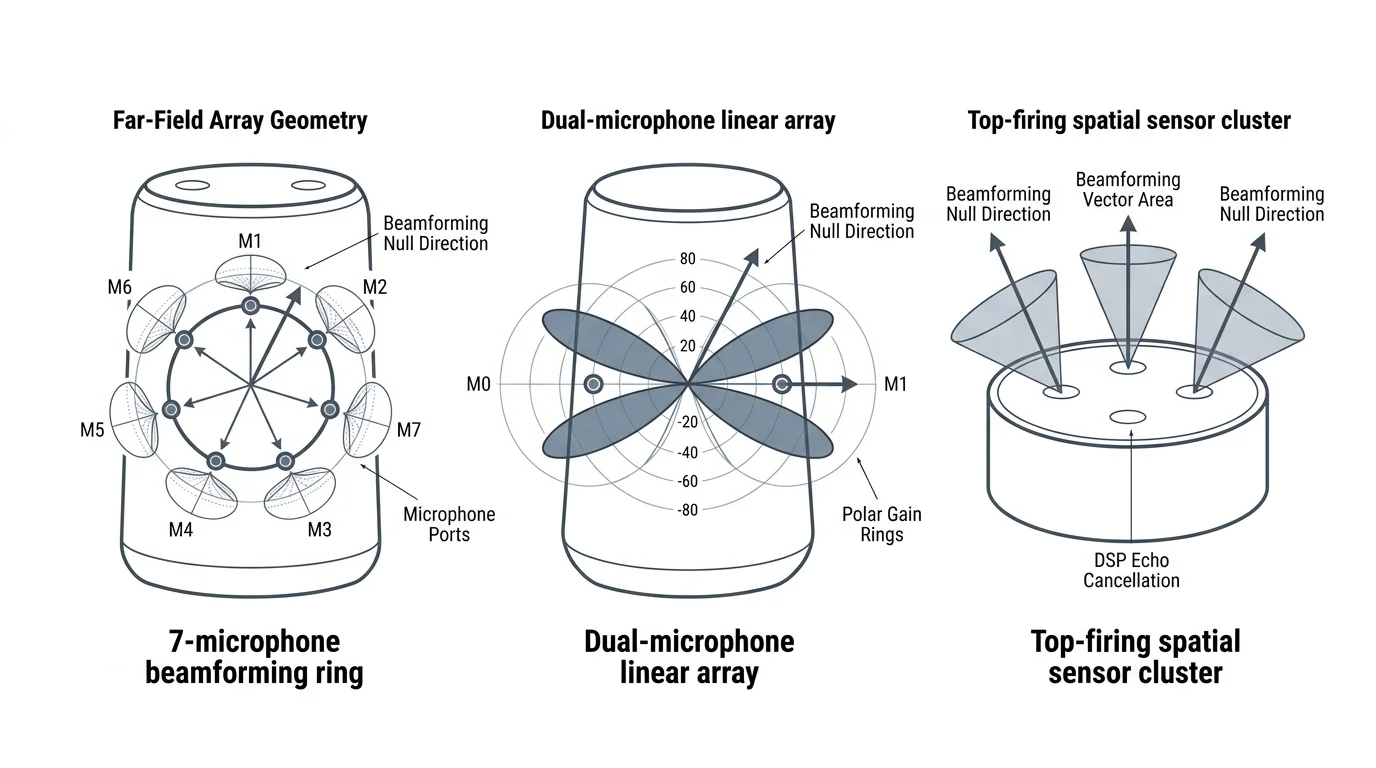
Comparing Voice Assistant Sensitivity and Microphone Array Geometries
Every smart assistant platform utilizes distinct acoustic transducer configurations and digital beamforming algorithms. Understanding your speaker hardware geometry helps you determine the necessary physical offset.
These hardware adjustments complement software fixes like calibrating far-field microphone sensitivity to stop acoustic spillover into adjacent bedrooms.
As documented in The Verge’s smart home coverage, microphone arrays vary significantly in directional sensitivity and ambient noise filtering. Platform architecture dictates how your device handles complex acoustic environments.
Amazon Echo devices feature omnidirectional circular microphone arrays designed to capture voice commands from any direction. Conversely, Google Nest hardware relies on fewer, highly directional microphones supported by machine-learning models.
Apple HomePod speakers combine computational beamforming with real-time acoustic room analysis to map boundary reflections constantly. Review the specifications below to pair your physical placement with your hardware platform.
| Smart Speaker Model | Microphone Array Architecture | Recommended Spatial Setback | Software Sensitivity Control | Vulnerability Frequency Band |
|---|---|---|---|---|
| Amazon Echo Studio | 7-mic circular ring with spatial beamforming | 36 inches lateral, 14 inches rear | 5-step slider (-2 to +2) | 1.8 kHz – 3.4 kHz |
| Google Nest Audio | 3-mic far-field directional array | 30 inches lateral, 10 inches rear | 3-step slider (-1, 0, +1) | 1.2 kHz – 2.8 kHz |
| Apple HomePod (2nd Gen) | 4-mic array with boundary calibration | 24 inches lateral, 8 inches rear | Binary listening toggle | 2.0 kHz – 4.2 kHz |
| Amazon Echo Dot (5th Gen) | 3-mic planar directional array | 28 inches lateral, 8 inches rear | 5-step slider (-2 to +2) | 1.5 kHz – 3.2 kHz |
The Amazon Echo Studio exhibits elevated sensitivity because its top-mounted microphone ring lacks directional shielding. It requires the deepest physical setback inside the acoustic null zone to prevent false triggers.
Google Nest Audio speakers reject off-axis console reflections effectively thanks to their front-oriented driver and microphone layout. You can position them closer to the boundary threshold with minimal risk.
Apple HomePod units adapt dynamically to corner placements using onboard room calibration microphones. However, the lack of granular software sensitivity adjustments makes physical acoustic shielding essential for reliable operation.
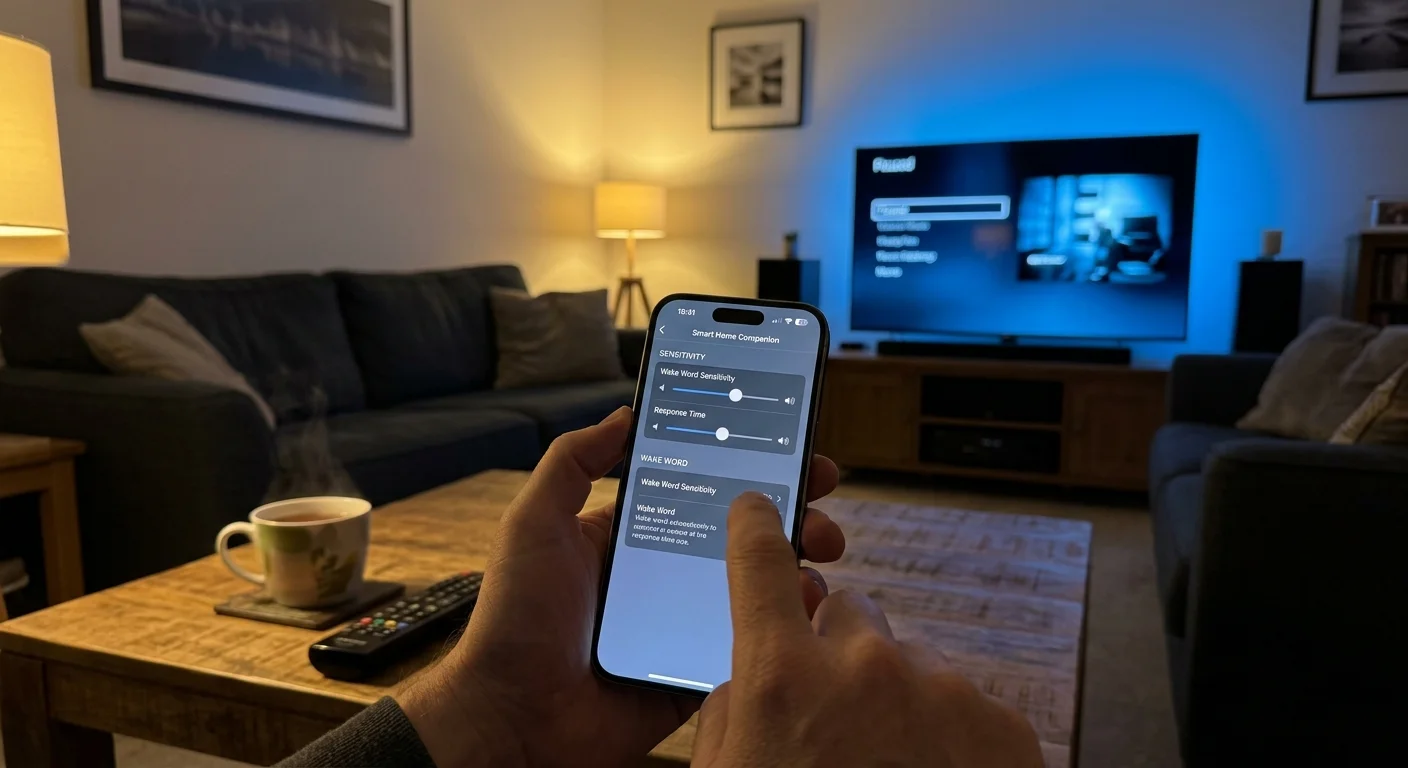
Software Offsets: Wake Words, Sensitivity, and Smart Automation Routines
Physical placement provides your primary acoustic defense, but software configuration adds an essential secondary barrier. Fine-tuning platform parameters eliminates residual edge-case triggers during high-volume playback.
According to Wirecutter’s smart home testing, changing your device wake word significantly reduces false activations caused by broadcast speech. Phonetic diversity prevents acoustic pattern mismatches.
The standard “Alexa” wake word shares vowel formants with common film dialogue like “election,” “unacceptable,” and “Alex.” Switching your wake word to “Computer” or “Ziggy” bypasses these common cinematic speech patterns.
Amazon provides a wake-word sensitivity slider within device settings in the Alexa app. Lowering sensitivity by one or two notches increases the confidence threshold required before the microphone triggers.
Google Assistant includes a comparable control in the Google Home app under Assistant Sensitivity. Dialing this slider toward the least sensitive setting filters out reverberant speech reflections without sacrificing close-range accuracy.
Advanced platforms like Home Assistant can automate microphone hardware states using your receiver power status. When the receiver activates your movie input, an automated command can toggle the assistant microphone off.
- Change default wake words to distinct phonetic phrases such as “Computer” or “Ziggy.”
- Reduce wake-word sensitivity by 1 or 2 increments within the manufacturer companion app.
- Enable Echo Spatial Perception to prevent secondary room devices from waking up simultaneously.
- Configure smart home routines to mute smart speaker microphones whenever your media player starts playback.
- Disable guest voice purchasing and announce features to prevent accidental movie ordering prompts.
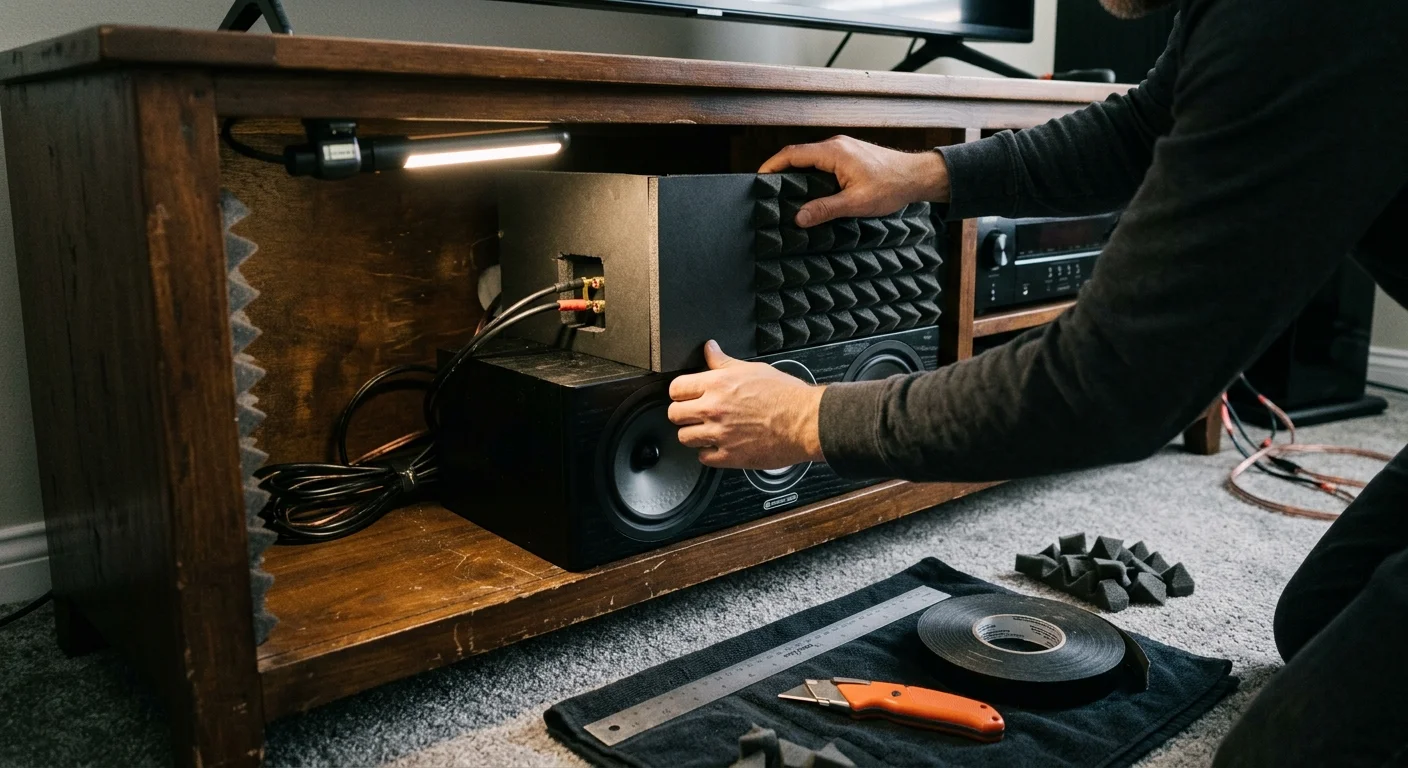
Step-by-Step Installation and Calibration of Console Acoustic Shields
Fabricating and installing a localized acoustic absorption shield requires basic materials and takes under 30 minutes. Follow these practical steps to construct an effective sound barrier on your media console.
- Measure your credenza depth to confirm at least 12 inches of clearance behind the speaker baffle.
- Pull your center-channel speaker forward until its front grille aligns flush with the console shelf edge.
- Cut a 12×12-inch square of 50 kg/m³ open-cell polyurethane foam to match your speaker cabinet height.
- Mount the foam panel onto a free-standing acrylic photo frame or wooden support block.
- Position the shielded bracket directly behind the side flank of your center-channel enclosure.
- Place your smart speaker behind the foam shield, rotated 15 degrees toward your seating area.
- Attach four 50-durometer Sorbothane hemisphere bumpers underneath the smart speaker base plate.
- Run a dynamic movie scene containing loud dialogue to verify that the status ring remains dark.
Angling the smart speaker 15 degrees toward your sofa preserves direct line-of-sight voice reception. Your spoken commands travel straight to the microphone array without encountering the rear absorption foam.
The dense foam panel absorbs horizontal acoustic spillover before sound waves can reach the microphone chassis. This dual-action layout guarantees complete wake-word isolation during loud cinematic scenes.
Select a dynamic scene with loud vocal dialogue layered over sound effects and musical orchestration. The bank robbery sequence in The Dark Knight provides exceptional high-energy vocal test material.
Raise your AV receiver volume to your normal reference level, typically between -15 dB and -10 dB. Watch your smart speaker LED status indicator closely throughout the entire scene.
If the device light activates or flashes during loud dialogue passages, the unit is still picking up acoustic reflections. Shift the speaker an additional 2 inches deeper behind the baffle plane.
Frequently Asked Questions
Why does my center channel trigger smart assistants more than my front left and right speakers?
The center channel reproduces over 70 percent of film dialogue directly aligned with vocal wake-word frequencies. Front stereo channels primarily reproduce orchestral scores, ambient environmental cues, and wide panning sound effects.
Will placing my smart speaker behind the baffle muffle its sound when playing music?
Higher audio frequencies will experience minor attenuation if the smart speaker plays music from behind the baffle. For optimal fidelity, stream whole-home audio directly through your primary AV receiver and surround speakers.
Can I use standard acoustic foam wedges instead of high-density studio foam?
Standard packaging foam lacks the certified 50 kg/m³ density required to absorb vocal sibilance effectively. Inexpensive lightweight packaging materials reflect mid-range vocal frequencies back toward your microphone array.
What should I do if my media credenza lacks sufficient rear depth?
Mount your smart assistant on a small wall bracket located perpendicular to your center speaker baffle plane. Alternatively, use an automated smart plug routine to cut microphone power during movie sessions.
Does adjusting microphone sensitivity in software eliminate the need for acoustic treatment?
Software sensitivity sliders help reduce false triggers, but they cannot prevent physical microphone clipping during high-volume cinema peaks. Combining physical null-zone placement with software adjustments provides complete, long-term false-wake prevention.
Disclaimer: This article is for informational purposes only. Smart home devices involve electrical connections and data privacy. Always follow manufacturer instructions for installation. For complex wiring or HVAC work, consult a licensed professional.