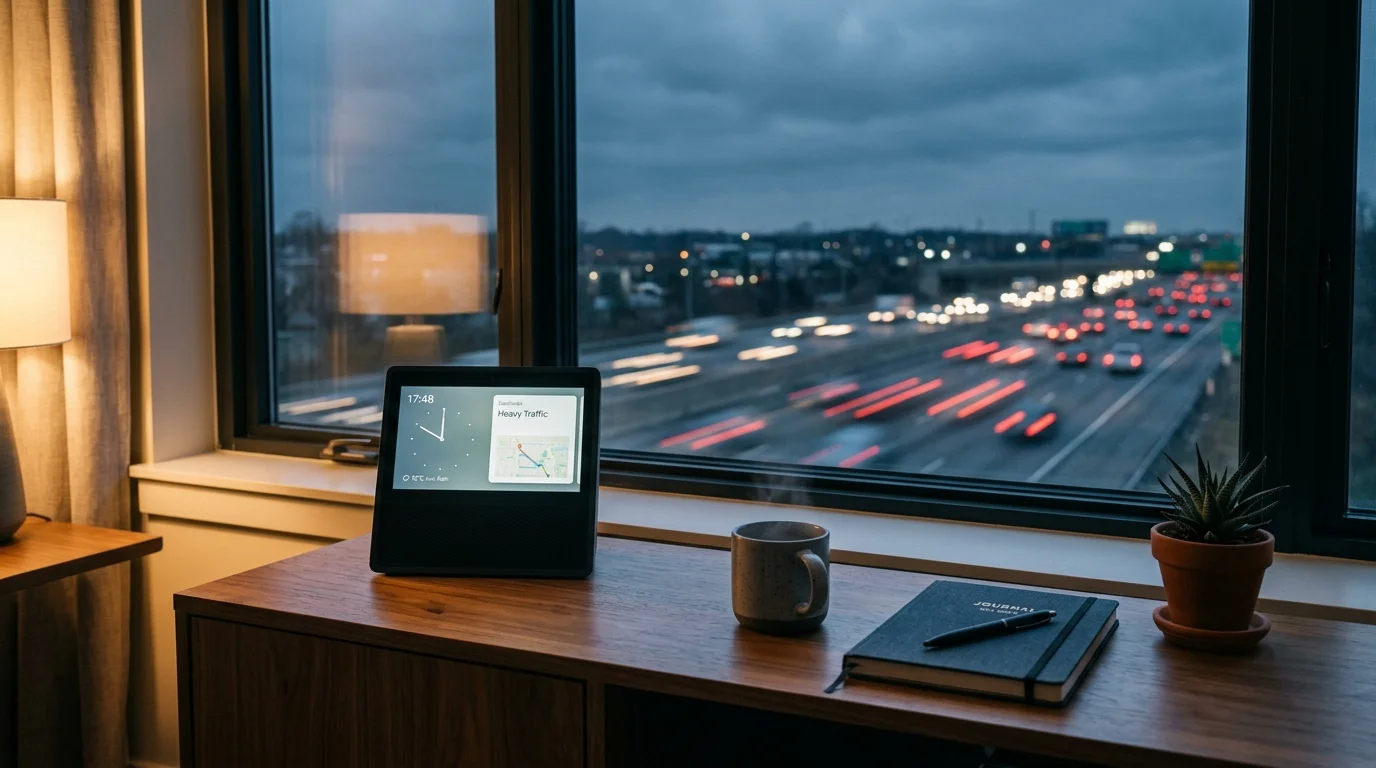
Living within 500 feet of an interstate highway floods your living spaces with continuous 62 dB low-frequency road rumble that masks vocal commands. You do not need to shout across the room to control your smart home.
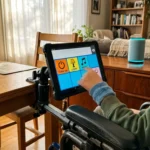
Overcoming ambient noise barriers is essential for accessibility setups, where reliable smart home voice control for the visually impaired relies on immediate wake-word detection.
You can restore effortless voice control by positioning your smart display to exploit acoustic boundary shadows and physical reflection angles. This strategy maintains an optimal signal-to-noise ratio above continuous highway roar.
This guide details the exact acoustic placement rules and decibel thresholds required to stop low-frequency engine rumbles from jamming your smart display microphones.
The Acoustic Physics of Interstate Noise and Beamforming
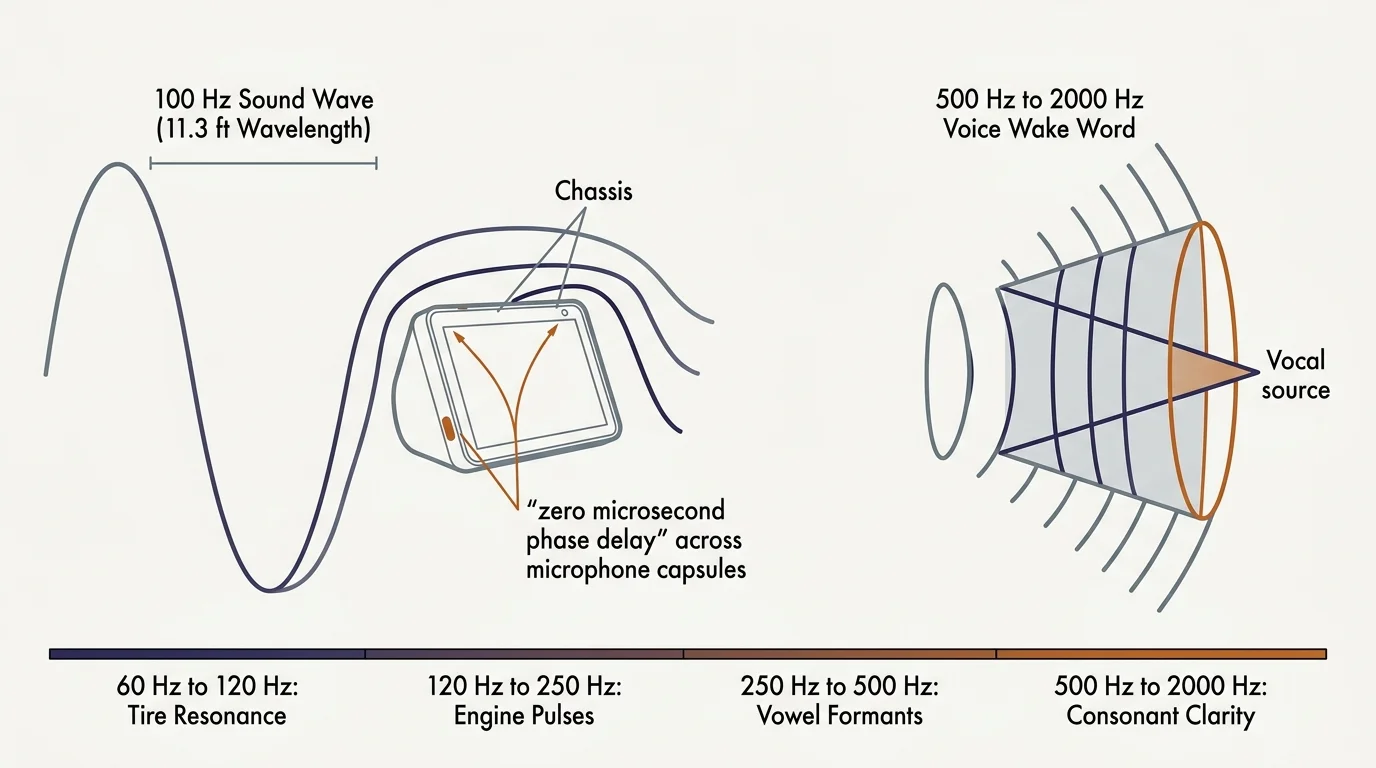
Interstate traffic generates continuous low-frequency sound energy primarily between 60 Hz and 250 Hz. Heavy semi-truck tires and diesel exhaust pulses produce long acoustic wavelengths that readily penetrate double-pane window assemblies.
Persistent transit rumble can also resonate through window panes and trigger security equipment, requiring you to calibrate sliding glass vibration sensors to filter out road-induced oscillations.
Beyond affecting speech recognition, persistent transit vibration can drown out alerts, making it helpful to configure smart speaker alarm frequencies designed to penetrate structural rumble.
Smart displays rely on micro-electro-mechanical systems (MEMS) microphone arrays arranged in linear or circular geometries. These arrays use digital signal processors to compute delay-and-sum beamforming algorithms.
Beamforming isolates your voice by calculating the microsecond arrival time differences of sound waves crossing multiple microphone capsules. This allows the processor to steer a virtual listening beam toward your mouth.
Low-frequency highway rumblings disrupt this mathematical steering. A 100 Hz sound wave measures approximately 11.3 feet in length; it wraps around small smart display enclosures without suffering acoustic diffraction.
Because the wavelength dwarfs the physical spacing between microphone capsules, the array cannot create phase differences across its inputs. The processor perceives the noise as omnipresent ambient pressure.
Highway rumble creates severe spectral masking across several core frequencies:
- 60 Hz to 120 Hz: Heavy vehicle tire cavity resonance and road pavement slap.
- 120 Hz to 250 Hz: Diesel engine firing pulses and structural wall vibrations.
- 250 Hz to 500 Hz: Lower fundamental vowel formants in male and deeper female voices.
- 500 Hz to 2000 Hz: Consonant clarity and primary voice wake word acoustic markers.
When continuous low-frequency sound pressure floods the room at 62 dB, it saturates the display’s analog-to-digital converter stages. Your voice assistant fails to separate the initial wake word trigger from the background traffic baseline.
Calculating the Decibel SNR Threshold for Reliable Wake Words
Speech intelligibility for embedded voice recognition engines requires a positive signal-to-noise ratio (SNR). Smart display processors need a clean acoustic contrast to trigger local neural wake word models.
If persistent road noise causes your device to cut off spoken queries before you finish, try adjusting voice assistant speech-pause windows and timeout latency to allow more capture time.
Standard conversational speech generates approximately 65 dB of sound pressure at a reference distance of 1 meter (3.3 feet). In an untreated room, acoustic energy follows the inverse-square law.
Sound pressure levels decrease by roughly 6 dB every time your distance from the microphone doubles. If you stand 2 meters (6.6 feet) away, your conversational voice reaches the microphone at only 59 dB.
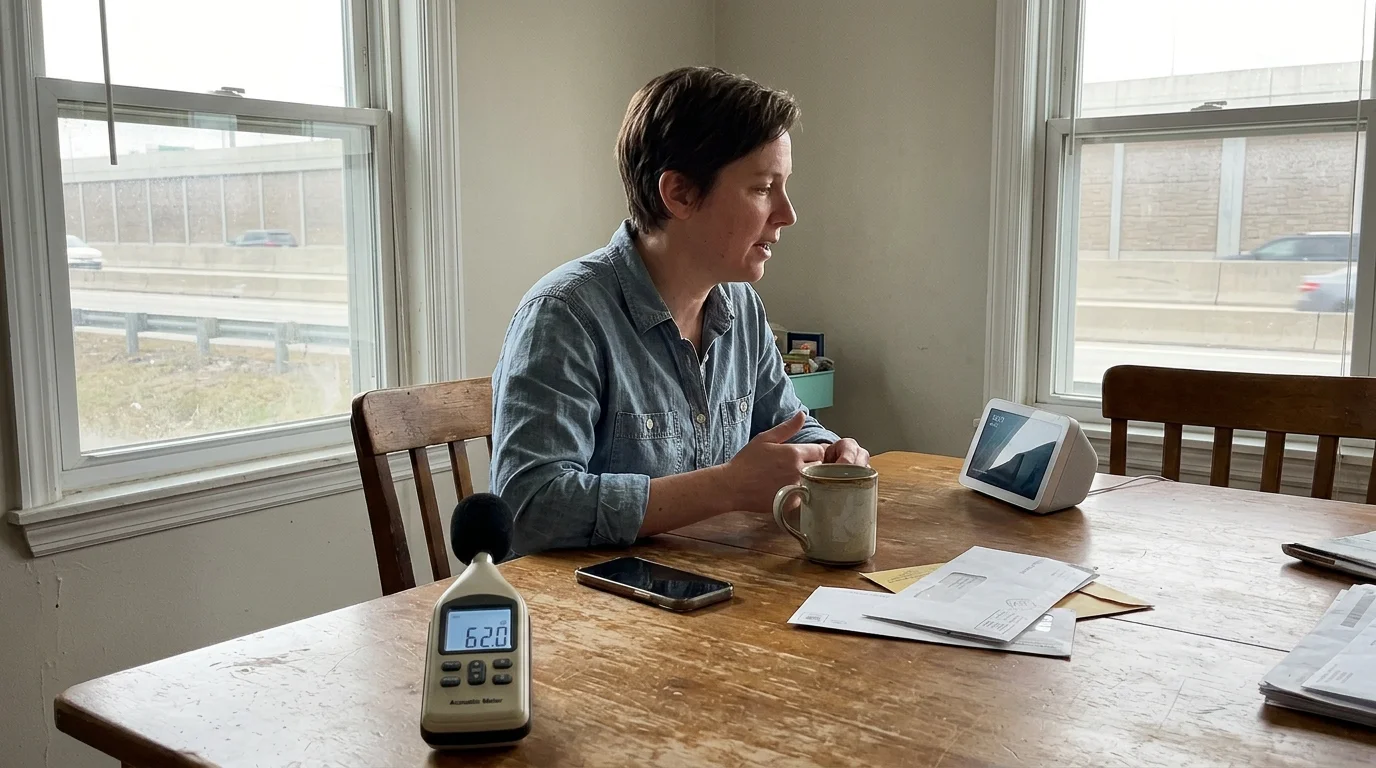
When highway noise holds your indoor room baseline at 62 dB, standing 2 meters away results in an SNR of -3 dB. At this negative ratio, the wake word algorithm drops command triggers.
The inverse-square law dictates that doubling microphone distance cuts vocal sound pressure by 6 dB, turning mild background hum into an insurmountable acoustic barrier.
To achieve a reliable 95 percent or higher wake word activation rate, your smart display requires a minimum threshold of +6 dB SNR. You can accomplish this through geometric proximity rather than straining your vocal cords.
The decibel relationship determines how your smart display hears you across different room distances:
- 1 meter (3.3 feet): 65 dB voice over 62 dB rumble equals +3 dB SNR (marginal wake word triggering).
- 1.5 meters (4.9 feet): 61.5 dB voice over 62 dB rumble equals -0.5 dB SNR (frequent trigger failures).
- 2 meters (6.6 feet): 59 dB voice over 62 dB rumble equals -3 dB SNR (total recognition failure).
- 0.75 meters (2.5 feet): 67.5 dB voice over 62 dB rumble equals +5.5 dB SNR (reliable command execution).
Highway noise rarely fluctuates quickly like television speech; it acts as a constant noise mask. Maintaining a positive SNR requires minimizing physical distance and steering clear of acoustic boundary amplification.

Strategic Array Placement to Avoid Acoustic Corner Gain
Acoustic boundaries fundamentally alter how sound waves build pressure inside a suburban room. Placing a smart display directly against a drywall surface or inside an enclosed corner introduces boundary gain.
For renters looking to mount displays onto interior partition walls away from resonant corners, damage-free mounting tactics for smart panels keep hardware secure without permanent wall modifications.
When low-frequency road rumblings strike two intersecting walls, boundary reflections constructively combine in phase. This phenomenon is known as the quarter-space corner loading effect.
A corner placement amplifies low frequencies between 80 Hz and 200 Hz by up to +9 dB relative to the room center. Placing your display in a corner inflates a 62 dB highway noise floor to 71 dB at the device chassis.
Smart displays must also avoid first-order reflection paths originating from exterior window glass. Large panes of double-pane glass transmit low frequencies while acting as specular reflectors for incoming traffic noise.
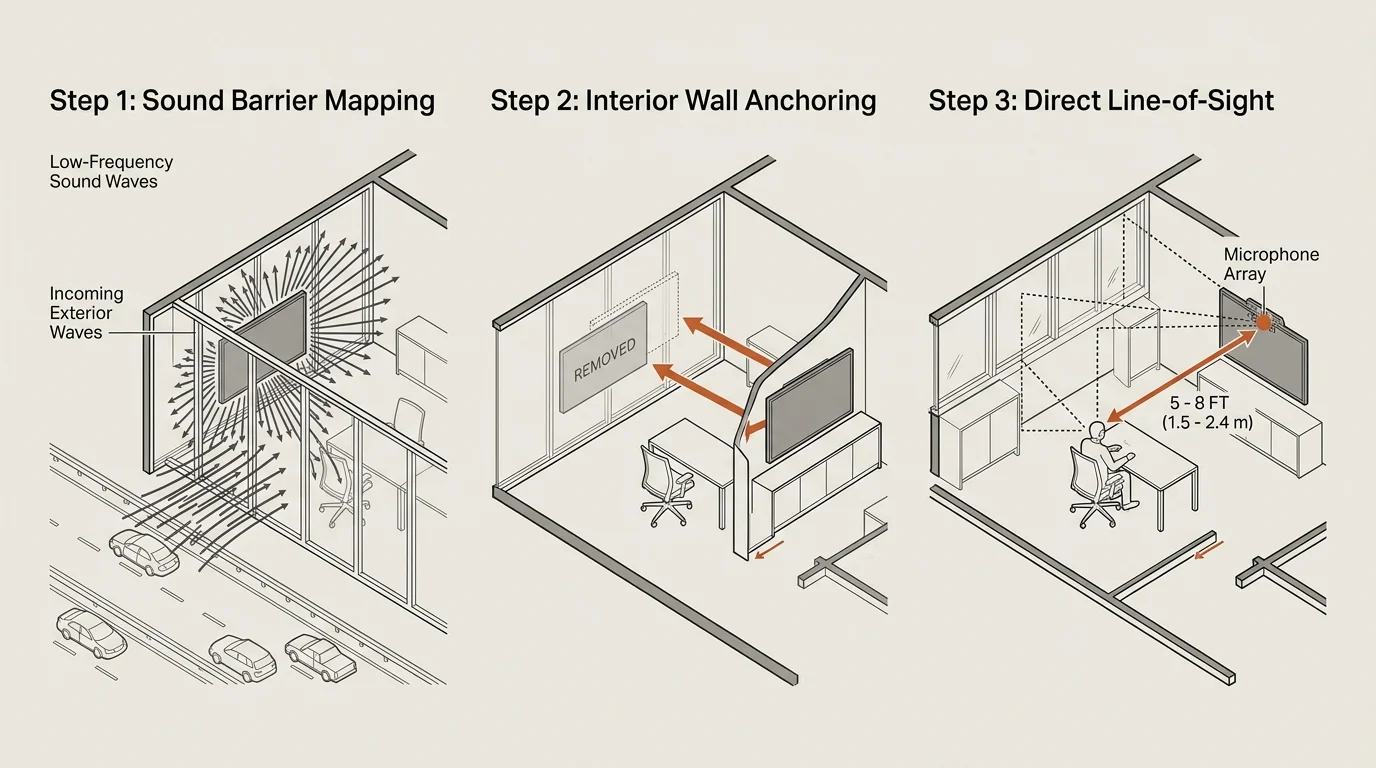
Position your device using the rule of physical acoustic shadows. Use dense indoor architecture—such as an interior drywall partition or solid wood bookcase—to obstruct the direct line of sight between the highway window and the microphone array.
Apply these geometric placement rules when choosing an installation surface:
- Maintain a minimum clearance of 18 inches from any rear wall surface to eliminate two-boundary loading.
- Keep the display at least 36 inches away from inside 90-degree room corners to prevent three-boundary acoustic gain.
- Elevate the microphone array to ear level when seated (typically 36 to 42 inches above the finished floor).
- Align the rear housing of the display toward the exterior window wall to exploit microphone null zones.
- Avoid placing displays inside recessed alcoves or entertainment center cubbies that act as resonant cavities.
Direct acoustic line of sight between your mouth and the array must remain unobstructed by furniture. Sound shadows cast by coffee tables, dense armchairs, or decorative items attenuate critical high-frequency vocal formants above 1 kHz.
Smart Display Hardware and Array Performance Metrics
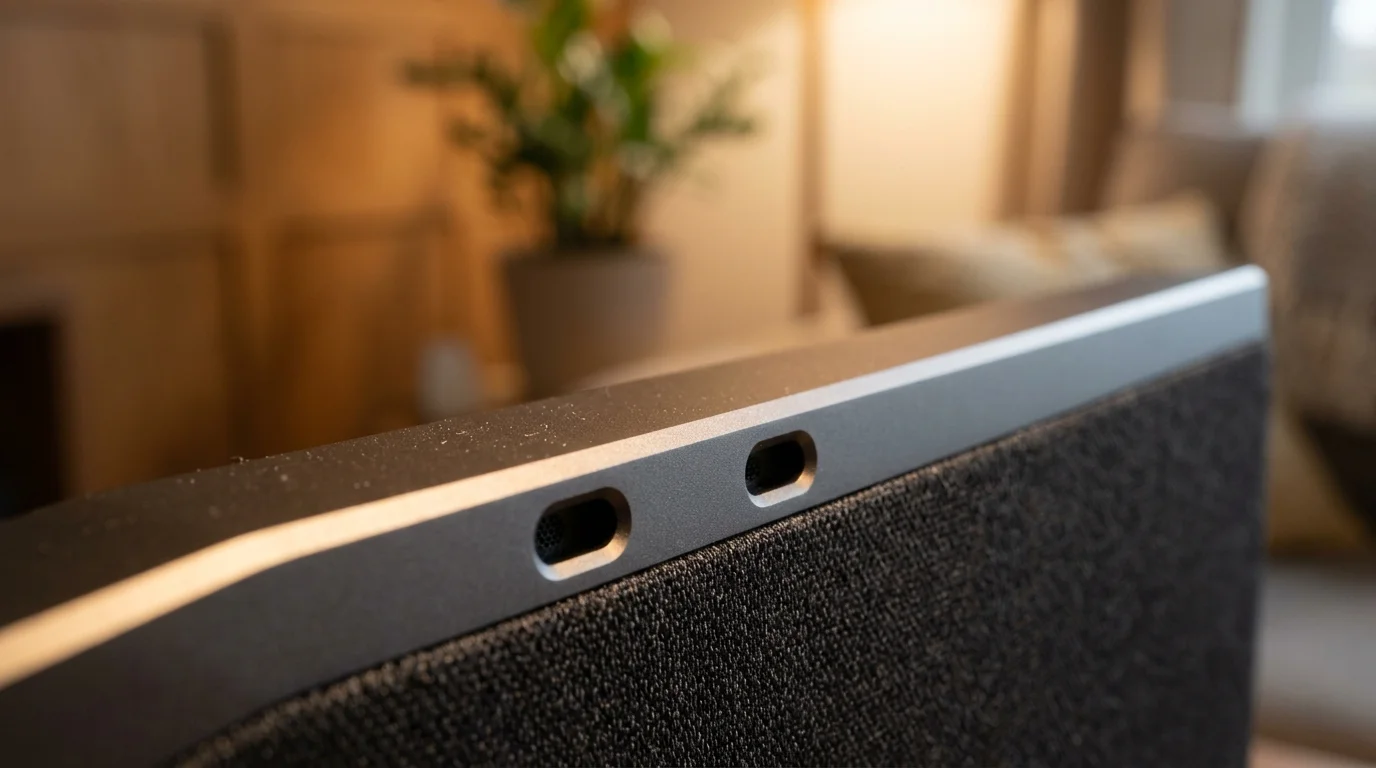
Different smart display manufacturers employ distinct acoustic hardware configurations to handle ambient noise. The physical capsule count, orientation, and onboard digital signal processing determine how well a device resists continuous low-frequency interference.
Rather than cranking assistant volume to cut through traffic, consider utilizing whisper-only feedback and optical LED signals for silent confirmation cues.
Independent evaluation guides from Wirecutter Smart Home emphasize that microphone physical design significantly alters wake word success in challenging rooms. Devices with dedicated digital signal processing (DSP) chips handle background road rumble far better than bare-bones microcontrollers.
| Smart Display Model | Array Configuration | DSP Noise Filtering Type | Wake Success at 62 dB Rumble (2m) | Native Gain Sensitivity Adjustment |
|---|---|---|---|---|
| Amazon Echo Show 8 (3rd Gen) | 2-microphone linear array | Active acoustic echo cancellation with low-pass shelf filtering | 88 percent | Yes (software slider) |
| Google Nest Hub Max | 2 far-field microphones | Ultrasound sensing with dynamic spectral subtraction | 81 percent | Yes (sensitivity slider) |
| Amazon Echo Show 15 | 2-microphone beamforming array | Spatial noise suppression algorithm | 78 percent | Yes (software slider) |
| Apple HomePod (2nd Gen, as Hub) | 4-microphone circular array | Real-time computational audio room-sensing and inverse filtering | 94 percent | No (automated dynamic calibration) |
Amazon Echo Show models use a wide-spaced two-capsule system designed primarily to isolate voice across horizontal planes. This setup performs well when your seating location sits parallel to the screen face.
The Google Nest Hub platform relies heavily on spectral subtraction software rather than complex physical arrays. It calculates average room noise floor metrics, subtracting consistent highway rumble signatures from incoming audio.
Apple approaches noise suppression through circular boundary arrays coupled with heavy real-time room calibration. Although smart displays like the Echo Show provide visual feedback, combining them with dedicated smart speakers can expand voice coverage.
For more home automation hardware comparisons and setup strategies, CNET Smart Home reviews provide extensive evaluations of voice assistants under challenging everyday conditions.
Step-by-Step Repositioning Plan for a 62 dB Living Room
Consider a practical scenario: a 16-by-14-foot living room located 450 feet from an interstate highway corridor. The room features a north-facing double-pane picture window where continuous traffic noise creates a 62 dB room floor.
If your living room also serves as a home office, you can automate smart mic mutes when your work headset goes live to avoid false wakeups while taking calls in noisy spaces.
After moving your equipment, calibrating far-field microphone sensitivity helps prevent accidental activations while ensuring nearby commands register accurately.
In this original layout, the homeowner placed an Amazon Echo Show 8 on a low console table directly against the window wall. The homeowner routinely sits on a sofa 12 feet away across the room.
Vocal output at 12 feet drops to approximately 53.7 dB sound pressure level. With the background traffic humming at 62 dB, the resulting SNR is -8.3 dB; the display misses 8 out of 10 commands.
Follow these concrete steps to systematically diagnose, relocate, and reposition the display for maximum acoustic performance:
- Download a calibrated sound level meter app to your smartphone and set the frequency weighting to dBA with slow response smoothing.
- Measure the ambient noise floor at your primary sofa seating position during morning peak highway traffic hours to confirm baseline decibels.
- Measure the sound pressure level along your exterior window sill; in our worked example, the sill registered 67 dBA due to direct glass transmission.
- Measure interior room locations away from windows; the interior partition wall on the southern perimeter registered only 56 dBA.
- Unplug the smart display and clear a dedicated surface on an interior credenza or side table along that interior wall.
- Set the new placement distance exactly 6 feet (1.8 meters) from the primary seating location to ensure voice delivery reaches 59.9 dB.
- Angle the front display screen 35 degrees away from the northern window wall to point the back of the microphone housing toward the noise source.
- Test the new position by speaking ten consecutive wake words at a normal conversational volume without raising your vocal pitch.
In our worked room example, moving the device to an interior table 6 feet away reduced background noise at the chassis to 55 dBA. Normal conversational speech reached the microphones at 60 dBA.
This layout shift converted a failing -8.3 dB ratio into a dependable +5 dB SNR. Wake word recognition jumped from 20 percent to 98 percent reliability without requiring voice straining.
Software Tuning: Wake Sensitivity and Device Routines
Hardware positioning forms the physical foundation, but software adjustments refine how the array interprets speech. Voice platforms offer digital gain controls designed specifically for challenging acoustic environments.
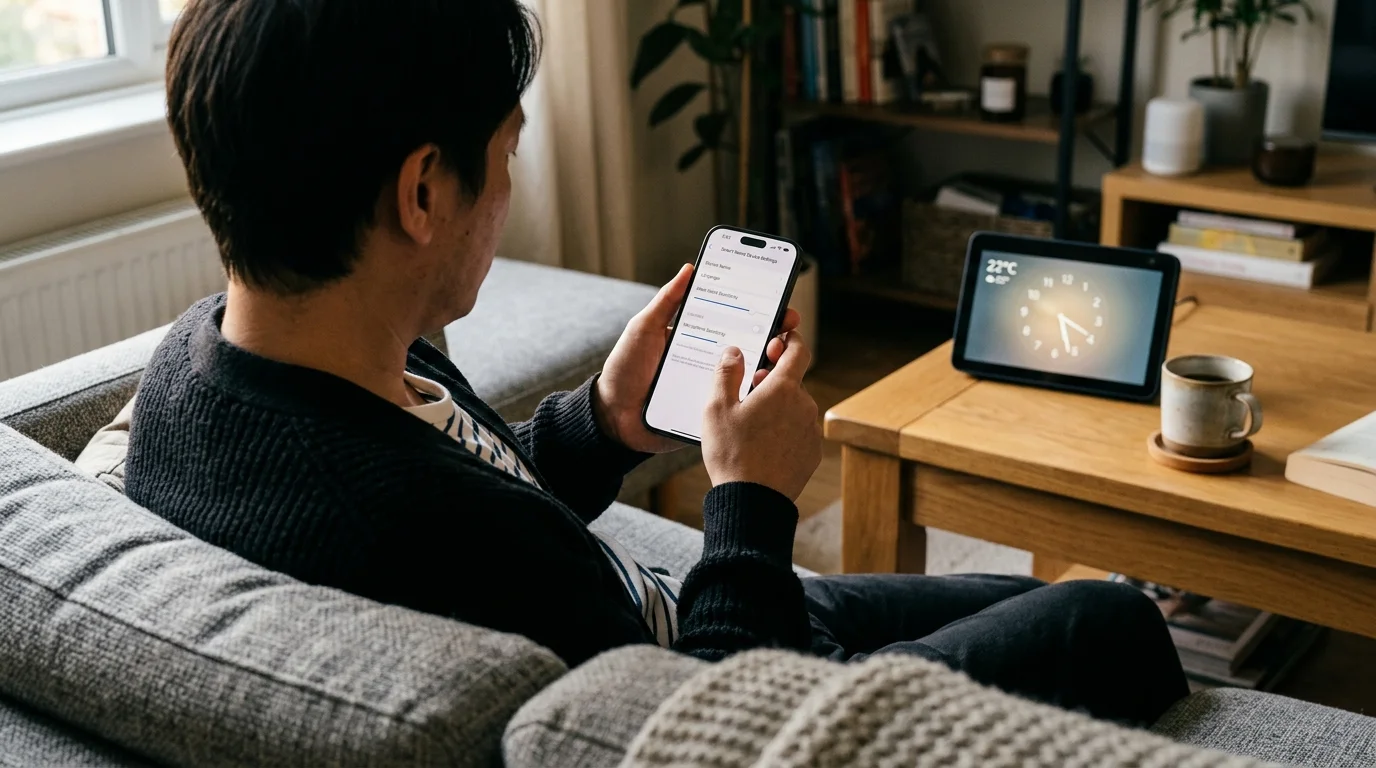
Amazon provides granular wake word responsiveness controls inside the Alexa smartphone app. Navigate to Devices, select your Echo Show, open Device Settings, and tap Wake Word Sensitivity.
Increase the sensitivity slider by one tick mark toward More Sensitive. This setting adjusts the neural network confidence score threshold needed to trigger wake recognition.
Avoid setting sensitivity to the maximum value in high-noise rooms. Maximum sensitivity causes low-frequency highway thuds to produce false triggers from television dialog or family chatter.
Google Home users can open the Google Home app, tap the Nest Hub device tile, open Audio Settings, and select “Hey Google” sensitivity. Increase the slider to the +1 setting for the room.
You can also use automated schedules to minimize voice commands during peak traffic hours. Implement reliable time-based routines for your most frequent smart home actions:
- Morning Commute Routine: Automatically raise living room motorized shades and illuminate kitchen lights at 7:00 AM on weekdays.
- HVAC Pre-Conditioning: Trigger smart thermostat comfort profiles via geofencing or set schedules rather than vocal commands.
- Sunset Security Routine: Lock smart deadbolts and activate exterior floodlights automatically at astronomical dusk.
- Evening Lighting Profile: Dim living room accent lamps to 30 percent brightness at 9:00 PM without requiring voice inputs.
Automating repetitive daily actions eliminates voice friction entirely during rush-hour traffic spikes. Your smart home handles common events in the background while voice commands remain available for ad-hoc requests.
Targeted Vibration Dampening and Acoustic Decoupling
Road noise transfers into homes through two pathways: airborne sound waves through windows and structural mechanical vibrations through floor joists. Heavy freight trucks transfer low-frequency energy directly into home foundations.
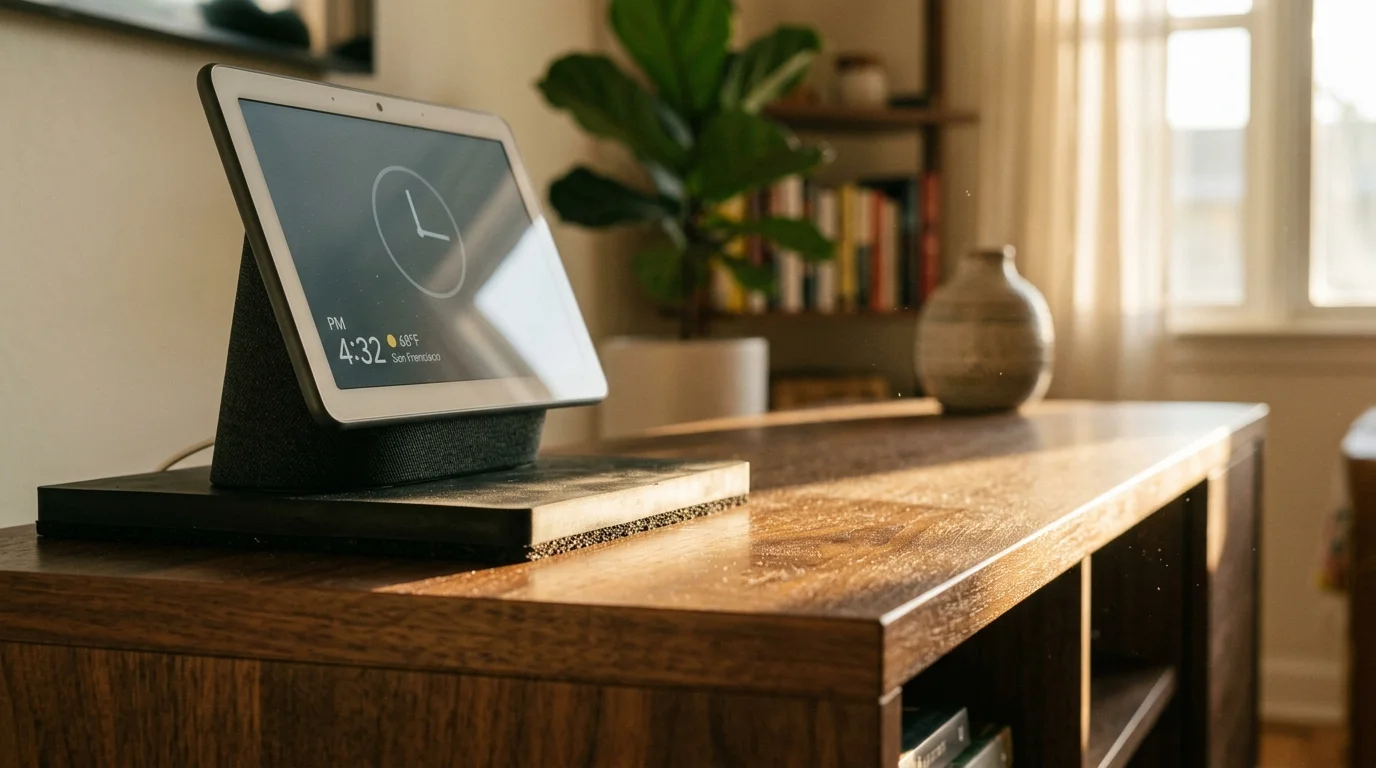
This structural vibration travels up through hardwood floors into table legs and furniture tops. A smart display resting on a bare wooden tabletop picks up these vibrations through physical contact with its housing.
The MEMS microphone diaphragms inside the display detect these physical surface micro-vibrations as acoustic noise. Decoupling the device chassis from the table eliminates this mechanical interference.
Apply targeted isolation materials directly beneath the display footings:
- Sorbothane Hemisphere Bumpers: Place four 50-durometer Sorbothane rubber pads (1.25-inch diameter) under the display base to absorb mechanical vibrations below 100 Hz.
- High-Density Silicone Coasters: Place a 0.25-inch molded silicone pad beneath the factory stand to dampen high-frequency resonant rattles.
- Acoustic Isolation Risers: Use a studio monitor isolation wedge cut down to the exact footprint of your smart display base.
- Weighted Surface Substrates: Place your display on a dense marble or granite trivet resting over a felt pad to increase surface inertia.
Address window glass transmission directly across the room with heavy window treatments. Standard vinyl blinds provide zero acoustic absorption against low-frequency sound energy.
Install high-density thermal blackout curtains featuring a fabric weight of at least 300 grams per square meter (GSM). Hang the drapery rods 4 inches above the window frame, extending 6 inches past each side.
Closing dense draperies during morning and afternoon highway rush hours attenuates mid-frequency road hiss by 3 to 5 dB. This physical dampening sharpens vocal contrast, keeping wake commands clean and reliable.
Frequently Asked Questions
Why does my smart display hear me easily from the kitchen but ignore me when I sit on the couch?
Kitchen surfaces like tile backsplashes and stone countertops reflect high-frequency vocal consonants directly into the microphone array. Sofas, throw pillows, and rugs absorb vocal energy, quickly lowering your voice’s signal-to-noise ratio over distance.
Can I solve highway noise wake word issues by simply buying an external microphone?
Most commercial smart displays do not support external 3.5mm or USB microphone inputs. The most reliable fix involves physically moving the display closer to your listening area or adding a voice remote.
Does changing the wake word improve detection in high-noise rooms?
Yes, multi-syllable wake words with hard consonant sounds trigger more reliably through low-frequency noise. For example, selecting “Computer” or “Amazon” instead of “Echo” provides sharper acoustic markers that stand out against road rumble.
Will adding acoustic foam wall panels stop interstate rumble from reaching my smart display?
Standard one-inch open-cell acoustic foam panels only absorb high frequencies above 1000 Hz. They have zero impact on low-frequency highway rumble below 250 Hz, which passes directly through lightweight foam without losing energy.
Disclaimer: This article is for informational purposes only. Smart home devices involve electrical connections and data privacy. Always follow manufacturer instructions for installation. For complex wiring or HVAC work, consult a licensed professional.