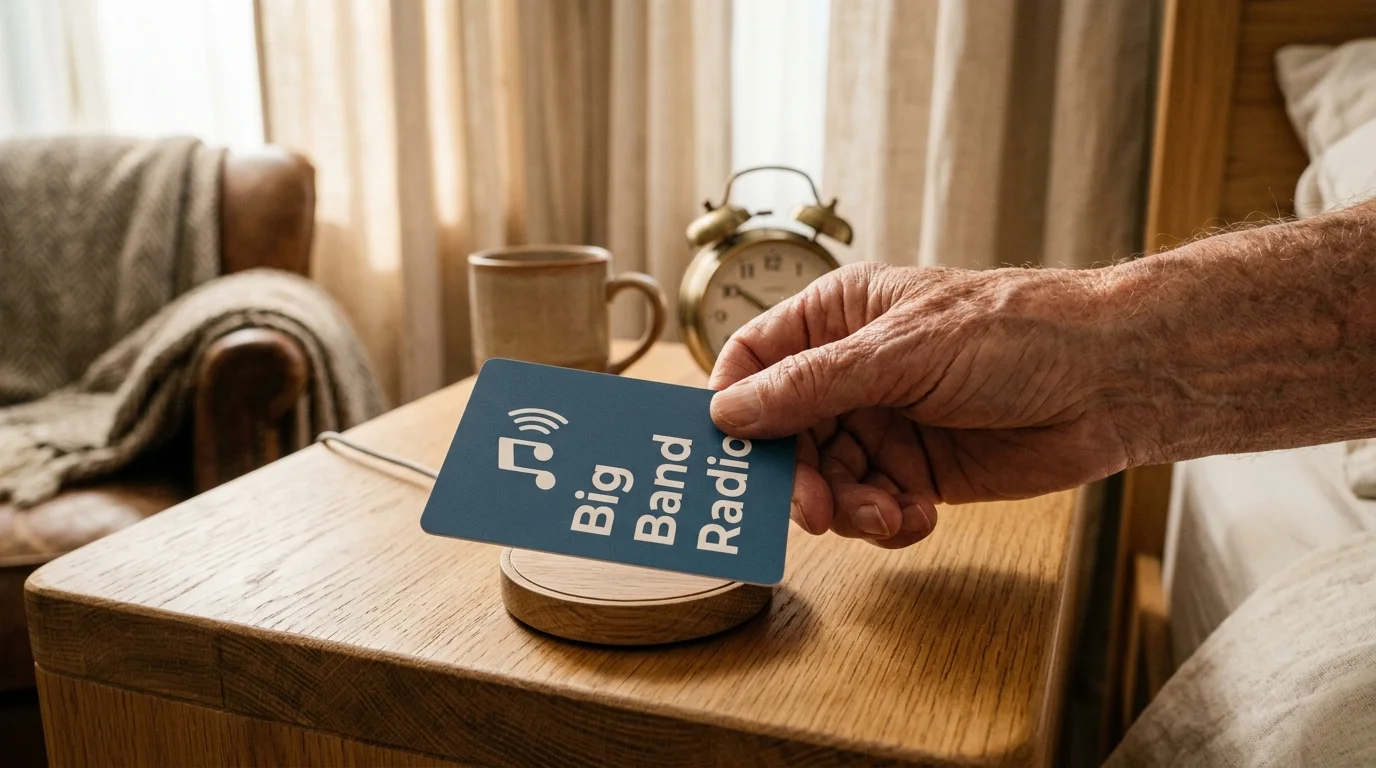
When progressive cognitive impairment makes wake words difficult to remember, traditional smart speakers stop serving your parent. You can restore their daily independence immediately without forcing them to recall verbal commands.
Pairing these physical triggers with specialized ADA kitchen automations helps maintain total domestic independence for aging family members.
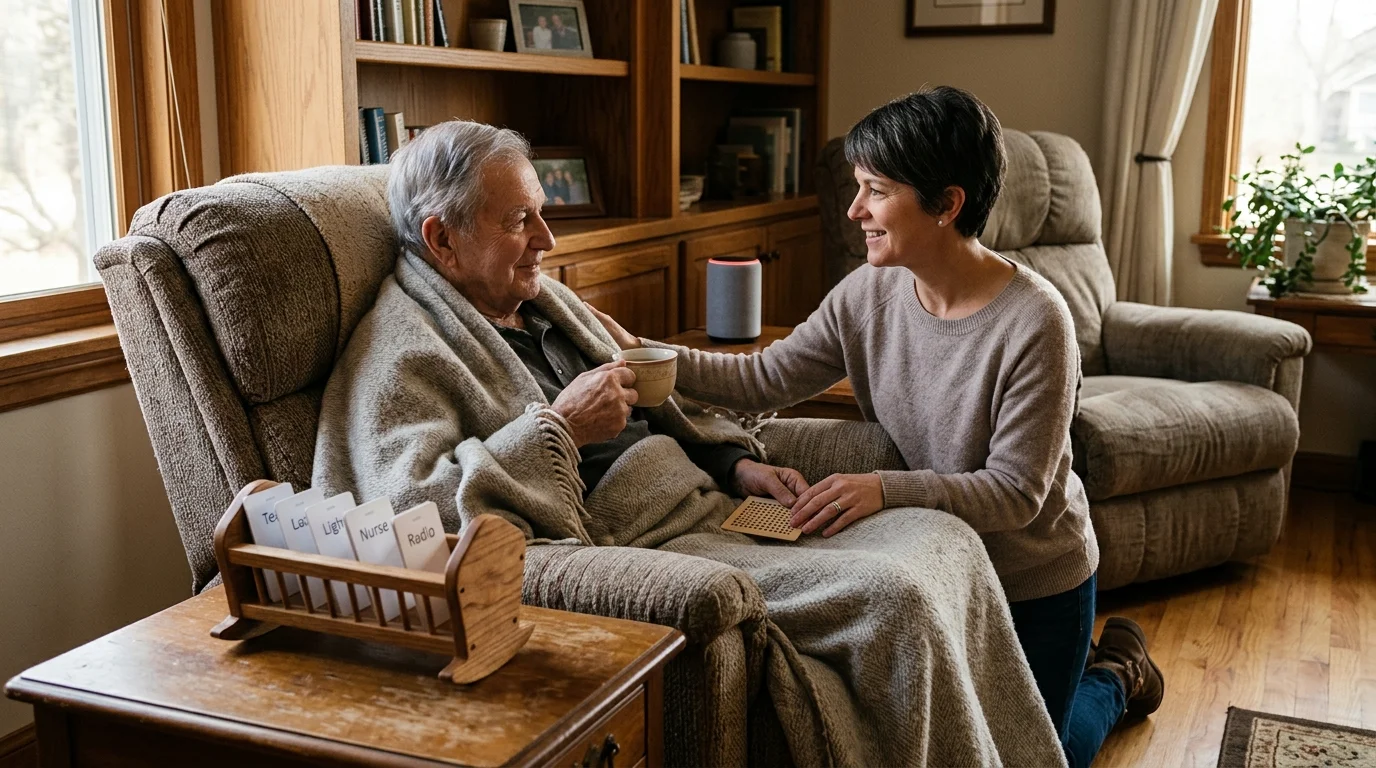
Physical NFC action cards bypass voice activation entirely by routing assistant intent commands directly to smart speakers through a single tap. Tactile cards convert complex spoken routines into physical, high-contrast objects that your parent cannot mispronounce.
This setup delivers effortless smart home memory care using non verbal smart home triggers, keeping your existing Amazon Echo, Google Nest, or Apple HomePod hardware intact.
Why Spoken Wake Words Fail in Smart Home Memory Care
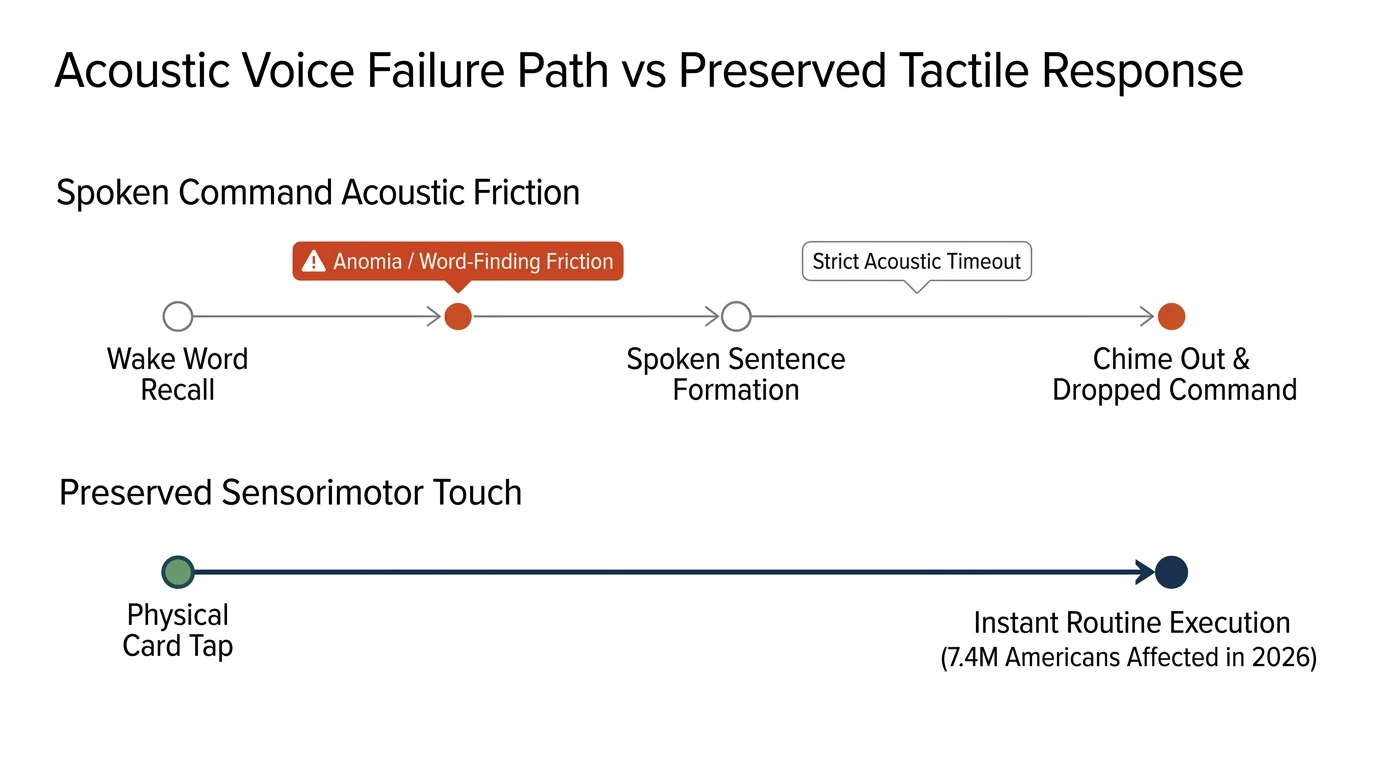
An estimated 7.4 million Americans aged 65 and older live with Alzheimer’s dementia in 2026, representing roughly 1 in 9 older adults. As mild cognitive impairment advances, language degradation systematically disrupts daily communication.
For households where verbal communication is already limited, tuning smart speakers for synthetic AAC speech can also help bridge acoustic interaction hurdles before transitioning to physical triggers.
While setting up voice control for elderly family members provides substantial independence in the early stages of aging, advancing cognitive decline eventually requires transitioning away from verbal interfaces.
Conditions like anomia create severe word-finding friction, while expressive aphasia impairs grammatical sentence structure. When your parent tries to request music or adjust room temperature, remembering the arbitrary wake word “Alexa” or “Hey Siri” creates immediate frustration.
Smart speaker microphones compound this barrier by enforcing strict acoustic timeouts. If your parent pauses mid-sentence to search for a word, the assistant chimes out and drops the command.
Repeated recognition failures lead to abandonment and social withdrawal. Your parent stops attempting to interact with the environment, forfeiting the environmental comfort that automated devices were installed to provide.
Replacing acoustic triggers with physical objects eliminates cognitive retrieval strain. Physical objects leverage preserved sensorimotor memory, allowing older adults to interact with technology long after verbal recall declines.
How Assistant Intent NFC Replaces Verbal Syntax
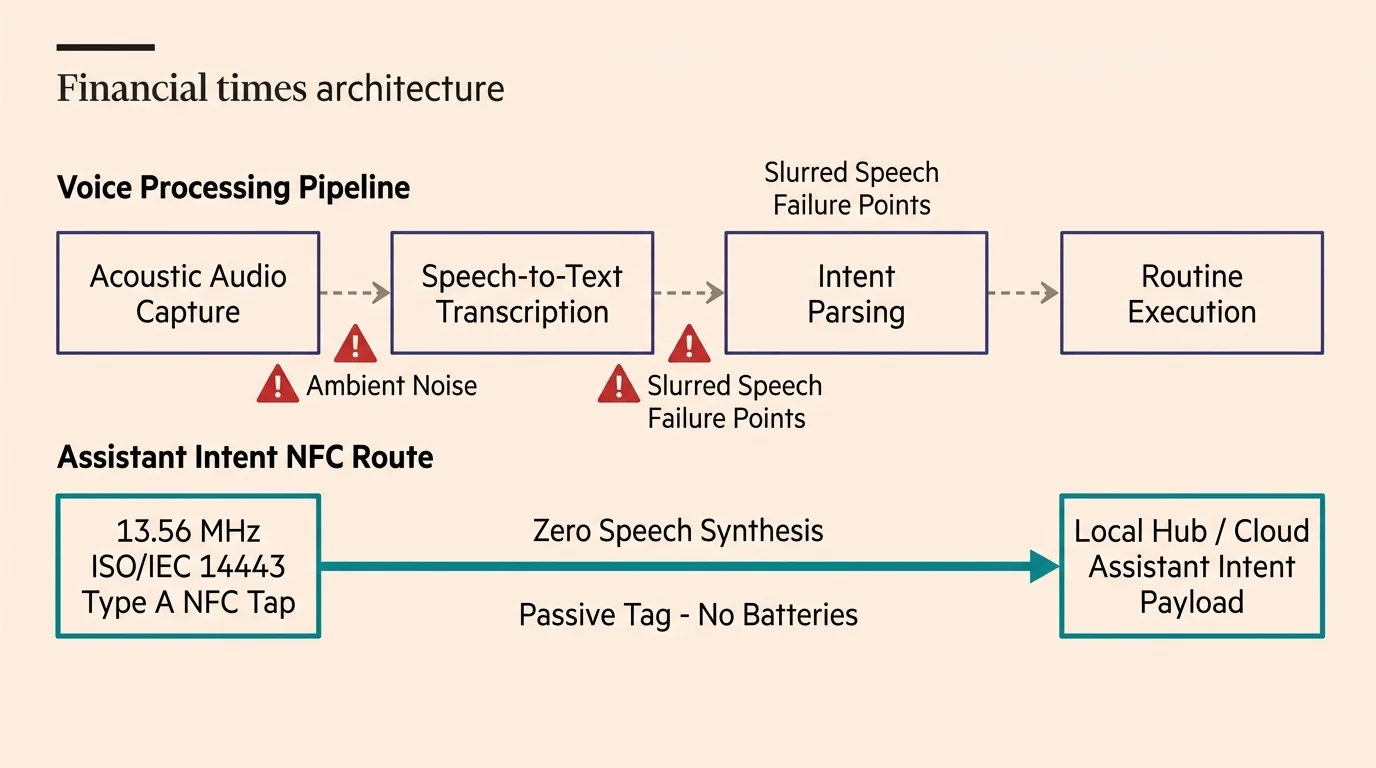
Near Field Communication (NFC) operates at 13.56 MHz under the ISO/IEC 14443 Type A standard. The passive tags inside action cards require no internal batteries, eliminating charging routines and maintenance overhead entirely.
Caregivers implementing these hubs should also review voice-purchase hardening and profile blocks to prevent accidental commercial transactions during unintended interactions.
Traditional voice automation requires a linear processing pipeline: capturing acoustic audio, transcribing speech to text, parsing user intent, and executing the mapped smart home routine. Ambient noise and slurred speech introduce failure points at every transcription step.
Assistant intent NFC bypasses the acoustic front-end completely. When an NFC reader scans a card, it dispatches the final machine-readable intent payload straight to your local hub or cloud assistant platform.
A bedside tap instantly triggers actions like “play Big Band favorites” or “set thermostat to 72 degrees.” The smart speaker executes the requested routine silently without speaking back or demanding confirmation phrases.
- Zero speech synthesis needed: The automation engine executes backend routines directly without acoustic processing.
- Passive operation: NTAG215 chips harvest energy from the reader’s radio field and function indefinitely without batteries.
- Deterministic results: Unlike voice parsing, tapping a specific tag triggers the exact programmed routine every single time.
- Tactile permanence: A physical card resting on a side table serves as a permanent visual cue for available actions.
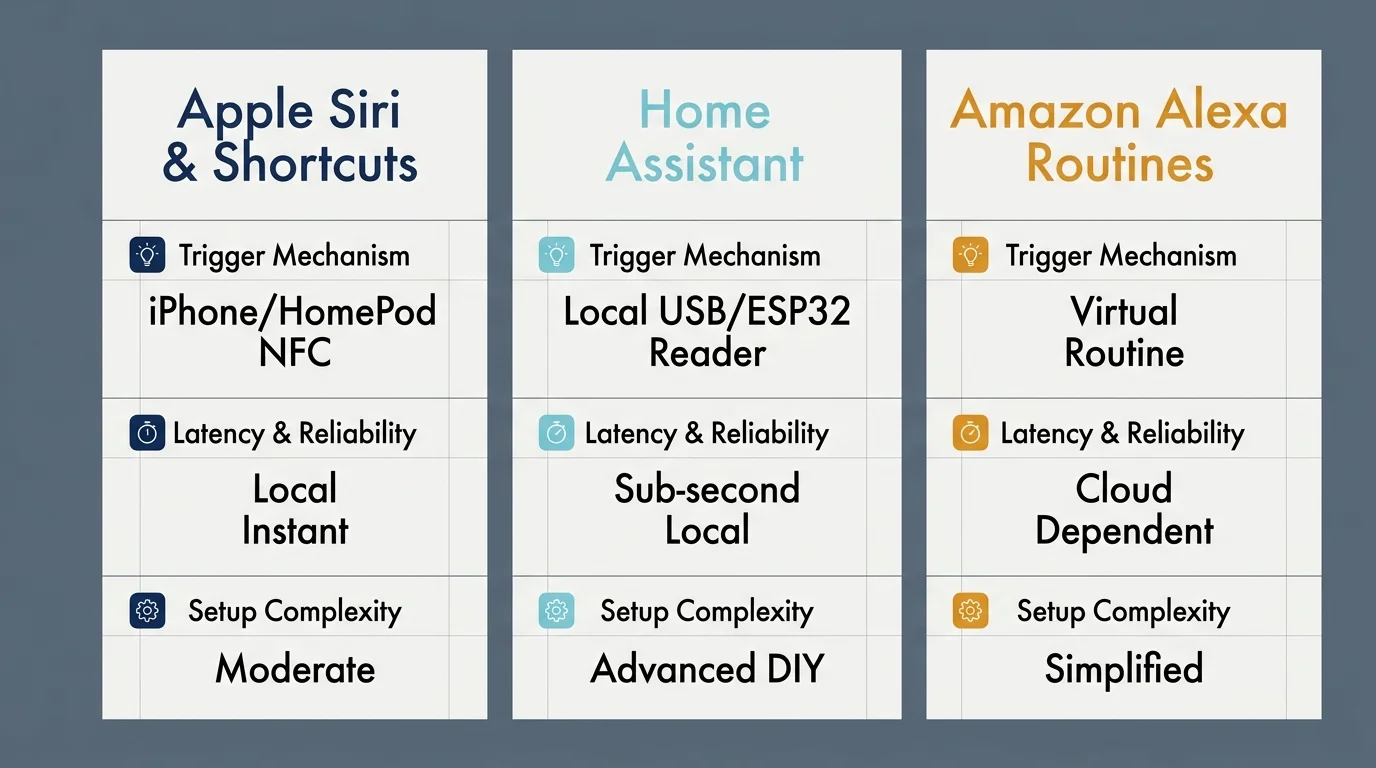
Platform Breakdown: Siri, Home Assistant, and Alexa
Different voice ecosystems handle non verbal smart home triggers with varying degrees of native support. Evaluating your current hardware determines how cleanly you can implement card-based automation.
If you retain voice control in adjacent caregiver bedrooms, calibrating smart speaker mic sensitivity prevents spoken commands from inadvertently bleeding through shared walls.
Apple platforms support passive background reading natively on an iPhone XS or newer running modern iOS versions. You can configure Apple Shortcuts to run HomeKit scenes instantly when a card contacts the handset.
According to smart home testing documented by PCMag Smart Home, local hub integration provides the most dependable response times for non-cloud triggers. Home Assistant handles NFC cards as dedicated system entities for instant automation execution.
Since release 2024.6, Home Assistant allows NFC events to invoke background Assist intents natively. This bypasses voice pipelines while targeting local media players or smart switches throughout your home.
Amazon Alexa requires a secondary bridging mechanism because Echo speakers do not contain exposed NFC scanning hardware. You can link physical scans to Alexa routines using virtual contact switches through platforms like Home Assistant or SmartThings.
| Platform / Ecosystem | Reader Hardware Needed | Background Execution | Latency Range | Ongoing Cloud Dependency |
|---|---|---|---|---|
| Apple HomeKit / Siri | iPhone XS or newer (stationary dock) | Native via Shortcuts automation | 400 ms – 900 ms | Low (Executes locally via Home Hub) |
| Home Assistant (Assist) | ESP32 with PN532 or RC522 module | Native tag entity triggers script | 100 ms – 350 ms | Zero (Fully local execution) |
| Amazon Alexa | Mobile phone or ESP32 webhook bridge | Virtual contact sensor trigger | 1,200 ms – 2,500 ms | High (Requires AWS cloud processing) |
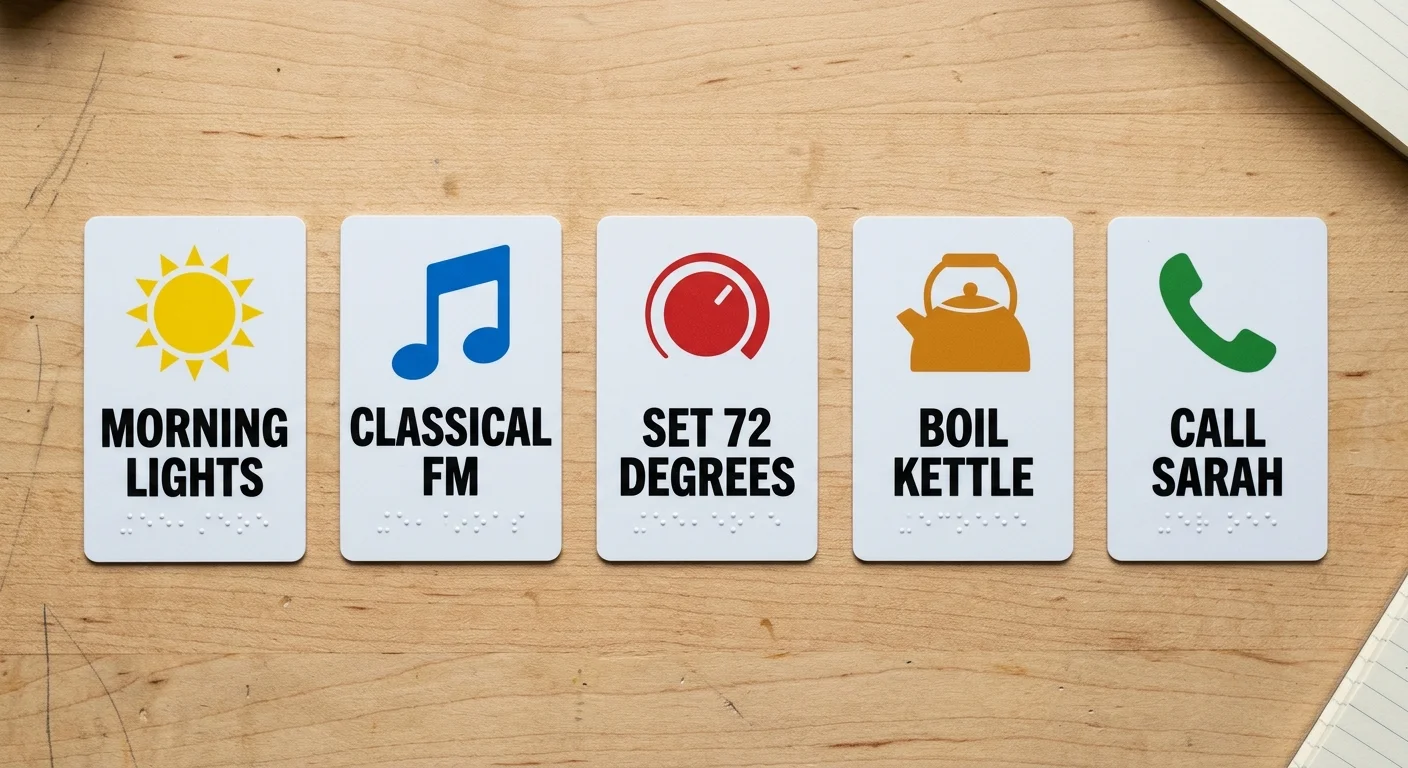
Designing Tactile Action Cards for Cognitive and Visual Decline
Standard white plastic cards confuse individuals dealing with cognitive decline. You must apply established accessibility standards when designing tactile action surfaces for your parent.
These high-contrast visual and tactile principles align closely with strategies used in smart home voice control for the visually impaired to ensure devices remain easily identifiable.
The University of Stirling Dementia Services Development Centre recommends maintaining at least a 30-point difference in Light Reflectance Value (LRV) between functional items and background surfaces. This standard equates to approximately a 70% contrast ratio.
Use standard CR80 credit-card-sized PVC stock measuring 85.5 mm by 54 mm with a thickness of 0.76 mm. This footprint provides enough surface area for large physical iconography while remaining comfortable for arthritic hands to grasp.
Avoid abstract symbols like modern minimalist gear icons or thin line drawings. Instead, mount bold photographic cues or high-contrast pictograms that represent the direct result of the action.
- Music playback cards: Display high-contrast album covers or photographs of specific artists from your parent’s youth.
- Lighting cards: Use a bright yellow incandescent bulb graphic mounted on a deep navy background.
- Climate control cards: Feature clear temperature numbers in bold sans-serif type alongside simple red or blue color bands.
- Surface finish: Select matte laminate overlays to eliminate overhead lighting glare that disrupts visual interpretation.
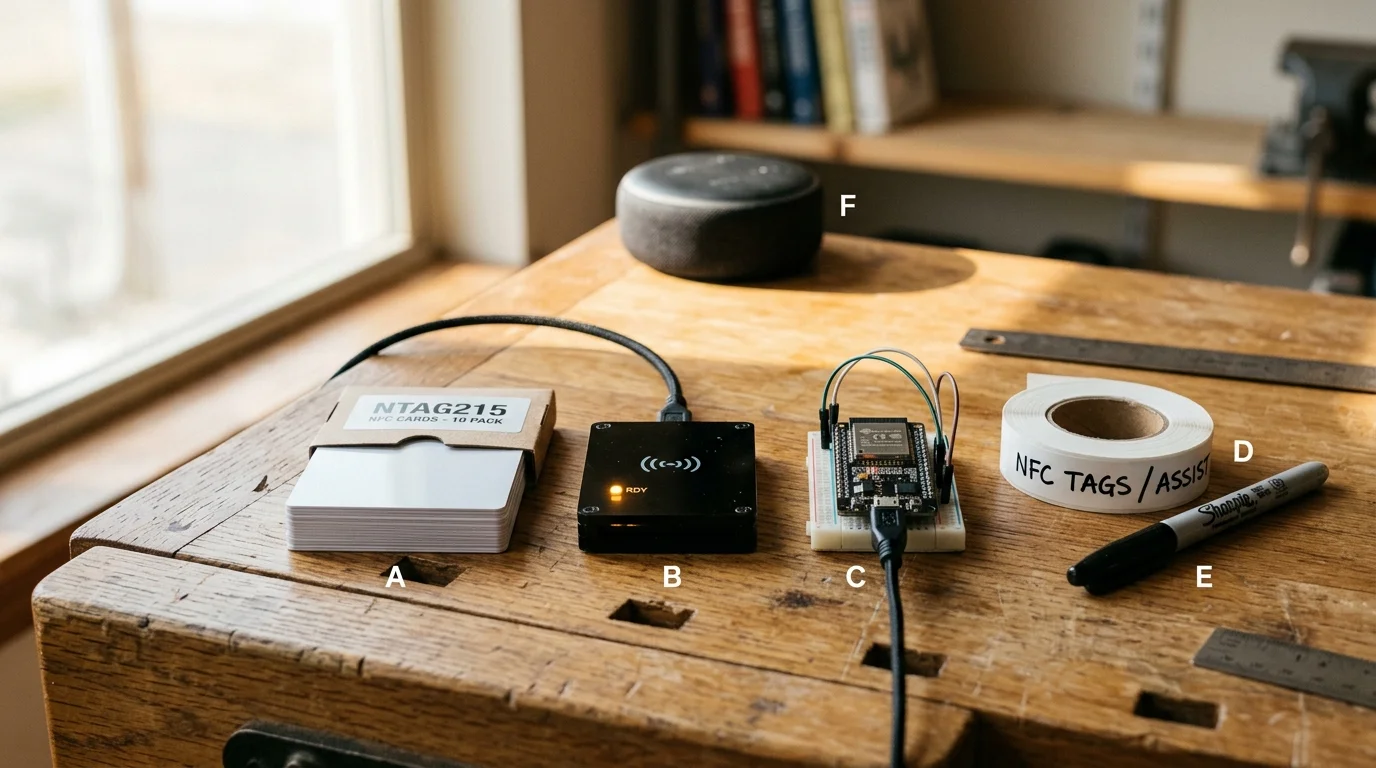
Hardware Bill of Materials and Budgeting
Building a robust tactile intent system does not require expensive assistive medical hardware. You can assemble an entire multi-room configuration using inexpensive commercial components.
The same inexpensive components are frequently used when building physical NFC smart trackers for tactile routine management across the home.
Blank NTAG215 PVC cards cost between $0.25 and $0.60 per unit when purchased in multi-packs online. These tags provide 504 bytes of usable read/write memory, which easily accommodates localized identifier payloads.
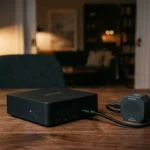
For dedicated stationary scan stations, hobbyist micro-readers provide exceptional reliability at low cost. A standard ESP32 development board paired with an RC522 or PN532 RFID reader costs between $10 and $20 assembled.
Consider this real-world setup for a parent’s bedside and favorite living room armchair. The system automates two lamps, daytime radio playback, and nighttime audiobooks.
- NFC Cards: 25-pack of blank NTAG215 PVC cards ($11.50 at $0.46 per unit).
- Reader Hardware: Two ESP32 boards with PN532 readers housed in 3D-printed wooden enclosures ($34.00 total).
- Visual Overlays: Heavy-duty matte sticker paper and high-contrast thermal lamination sheets ($8.25).
- Speaker Integration: Existing Amazon Echo Dot or Apple HomePod Mini ($0.00).
- Assembly Time: 90 minutes of configuration and testing across two living zones.
- Total Cash Outlay: $53.75 total material investment.
Independent testing by Wirecutter Smart Home highlights how consumer-grade automation hardware frequently matches specialized assistive technology at a fraction of the commercial medical price.
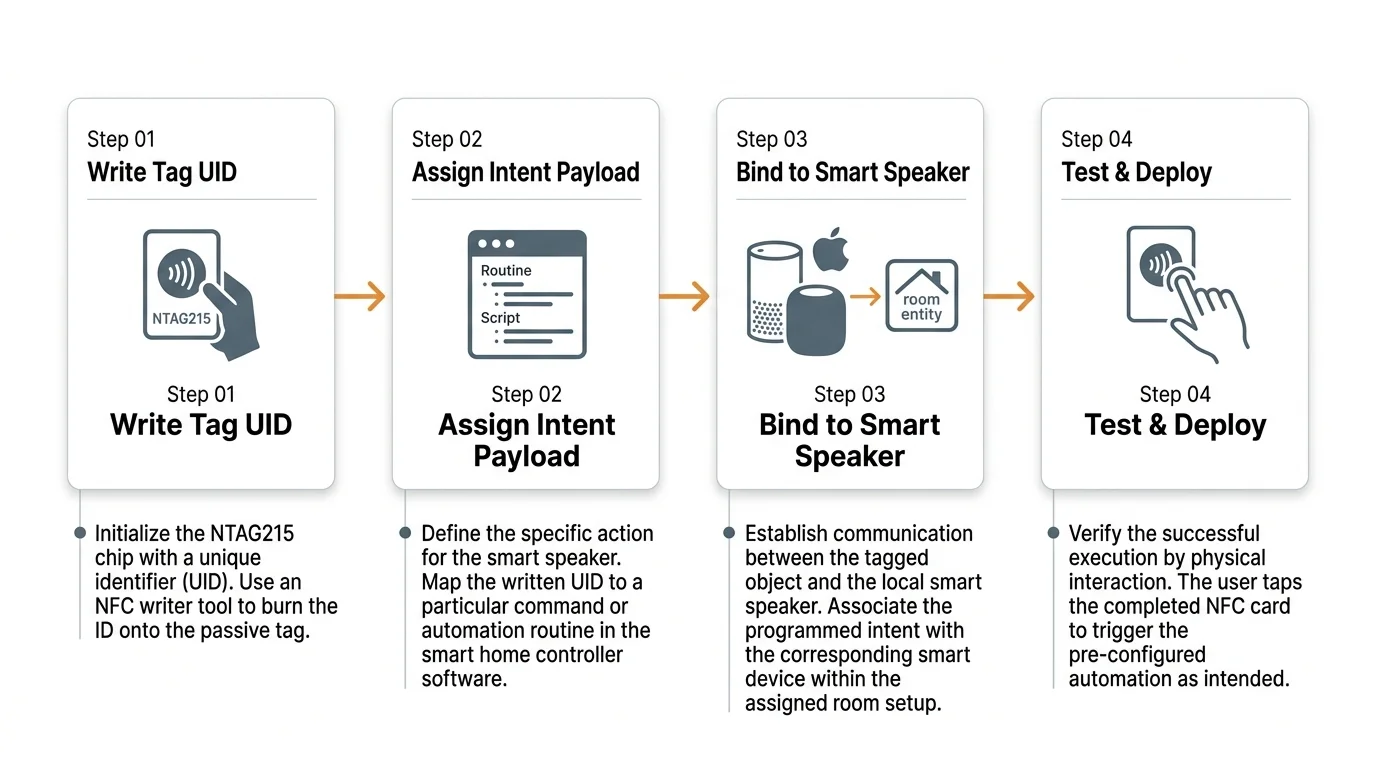
Step-by-Step Setup: Mapping Assistant Intents to NFC Cards
Implementing non verbal smart home triggers requires configuring both the physical tag payload and the software execution rule. Follow this workflow to program your first intent card using an iOS device or Home Assistant station.
You can also program specific NFC action cards to broadcast voice announcements throughout your home to quietly alert caregivers when assistance is requested.
Caregivers can also adapt this workflow to trigger a smart home emergency alert system, allowing an aging parent to call for help with a single physical card tap.
- Format the NFC card: Open a free tag-writing application on your smartphone. Write a simple text string or uniform resource identifier containing a unique tag ID, such as intent_audio_jazz, to lock the record.
- Create the base routine: Open your smart home platform and construct the routine your parent struggles to speak aloud. Target explicit actions, such as setting the living room speaker volume to 40% and playing a designated playlist.
- Map the hardware trigger: In Apple Shortcuts, navigate to the Automation tab, tap New Automation, and choose NFC. Tap the card against the top edge of the iPhone to register the physical tag.
- Attach the payload: Select the routine created in step two, and toggle off the “Ask Before Running” option. Ensure “Notify When Run” is also disabled to prevent screen alerts from causing confusion.
- Assemble the visual face: Print a high-contrast graphic measuring 80 mm by 50 mm. Affix the graphic to the PVC tag using matte adhesive, ensuring no glossy air bubbles reflect light.
- Mount the scan cradle: Position the reader flush against a bedside table or armchair armrest using non-marking silicone tape. Ensure the card resting spot is visually distinct from the furniture surface.
When implementing these routines through local controllers, modern protocol bridges ensure immediate device responses. Devices supporting the Matter Smart Home Standard communicate locally across your network, eliminating cloud latency entirely when the card touches the reader.
The best assistive smart home design is indistinguishable from everyday physical objects, operating reliably without demanding digital literacy or verbal fluency from the user.
Always verify the physical placement of the scan target before introducing it to your parent. The target pad must remain completely stationary so your parent can tap the card without pushing the hardware out of reach.
Privacy, Safety, and Fail-Safe Routine Management
Smart speakers in memory care environments introduce unique privacy and physical safety considerations. Microphone-free card readers eliminate accidental recording triggers and remove continuous audio monitoring from private living spaces.
However, automation routines for cognitively impaired adults require defensive boundaries. Never map safety-critical systems or high-draw appliances to unrestricted tap triggers.
Avoid configuring NFC cards to control main door locks, stove cutoffs, or high-temperature water fixtures. If your parent enters an anxious state and taps a card repeatedly, the automation system must not introduce physical hazards.
Implement rate limiting and debounce timers within your automation rules. Configure your hub to ignore repeated scans of the same card for 60 seconds after a successful trigger event.
Establish automated notifications on your personal mobile phone for essential routines. If your parent fails to tap their “Morning Radio” card by 10:00 AM, your system can dispatch a quiet alert to prompt a caregiver check-in.
Frequently Asked Questions
Do NFC action cards require batteries or routine recharging?
NFC cards based on the NTAG213, NTAG215, or NTAG216 standard are completely passive devices. They harvest inductive power directly from the radio frequency field emitted by the reader, operating indefinitely without batteries or charging cables.
Can my parent accidentally overwrite the automation on an NFC card?
You can permanently write-protect NFC cards using free writing applications during initial configuration. Once you set the lock bit on the chip, the card becomes strictly read-only and cannot be altered by consumer smartphones.
Will these cards work through protective wooden tabletops or coasters?
Standard 13.56 MHz NFC signals easily penetrate non-metallic materials like wood, acrylic, glass, and plastic up to a thickness of approximately 15 millimeters. You can safely conceal stationary reader modules underneath wooden nightstands or side tables.
What happens if my parent misplaces an action card?
Because blank NTAG215 cards cost less than $0.50 each, you can program duplicate backup cards in advance. Keep a reserve binder of programmed cards in a secure caregiver drawer to instantly replace lost cards without reconfiguring routines.
Disclaimer: This article is for informational purposes only. Smart home devices involve electrical connections and data privacy. Always follow manufacturer instructions for installation. For complex wiring or HVAC work, consult a licensed professional.