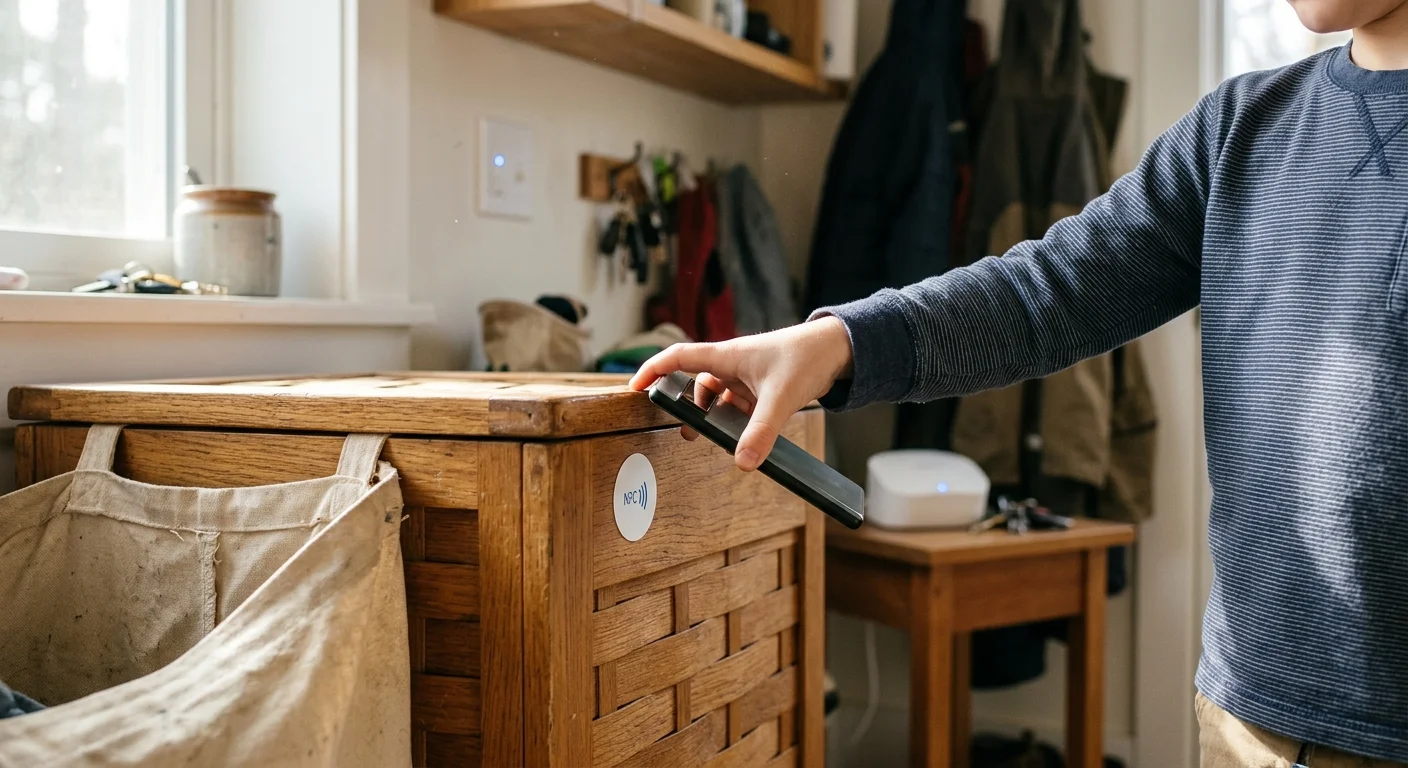
You can eliminate daily screen-time arguments by turning household chores into physical digital keys for your home network. Connecting tangible actions to internet access gives your kids immediate accountability while saving your sanity during hectic workdays.
Most chore apps fail because they require constant parent verification or expensive recurring subscriptions. This system uses inexpensive NFC stickers and Zigbee buttons to interact directly with your router, unlocking network profiles only when verified physical tasks are complete.
Whether you manage a seven-year-old or an independent high schooler, physical trackers convert daily responsibilities into frictionless Wi-Fi rewards.
The Screen-Time Reality for Busy Multi-Child Households
Balancing two demanding careers while raising three children across different developmental stages leaves little energy for daily chore negotiations. You cannot police every bedroom, backpack, and dishwasher cycle while leading afternoon conference calls.
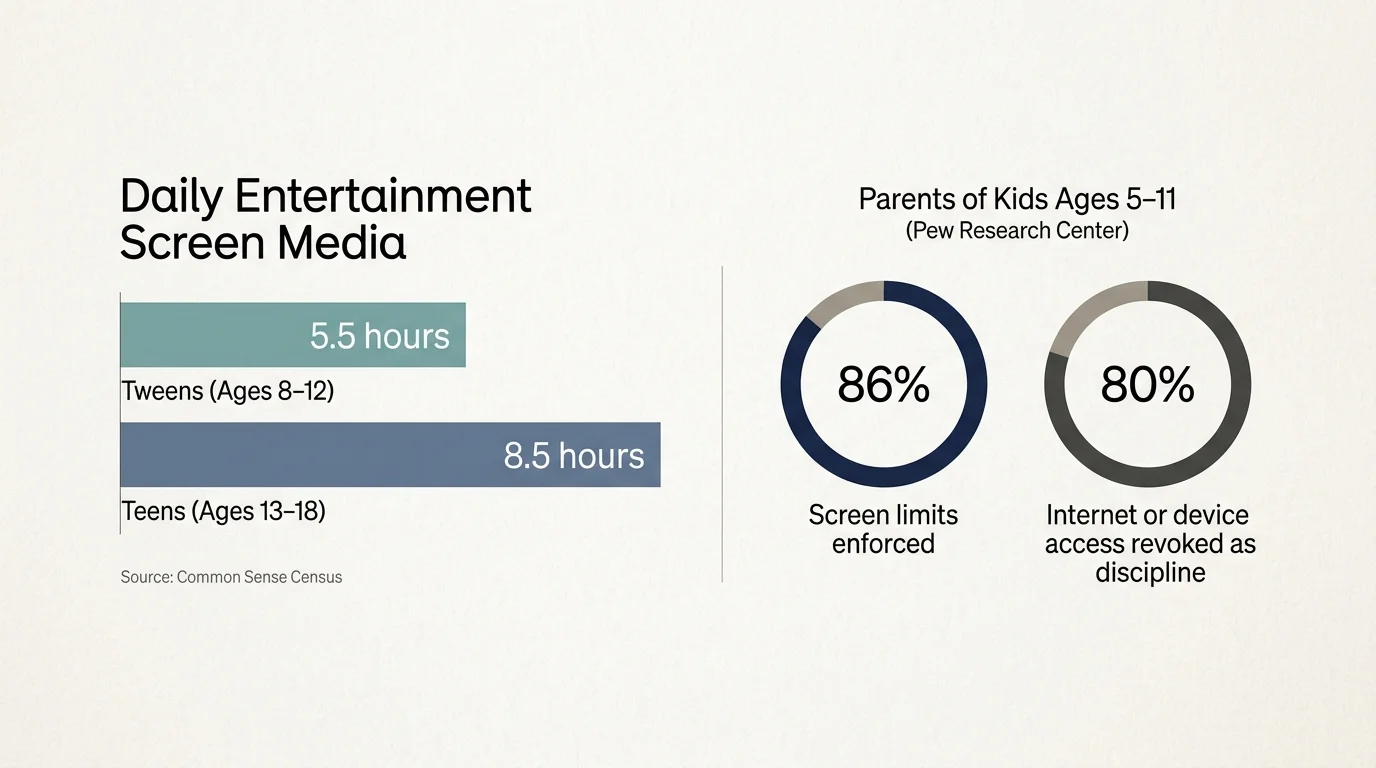
Screen-time battles consume considerable parenting energy. According to the Common Sense Census, tweens ages 8 to 12 average 5.5 hours of entertainment screen media daily; teens consume 8.5 hours.
Pew Research Center reveals that 86% of parents with children ages 5 to 11 set screen limits, and 80% revoke internet or device access as discipline. For teens, 57% of parents enforce general screen time limits.
Manual enforcement creates constant friction. Verbal reminders turn into nagging, and software-only chore apps require parents to audit checkmarks manually before handing over passwords.
A physical tracking system automates this interaction. By tying local network switches to real-world touchpoints, your home environment enforces household rules automatically.
Hardware Architecture: NFC Tags vs. Smart Buttons
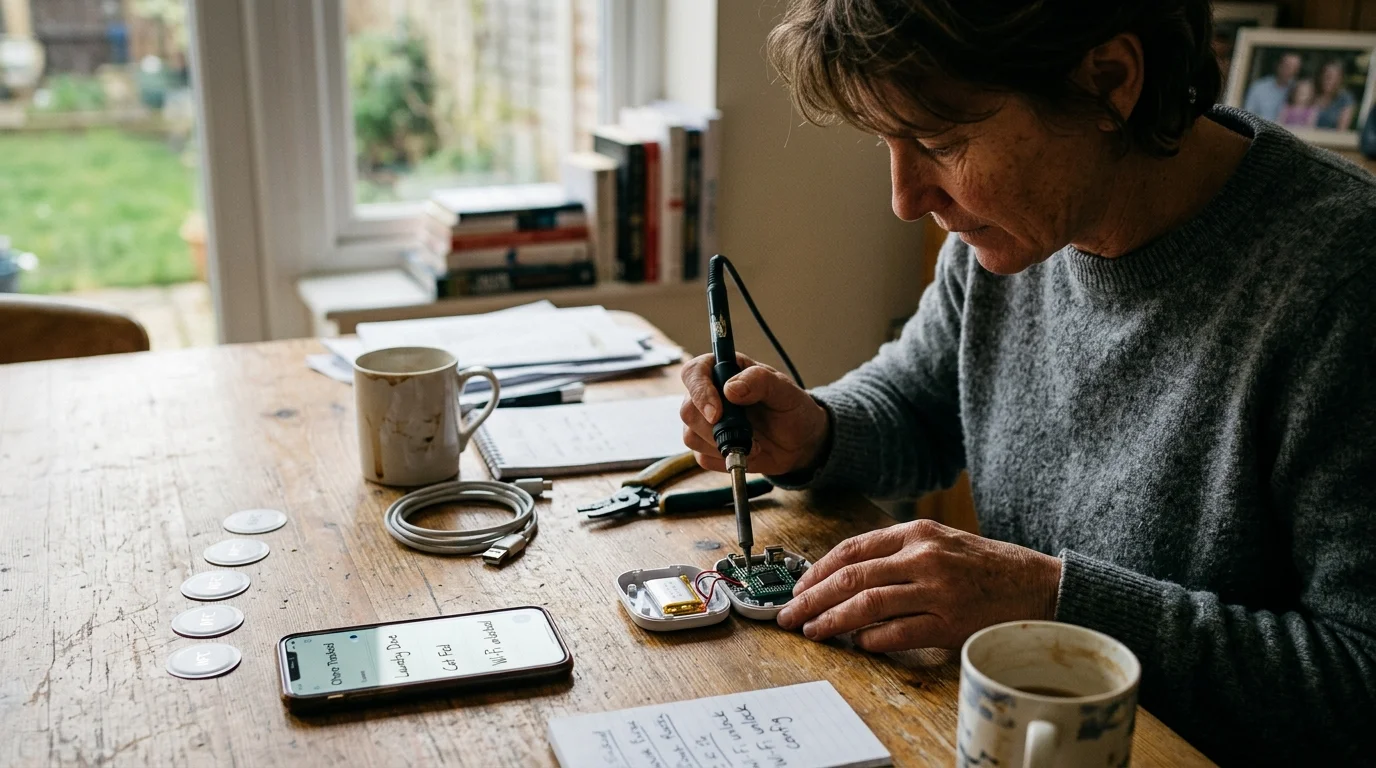
Physical chore tracking relies on two hardware categories: Near Field Communication (NFC) stickers and wireless smart buttons. Both offer tactile interactions that digital smartphone checklists cannot duplicate.
Standard NFC tags use NTAG213 or NTAG215 microchips operating at 13.56 MHz. NTAG213 chips provide 144 bytes of usable memory, while NTAG215 chips hold 504 bytes.
These tags cost between $0.20 and $0.40 each when purchased in multi-packs. They require no batteries because your phone or tablet energizes the tag via magnetic induction when tapped.
However, physics introduces a challenge on household appliances. Standard NFC tags fail when applied directly to conductive metal surfaces like refrigerators, dishwashers, or washing machines due to eddy currents.
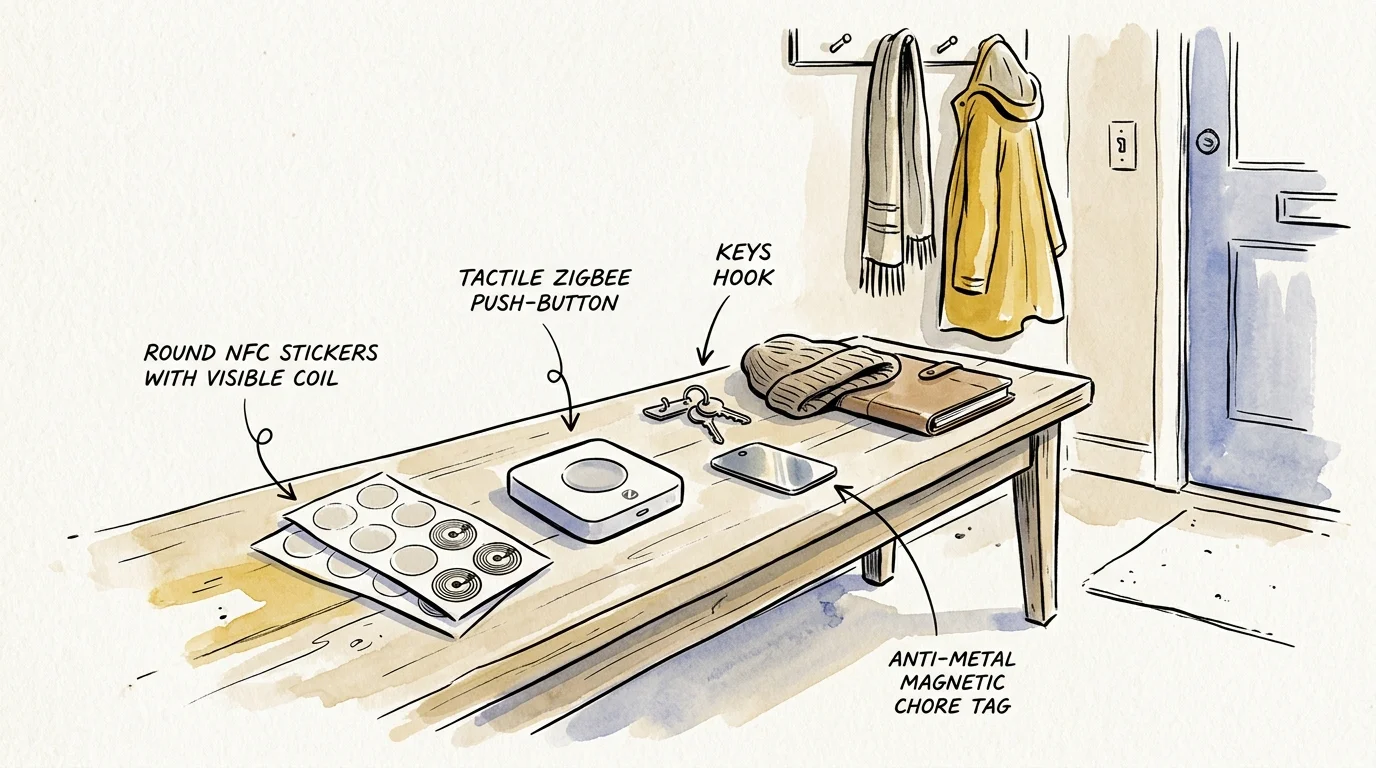
You must install dedicated anti-metal NFC tags on metallic appliances. These tags feature an integrated ferrite shielding layer between 0.2 mm and 0.5 mm thick to isolate the antenna from the metal surface.
For younger children who do not carry smartphones, wireless smart buttons provide an immediate physical interface. Smart buttons broadcast state changes over low-power wireless protocols to your smart home hub.
The Aqara Wireless Mini Switch retails for approximately $16 to $18 and communicates over Zigbee 3.0. Zigbee is a low-power wireless mesh standard designed for reliable local smart home control.
Aqara switches detect three distinct inputs: single click, double click, and long press. A single button beside a child’s bed can register waking up, making the bed, and turning off reading lights.
Bluetooth LE options like the Flic 2 cost around $39 per button, or $119 for a starter pack with a dedicated hub. As detailed in smart home analyses by Wirecutter, selecting open, interoperable wireless devices keeps smart home systems responsive and future-proof.
Comparing Physical Trigger Hardware for Family Chore Tracking
Selecting the right trigger depends on your child’s age, hardware budget, and the physical surfaces in your home. The following table compares common physical triggers across key operational metrics.
| Device Model | Wireless Protocol | Unit Cost | Power Source | Surface Constraints | Target Age Group |
|---|---|---|---|---|---|
| Standard NTAG213 Adhesive Tag | NFC (13.56 MHz) | $0.25 – $0.35 | Passive (No battery) | Non-metallic surfaces only (wood, drywall, plastic) | Tweens and Teens (Ages 11–18) |
| Shielded Anti-Metal NTAG215 Tag | NFC (13.56 MHz) | $0.40 – $0.65 | Passive (Ferrite shield) | All surfaces (dishwashers, washing machines, steel) | Tweens and Teens (Ages 11–18) |
| Aqara Wireless Mini Switch | Zigbee 3.0 | $16.00 – $18.00 | CR2032 Coin Cell (~2 yr life) | Mountable anywhere via adhesive backing | Young Children (Ages 5–10) |
| Flic 2 Smart Button | Bluetooth Low Energy | $39.00 | CR2032 Coin Cell (~3 yr life) | Mountable anywhere; rigid clip accessory available | All ages (requires phone or hub) |
NFC tags excel on static objects where personal contact proves completion, such as a study desk, a backpack clip, or a pet food container. Smart buttons work best in common areas where younger children need quick, screen-free inputs.
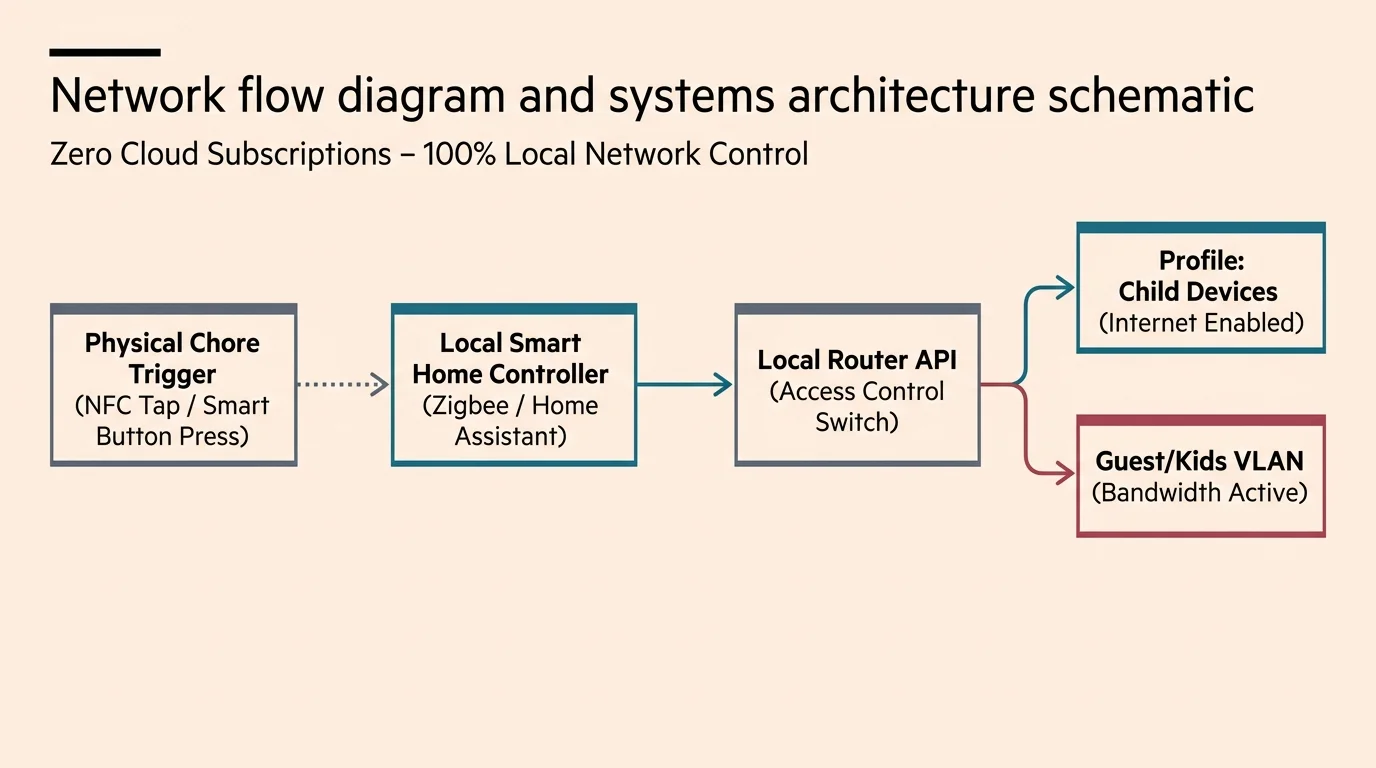
Router-Level Access Control Without Monthly Fees
Commercial parental control suites often charge hefty subscription fees. For instance, Amazon’s eero Plus costs $9.99 per month or $99.99 per year to deliver automated profile scheduling and advanced content filtering.
However, you do not need recurring subscriptions to pause and unpause internet connectivity automatically. Basic client profile pausing does not require paid subscriptions and integrates directly with local platforms like Home Assistant.
If you run a mesh network like eero, the official Home Assistant integration exposes each family member’s network profile as a switch entity. Turning that switch on or off instantly controls access across all assigned client devices.
Prosumer and enthusiast networking hardware offers even deeper local control. Routers operating UniFi Network or ASUSWRT firmware let you execute local, subscription-free commands to automate parental controls with smart chores.
Through UniFi Network, you can alter firewall rules, drop MAC-address traffic, or dynamically generate time-limited guest vouchers. These commands execute locally inside your network without relying on third-party cloud servers.
The best smart home is the one you don’t have to manage.
Local automation ensures that network changes take place within milliseconds of a button press. If the broader internet suffers an outage, your internal chore rules and local switches continue working reliably.
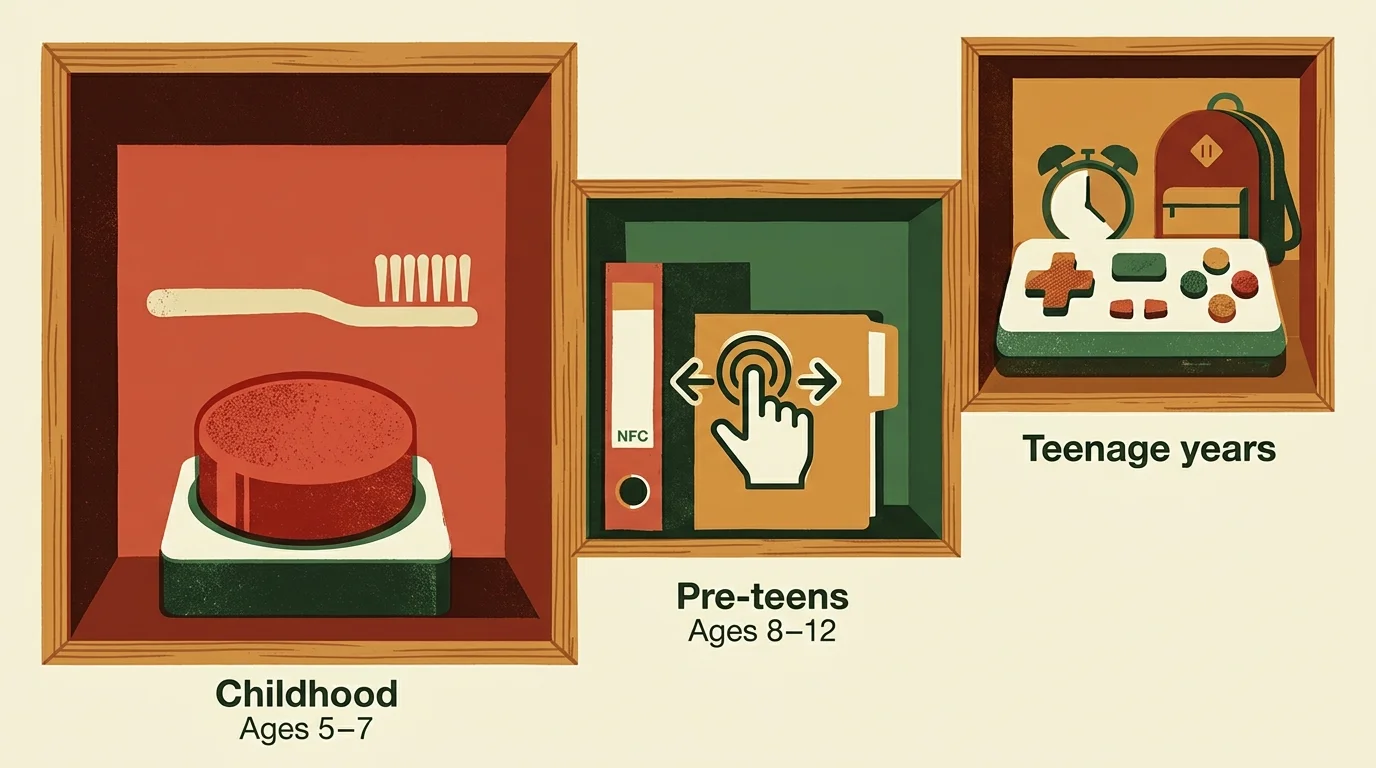
Building the Age-Tiered Chore Engine
A successful chore system accommodates developmental differences between children. An elementary schooler requires simple binary tasks, while a teenager needs flexibility combined with structured accountability.
You can organize chore verification and network rewards across three distinct tiers:
- Tier 1: Elementary Child (Ages 5–8): Physical Zigbee button mounted at eye level. Tasks focus on morning routines, such as making the bed and putting dirty laundry in the hamper. Completion unpauses a kid-safe tablet for 45 minutes.
- Tier 2: Tween (Ages 9–12): Anti-metal NFC stickers mounted on shared appliances and pet stations. Daily responsibilities include emptying the dishwasher and walking the dog. Tapping tags unlocks 90 minutes of console gaming access.
- Tier 3: Teenager (Ages 13–17): Multi-step NFC triggers combined with schoolwork time gates. Tasks include completing homework and cleaning common areas, which enables unrestricted evening Wi-Fi until 10:00 PM.
This tiered approach prevents younger siblings from feeling overwhelmed by complex rules while giving older children autonomy over their schedules. Each child understands the exact physical trigger required to activate their internet privileges.
Using a smart button reward routine shifts your role from daily task enforcer to impartial system administrator. The house rules remain clear, predictable, and managed by hardware.
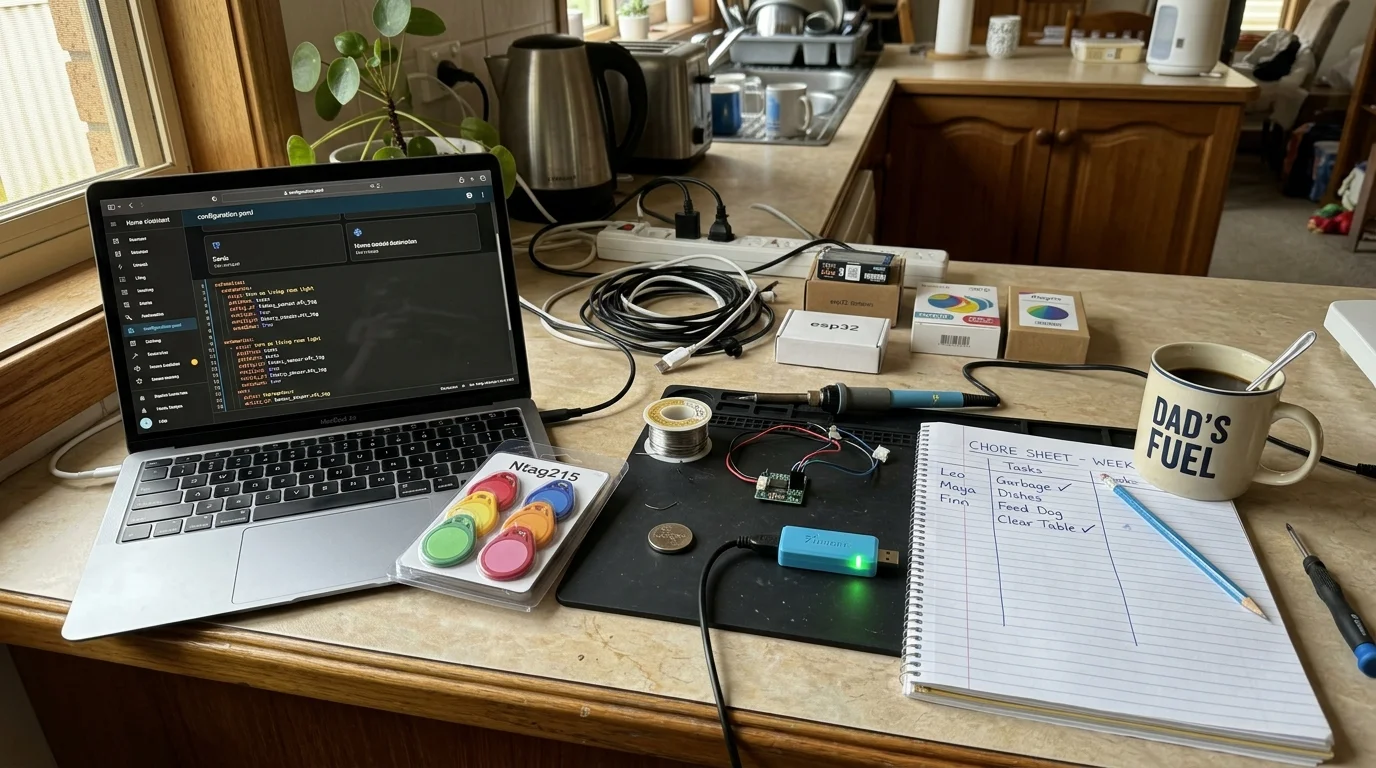
A Fully Worked Implementation: Setup, Automations, and Costs
To demonstrate how this system operates in a real household, consider this worked scenario for three children: Leo (age 7), Maya (age 11), and Ethan (age 15). The goal is complete chore verification tied to network access for under $75 in total hardware costs.
Here is the exact hardware inventory and expense breakdown:
- One Aqara Wireless Mini Switch for Leo’s bedroom: $17.00.
- One 30-pack of standard NTAG213 adhesive stickers for schoolwork desks and backpacks: $11.00.
- One 10-pack of anti-metal NTAG215 stickers for kitchen appliances: $14.00.
- One Sonoff Zigbee 3.0 USB Dongle Plus to connect Zigbee devices to Home Assistant: $22.00.
- Total hardware cost: $64.00 (no ongoing subscriptions).
Leo’s routine relies on his bedroom Aqara switch. When Leo presses the switch once at 7:30 AM, Home Assistant marks his morning checklist complete and turns on an LED indicator light next to his door.
Once his morning routine registers, Home Assistant toggles the router profile for his Amazon Fire tablet, granting 45 minutes of access. A timer helper begins counting down immediately, pausing the profile when the timer reaches zero.
Maya’s chores center around the kitchen and pets. An anti-metal NTAG215 sticker sits on the dishwasher handle, and another tag sits on the dog food container lid.
When Maya unloads the clean dishes, she taps her phone to the dishwasher tag. The nfc chore automation kids routine updates an input boolean variable in Home Assistant named input_boolean.dishwasher_emptied.
Once Maya taps both tags, Home Assistant enables her Nintendo Switch profile on the router for 90 minutes. A dashboard notification informs both parents that the afternoon tasks are finished.
Ethan’s setup combines homework time gating with room maintenance. Ethan taps an NFC tag on his desk lamp when starting homework, which starts a 60-minute study countdown.
At the end of the hour, he taps a second tag inside his wardrobe to confirm his room is tidy. Home Assistant evaluates both conditions and issues a firewall permit rule allowing his laptop and phone full network access until 10:00 PM.
According to hardware reviews on PCMag, local smart home platforms eliminate cloud latency and protect sensitive household activity data. Your children’s daily chore patterns never leave your private local network.
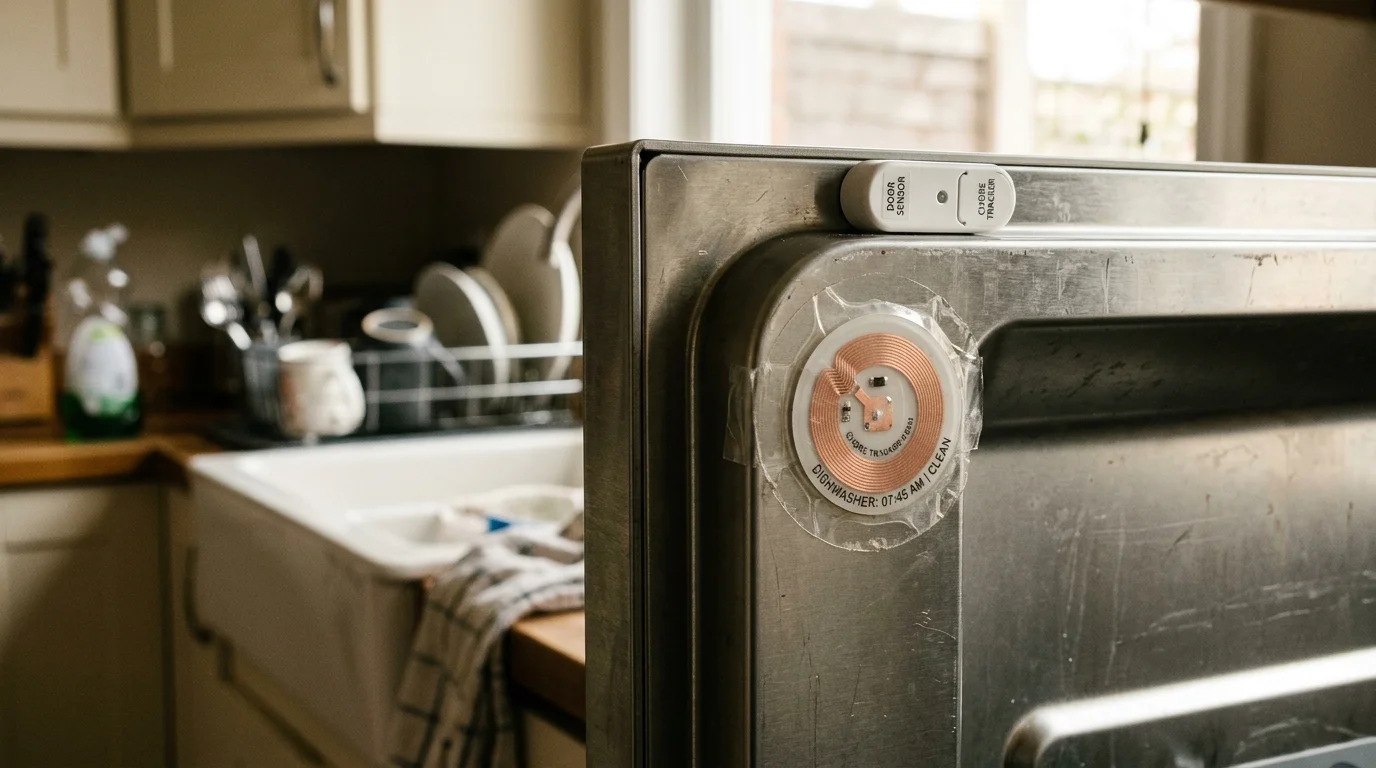
Troubleshooting and Anti-Cheating Safeguards
Kids are natural problem-solvers and will quickly test the boundaries of an automated system. If scanning a tag grants Wi-Fi, a clever tween will scan the dishwasher tag without touching a single plate.
To keep the system reliable and tamper-resistant, implement these concrete verification techniques:
- Contact Sensor Verification: Install a Zigbee door contact sensor ($12) on the dishwasher door. Require the sensor to register an open-and-close event within five minutes of the NFC tag scan before unlocking the network.
- Smart Plug Power Monitoring: Plug the washing machine into a power-monitoring smart plug. The laundry chore automation will only accept an NFC tap if the plug registered active electrical draw during the preceding two hours.
- Rate Limiting and Cooldown Periods: Configure Home Assistant debounce logic on physical buttons. Once triggered, ignore repeat presses on the Aqara switch for 12 hours to prevent button spamming.
- Dynamic NFC Payloads: Do not use static web links that kids can bookmark in a web browser. Instead, pair tags directly with Home Assistant Companion App internal tag identifiers, which require physical proximity to read.
If an NFC sticker fails to read, verify the surface material. Standard tags attached to metal brackets or appliance chassis detune the antenna, requiring replacement with an anti-metal shielded tag.
Keep a spare button and several replacement coin batteries on hand. If a sensor battery drops below 2.8 volts, Zigbee message latency increases, causing missed chore triggers.
Frequently Asked Questions
Do my children need smartphones to use NFC chore trackers?
No, children do not need personal smartphones. Younger children can use dedicated Zigbee smart buttons, while tweens can use a family tablet or an affordable handheld NFC reader connected to your hub.
Can kids bypass router pausing using private MAC addresses?
Modern mobile operating systems randomize MAC addresses by default to improve privacy. You must disable private MAC addressing on your home Wi-Fi network within each child’s device settings, or configure your router to block unknown MAC addresses automatically.
What happens to internet access during emergency situations?
Always maintain a master parent override switch on your phone dashboard. This override bypasses all chore automation logic, instantly restoring full internet connectivity across every household device with a single tap.
Do NFC tags wear out over time?
Passive NFC tags have no moving parts or batteries and last for tens of thousands of read cycles. Physical wear and tear from moisture or cleaning supplies is the only common failure point, making protective epoxy-coated tags a smart investment.
Disclaimer: This article is for informational purposes only. Smart home devices involve electrical connections and data privacy. Always follow manufacturer instructions for installation. For complex wiring or HVAC work, consult a licensed professional.