

Upgrading to a smart thermostat offers significant benefits for your home. You gain precise climate control, potential energy savings, and modern convenience. Many homeowners, especially those in older homes, face a common hurdle: the absence of a C-wire, or common wire, in their existing thermostat wiring. This essential wire provides continuous power to advanced smart devices.
Do not let a missing C-wire stop you from modernizing your home. Many excellent smart thermostats offer creative solutions to operate without this dedicated power source. This guide helps you navigate the options, understand the workarounds, and choose the best smart thermostat without a C-wire for your unique needs. You will discover practical ways to achieve a smarter, more efficient living space.
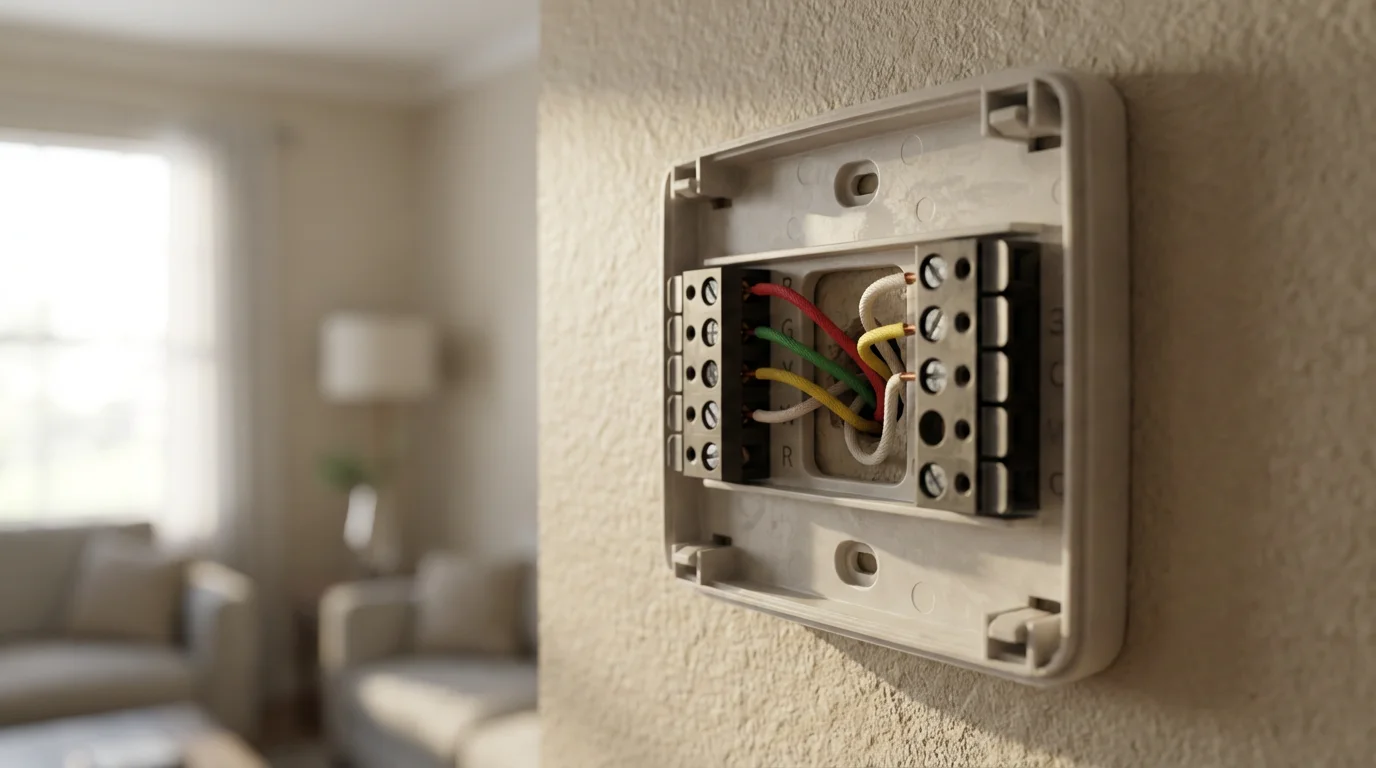
Understanding the C-Wire and Why It Matters for Smart Thermostats
The C-wire, or common wire, is a low-voltage wire providing a continuous 24V power supply from your HVAC system. Traditional thermostats, often mechanical or battery-powered with minimal features, do not always require this constant power. They usually draw power in short bursts from the heating or cooling call wires.
Before you begin, it is helpful to review the steps to install a smart thermostat yourself to ensure you have the right tools ready.
Smart thermostats differ significantly. They include advanced features like Wi-Fi connectivity, touchscreens, learning algorithms, and motion sensors. These features demand a stable, continuous power source to operate reliably. Without a C-wire, the thermostat cannot maintain a consistent connection to your home network or power its internal components effectively.
Installing a smart thermostat without a common wire in a system that requires one can lead to various problems. You might experience intermittent power loss, Wi-Fi disconnections, or a constantly draining internal battery. In some cases, your HVAC system could suffer from “power stealing,” which can degrade its performance or even damage its transformer. Understanding this foundational wiring helps you make informed decisions about your smart home upgrade.
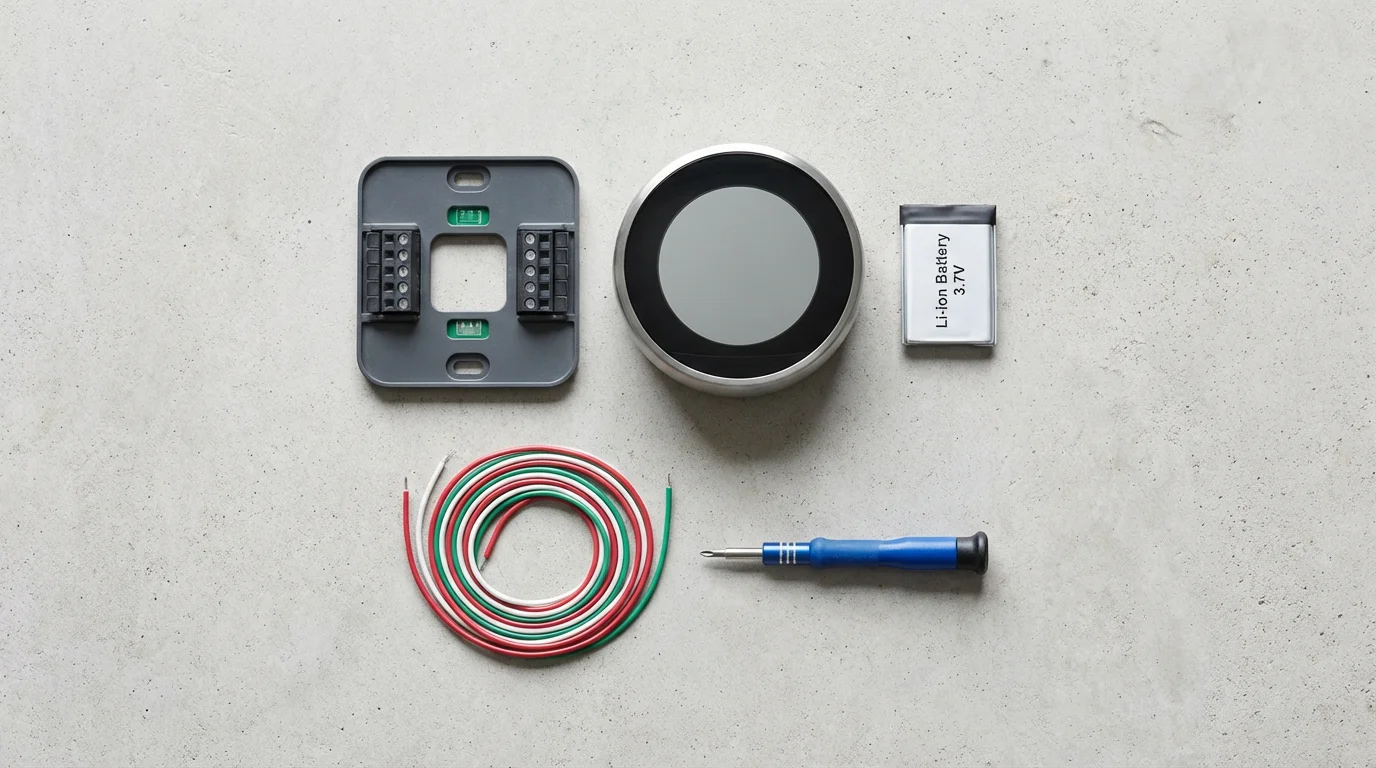
How Smart Thermostats Work Without a C-Wire
Fortunately, manufacturers recognize the prevalence of homes without a C-wire. They developed several innovative solutions to ensure their devices function correctly. You can often install a smart thermostat without a C-wire using one of these common methods. Each approach has its advantages and considerations.
Once you have addressed the power source, you can focus on integrating your smart thermostat with other devices to create a fully automated home.
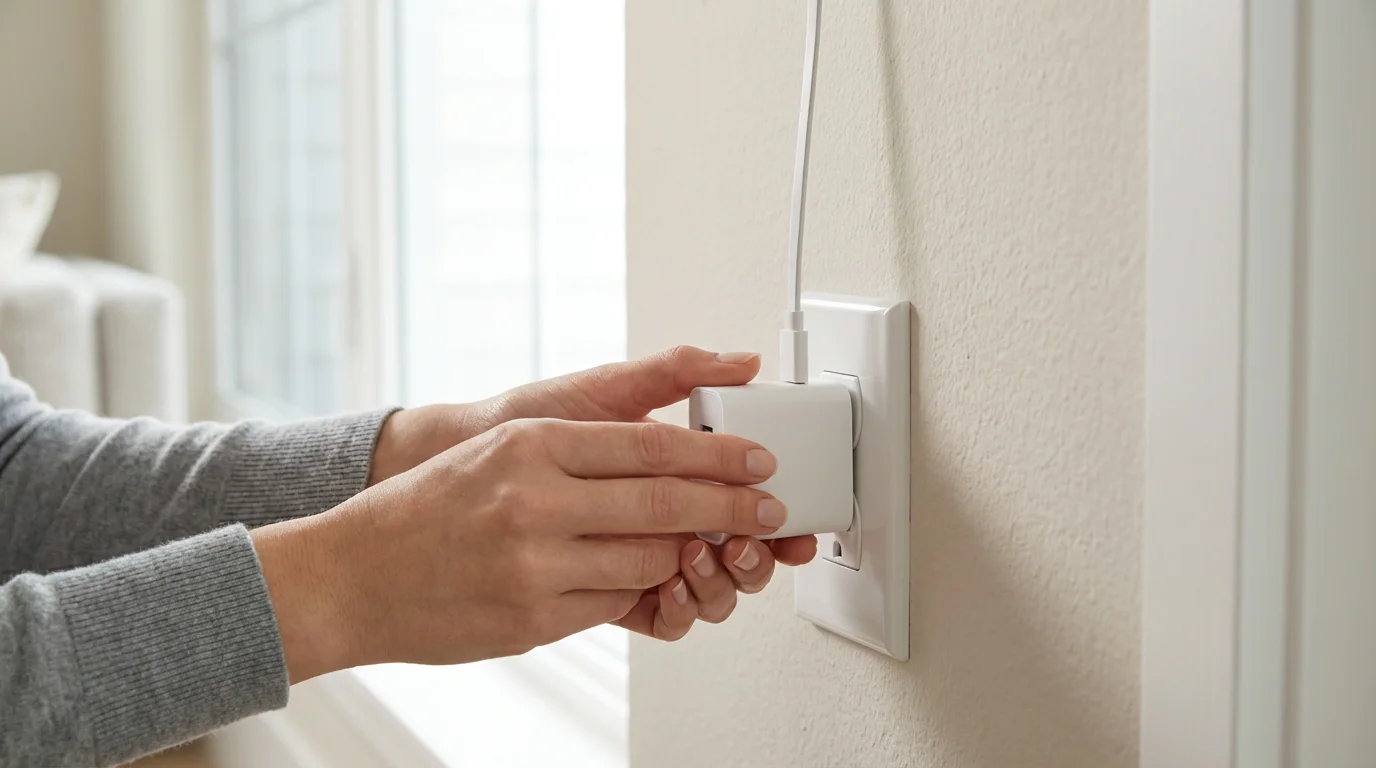
- External Power Adapter: This is a highly reliable solution. An external power adapter plugs into a standard wall outlet and connects directly to your smart thermostat. It provides the necessary continuous 24V power, bypassing the need for a C-wire from your HVAC system. This method ensures stable operation and full functionality without relying on your HVAC’s wiring for power. You typically run a thin wire from the adapter to your thermostat’s C and R terminals.
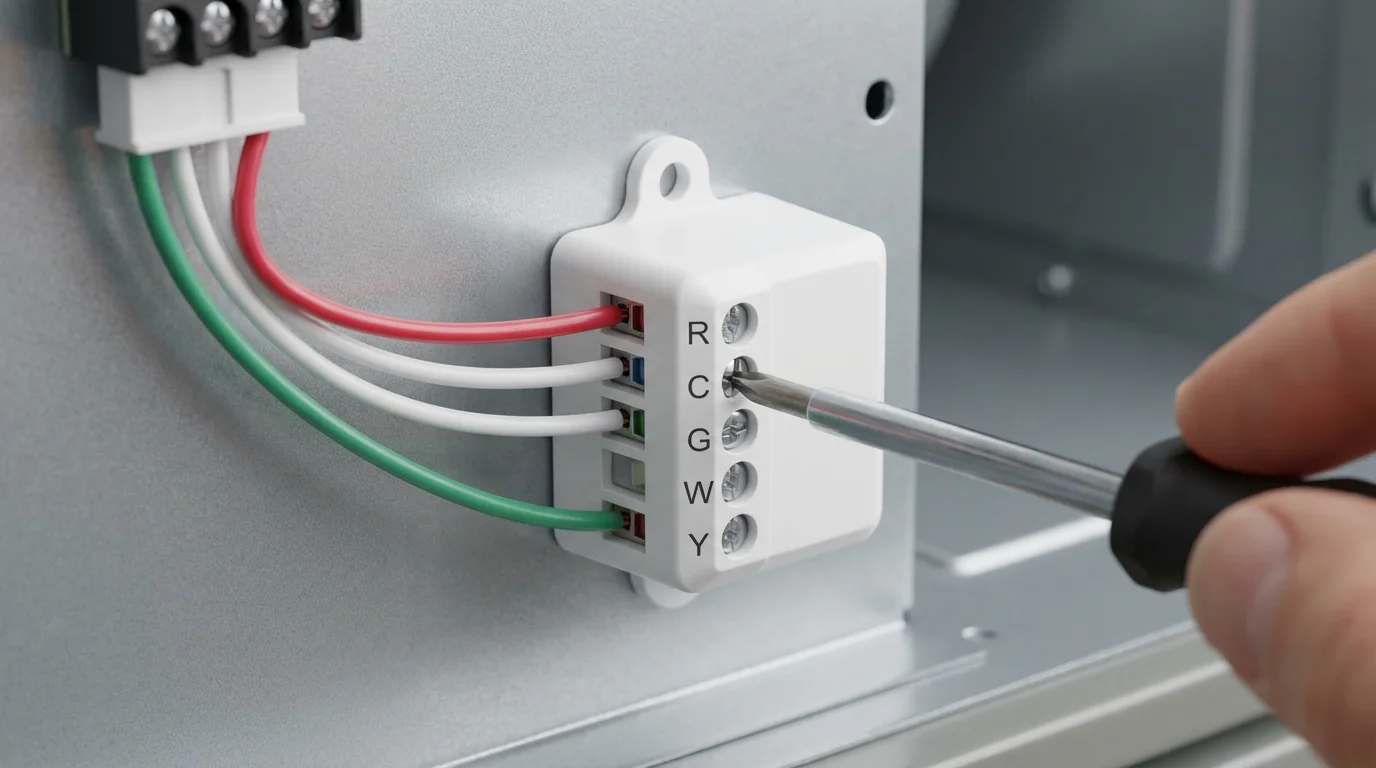
- C-Wire Adapter Kit: Many smart thermostats, particularly those designed for broader compatibility, include a C-wire adapter kit. This kit typically installs at your HVAC control board. It creates a common wire connection using existing wires, usually by piggybacking on another wire. This method routes the continuous power directly to your thermostat, simulating a true C-wire connection. Installation requires access to your HVAC unit, which can be in a furnace, air handler, or boiler.
- Internal Battery with Power Stealing: Some older smart thermostat models relied on internal rechargeable batteries supplemented by “power stealing.” They would draw tiny amounts of power from the heating or cooling wires when the system was off. This method often caused issues. The internal battery might not charge fast enough, leading to power failures or HVAC system stress. Many modern smart thermostats moved away from this primary method for long-term reliability.
- Dedicated Battery Power: A few smart thermostats operate solely on standard batteries, like AA or AAA. These models generally offer fewer advanced features, as continuous Wi-Fi and backlit displays drain batteries quickly. They are suitable for basic smart control but might lack the comprehensive learning or remote access capabilities of C-wire powered devices. You will need to replace batteries periodically.
An external power adapter or an included C-wire adapter kit offers the most robust solution for ensuring your smart thermostat performs optimally without a pre-existing C-wire. Consider these options first when selecting your device.

Top Smart Thermostats for Homes Without a C-Wire
Several leading smart thermostat brands offer models that expertly handle installations without a C-wire. We have curated a selection of the best smart thermostat without C wire options, focusing on functionality, ease of installation, and overall value. You can find a compatible device regardless of your current wiring.
Before diving into the specific models, you might want to see how the major brands compare in our Nest vs Ecobee vs Honeywell breakdown.
Google Nest Thermostat
The Google Nest Thermostat provides a sleek design and intelligent energy-saving features. It often stands out as a strong contender for homes lacking a C-wire. This model uses an internal rechargeable battery, which charges by “power stealing” small amounts of power from your heating and cooling wires. While previous Nest models sometimes struggled with this method, the newer Google Nest Thermostat generally manages it well for most HVAC systems, but an optional power adapter is available for more complex setups or if you encounter issues.
- No C-Wire Solution: Internal rechargeable battery with power stealing. Google recommends using a C-wire or a power adapter for optimal performance, especially with heat pumps or multi-stage systems.
- Key Features:
- Sleek, minimalist design with mirrored display.
- Saves energy by turning itself down when you leave.
- Sense and schedule features help create an energy-efficient routine.
- Monitors your HVAC system for potential issues.
- Works with Google Assistant and Alexa for voice control.
- Pros: Simple setup, attractive design, learns your preferences, strong app support.
- Cons: Power stealing can sometimes be less reliable for certain HVAC systems, limited learning compared to older Nest models, optional power adapter sold separately.
The best smart home is the one you don’t have to manage. Smart thermostats, especially those that adapt to your home’s unique wiring, embody this principle by automating comfort and efficiency.
Ecobee3 Lite Smart Thermostat
Ecobee thermostats are well-regarded for their robust feature set and compatibility, especially for homes without a common wire. The Ecobee3 Lite frequently includes a Power Extender Kit (PEK) in the box. This kit installs at your furnace or air handler and acts as a C-wire adapter, allowing the Ecobee3 Lite to draw continuous power without needing a dedicated C-wire run to the thermostat. This makes it an excellent choice for a stable, feature-rich smart thermostat solution.
- No C-Wire Solution: Includes a Power Extender Kit (PEK) for installation at your HVAC system. This kit provides the necessary continuous power.
- Key Features:
- Remote sensor compatibility for averaging temperatures across rooms.
- Intuitive touchscreen display.
- Smart Home/Away feature detects occupancy to save energy.
- Integration with popular smart home platforms including Alexa, Google Assistant, Apple HomeKit, and Samsung SmartThings.
- Detailed energy reporting helps you track and optimize usage.
- Pros: Reliable C-wire solution included, excellent smart home integration, comprehensive features, multi-room temperature sensing capability.
- Cons: PEK installation requires access to HVAC control board, no built-in voice assistant (unlike Ecobee Smart Thermostat Premium).
Honeywell Home T9 Smart Thermostat
Honeywell Home offers reliable smart thermostat options, and the T9 is a strong contender for homes without a C-wire. It often comes with a C-wire adapter included in the box. Similar to Ecobee’s solution, this adapter connects at your HVAC system to provide the continuous power required by the thermostat. The T9 combines intelligent comfort with user-friendly controls and excellent integration capabilities.
- No C-Wire Solution: Comes with a C-wire power adapter kit for installation at the HVAC unit. This ensures consistent power delivery.
- Key Features:
- Touchscreen display with easy-to-use interface.
- Room sensors help manage hot and cold spots.
- Geofencing capabilities automatically adjust settings based on your proximity.
- Integrates with Amazon Alexa and Google Assistant.
- Energy Star certified for potential utility rebates.
- Pros: C-wire adapter included, reliable performance, good room sensing capabilities, reputable brand.
- Cons: Design is functional but less sleek than some competitors, some users find the app interface less intuitive initially.
Honeywell Home T5+ Smart Thermostat
The Honeywell Home T5+ offers a more budget-friendly entry into smart home climate control while still addressing the no C-wire challenge. This model often includes a C-wire adapter. It provides essential smart features like geofencing and scheduling, making it a practical upgrade for many homes. You receive reliable performance from a trusted brand without breaking your budget.
- No C-Wire Solution: Ships with a C-wire adapter kit for HVAC unit installation.
- Key Features:
- Programmable 7-day schedule.
- Geofencing feature for automatic temperature adjustments.
- Integrates with Apple HomeKit, Amazon Alexa, and Google Assistant.
- Simple, clear digital display.
- Pros: Cost-effective, C-wire adapter included, strong smart home integration, reliable core functionality.
- Cons: Fewer advanced features compared to premium models, simpler design.
Choosing the Right No C-Wire Smart Thermostat for Your Home
Selecting the perfect smart thermostat involves more than just finding one that works without a common wire. You must consider your specific needs, your home’s setup, and the features you value most. Review these crucial factors to make an informed decision.
If you are living in a leased property, check out our guide on smart thermostats for renters to find non-permanent installation solutions.
-
HVAC System Compatibility: Your current heating and cooling system dictates much of your choice.
- Check your HVAC voltage (most common is 24V).
- Identify your system type: conventional (furnace/AC), heat pump, boiler.
- Confirm your existing wiring terminals (R, G, W, Y, C). Even if you lack a C-wire, knowing other terminals helps.
-
No C-Wire Solution Preference: Decide which solution suits you best.
- Do you prefer an external power adapter that plugs into an outlet?
- Are you comfortable installing a C-wire adapter kit at your HVAC control board?
- Do you want to avoid both and rely on internal batteries (understanding potential limitations)?
-
Desired Smart Features: Smart thermostats offer a range of functionalities.
- Scheduling: Do you need flexible 7-day programming or adaptive schedules?
- Learning Capabilities: Do you want the thermostat to learn your preferences automatically?
- Geofencing: Will you benefit from automatic adjustments when you leave or return home?
- Room Sensors: Do you have hot or cold spots you want to address?
- Smart Home Integration: Does it work with your existing ecosystem, like Alexa, Google Assistant, or HomeKit?
-
Installation Complexity: Consider your DIY comfort level.
- Installing an external power adapter often requires simpler wiring at the thermostat itself.
- A C-wire adapter kit demands access to your HVAC unit’s control board and more detailed wiring.
- When in doubt, always consult a licensed HVAC professional for installation.
-
Budget: Smart thermostats range in price.
- Determine how much you want to invest.
- Remember that energy savings and potential utility rebates can offset the initial cost.
By carefully evaluating these points, you can narrow down your choices and select a smart thermostat that seamlessly integrates into your home and lifestyle. Wirecutter, a product recommendation service from The New York Times, often provides in-depth reviews that consider installation aspects and C-wire solutions, offering valuable insights for your decision process.
Installation Guide: Adding a Power Adapter or C-Wire Kit
Installing a smart thermostat without a common wire using an adapter can feel daunting, but it is often a manageable DIY project. Always prioritize safety. Follow these general steps, but always refer to your specific thermostat’s manual for detailed, model-specific instructions.
- Safety First: Turn Off Power. Before touching any wires, locate your HVAC system’s breaker switch in your electrical panel and turn it off. This step is critical to prevent electrical shock and protect your HVAC system. Verify the power is off by testing your old thermostat.
- Remove Your Old Thermostat. Gently detach your old thermostat from the wall plate. Take a clear picture of the existing wiring connections. Label each wire with its corresponding terminal letter (R, G, W, Y, etc.) before disconnecting them. This photo and labeling are invaluable for correct reinstallation.
-
Install the C-Wire Adapter Kit (if applicable): If your chosen thermostat came with a C-wire adapter kit (like Ecobee’s PEK or Honeywell’s adapter), you will likely install this at your HVAC unit’s control board.
- Locate your furnace or air handler. Open the access panel.
- Find the control board, usually with labeled terminals corresponding to your thermostat wires.
- Follow the adapter kit’s instructions precisely. This typically involves connecting existing wires to the adapter and then connecting the adapter to the control board, effectively creating a C-wire connection.
- Route the newly adapted wires, including the new C-wire connection, back to your thermostat location.
-
Install the External Power Adapter (if applicable): If you are using an external power adapter, this process is generally simpler at the thermostat side.
- Mount your new smart thermostat’s backplate to the wall.
- Run the thin power adapter wire from a nearby electrical outlet to your thermostat location.
- Connect one lead from the power adapter to the ‘R’ terminal and the other to the ‘C’ terminal on your smart thermostat’s backplate.
- Connect your existing HVAC wires (G, W, Y, etc.) to their corresponding terminals, leaving your old ‘R’ wire disconnected if using the adapter’s ‘R’ for power. Refer to your thermostat’s specific wiring diagram.
- Mount the New Smart Thermostat. Once all wires are securely connected to the new backplate, mount your smart thermostat display unit onto the backplate. Ensure it clicks into place firmly.
-
Restore Power and Test. Return to your electrical panel and turn the power back on to your HVAC system. Your new smart thermostat should power on.
- Follow the on-screen prompts for initial setup, including connecting to your Wi-Fi network.
- Test all functions: heating, cooling, fan only. Ensure your HVAC system responds correctly.
- Troubleshooting: If the thermostat does not power on, or if your HVAC system does not respond, immediately turn off the power. Double-check all wiring connections against your photos and the manual. For any complex issues, or if you feel unsure at any point, do not hesitate to call a licensed HVAC professional. Incorrect wiring can damage your HVAC system.

Maximizing Energy Savings with Your New Smart Thermostat
A smart thermostat does more than offer convenience; it can significantly reduce your energy bills. Once installed, leverage its intelligent features to optimize your home’s energy consumption. You will see returns on your investment through lower utility costs and a more comfortable home.
-
Utilize Smart Scheduling: Beyond basic programming, many smart thermostats offer advanced scheduling.
- Create schedules that adapt to your family’s routine.
- Program different temperatures for weekdays versus weekends.
- Set back the temperature when you are asleep or away from home for extended periods.
-
Enable Geofencing: This feature uses your smartphone’s location to determine if you are home.
- Your thermostat automatically adjusts the temperature to an energy-saving setting when everyone leaves.
- It begins heating or cooling before you arrive, ensuring comfort without wasted energy.
-
Monitor Energy Reports: Your smart thermostat’s app provides detailed energy usage reports.
- Review these reports to understand where you use the most energy.
- Identify patterns and make adjustments to your schedule or settings for greater efficiency.
- These insights help you fine-tune your home’s climate control.
-
Integrate with Other Smart Home Devices: Enhance your energy savings by linking your thermostat with other smart devices.
- Connect with smart vents to direct airflow only to occupied rooms.
- Pair with smart lighting systems so lights turn off when the thermostat detects you are away.
-
Take Advantage of Learning Features: Some thermostats learn your preferences and home’s heating and cooling patterns.
- They can pre-heat or pre-cool your home more efficiently.
- They suggest optimal settings based on your habits and local weather.
-
Check for Utility Rebates: Many energy providers and local governments offer rebates for installing Energy Star certified smart thermostats.
- Visit the Energy Star website to find eligible programs in your area.
- These rebates can significantly reduce the upfront cost of your smart thermostat.
By actively using these features, you transform your smart thermostat from a simple controller into a powerful energy management tool. This proactive approach ensures you maximize both comfort and savings in your home.
Frequently Asked Questions
What is a C-wire, and why is it important for smart thermostats?
A C-wire, or common wire, provides a continuous 24-volt power supply from your HVAC system. Smart thermostats require this constant power to operate advanced features like Wi-Fi connectivity, touchscreens, and learning algorithms reliably. Without a C-wire, these features often experience intermittent power, leading to operational issues.
Can I install a smart thermostat without a C-wire myself?
Yes, many homeowners successfully install smart thermostats without a C-wire using the provided power adapters or C-wire adapter kits. Manufacturers design these solutions for DIY installation. Always follow the specific instructions included with your thermostat and prioritize safety by turning off power to your HVAC system before you begin. If you encounter any complexity or feel unsure, consult a licensed HVAC professional.
Will a smart thermostat without a C-wire still save me money?
Absolutely. A smart thermostat, even one installed with a C-wire workaround, still offers significant energy-saving features. You benefit from smart scheduling, geofencing, remote control, and energy monitoring. These features allow you to optimize your heating and cooling, reducing wasted energy and lowering your utility bills.
Are battery-powered smart thermostats reliable for long-term use?
Thermostats that rely solely on standard batteries generally offer fewer advanced smart features because continuous Wi-Fi and backlit displays quickly drain battery life. Models that use internal rechargeable batteries often rely on “power stealing,” which can be less reliable for some HVAC systems. For long-term reliability and full smart functionality, a solution involving an external power adapter or a C-wire adapter kit usually provides the best performance.
What if my smart thermostat keeps losing power without a C-wire?
If your smart thermostat experiences intermittent power loss, it likely indicates insufficient power delivery. First, ensure your C-wire adapter kit or external power adapter is correctly installed and functioning. Verify all wiring connections are secure. If problems persist, your HVAC system might not be compatible with the power-stealing method, or the adapter is not providing enough consistent power. Contact the thermostat manufacturer’s support or a licensed HVAC professional for further diagnosis and assistance.
Disclaimer: This article is for informational purposes only. Smart home devices involve electrical connections and data privacy. Always follow manufacturer instructions for installation. For complex wiring or HVAC work, consult a licensed professional.



1 Comment