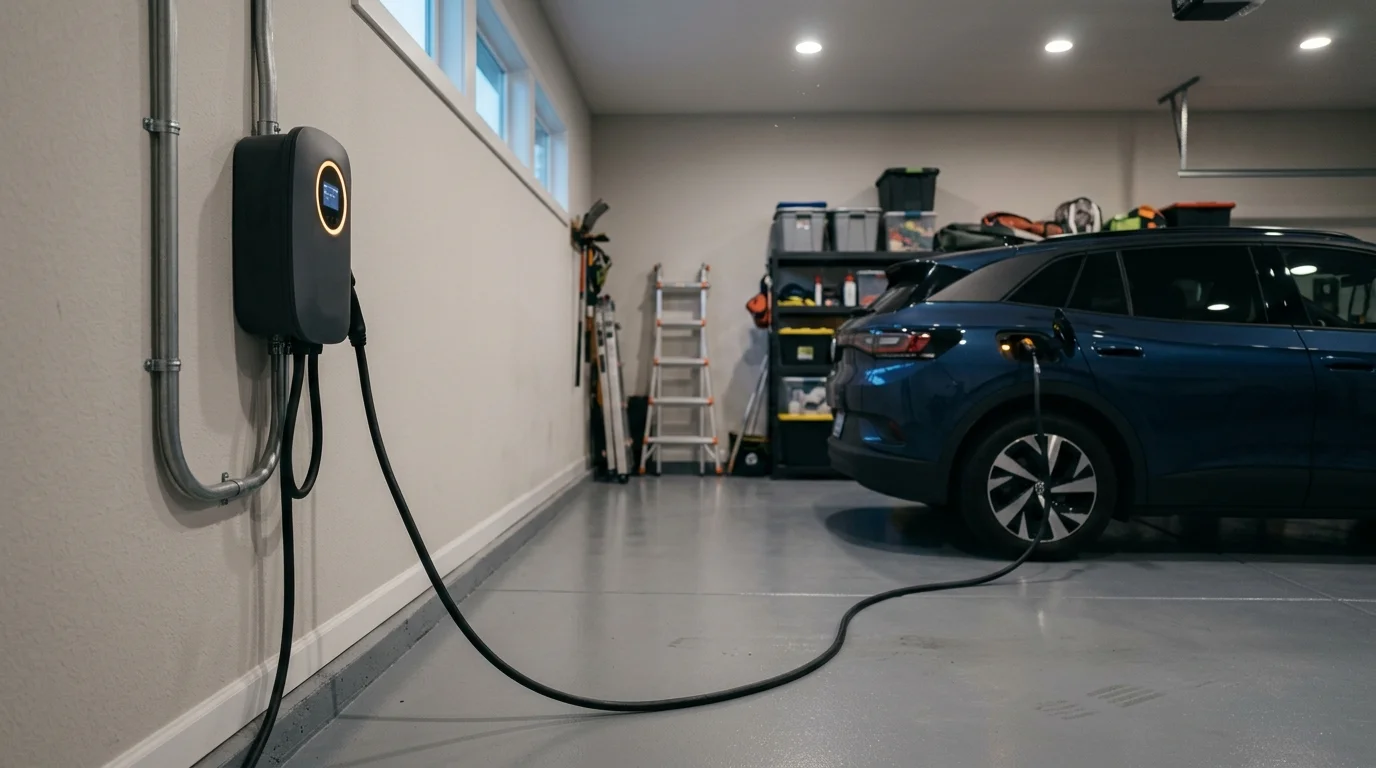
Plugging your electric vehicle into a Level 2 charger at 5:15 PM instantly erodes your rooftop solar savings. Under Net Energy Metering (NEM) 2.0, peak utility pricing between 4 PM and 9 PM spikes electricity costs up to 80 cents per kilowatt-hour.
While many drivers attempt to manage charging through vehicle infotainment screens, true cost avoidance requires an automated smart EVSE schedule that eliminates pilot-signal handshaking failures.
By locking out peak charging windows at the wall charger, you safeguard your high-value solar export credits and capture overnight utility rates as low as 13 cents per kilowatt-hour.
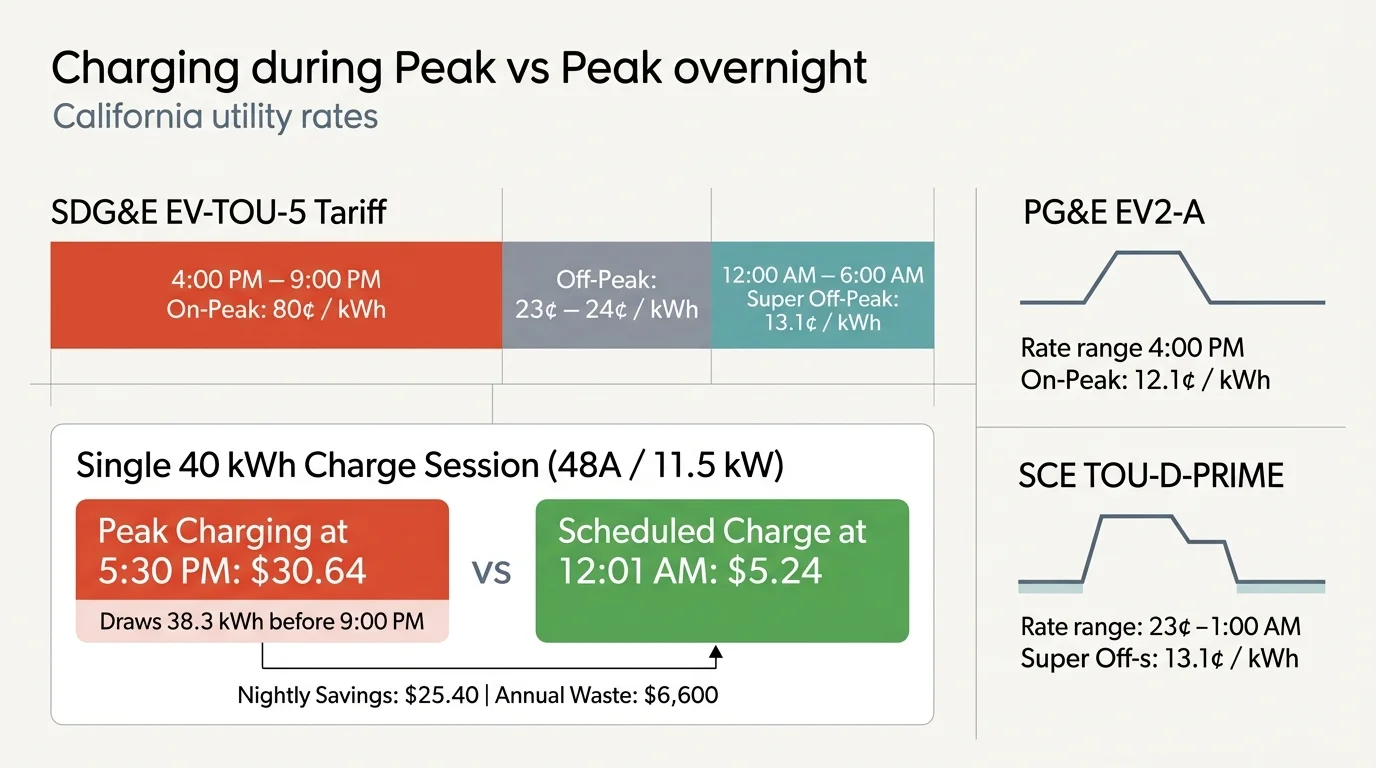
The 4 PM to 9 PM Penalty: TOU Math for NEM 2.0 Solar Homes
Suburban homeowners often assume that daytime rooftop solar production neutralizes evening vehicle charging costs.
That assumption breaks down under modern utility rate structures. Solar generation tapers off dramatically precisely when investor-owned utilities enter their most expensive pricing period.
On San Diego Gas & Electric’s (SDG&E) EV-TOU-5 tariff, on-peak power between 4:00 PM and 9:00 PM costs approximately 80 cents per kilowatt-hour (kWh).
Waiting until midnight to initiate charging drops that rate to roughly 13.1 cents per kWh. That gap represents a massive sixfold pricing spread.
Pacific Gas and Electric (PG&E) customers on the EV2-A rate schedule face summer peak rates near 54 cents per kWh, compared to an off-peak price of 23 cents.
Southern California Edison (SCE) drivers enrolled in TOU-D-PRIME encounter peak costs between 58 and 74 cents per kWh, against off-peak baseline rates near 24 cents.
Under California’s NEM 2.0 framework, electricity pulled from the grid during peak hours consumes daytime solar credits at an accelerated rate.
Every peak kilowatt-hour your car draws erases three to four kilowatt-hours of solar credits exported during the early afternoon.
Consider this worked example for a commuter replenishing 40 kWh of battery capacity—equivalent to roughly 130 miles of driving—into an electric SUV:
A hardwired 48-amp Level 2 charger draws 11.5 kW of continuous electrical power on a standard 240-volt circuit.
If you arrive home and plug in at 5:30 PM, your EVSE pulls 38.3 kWh of peak energy before the on-peak window closes at 9:00 PM.
Under an 80-cent peak rate, that single charging session costs $30.64 in grid electricity.
Shifting that exact 40 kWh charge session to start at 12:01 AM under super-off-peak pricing reduces your total session cost to $5.24.
This simple timing adjustment saves $25.40 every single night you charge.
Across five charging sessions per week, unmanaged peak charging wastes $127 weekly. That amounts to more than $6,600 in unnecessary annual electric utility charges.

Resolving the Dual-Scheduling Conflict Between Car and Charger
The most common failure point in smart EV charging automation is the dual-scheduling conflict.
This failure occurs when you set an active charging timer in both your vehicle’s software and your smart EVSE mobile application.
Electric vehicles enter a low-power deep sleep state shortly after being parked to conserve their 12-volt accessory batteries.
When the vehicle controls the charging schedule, it actively listens for incoming current only during its internally programmed hours.
If your smart EVSE contactor closes at 9:01 PM to deliver power, the sleeping vehicle often fails to respond to the SAE J1772 or NACS control pilot signal.
The charger reports that power is available, but the vehicle never initiates the charging session. You discover an empty battery the following morning.
To establish a reliable smart ev charger time of use automation setup, you must enforce a single master controller.
Smart home best practice requires disabling all scheduled charging windows inside your vehicle’s infotainment system or manufacturer smartphone app.
Configure your vehicle to charge immediately whenever an active charging connector is inserted into the port.
Delegate all timing logic, lockout rules, and utility schedules directly to your smart Level 2 wall charger.
This configuration keeps the vehicle in passive acceptance mode. The wall charger retains absolute command over circuit energization and contactor closure.
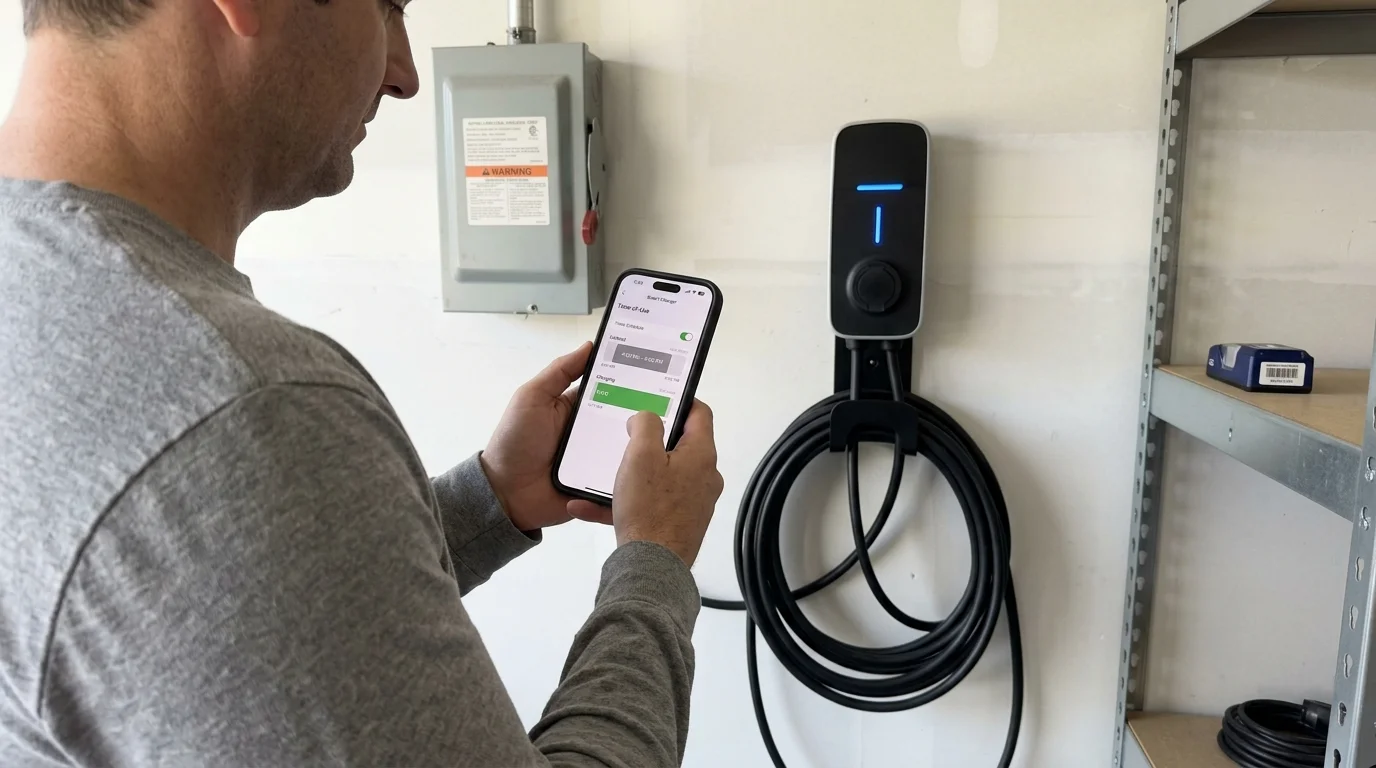
Step-by-Step Configuration Across Leading Smart Level 2 Chargers
Configuring your smart charger to schedule level 2 charger peak rates requires setting firm lockout windows inside the manufacturer application.
Follow these manufacturer-specific procedures to automate tou charging routine parameters against the 4 PM to 9 PM peak window:
- Emporia Smart EV Charger 48A:
Open the Emporia Energy app and tap your EV charger tile. Select the settings gear and navigate to “Manage Schedules.”
Add a new schedule block titled “Off-Peak Only.” Set the start time to 21:01 and the stop time to 15:59 across all seven days.
Alternatively, tap “Time of Use” and select your specific utility plan from the built-in database to sync tariff schedules automatically.
- ChargePoint Home Flex:
Launch the ChargePoint app and select the Home Charger dashboard. Tap the settings gear icon in the upper-right corner.
Select “Charging Schedule” and switch the toggle to “On.” Tap “Select Rate Plan” and choose your utility company and regional rate schedule.
Verify that the app shades the 4:00 PM to 9:00 PM window in red to indicate complete charging lockout on weekdays.
- Wallbox Pulsar Plus:
Open the myWallbox app and establish a Bluetooth or Wi-Fi connection to your charger. Select “Schedules” from the home screen.
Tap “Add Schedule” and set the active charging window from 21:01 to 06:00. Toggle Monday through Sunday to apply the rule continuously.
Ensure the “Eco-Smart” mode is disabled if you want charging to draw grid power promptly at 9:01 PM rather than waiting for morning solar.
- Tesla Universal Wall Connector:
Open the Tesla smartphone app and scroll down to the “Wall Connector” hardware section. Tap “Settings” and select “Schedule.”
Define your off-peak charging window by entering a start time of 9:00 PM and an end time of 7:00 AM.
Confirm that your vehicle’s in-cabin display has “Scheduled Departure” and “Scheduled Charging” switched off to prevent handshaking dropouts.
According to hardware testing guides published on Consumer Reports Smart Home, reliable smart EVSE scheduling depends heavily on your garage’s Wi-Fi signal quality.
Install a Wi-Fi mesh node nearby if your charger drops offline frequently. Offline chargers can miss automated utility rate adjustments.
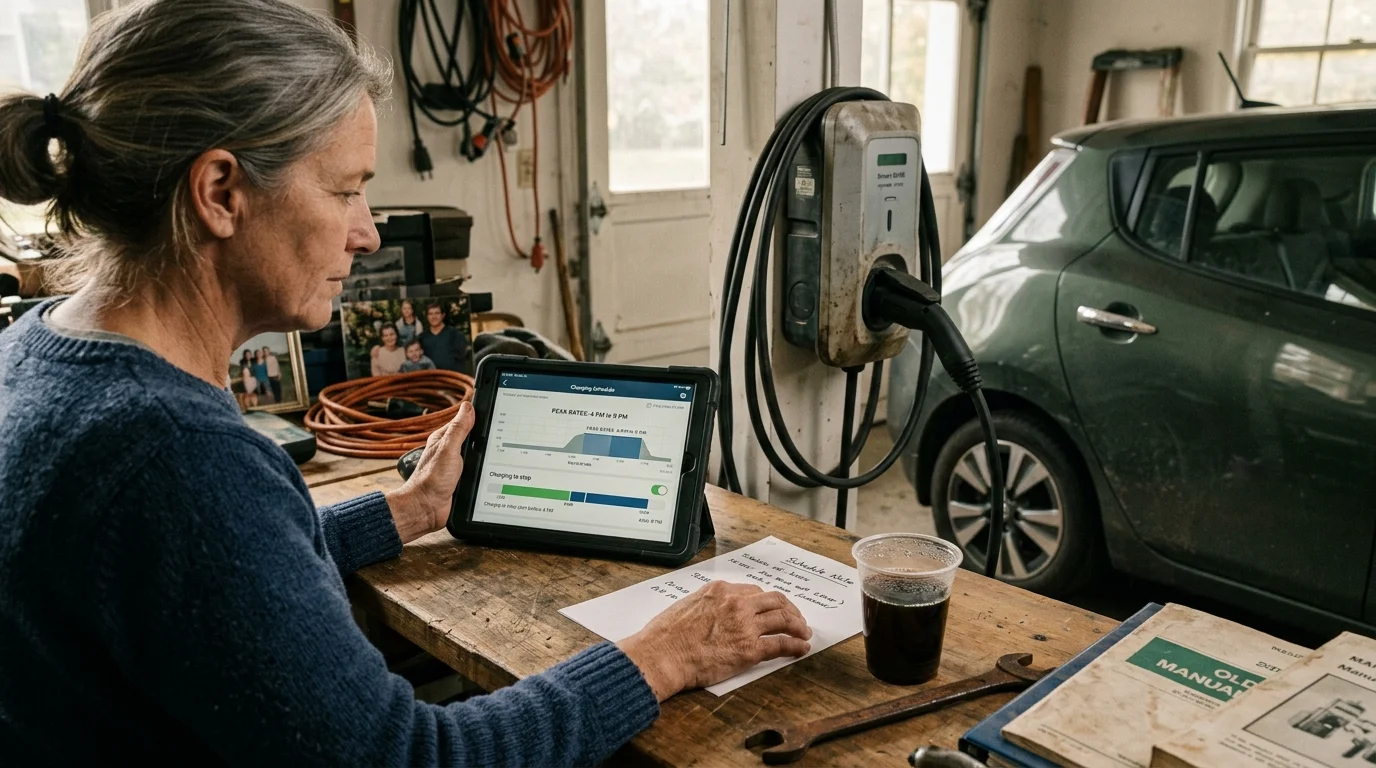
Smart EVSE Hardware and TOU Automation Capabilities
Smart chargers vary significantly in how they process utility rate schedules and interface with home automation controllers.
Selecting hardware with local network support ensures your charging schedules persist even during manufacturer server outages.
The table below compares four leading Level 2 smart chargers across critical automation parameters:
| Charger Model | Max Amperage | Local Protocol | Utility Rate Sync | Manual Override |
|---|---|---|---|---|
| Emporia Smart EV Charger | 48 Amps | OCPP 1.6J | Integrated Database | In-App One-Touch |
| ChargePoint Home Flex | 50 Amps | Proprietary Cloud | Zip-Code Auto-Sync | Single-Tap App Toggle |
| Wallbox Pulsar Plus | 48 Amps | OCPP 1.6J | Manual Time Blocks | Physical Cable Re-Insert |
| Tesla Universal Wall Connector | 48 Amps | Proprietary Local API | Tesla App TOU Sync | App or Screen Button |
Hardware featuring Open Charge Point Protocol (OCPP) provides greater long-term flexibility than cloud-locked alternatives.
As detailed in technical reviews on PCMag Smart Home, open-standard chargers insulate homeowners from abandoned cloud platforms and subscription paywalls.
Selecting an OCPP-compliant charger guarantees that your automated TOU charging routines remain operational for years to come.

Building Multi-Device Automation Routines with Home Assistant and OCPP
Standalone EVSE manufacturer apps function well in isolation, but they cannot orchestrate whole-home energy demand.
Integrating your charger into a local smart home platform like Home Assistant unlocks sophisticated multi-device routines.
By connecting an OCPP 1.6J-compatible charger to Home Assistant, you bypass third-party vendor clouds entirely.
Local integration allows you to pause vehicle charging dynamically when household electricity consumption approaches peak thresholds.
Here is an advanced multi-device daily routine designed to eliminate peak-rate exposure while protecting solar export revenue:
- 3:55 PM Pre-Peak Preparation: Home Assistant scans the EVSE state. If an active session is running, the hub sends an OCPP
RemoteStopTransactioncommand. - 4:00 PM Peak Lockout: The system disengages the charger contactor, adjusts smart thermostat setpoints upward by two degrees, and locks out heat pump water heaters.
- 4:05 PM Solar Battery Discharge: Rooftop solar home storage batteries transition to self-consumption mode to power household baseline loads until 9:00 PM.
- 9:01 PM Off-Peak Execution: Once utility rates drop, Home Assistant verifies that major appliances are idle and issues an OCPP
RemoteStartTransactioncommand to resume EV charging.
This automated sequence ensures your home never consumes grid electricity at on-peak prices while maximizing evening net-metering export revenue.
Local network control guarantees that routines execute reliably even if your broadband internet connection experiences an outage.
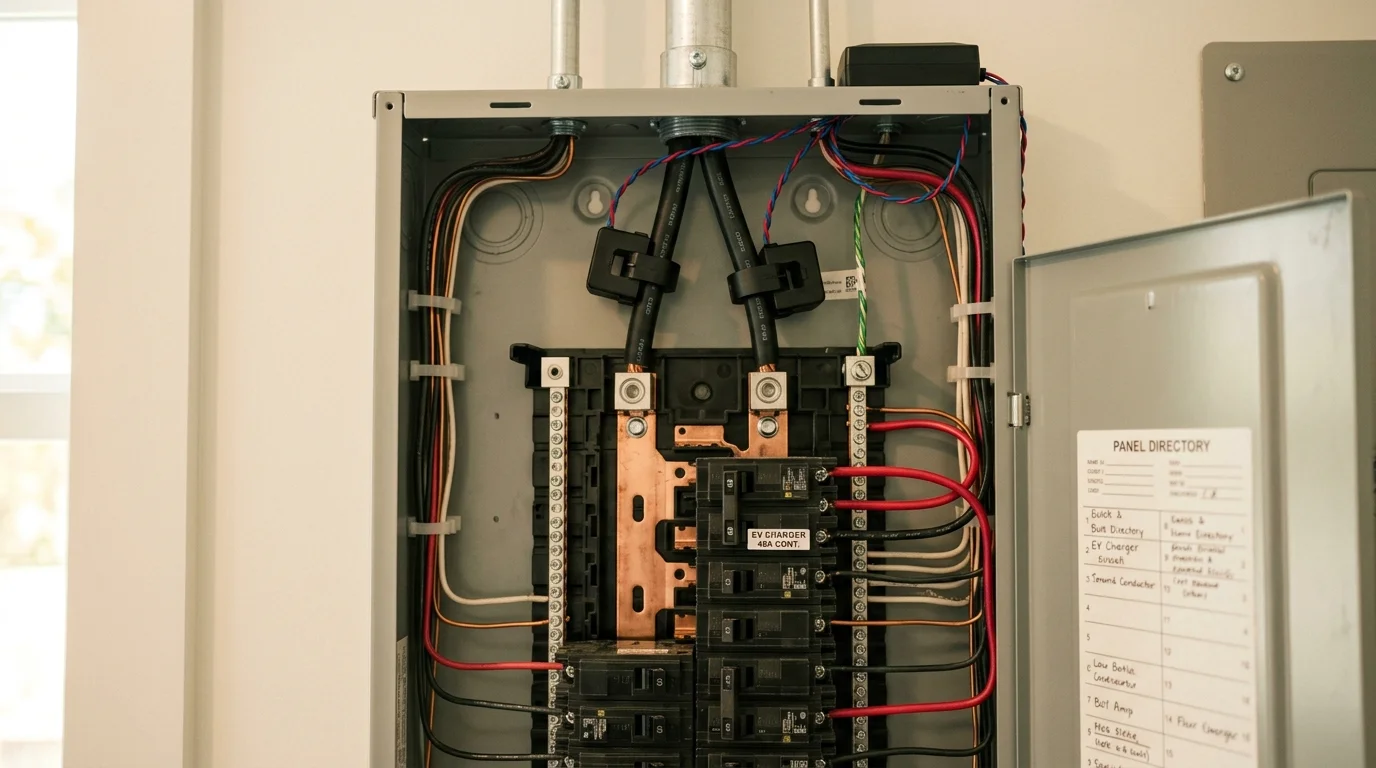
Managing 48-Amp Electrical Loads and Solar Export Windows
A continuous 48-amp electrical draw places substantial demand on your home’s electrical service panel.
Under continuous load rules, an EVSE running at 48 amps requires a 60-amp dedicated two-pole circuit breaker.
The resulting 11.5 kW power demand consumes over half the capacity of a standard 200-amp split-phase residential electrical panel.
Charging your vehicle between 5:00 PM and 8:00 PM coincides with peak residential energy usage.
Running your electric oven, air conditioner, and clothes dryer simultaneously with your EV charger can overload older 100-amp or 200-amp panels.
Automating your charging schedule past 9:00 PM shifts this massive load to late-night hours when household baseline consumption falls below 2 kW.
Homeowners under NEM 2.0 must also evaluate daytime solar charging opportunities.
If you work from home, charging your vehicle between 11:00 AM and 2:00 PM consumes rooftop solar generation directly on-site.
Consuming solar generation on-site eliminates grid transmission fees and maximizes the utility of your solar array.
You can configure your smart EVSE to charge at a throttled 16-amp rate during midday hours to match real-time solar generation curves.
When 4:00 PM arrives, the automated schedule terminates charging immediately to prevent grid import during peak billing windows.
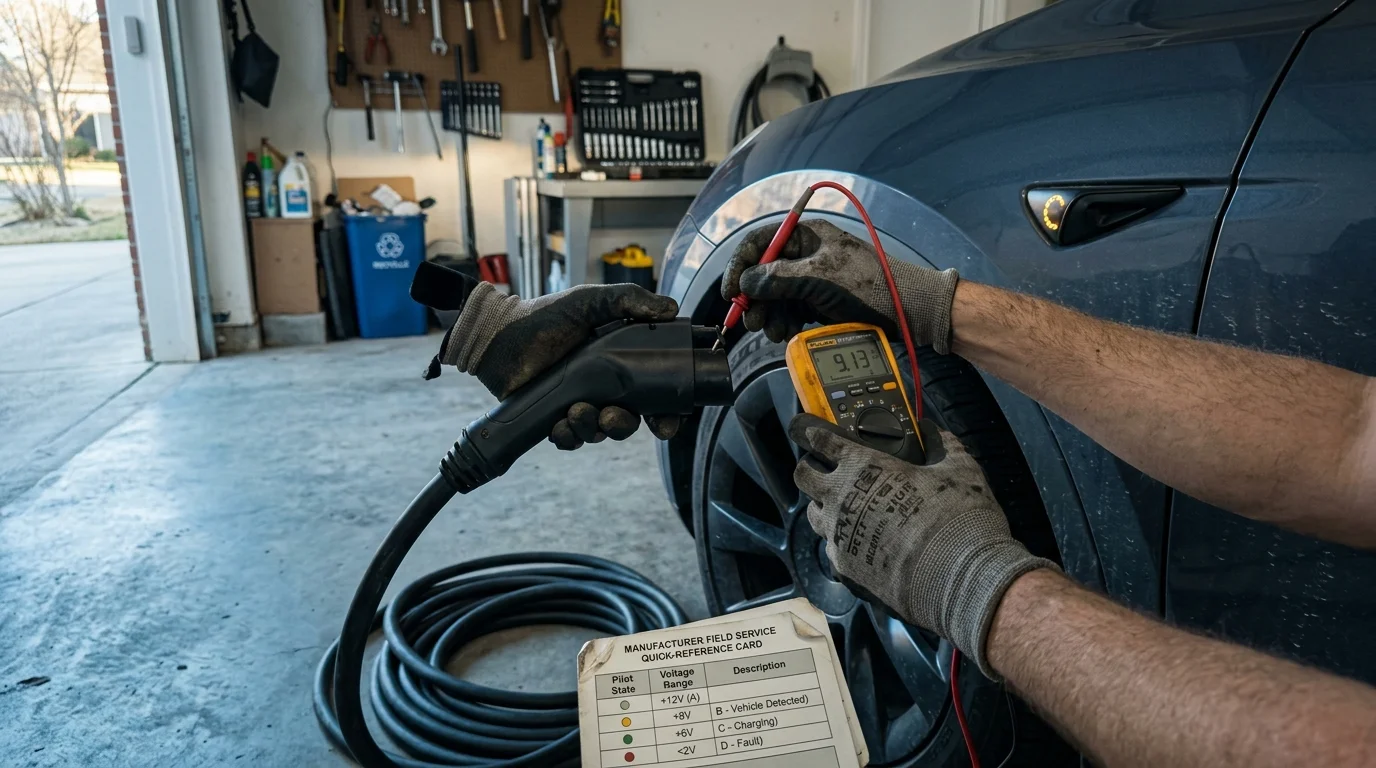
Troubleshooting Charging Schedule Failures and Pilot Signal Drops
Even carefully designed smart home charging routines can occasionally encounter operational failures.
When an electric vehicle sits plugged into an idle charger for several hours, its onboard battery management system enters a resting state.
If your EVSE fails to initiate charging when off-peak rates commence at 9:01 PM, work through these diagnostic steps:
- Verify Wake-Up Signal Compatibility: Disconnect the charging handle and plug it back in. If charging starts, the car failed to wake from the EVSE pilot signal. Contact your charger manufacturer for a firmware update that pulses the pilot signal.
- Audit In-Vehicle Charging Profiles: Check your vehicle’s touchscreen menus to verify that location-based charging windows or departure timers are disabled.
- Confirm Internal Clock Synchronization: Verify that your smart EVSE internal clock matches your local time zone, particularly following daylight saving time transitions.
- Check Wi-Fi Signal Strength: Ensure your EVSE reports a Wi-Fi Received Signal Strength Indicator (RSSI) value stronger than -65 dBm in its diagnostics menu.
- Inspect Utility Demand-Response Overrides: Check whether your utility enrolled your hardware in automated grid-curtailment events that temporarily suspend charging during heatwaves.
Systematic troubleshooting resolves the vast majority of scheduling errors without requiring expensive hardware replacements.
Always hire a licensed electrical contractor if you suspect loose terminal connections or experience thermal breaker trips inside your main service panel.
Frequently Asked Questions
Will scheduling my charger to start at 9:01 PM damage my vehicle’s 12-volt battery?
No. Modern electric vehicles wake their high-voltage contactors and onboard DC-to-DC converters automatically when the smart EVSE energizes the pilot signal. Your 12-volt battery maintains its charge during scheduled sessions without risk of draining.
What happens to my scheduled charging routine during an internet outage?
Most smart Level 2 chargers store active schedules in local onboard memory. Your EVSE will continue executing programmed lockout windows even if your home Wi-Fi network or utility cloud services go offline.
Can I temporarily override my scheduled lockout for an emergency trip?
Yes. Every major smart EVSE application includes a manual override button. Tapping this feature bypasses active schedules to deliver immediate charging at the maximum available amperage.
Does NEM 2.0 credit solar energy exported between 4 PM and 9 PM?
Yes. Exporting solar production to the grid during the 4 PM to 9 PM peak window earns credits at the highest available retail rate. Locking out your EV charger during these hours maximizes the financial value of your solar exports.
Should I hardwire my Level 2 charger or use a NEMA 14-50 plug?
Hardwiring is the superior choice for high-amperage daily scheduling. A hardwired connection supports continuous 48-amp charging, reduces thermal resistance, and eliminates nuisance tripping caused by redundant GFCI breakers.
Disclaimer: This article is for informational purposes only. Smart home devices involve electrical connections and data privacy. Always follow manufacturer instructions for installation. For complex wiring or HVAC work, consult a licensed professional.