

Upgrading your home with smart technology does not require a large investment. Smart thermostats, in particular, offer a significant return through energy savings and enhanced comfort, even with affordable options. You can control your home’s climate from anywhere, create efficient schedules, and even let your home learn your preferences.
This guide highlights the best budget thermostat models available for under $150. We focus on practical features, ease of installation, and real-world benefits, helping you find a smart thermostat that works well without breaking your budget.
Understanding Smart Thermostats: Value vs. Premium
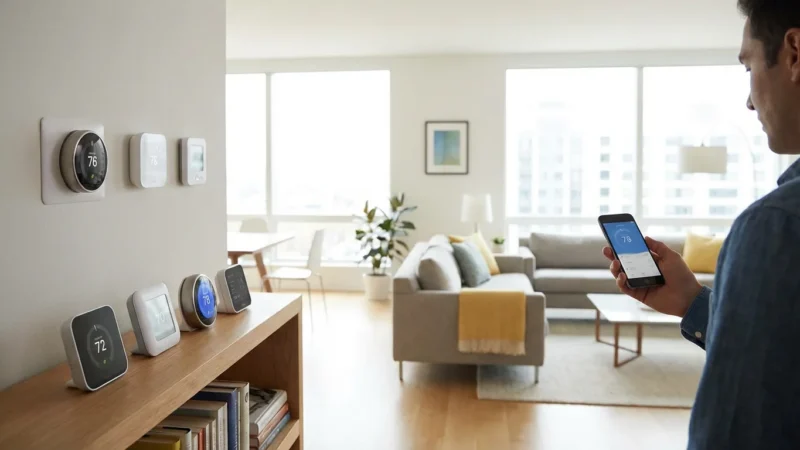
Smart thermostats offer more than basic programmable models. They provide remote control, energy usage insights, and advanced scheduling capabilities. While premium models include features like advanced sensors, touchscreens, and deeper smart home integrations, budget-friendly options focus on delivering the core benefits reliably.
You can expect excellent functionality from an affordable smart thermostat under $150. These value picks still offer features like remote temperature adjustment, energy consumption reports, and intelligent scheduling that adapts to your routine. They provide a cost-effective entry point into home automation, allowing you to save money and improve comfort.
Do not confuse “cheap” with “low quality.” Many manufacturers offer streamlined versions of their higher-end models, providing essential smart features at a more accessible price. These affordable smart thermostats under 150 deliver tangible benefits for your wallet and your comfort.

Key Features to Look for in Budget Smart Thermostats
Even with a sub-$150 budget, you should prioritize specific features to ensure you gain the most value from your smart thermostat. These core capabilities enhance your control and contribute to energy efficiency.
- Remote Control: Manage your home’s temperature from anywhere using your smartphone or tablet. This means you can adjust the thermostat before you arrive home, ensuring comfort immediately.
- Programmable Scheduling: Set custom schedules for different times of day and days of the week. Optimize heating and cooling around your family’s routine, saving energy when you are away or asleep.
- Geofencing: Some models use your phone’s location to detect when you leave or approach home. The thermostat automatically adjusts settings, preventing unnecessary heating or cooling of an empty house. This feature provides significant energy savings without manual intervention.
- Energy Reporting: Access data on your heating and cooling usage. These insights help you understand your energy consumption patterns and identify opportunities for further savings. Many smart thermostat apps present this data in an easy-to-understand format.
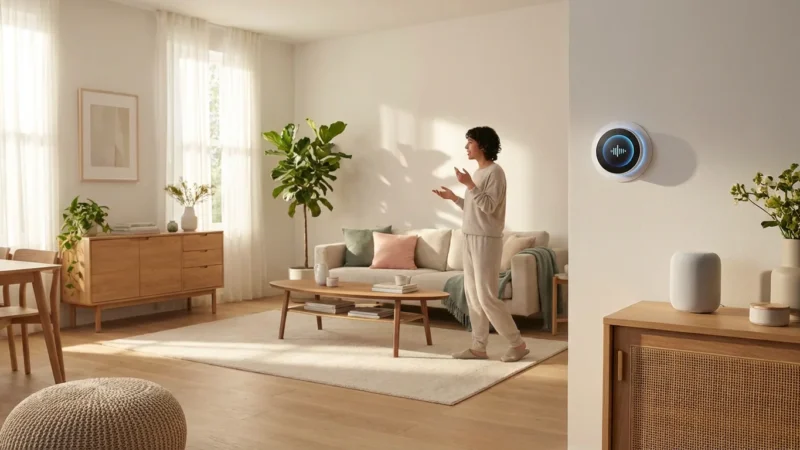
- Voice Assistant Integration: Control your thermostat using voice commands with devices like Amazon Alexa or Google Assistant. Simply say, “Alexa, set the living room to 72 degrees,” for instant adjustments.
- HVAC System Compatibility: Ensure the thermostat works with your specific heating and cooling system. Most smart thermostats support common systems, but always check for compatibility with your HVAC type (e.g., conventional, heat pump, multi-stage).
Focusing on these features ensures you select a best cheap smart thermostat that works well and provides a robust smart home experience.
Top Picks: Best Smart Thermostats Under $150
Finding a reliable, feature-rich smart thermostat under $150 is achievable. We have curated a list of value picks that consistently perform well and offer excellent bang for your buck.
Nest Thermostat
The Nest Thermostat, Google’s most affordable model, offers a sleek design and intuitive controls. It integrates seamlessly with the Google Home ecosystem and provides smart features that make temperature management effortless.
- Design: Its minimalist aesthetic blends into any home decor. The mirrored display shows temperature readings clearly.
- Ease of Use: Control it easily via the Google Home app or through voice commands with Google Assistant. Manual adjustments are also straightforward using the side touch bar.
- Key Features:
- Schedules: Create custom schedules within the Google Home app.
- Savings Features: The “Savings Slider” lets you adjust for energy efficiency. It also offers “Eco Temperatures” to save energy when you are away.
- HVAC Monitoring: Provides alerts if it detects potential HVAC issues, helping you maintain your system.
- Compatibility: Works with most 24V heating and cooling systems. It often requires a C-wire for consistent power. Google provides a power accessory if your system lacks a C-wire.
- Pros:
- Elegant, modern design.
- User-friendly Google Home app integration.
- Effective energy-saving features.
- Cons:
- Less advanced learning features compared to the pricier Nest Learning Thermostat.
- Requires a C-wire or power adapter for most installations.
A truly smart home device provides comfort and efficiency without constant intervention. The best budget thermostat offers essential features that automate your climate control discreetly.
Honeywell Home T5 Smart Thermostat
Honeywell Home has a long history in thermostat technology, and the T5 Smart Thermostat brings modern connectivity to their reliable hardware. This model provides robust scheduling and geofencing at an accessible price point.
- Design: Features a clean, rectangular design with a bright, easy-to-read touchscreen display.
- Ease of Use: The Resideo app (formerly Honeywell Home app) offers clear controls for scheduling and remote adjustments. The touchscreen interface on the device itself is also intuitive.
- Key Features:
- 7-Day Flexible Scheduling: Create detailed schedules that adapt to your weekly routine.
- Geofencing: Automatically adjusts your home’s temperature based on your proximity. It knows when you are coming and going, saving energy when you are out.
- Smart Alerts: Notifies you when it is time to change your air filter or if temperatures reach extreme levels.
- Compatibility: Compatible with most single-stage and multi-stage heating and cooling systems, including heat pumps. A C-wire is typically required for full functionality, though a C-wire adapter is sometimes included or available separately.
- Pros:
- Reliable performance from a trusted brand.
- Strong geofencing capabilities for effortless energy savings.
- Clear touchscreen display.
- Cons:
- App interface can feel less polished than some competitors.
- C-wire often essential for stable operation.
Emerson Sensi Lite Smart Thermostat
The Emerson Sensi Lite Smart Thermostat stands out for its broad compatibility and straightforward functionality. It offers excellent value, bringing smart control to nearly any home with ease.
- Design: A simple, unobtrusive design with a clear, backlit display. It prioritizes function and compatibility.
- Ease of Use: The Sensi app receives high marks for its intuitive layout and simple setup process. It guides you through installation and scheduling effortlessly.
- Key Features:
- Universal Compatibility: One of its strongest points is compatibility with almost all HVAC systems, including those without a C-wire in many cases (though a C-wire is always recommended for optimal performance).
- Flexible Scheduling: Program 7-day schedules, including separate weekday and weekend settings.
- Remote Access: Adjust settings from anywhere using the Sensi app.
- Keypad Lockout: Prevent unauthorized changes to settings, useful for rental properties or homes with curious children.
- Compatibility: Works with conventional, heat pump, and dual fuel systems. Many installations can operate without a C-wire using two AA batteries, but for consistent Wi-Fi connectivity and full features, a C-wire is best.
- Pros:
- Exceptional compatibility with diverse HVAC systems.
- Highly-rated, user-friendly mobile app.
- Simple and reliable performance.
- Cons:
- Lacks geofencing, a feature found in some other budget models.
- Less aesthetically flashy than Nest.
Installation: What You Need to Know
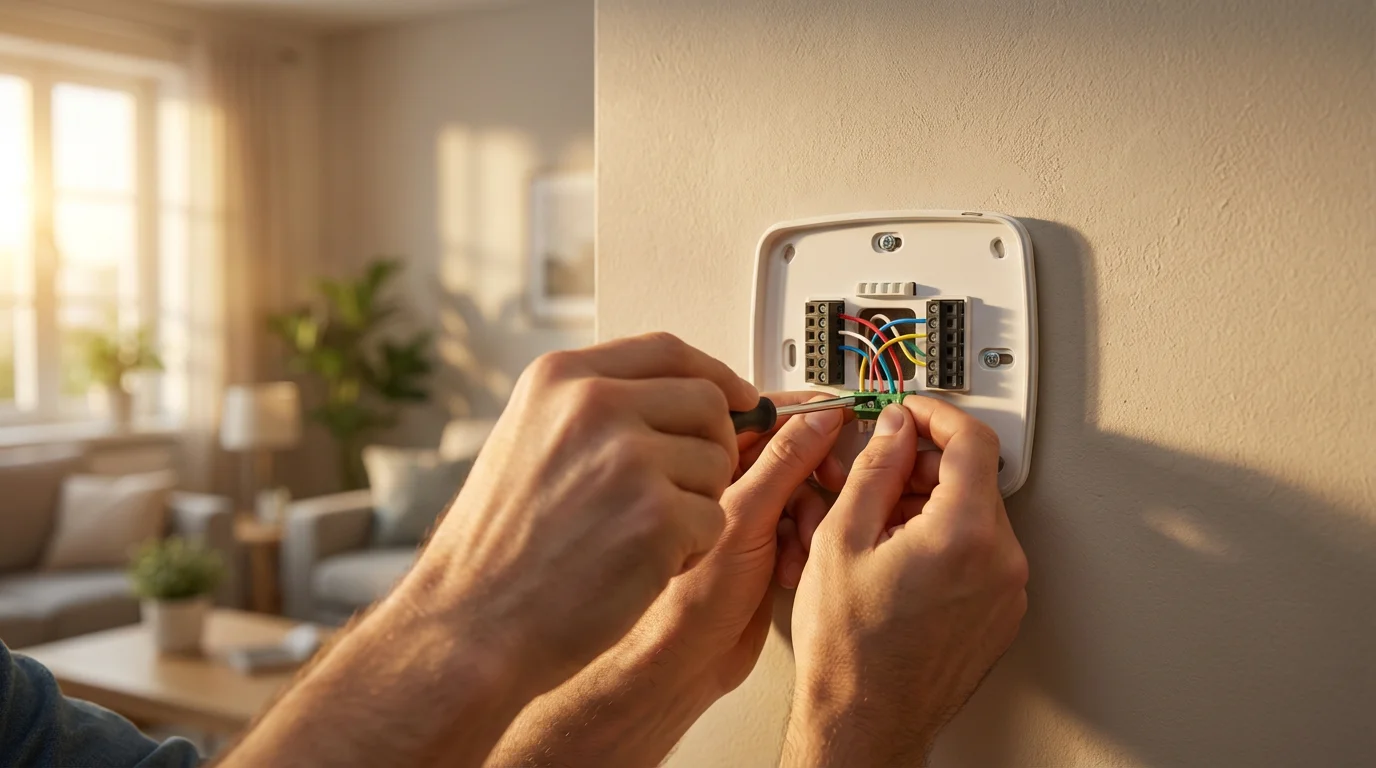
Installing a smart thermostat typically involves replacing your existing thermostat. While it is often a DIY-friendly task, understanding the requirements and safety precautions is crucial. When in doubt, always consult a licensed HVAC professional.
Compatibility Check
Before purchasing any smart thermostat, verify its compatibility with your home’s HVAC system. Manufacturers provide compatibility checkers on their websites. You input your current thermostat’s wiring configuration, and the tool tells you if the smart thermostat will work.
The C-wire: Your Power Lifeline
Most smart thermostats require a “common wire,” or C-wire, for continuous 24V power. Standard thermostats often draw power directly from your HVAC system through other wires (R, W, Y, G), but smart devices need consistent power for Wi-Fi and advanced features. Without a C-wire, your smart thermostat may experience intermittent power, disconnect from Wi-Fi, or drain your HVAC system’s transformer.
What if You Don’t Have a C-wire?
If your current thermostat wiring lacks a C-wire, you have a few options:
- Locate an Unused Wire: Sometimes, an unused wire is tucked behind your existing thermostat. If you find one, you can connect it as a C-wire at both the thermostat and HVAC control board.
- Use a Power Extender Kit (PEK): Many smart thermostat brands offer or recommend a PEK. This kit installs at your HVAC control board and allows a 4-wire system to simulate a 5-wire setup, providing a C-wire connection.
- Transformer: Some thermostats offer a plug-in transformer to power the device from a wall outlet. This is less aesthetically pleasing but effective.
- Call a Professional: For complex wiring or if you are uncomfortable working with your HVAC system, contact a licensed electrician or HVAC technician. They can safely install a C-wire or the thermostat for you.
General Installation Steps
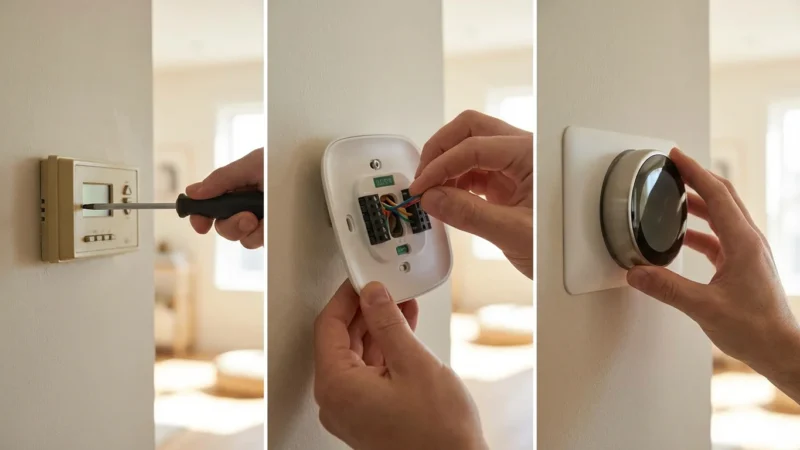
While specific steps vary by model, the general process for installing a smart thermostat is:
- Turn Off Power: Locate your HVAC system’s breaker switch in your electrical panel and turn it off. Verify the power is off by trying to operate your old thermostat.
- Remove Old Thermostat: Carefully detach your old thermostat from its base. Take a photo of the existing wiring for reference.
- Label Wires: Use the included labels from your new smart thermostat to mark each wire clearly as you disconnect it from your old thermostat.
- Install New Base Plate: Mount the new smart thermostat’s backplate to the wall. Ensure it is level.
- Connect Wires: Connect the labeled wires to the corresponding terminals on the new base plate. If using a PEK, install it at your HVAC unit first according to its instructions.
- Attach Thermostat: Snap the new smart thermostat onto its base plate.
- Restore Power: Turn the power back on at the breaker.
- Configure and Connect: Follow the on-screen prompts or app instructions to set up your Wi-Fi connection, calibrate the thermostat, and start scheduling.
Remember, safety comes first. If you encounter any issues or feel uncertain at any point, do not hesitate to contact a qualified professional.

Maximizing Your Savings and Comfort
Owning an affordable smart thermostat is only the first step. To truly unlock its potential, you must utilize its features effectively. Optimizing your settings leads to significant energy savings and consistent comfort.
Optimize Your Schedules
Create detailed schedules that reflect your daily and weekly routines. For example:
- Workdays: Set a warmer (summer) or cooler (winter) temperature when everyone is out for work or school. Adjust it to reach your desired comfort level 30 minutes before you typically return home.
- Weekends: Maintain comfortable temperatures during waking hours, but scale back during sleep.
- Vacations: Set your thermostat to an “away” mode for extended periods. This maintains a safe temperature for your home while minimizing energy waste.
According to Energy Star, a smart thermostat can save homeowners an average of 8% on heating and cooling costs.
Leverage Geofencing
If your chosen smart thermostat offers geofencing, activate and configure it correctly. This feature prevents you from heating or cooling an empty house unnecessarily. It works by detecting your phone’s location. When you leave a set perimeter, it adjusts to an energy-saving temperature. When you re-enter the perimeter, it begins heating or cooling to your desired home temperature.
Review Energy Reports
Most smart thermostat apps provide detailed energy usage reports. Regularly review these reports to identify patterns and areas for improvement. You might discover that certain schedule adjustments lead to greater savings. Understanding your energy consumption empowers you to make smarter decisions.
Explore Utility Rebates
Many local utility companies offer rebates or incentives for installing Energy Star certified smart thermostats. Check with your energy provider to see if you qualify for any programs. These rebates can further reduce your initial investment, making your affordable smart thermostat an even better value.
Integrating Your Budget Smart Thermostat into Your Home
Even affordable smart thermostats under 150 often integrate with broader smart home ecosystems. This connectivity enhances convenience and allows for more advanced automation.
Voice Control
All our top picks integrate with popular voice assistants like Amazon Alexa and Google Assistant. This means you can control your climate hands-free. Imagine adjusting the temperature from your couch or bed by simply speaking a command. This adds a layer of convenience to your daily routine.
Simple Automations
While budget thermostats might not have extensive built-in automation engines, you can still create simple rules through your smart home platform or the thermostat’s app. For example:
- “Good Morning” Routine: Link your thermostat to your morning routine. When your smart speaker announces the time, your thermostat can adjust to your preferred morning temperature.
- Door Sensor Trigger: Use a smart door sensor to trigger your thermostat to an “away” setting if the door remains open for an extended period, preventing wasted energy. (Note: This requires an external smart home hub or platform that supports such rules).
- Smart Lighting Integration: Program your smart lights to turn off when your thermostat switches to an “away” mode.
These simple integrations show how a smart thermostat, even a budget one, becomes part of a larger, more convenient smart home experience. You gain more than just temperature control; you gain a more responsive and efficient living space.
Frequently Asked Questions
Do I need a C-wire for my smart thermostat?
Most smart thermostats require a C-wire (common wire) to provide continuous power for their Wi-Fi and smart features. Without it, your thermostat may have intermittent power, lose Wi-Fi connection, or impact your HVAC system’s transformer. Some models offer power extender kits as a workaround, or battery operation for basic functions, but a C-wire ensures optimal performance.
Are smart thermostats really worth it for energy savings?
Yes, smart thermostats are generally worth it for energy savings. By utilizing features like programmable scheduling, geofencing, and energy reporting, you can significantly reduce your heating and cooling costs. Energy Star estimates average savings of 8% on heating and cooling, which can add up to substantial amounts over time, often making the thermostat pay for itself within a few years.
Can I control my smart thermostat from anywhere?
Absolutely. One of the primary benefits of a smart thermostat is remote access. As long as your thermostat is connected to your home Wi-Fi and you have internet access on your smartphone, you can control your home’s temperature from anywhere in the world using the companion mobile app.
What is geofencing and how does it help?
Geofencing is a feature that uses your smartphone’s location to determine if you are home or away. When you leave a predefined “geofence” area around your home, the thermostat can automatically switch to an energy-saving temperature. When you return, it can adjust back to your preferred comfort setting. This automation ensures you do not waste energy heating or cooling an empty house.
Are these affordable smart thermostats hard to install?
Most smart thermostats, including these budget thermostat options, are designed for DIY installation. The process typically involves turning off power, labeling wires, mounting a new base, connecting wires, and configuring the device via an app. However, if your wiring is complex, you lack a C-wire, or you feel uncomfortable with electrical work, hiring a licensed professional is always the safest option.
Disclaimer: This article is for informational purposes only. Smart home devices involve electrical connections and data privacy. Always follow manufacturer instructions for installation. For complex wiring or HVAC work, consult a licensed professional.
Learning how to create the perfect temperature schedule is essential for balancing energy use with personal comfort.
If your device fails to power on after following these steps, you may need to troubleshoot common smart thermostat issues related to wiring or Wi-Fi connectivity.




Leave a Reply