

Building a smart home offers convenience, enhanced security, and significant energy savings. You select devices like smart lights, thermostats, and security cameras to modernize your living space. However, these devices rely on different communication standards to talk to each other and your central control system.
Understanding these underlying smart home protocols empowers you to make informed decisions about your purchases. You can build a robust, reliable, and compatible smart home ecosystem. This guide demystifies WiFi, Zigbee, Z-Wave, and the emerging Matter standard, explaining how each functions and which best suits your home.

Why Smart Home Protocols Are Crucial for Your Connected Home
Smart home devices do not just magically communicate. They rely on specific communication languages, known as protocols. These protocols dictate how devices send and receive commands, sensor data, and status updates within your home network.
Learning about communication standards is one of the best ways to bypass common smart home mistakes beginners should avoid.
Ignoring protocols often leads to frustrating compatibility issues. You might buy a smart bulb that refuses to connect to your existing hub, or a door sensor that constantly drops offline. Knowing the differences ensures your devices work together harmoniously, creating a truly smart and responsive environment.
Consider the benefits of understanding these foundational technologies:
- Enhanced Compatibility: You select devices that natively speak the same language or are compatible through a central hub. This avoids silos of disconnected gadgets.
- Improved Reliability: Different protocols offer varying levels of signal strength, interference resistance, and power efficiency. You choose the best fit for critical functions.
- Optimized Performance: Understanding bandwidth and latency helps you select protocols suitable for high-data devices, like cameras, versus low-data sensors.
- Better Security: Each protocol implements security measures differently. Knowing this helps you understand the overall security posture of your smart home system.
- Future-Proofing Your Home: As technology evolves, especially with new standards like Matter, you can strategically plan your smart home’s growth.
Your smart home’s performance and stability directly depend on the underlying communication framework. Let’s explore the major players you will encounter.
WiFi: The Ubiquitous Smart Home Connector
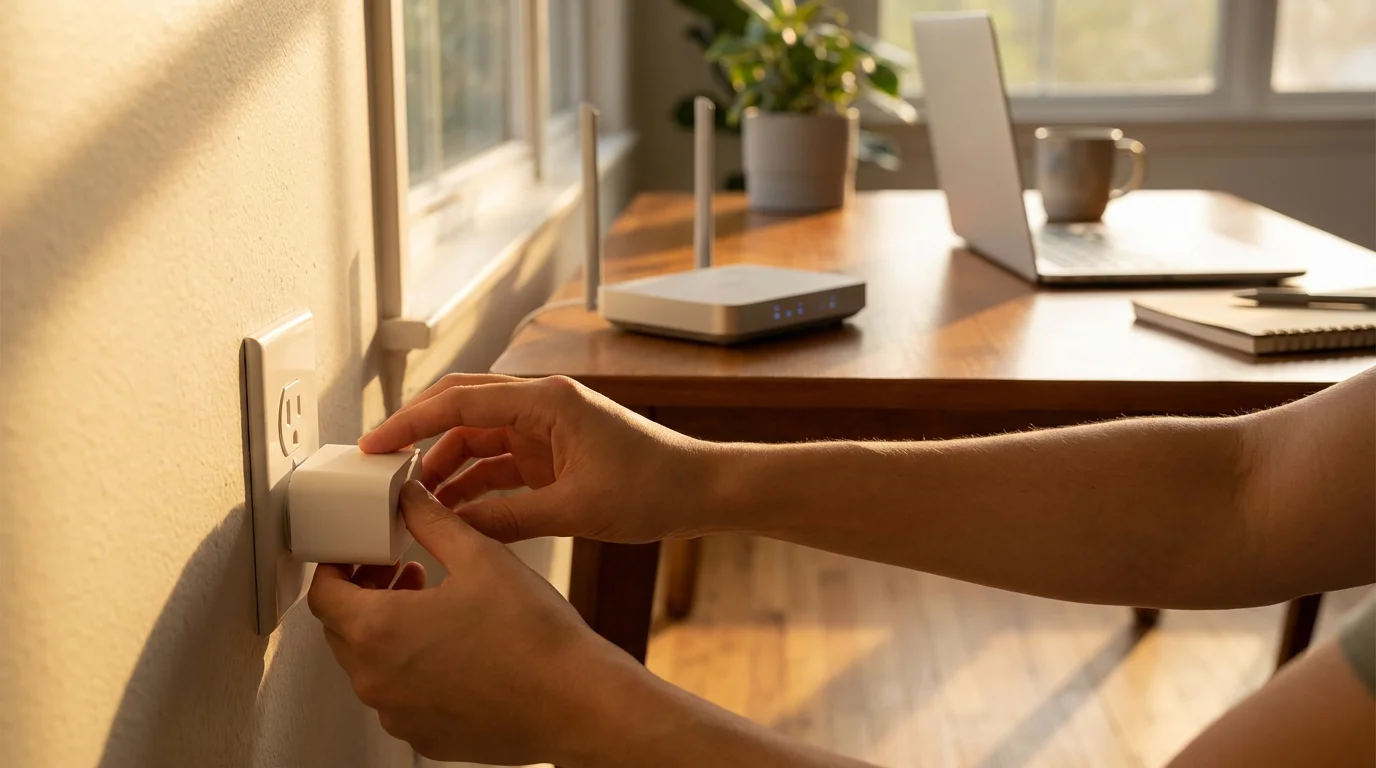
WiFi is the most common wireless technology in modern homes. You use it every day for your laptops, smartphones, and streaming devices. Many smart home devices also leverage WiFi for direct connection to your home network and the internet.
Before adding too many gadgets, ensure you are setting up your home WiFi for smart devices properly to handle the increased load.
WiFi smart devices do not typically require a dedicated smart home hub. They connect directly to your existing WiFi router. This plug-and-play simplicity makes them popular for beginners looking for their first smart home gadgets.
Advantages of WiFi for Smart Homes
- Widespread Availability: Your home already has WiFi. You do not need to purchase additional bridging hardware for many devices.
- High Bandwidth: WiFi offers ample bandwidth for devices that transmit a lot of data. This makes it ideal for video doorbells, security cameras, and smart TVs.
- Easy Setup: Most WiFi devices feature straightforward setup processes using a smartphone app. You simply connect them to your home network.
- Direct Cloud Connectivity: Many WiFi smart devices connect directly to cloud services for control, automation, and data storage.
Disadvantages of WiFi for Smart Homes
- Higher Power Consumption: WiFi modules generally consume more power than Zigbee or Z-Wave counterparts. This makes them less suitable for battery-powered sensors that need to last for months or years.
- Network Congestion: Every WiFi device adds traffic to your network. A home with dozens of WiFi smart devices can slow down your overall internet speed, particularly on older routers.
- Router Limits: Your router has a maximum number of devices it can handle reliably. Exceeding this limit leads to dropped connections and poor performance.
- Dependence on Internet: Many WiFi smart devices rely on an internet connection and cloud services to function. If your internet goes down, you lose control.
You find WiFi devices frequently in smart plugs, smart speakers, security cameras, and some smart light bulbs. They are an excellent starting point for basic smart home functions due to their familiarity and ease of integration into existing home networks.

Zigbee: The Mesh Network Powerhouse
Zigbee explained simply, is a wireless communication standard specifically designed for low-power, low-bandwidth applications common in smart homes. It operates on the 2.4 GHz radio frequency, similar to WiFi, but uses a different communication method known as mesh networking.
In a Zigbee mesh network, devices do not just talk to a central hub. They can also relay signals to each other. This creates a self-healing and expansive network. If one device goes offline, others can route around it, extending the network’s reach throughout your home.
How Zigbee Works
A Zigbee network requires a central hub, often called a Zigbee coordinator. This hub translates Zigbee commands into a language your WiFi network and smartphone can understand. Examples of devices with built-in Zigbee hubs include Amazon Echo devices, Samsung SmartThings hubs, and Philips Hue Bridge.
Devices in a Zigbee network fall into three categories:
- Coordinator: The single central hub that manages the network.
- Router: Mains-powered devices (like smart plugs or light bulbs) that relay signals from other devices, extending the network’s range.
- End Device: Battery-powered sensors (like motion detectors or door/window sensors) that send data but do not relay signals. They conserve power.
Advantages of Zigbee for Smart Homes
- Robust Mesh Network: The mesh topology provides excellent reliability and range. Each new mains-powered device strengthens your network.
- Low Power Consumption: Zigbee devices are highly energy efficient. Battery-powered sensors often last for years without needing a battery change.
- High Device Density: A single Zigbee network can support thousands of devices, far more than a typical WiFi router.
- Local Control: Many Zigbee systems allow for local control, meaning devices continue to function and execute automations even if your internet connection goes down.
- Strong Security: Zigbee includes robust encryption and authentication mechanisms to protect your network.
Disadvantages of Zigbee for Smart Homes
- Requires a Hub: You need a dedicated Zigbee hub or a device with an integrated Zigbee radio to use Zigbee devices. This adds an initial cost and a piece of hardware.
- Lower Bandwidth: Zigbee is not suitable for high-bandwidth applications like video streaming. It excels at small data packets, like on/off commands or sensor readings.
- Potential Interference: Since it operates on 2.4 GHz, Zigbee can experience interference from WiFi networks, microwaves, or Bluetooth devices, though it uses channel hopping to mitigate this.
Many popular smart home brands, including Philips Hue, IKEA Home smart, and some Aqara devices, utilize Zigbee. If you are wondering what is Zigbee and Z-Wave for smart home applications, Zigbee typically offers a cost-effective and expansive option for lighting and sensor networks.
Z-Wave: Optimized for Smart Home Reliability
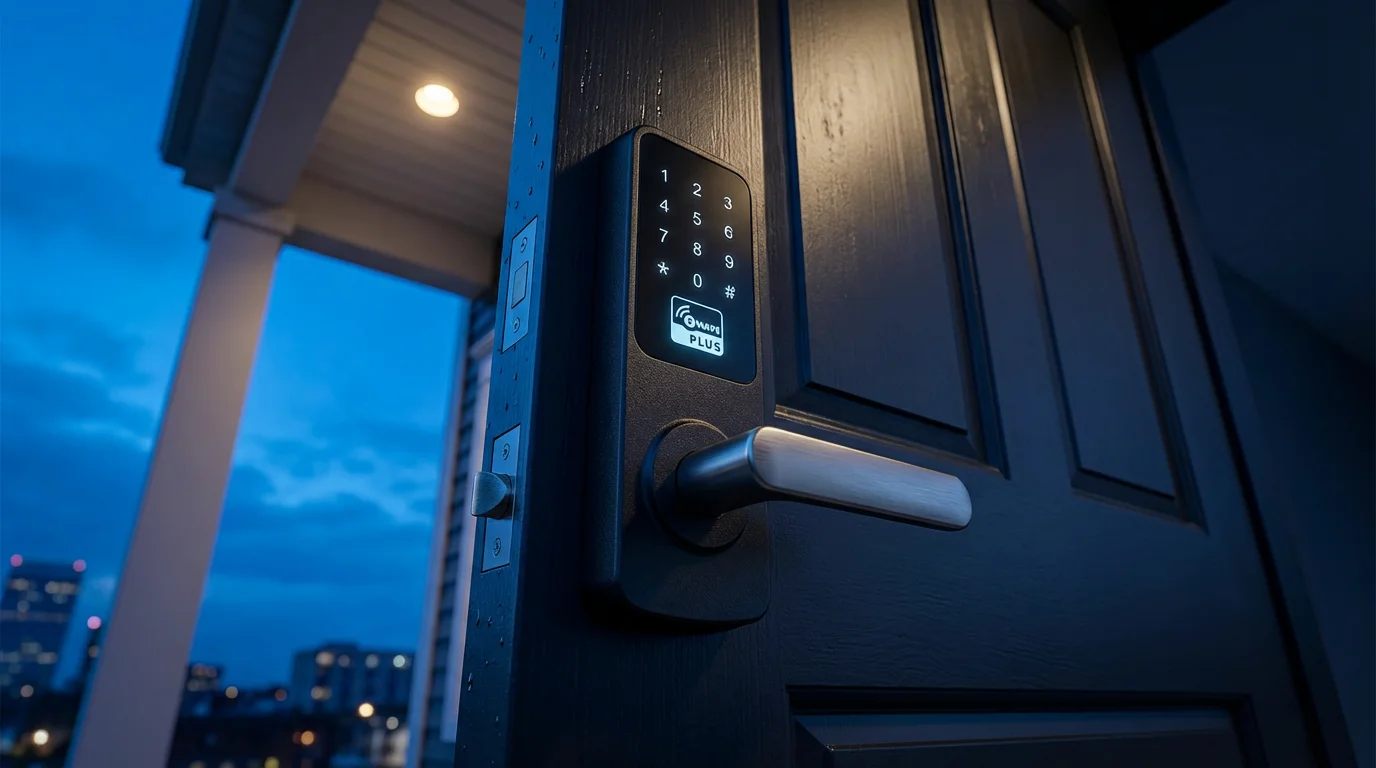
Z-Wave is another mesh networking protocol designed specifically for smart home devices, similar to Zigbee in concept but with key differences. The Z-Wave guide often highlights its strong reliability and security features.
Unlike Zigbee and WiFi, Z-Wave operates on much lower radio frequencies. In the US, it uses 908.42 MHz, while other regions use different frequencies. This lower frequency band offers distinct advantages in home environments.
How Z-Wave Works
Like Zigbee, Z-Wave also forms a mesh network and requires a central hub. This hub, sometimes called a Z-Wave controller, manages the network and translates commands. Z-Wave devices also act as repeaters, extending the network’s range and reliability.
A significant aspect of Z-Wave is its strict certification process. This ensures all Z-Wave devices adhere to specific standards, leading to excellent interoperability between different brands. You can mix and match devices from various manufacturers with confidence.
Advantages of Z-Wave for Smart Homes
- Reduced Interference: Operating on lower frequencies means Z-Wave signals do not contend with WiFi, Bluetooth, or microwaves. This results in a cleaner, more reliable signal.
- Longer Range and Penetration: The lower frequency allows Z-Wave signals to travel further and penetrate walls and obstacles more effectively than 2.4 GHz signals. This is particularly beneficial for larger homes.
- Excellent Interoperability: The strict Z-Wave certification program guarantees that all certified devices work together seamlessly. This simplifies system expansion and device selection.
- Strong Security: Z-Wave implements robust S2 security, which provides advanced encryption and authentication, protecting your network from unauthorized access.
- Low Power Consumption: Similar to Zigbee, Z-Wave devices are very power efficient. Battery-powered Z-Wave sensors offer long battery life.
Disadvantages of Z-Wave for Smart Homes
- Requires a Hub: Just like Zigbee, Z-Wave systems need a dedicated hub. Examples include Aeotec Smart Home Hub, Hubitat, or many alarm system panels.
- Lower Bandwidth: Z-Wave bandwidth is even lower than Zigbee, making it exclusively suitable for small data packets. It is not for streaming video.
- Potentially Higher Cost: Z-Wave devices can sometimes be slightly more expensive than their WiFi or Zigbee counterparts, partly due to the certification costs and specialized chips.
- Regional Frequencies: Z-Wave uses different frequencies in different parts of the world. Devices bought in one region might not work in another.
You find Z-Wave devices in security systems like Ring Alarm, smart door locks from brands like Schlage and Kwikset, and a wide array of switches, dimmers, and sensors. When considering what is Zigbee and Z-Wave for smart home needs, Z-Wave often wins for critical applications requiring maximum reliability and range, especially in larger homes.
Matter: The New Universal Language of Smart Home
Matter is the latest and most significant development in smart home protocols. It represents a unified, open-source connectivity standard designed to simplify the smart home experience. Backed by major tech companies like Apple, Google, Amazon, Samsung, and over 600 other brands, Matter aims to create a truly interoperable ecosystem.
Before investing in new hardware, it is wise to learn how to test if your home is ready for smart devices and their specific protocol requirements.
The goal of Matter is to make smart devices work together seamlessly, regardless of their manufacturer or the platform you use. Instead of relying on a multitude of proprietary apps and hubs, Matter allows devices to communicate using a common language. You will no longer face the frustration of buying a device only to discover it does not work with your preferred smart home platform.
Matter simplifies the smart home ecosystem by creating a common language, aiming to make devices work reliably together across different brands and platforms. This eliminates confusion and enhances the user experience.
How Matter Works
Matter is an application layer protocol. This means it runs on top of existing network technologies rather than replacing them. It primarily uses:
- WiFi: For devices requiring higher bandwidth or direct internet access.
- Thread: For low-power, mesh networking devices (more on Thread next).
- Ethernet: For wired connections where stability is paramount.
A Matter controller, often an existing smart speaker or a hub like an Apple HomePod Mini, Amazon Echo, or Google Nest Hub, acts as the central point. These controllers allow you to set up and manage Matter devices from any compatible app or ecosystem.
Advantages of Matter for Smart Homes
- Universal Interoperability: This is Matter’s biggest advantage. You can buy any Matter-certified device and expect it to work with your Apple HomeKit, Google Home, Amazon Alexa, or Samsung SmartThings system.
- Local Control: Matter devices emphasize local control. Your automations and commands execute quickly within your home network without needing to rely on the internet or cloud servers. This increases responsiveness and reliability.
- Simplified Setup: Matter features a streamlined setup process, often involving a simple QR code scan. You add devices directly to your chosen ecosystem without complex pairing.
- Enhanced Security: Matter incorporates modern security practices, including strong encryption and authentication. It ensures secure communication between devices.
- Future-Proofing: As more devices become Matter-certified, your smart home grows more robust and adaptable. New devices will integrate easily with your existing setup.
Disadvantages of Matter for Smart Homes
- Early Adoption Phase: While rapidly gaining traction, Matter is still relatively new. The number of certified devices and the full range of features are continuously expanding.
- Reliance on Controllers: You still need a Matter controller (a border router for Thread devices) to bridge devices to your network and manage them across ecosystems.
- Initial Confusion: The transition to Matter creates some initial confusion as manufacturers update existing devices and release new ones. You need to verify if devices are Matter-certified.
Matter promises to be a game-changer for smart home protocols, making the process of building and expanding your smart home significantly easier and more reliable. According to the Connectivity Standards Alliance (CSA), the organization behind Matter, the standard aims to deliver “a unified, IP-based connectivity protocol built on proven technologies.” This initiative significantly simplifies the smart home ecosystem by ensuring compatibility across diverse products and platforms.

Thread: A Foundation for Matter’s Wireless Future
Thread is a new wireless mesh networking protocol that plays a crucial role in the future of Matter-enabled smart homes. While Matter defines how devices communicate at an application level, Thread provides the underlying, robust, and efficient network layer for many Matter devices.
Like Zigbee and Z-Wave, Thread creates a self-healing mesh network. However, Thread is IP-based, meaning every device on a Thread network has its own unique IP address. This allows for direct communication with other IP-based devices and cloud services without a complex translation layer.
How Thread Works
Thread operates on the 2.4 GHz frequency band, similar to WiFi and Zigbee. It creates a robust mesh network where every mains-powered device acts as a “router” to extend the network’s reach. Battery-powered devices, like sensors, can be “end devices” that conserve power.
A “Thread Border Router” is essential for a Thread network. This device bridges the Thread network to your home’s WiFi or Ethernet network, allowing Thread devices to communicate with the internet and your smart home controller. Many Matter controllers, such as an Apple HomePod Mini or compatible Google Nest Hub, also function as Thread Border Routers.
Advantages of Thread for Smart Homes
- IP-Based: Each device gets an IP address, enabling direct and efficient communication without complex gateways. This integrates seamlessly with Matter.
- Robust Mesh Network: Thread networks are highly reliable and self-healing. If one path fails, devices automatically find another, ensuring continuous operation.
- Low Power Consumption: Thread is designed for very low power use, making it ideal for battery-powered sensors and accessories that need to operate for extended periods.
- Fast Response Times: The efficient, local communication within a Thread network results in quick response times for device commands and automations.
- High Security: Thread builds in strong, end-to-end encryption and authentication, protecting your data and network from vulnerabilities.
Disadvantages of Thread for Smart Homes
- Requires a Border Router: You need a Thread Border Router to connect your Thread network to your larger home network and the internet. Many new Matter hubs include this functionality.
- Still Growing: While adoption is accelerating due to Matter, the number of Thread-native devices is still increasing.
- 2.4 GHz Frequency: Like Zigbee and WiFi, Thread operates on the 2.4 GHz band, meaning it can experience interference, though Thread’s design includes features to mitigate this.
Thread significantly enhances the reliability and responsiveness of Matter-enabled devices, especially for battery-powered sensors and accessories. As you adopt Matter, you will likely encounter Thread as the underlying network technology for many of your new smart home gadgets.

Choosing the Right Protocols for Your Smart Home
Selecting the correct smart home protocols depends on your specific needs, existing devices, and future expansion plans. There is no single “best” protocol; often, a hybrid approach works best. This smart home protocol comparison helps you weigh your options.
Key Considerations for Your Protocol Choice
- Device Type:
- High-bandwidth devices (cameras, streaming): WiFi remains the primary choice.
- Low-bandwidth, battery-powered sensors (door, motion, temperature): Zigbee, Z-Wave, and Thread excel due to low power consumption.
- Lights and Switches: All protocols offer solutions, but Zigbee (Philips Hue) and Z-Wave (Inovelli, Zooz) have extensive offerings.
- Home Size and Layout:
- Small apartments/single rooms: WiFi often suffices, but a small Zigbee/Z-Wave network for reliability can be beneficial.
- Large homes with many walls: Z-Wave’s lower frequency and superior penetration make it a strong candidate. Robust Zigbee/Thread mesh networks also work well if you have enough mains-powered repeaters.
- Existing Ecosystem:
- If you already own an Amazon Echo with a built-in Zigbee hub, you can leverage Zigbee devices.
- If you use HomeKit, devices compatible with Thread/Matter or HomeKit-native WiFi devices are ideal.
- Budget: Dedicated hubs for Zigbee or Z-Wave add to the initial cost. WiFi devices can sometimes appear cheaper upfront because they do not require a separate hub.
- Security Concerns: All protocols offer security, but Z-Wave’s S2 and Matter’s modern encryption provide excellent protection. Ensure you always use strong passwords and keep firmware updated for all devices.
- Ease of Setup and Use: WiFi devices are typically simple to set up. Matter aims to standardize and simplify the setup across all device types and protocols it supports.
Actionable Steps for Protocol Selection
- Assess Your Needs: List the devices you want and their primary functions. Do you need security cameras, smart lighting, or energy monitoring?
- Check Device Compatibility: Before buying, always verify which protocol a device uses and whether it works with your existing hub or platform. Look for Matter certification for future proofing.
- Consider a Central Hub: For reliable and expansive smart homes, a dedicated hub (like SmartThings, Hubitat, or Home Assistant) that supports multiple protocols (Zigbee, Z-Wave, Matter via Thread/WiFi) provides the most flexibility and control.
- Plan for Expansion: Choose protocols that allow you to grow your system. Mesh networks (Zigbee, Z-Wave, Thread) are excellent for future additions.
You can effectively mix and match protocols within a single smart home. A robust smart home controller can often bridge different protocols. For instance, you might use WiFi for your security cameras, Z-Wave for door locks, and Zigbee for your smart lighting system. The key is ensuring your central hub or smart home platform supports all these protocols or has built-in bridging capabilities.

Building a Seamless and Secure Smart Home System
Regardless of the smart home protocols you choose, building a seamless and secure system requires careful planning and ongoing maintenance. A connected home offers immense convenience, but it also introduces potential vulnerabilities if not properly managed.
Ensuring Network Security
Your smart home’s security is paramount. Protecting your data and preventing unauthorized access involves several layers of defense:
- Strong Router Password: Change the default password on your WiFi router immediately. Use a unique, complex password.
- Guest Network: Consider setting up a separate guest WiFi network for your less critical smart devices. This isolates them from your main network containing personal computers and sensitive data.
- Regular Firmware Updates: Keep all your smart home devices and hubs updated to the latest firmware. Manufacturers often release updates to patch security vulnerabilities.
- Unique Device Passwords: If any smart device has its own login, use a strong, unique password for it, different from your WiFi password.
- Two-Factor Authentication (2FA): Enable 2FA for all your smart home accounts and apps. This adds an extra layer of security to prevent unauthorized access.
- HTTPS/SSL Encryption: Ensure your smart devices and apps communicate using secure, encrypted connections (HTTPS/SSL) when accessing cloud services.
A layered approach to security helps protect your privacy and your home. Treat your smart home network with the same vigilance you apply to your computer and banking accounts.
Optimizing Performance and Reliability
To get the most out of your smart home, focus on optimizing its performance:
- Central Hub for Integration: A dedicated smart home hub, like Home Assistant, Hubitat, or SmartThings, can integrate devices from different protocols. This allows you to create complex automations across your entire system. Many hubs support multiple protocols directly, offering a cohesive control point.
- Strategic Device Placement: For mesh networks (Zigbee, Z-Wave, Thread), strategically place mains-powered devices to act as repeaters. Avoid placing hubs or critical devices in enclosed cabinets or far from the center of your home.
- Consider a Dedicated Router: For advanced users or large homes, consider a router dedicated to IoT devices, separate from your main network. This helps manage congestion.
- Test Automations Thoroughly: Always test new automations to ensure they work as intended. Adjust conditions and timings for optimal performance.
Your smart home should work for you, operating smoothly in the background. By understanding smart home protocols and implementing these best practices, you empower yourself to build a robust, efficient, and secure connected living space.
Frequently Asked Questions
Can I use devices with different protocols together?
Yes, you absolutely can. Many modern smart home setups are hybrid, combining devices from different protocols. A central smart home hub, like a Samsung SmartThings hub, Hubitat, or Home Assistant, often supports multiple protocols (Zigbee, Z-Wave) and can integrate WiFi devices. The emerging Matter standard further simplifies this integration, allowing devices operating on different underlying networks like WiFi or Thread to communicate seamlessly at the application level.
Do I always need a hub for smart home devices?
No, you do not always need a hub. Many WiFi-based smart devices, such as smart plugs, light bulbs, and security cameras, connect directly to your home’s WiFi router and are controlled via their manufacturer’s app or a platform like Alexa or Google Home. However, Zigbee, Z-Wave, and Thread (without a Matter Border Router) devices always require a dedicated hub or controller to translate their unique signals into a language your broader network can understand. Hubs generally offer enhanced reliability, local control, and greater automation capabilities.
Is one protocol more secure than others?
All modern smart home protocols incorporate security features, including encryption and authentication. Z-Wave, for example, is known for its strong S2 security framework. Matter also builds on robust, modern cryptographic standards. However, security ultimately depends on proper implementation by manufacturers and secure practices by users, such as using strong passwords and keeping firmware updated. A device’s individual security implementation often matters more than the protocol itself.
What is the best protocol for a beginner?
For beginners, WiFi devices are often the easiest entry point because they typically do not require an additional hub beyond your existing router. They offer straightforward setup. However, if you plan to build a more extensive smart home with many sensors and lights, considering a hub-based system (Zigbee, Z-Wave, or Matter with Thread) early on can save you headaches later. Matter is designed to be beginner-friendly, providing universal compatibility and simplified setup for future growth.
Disclaimer: This article is for informational purposes only. Smart home devices involve electrical connections and data privacy. Always follow manufacturer instructions for installation. For complex wiring or HVAC work, consult a licensed professional.



Leave a Reply